
DistributeLayers
-
Compatibility After Effects Please check exact version compatibility under the "COMPATIBILITY" tab below
 Adding to cart...
 Distribute the selected layers in 3D space. In addition to offset position, you can offset rotation/scale/opacity and adds some randomness. The "Factor" parameter allows non-linear offset between layers.
| After Effects | 2024, 2023, 2022, 2021, 2020, CC 2019, CC 2018, CC 2017, CC 2015.3, CC 2015, CC 2014, CC, CS6 |
|---|
2.6 (Current version) - Jan 2, 2017
. Fixed a bug in the random number generator, concerning CC 2015 and later (on Mac).
- 2.5 Added CS6 Compatibility - Dec 2012
- 2.3 Fixed foreign language compatibility with CS5.5 - Nov 2011
- 2.2 Added support for Position with separated dimensions - Jan 2011
- 2.1 (Aug 2010)
- Added Random Scale (with Uniform option)
- Added Random Opacity
- Minor bugs fixed and CS5 compatibility
- 2.0 Initial release on aescripts.com (Aug 2009)
-

- Compatibility After Effects
BAO Mask Brush
Add to CartApply custom brushes to mask paths in After Effects, in 3D space, with Motion Blur and Squash and Stretch!
-
- Compatibility After Effects
Automate to Sequence
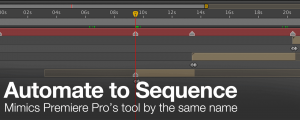
Mimics the Premiere Pro tool of the same name in After Effects. It shifts or sets the in point and out point of selected layers to markers set on a marker layer.Add to Cart -

-
- Compatibility After Effects
Blend
Add to CartBlend allows users to define property states on start and end controllers. The system will blend the difference between the two states across a desired number of objects.
-
- Compatibility After Effects
- Compatibility Cinema 4d
Paint & Stick 2
Add to CartPaint directly in comp with your custom and Photoshop brushes plus onion skinning (great for cel animation). "Stick" your paint on 3D renders. You gotta see it to believe it!
Please note Paint & Stick is not compatible with Apple Silicon machines
-
- Compatibility After Effects
Locations
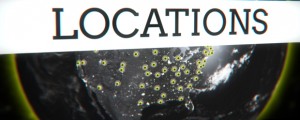
Create 2D and 3D geo located markers on equirectangular, mercator, gallpeters, hammer, sinusoidal and aitoff maps or projected onto a sphere. In other words, add map location data to your After Effects comp quickly and easily!Add to Cart
-

- Compatibility After Effects
Randomizer
Assigns random values within a certain range to the transform properties of the selected layers.Add to Cart$19.99 -
-
- Compatibility After Effects
AudioAmpToVideoSpeed
Allows you to speed up or slow down a video according to an Audio Amplitude layer.Add to Cart$19.99 -
- Compatibility After Effects
Create3DShapes
Creates a 3D box, a 3D sphere, a 3D cylinder, a 3D pyramid, a 3D menger sponge, a 3D Platonic Solid and even 3D falling dominoes with user-defined layers.Add to Cart$29.99 -
- Compatibility After Effects
AutoOrientCamera
Creates a new camera and sets point of interest, position and orientation keyframes so that the camera successively faces each comp layer.Add to Cart$9.99 -
- Compatibility After Effects
RepositionAnchorPoint
Allows you to reposition the anchor point of the selected layers around the layer edges while keeping the layers at the same position in the comp window.Add to Cart$9.99
View all nab products