
Duplicate Frame Remover 3
-
Compatibility After Effects Please check exact version compatibility under the "COMPATIBILITY" tab below
 Adding to cart...
Using the same engine as Magnum, it scans the footage and removes the duplicate frames by using the layer's time-remapping channel. This could come in handy on gameplay captures or roto jobs where the footage has funky pulldown or any other occasion where you need to remove duplicate frames from a clip.
Features
|
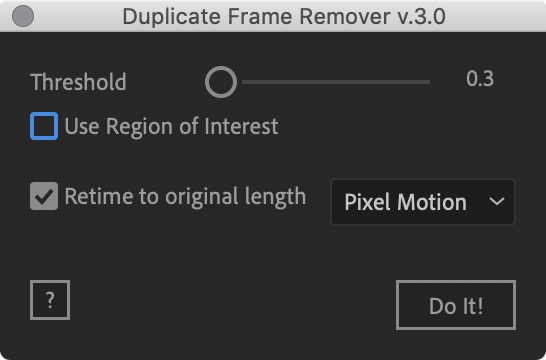 |
Upgrade Notice: If you purchased the old "Name Your Own Price" version you can receive a discount equal to what you paid if you purchased in the last year otherwise the discount is equal to half of what you paid. Simply login to the same account the upgrade price will be automatically displayed. If you need assistance please open a support request
| After Effects | 2024, 2023, 2022, 2021, 2020, CC 2019, CC 2018, CC 2017, CC 2015.3, CC 2015 |
|---|
3.2 (Current version) - Sep 28, 2022
- Updated License Framework to 4.1.3
3.1 - Aug 26, 2020
3.0 - Feb 19, 2020
- 50% faster processing
- many other small improvements
-

- Compatibility Cavalry
Create Duplicator Sequence for Cavalry
Add to CartTurn ~12 steps into 1! Quickly create Dynamic Animated Sequences in Cavalry!
-
- Compatibility After Effects
yu_timeRemap
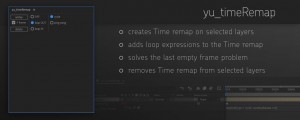
Add to Cart- creates Time remap on selected layers - adds loop expressions to the Time remap - solves the last empty frame problem - removes Time remap from selected layers
-

- Compatibility After Effects
Duplicate with Connections
Make a copy of a layer and link all its properties to the original using expressions.Add to Cart -

-

- Compatibility After Effects
Dupli-Kit
Duplicate layers using a pattern in After Effects with many options:Add to Cartcontrollable duplication, randomize properties, anchor point management, layers coloring, layers arrangement, and more.
-

- Compatibility After Effects
MOBO_Utils
Add to CartNew tools: Add Path Vertices, GIF Export and Arrow. An evolving set of simple native tools for Adobe After Effects. They do what’s described in their description and nothing else.
-
- Compatibility After Effects
Automate to Sequence
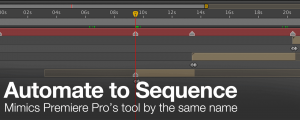
Mimics the Premiere Pro tool of the same name in After Effects. It shifts or sets the in point and out point of selected layers to markers set on a marker layer.Add to Cart$9.99 -

- Compatibility After Effects
Batch Search-n-Replace Paths
Batch process folders of After Effects project and search and replace file paths. This can come in handy if you are moving a project to a different folder structure like a new server. You can also use it to batch replace files in many projects at once.Add to Cart$49.99 -
- Compatibility After Effects
AudioToMarkers
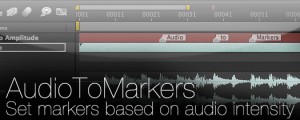
Add to CartAdds markers, splits a layer or adds a new text layer with incrementing numbers based on audio intensity.
$14.99 -

- Compatibility After Effects
Add Parented Null to Selected Layers
Creates a parented null for each of the selected layers. The new null can have a custom name defined in the User Variables section and also has the option of including the name of the layer that is parented to it.Add to Cart$4.99 -

- Compatibility After Effects
Throttle-n-Purge
Allows quick access to switch between 8, 16 and 32 bits per channel as well as turning the multiprocessing preference on and off. Has the option of showing or hiding the Purge button to suit your preference.Add to Cart$9.99 -
- Compatibility After Effects
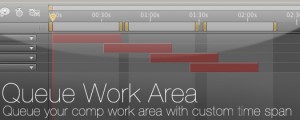
Queue Work Area
Queue your comp with the work area set as a custom duration. This way you can set several work areas to one queue and render them all at once.Add to Cart$14.99