
Fit2Frame
-
Compatibility After Effects Please check exact version compatibility under the "COMPATIBILITY" tab below
 Adding to cart...
 This script is used as part of the Aetuts+ Rockin Slideshow Tutorial
Fits selected layers (they can be different sizes and pixel aspect ratios) proportionally to fill the Comp frame by giving you the choice of either cropping or letterboxing.
Download includes 2 scripts:
- Fit2Frame which fits all the selected layers in a comp
- Fit2Frame-BatchComps which fits all layers from selected comps in the project panel
| After Effects | 2024, 2023, 2022, 2021, 2020, CC 2019, CC 2018, CC 2017, CC 2015.3, CC 2015 |
|---|
1.1 (Current version) - Jan 4, 2010
- 1.1 - Added rotation consideration 01/2010
- 1.0 - Initial release 08/2005
-

-

- Compatibility After Effects
Move To
Add to CartThe Move To tool is an After Effects tool that allows you to move layers, easily and quickly, in the timeline..
-

- Compatibility After Effects
Create3DShapes
Creates a 3D box, a 3D sphere, a 3D cylinder, a 3D pyramid, a 3D menger sponge, a 3D Platonic Solid and even 3D falling dominoes with user-defined layers.Add to Cart -

- Compatibility After Effects
Connect Layers PRO
Add to CartConnect your After Effects layers with dynamic lines ! Create rope, spanning tree, triangulation with a single click. Customize the look of your lines on the fly using the powerful features of our plug-in interface.
Apple Silicon Native -

- Compatibility After Effects
Super Resize Me!
Name Your Own Price!Add to CartBatch resize After Effects projects.
-

- Compatibility After Effects
- Compatibility Cinema 4d
Match Position
Add to CartMatches and links position and orientation between layers. Converts 3D coordinates to 2D screenspace. Aligns and distributes layers in both 2D and 3D.
-

- Compatibility After Effects
Create Trimmed Adjustment Layer
Creates a new adjustment or null layer and trim it to the range of the selected layers.Add to Cart$4.99 -

- Compatibility After Effects
3D Text Creator
Generates text layers and distributes them in 3D space.Add to Cart$9.99 -

- Compatibility After Effects
Load Project or Template at Startup
Will launch a project or template every time your start After Effects. For example, if you have a certain folder/file structure you like to keep for your AE projects, you can setup a virgin project the way you like it and save it as a template by giving it a .aet extension. Now every time you launch AE your custom setup will be automatically loaded.Add to Cart$14.99 -

- Compatibility After Effects
Layer Chain
Parents each selected layer to the layer above it.Add to Cart$4.99 -

- Compatibility After Effects
Immigration
Add to CartA smart import and batch replace tool that greatly improves the workflow of importing and replacing files especially file sequences and highly nested hierarchies.
$44.99 -
- Compatibility After Effects
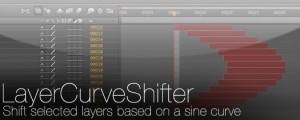
LayerCurveShifter
Shift selected layers based on a sine curveAdd to Cart$4.99