
Layer Handles
-
Compatibility After Effects Please check exact version compatibility under the "COMPATIBILITY" tab below
 Adding to cart...
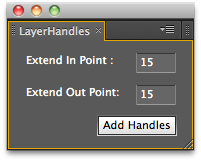
 Adds a user definable number of frames to the in and out points of the selected layers. Negative values will trim the layers.
| After Effects | 2024, 2023, 2022, 2021, 2020, CC 2019, CC 2018, CC 2017, CC 2015.3, CC 2015 |
|---|
1.5 (Current version) - May 10, 2010
- 1.0 Initial Release - Mar 2008
-

- Compatibility After Effects
Timeremap Source
Keep your compositions clean by stacking and precomposing multiple layers. Make them accessible via an expression slider.Add to Cart -

- Compatibility After Effects
AutoOrientCamera
Creates a new camera and sets point of interest, position and orientation keyframes so that the camera successively faces each comp layer.Add to Cart -

- Compatibility After Effects
SequenceLayers
Sequences the selected layers from the current composition time, by offsetting their inpoint.Add to Cart -
- Compatibility After Effects
Layer Selector Toolbar
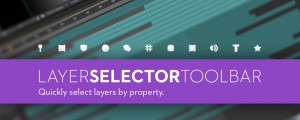
A compact toolbar to quickly select layers by property.Add to Cart -

- Compatibility After Effects
Layer Storage
Custom groups dramatically changing the way you work in After Effects.Add to Cart -

- Compatibility After Effects
Extrudalizer
Add to CartExtrudalizer allows you to extrude any 2D shape layer into virtual 3D space, control its depth, position, rotation, and scale. You can set up appearance, animation, and even manipulate the original 2D path with the Extrudalized shape repeating this manipulation. The script is 100% Lottie compatible for web use (bake expressions to keyframes for mobile app use) and can be exported using the Bodymovin plugin.
-

- Compatibility After Effects
ExpressionUniversalizer 4
Add to CartConverts the expressions in your projects so that they are compatible with After Effects running in any language. Now with batch processing.
$49.99 -

- Compatibility After Effects
Throttle-n-Purge
Allows quick access to switch between 8, 16 and 32 bits per channel as well as turning the multiprocessing preference on and off. Has the option of showing or hiding the Purge button to suit your preference.Add to Cart$9.99 -

- Compatibility After Effects
Marker Batch Editor
Batch edit all marker attributes. Now supports comp markers and marker duration. Also has an option to export the marker to a text file.Add to Cart$24.99 -

- Compatibility After Effects
Duplicate Frame Remover 3
Add to CartRemoves duplicate frames in footage. New retiming feature and 50% faster processing.
$39.99 -
- Compatibility After Effects
Introduction to After Effects Scripting Video Course
Add to CartBy popular demand we partnered with fxphd to offer this course that teaches you how to create scripts for After Effects starting with no programming knowledge.
$99.00 -
- Compatibility After Effects
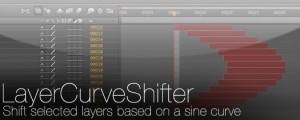
LayerCurveShifter
Shift selected layers based on a sine curveAdd to Cart$4.99