
Random Layer Selector
-
Compatibility After Effects Please check exact version compatibility under the "COMPATIBILITY" tab below
 Adding to cart...
 Randomly selects layers. There's 4 options for how many layers are selected randomly: You can randomly select most of the layers, many of the layers, not many and finally you can have it randomly select very few of the layers.
The most, many, not many and very few selection works by first randomly picking layers from the whole set. This result is what you get when you select 1 (most). If you select 2 (many of the layers), the random function is run again on the 1st selection, so it essentially randomly selects layers from the previously randomly selected layers. Options 3 and 4 simply run the function that many more times. I thought that was a neat solution so i thought i'd share it for those of you that can't read what a script is doing.
Similar to NthLayerSelector it will randomly select from a selection of layers or from all the layers in the comp if no layers are originally selected.
| After Effects | 2024, 2023, 2022, 2021, 2020, CC 2019, CC 2018, CC 2017, CC 2015.3, CC 2015 |
|---|
1.0 (Current version) - Aug 4, 2008
-

- Compatibility After Effects
- Compatibility Photoshop
- Compatibility Illustrator
Word Cloud 2
Add to CartCreate an Animated Word Cloud in After Effects, Photoshop or Illustrator. New Themes Editor, PNG export up to 8K and more...
-
- Compatibility After Effects
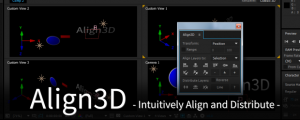
Align3D
"Align3D" is the simple 3D space align and distribute script that can be used intuitively. In addition to "Align", Z-Axis & Other Transform, Range Option.Add to Cart -

- Compatibility After Effects
BAO Layer Sculptor
Add to CartPrecise layer warping and sculpting plugin for After Effects. Draw a mask exactly where you need it and warp it with perfect precision.
-

- Compatibility After Effects
Layer Displayer
Add to CartDisplays only the layers that you need here and now.
-
- Compatibility After Effects
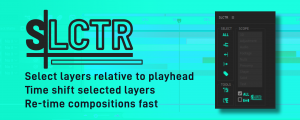
SLCTR
Easily re-time comps by selecting layers based on the play-head position. Choosing the selection scope as all layers or specific layer types with the ability to restrict your selection to the Workspace. Then shift selected layers together.Add to Cart -

-
- Compatibility After Effects
Duplicate Frame Remover 3
Add to CartRemoves duplicate frames in footage. New retiming feature and 50% faster processing.
$39.99 -

- Compatibility After Effects
Create Trimmed Adjustment Layer
Creates a new adjustment or null layer and trim it to the range of the selected layers.Add to Cart$4.99 -
- Compatibility After Effects
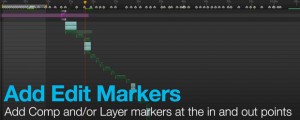
Add Edit Markers
Will add Layer or Comp markers at the in and out points of the selected layers in a comp.Add to Cart$14.99 -
- Compatibility After Effects
AudioToMarkers
Add to CartAdds markers, splits a layer or adds a new text layer with incrementing numbers based on audio intensity.
$14.99 -

- Compatibility After Effects
The LoopMaker
Loops any layers, footage or comps with one click™Add to Cart$14.99 -
- Compatibility After Effects
LayerCurveShifter
Shift selected layers based on a sine curveAdd to Cart$4.99