
PuppetTools 3
-
Compatibility After Effects Please check exact version compatibility under the "COMPATIBILITY" tab below
 Adding to cart...
PuppetTools 3 is an easy to use rigging tool for After Effects that will save you hours of work.
Set up an IK system in 1 click. Use it to make highly customized controllers for puppet pins, shape layer path points and just about anything else. And it works on any type of artwork (.psd, .ai, shape layers, etc.).Features
- 1 click IK set up
- Create controllers for just about anything
- New support for Shape Layer and Mask paths! (Requires CC 2018)
- Customize the look, size, name and behavior of controllers
- Works with any type of artwork
- Super easy to use
- Comes with a FREE practice rig

Customize and create controllers for any kind of artwork—Photoshop, Illustrator, PNG, Shape Layers, anything!
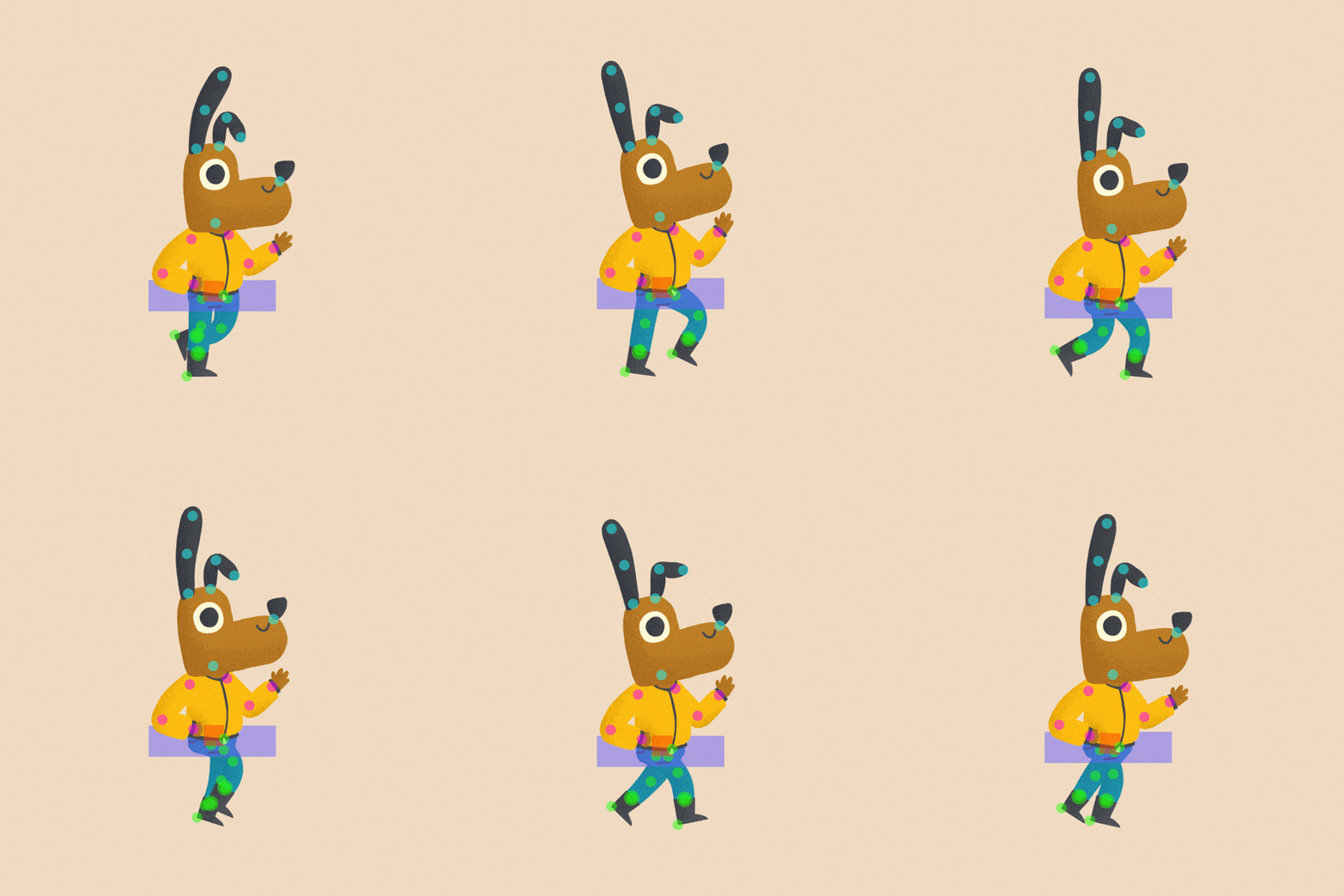
Comes with a FREE rig named Lucy
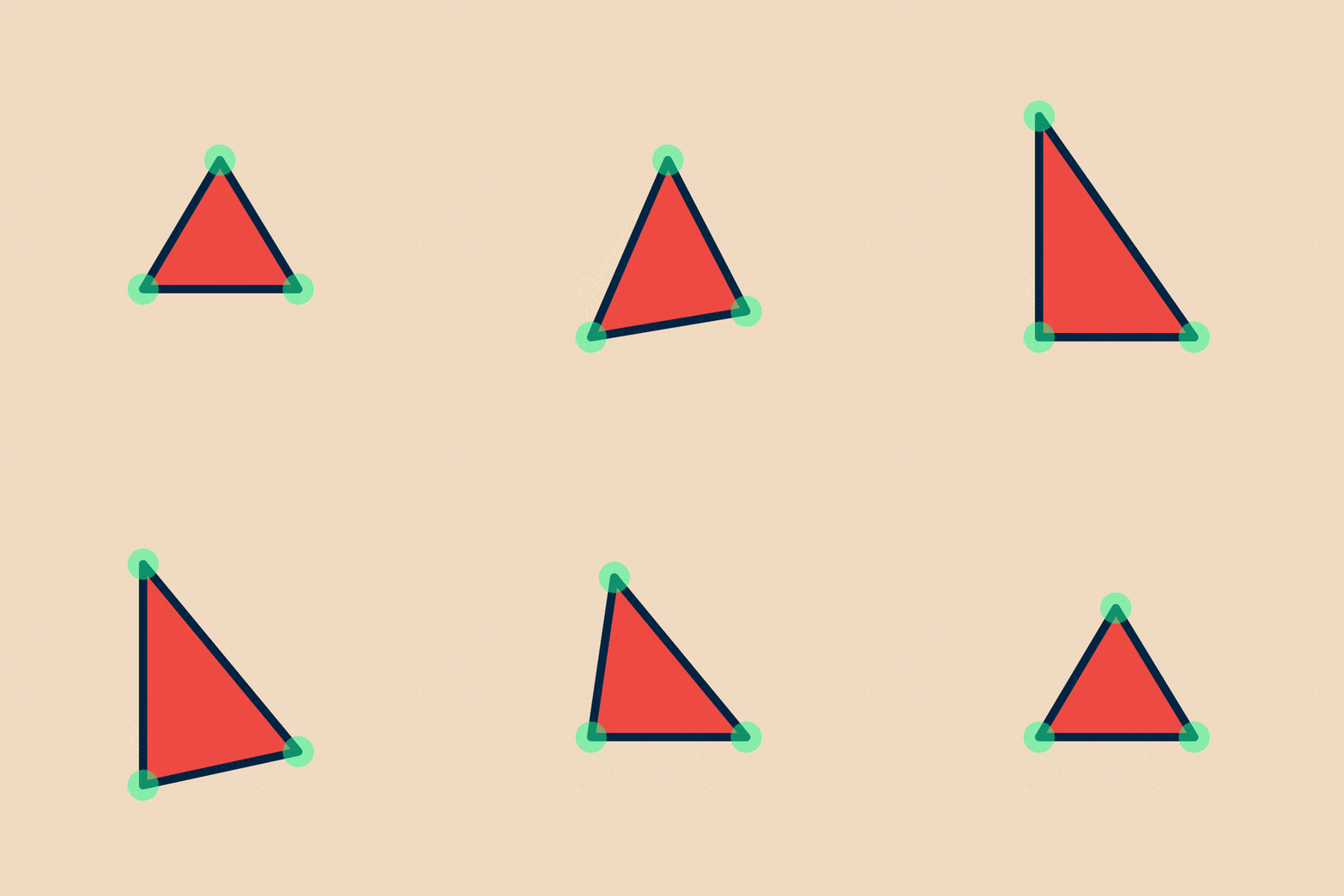
you can make controls for Shape Layer & Mask paths!
Create Controllers
This lets you create controllers for just about anything in After Effects and link them with an expression. It works with puppet pins, shape layer paths, mask paths, and layer positions.
Create IK
A 1-click IK set up designed to be as simple as possible. Select 3 layers, preferably in a sequence, click Create IK and you have an IK system. You don’t even need controllers—use it on any three layers.
Free Rig
Along with a user guide, you also get the project files from the tutorial videos—including the Lucy rig. Use it to follow along with the demos or practice your own rigging and character animation.
I picked up Puppet Tools 3. Been eyeing it for a bit and I appreciate the simplicity compared to DuIK!
— Kyle Martinez (@kyletmartinez))
TUTORIALS
| After Effects | 2020, CC 2019, CC 2018, CC 2017, CC 2015.3, CC 2015, CC 2014, CC, CS6, CS5.5, CS5, CS4 |
|---|
3.7.6 (Current version) - Apr 9, 2020
3.7.5 - Oct 22, 2019
3.7.4 - Nov 5, 2018
3.7.3 - Apr 28, 2018
3.7.2 - Apr 10, 2018
- Updated Help UI
3.7 - Mar 19, 2018
- New support for path and mask path vertex controllers
- New Settings options to customize controller type, color and naming style
- Create IK now works with any type of layer or controller
3.6 - Mar 3, 2016
3.5 - Feb 20, 2016
Added option to use Solids instead of nulls
Cleaned up code to avoid any cross-script contamination
Minor UI tweaks
3.4 - Aug 25, 2014
3.2 - Jun 22, 2014
3.0 Update (10-22-13)
- New Create IK feature! A one-click IK setup.
- Auto-saves your settings
- Support for multiple mesh artwork
- Better support for Shape layers
- Fixed uncentered anchor point bug
- FREE practice character rig!
- FREE ft_Toolbar icon!
- After Effects CC Compatible!
- Now works on 3D enabled layers
- Locks the scale of null controllers to prevent accidental scaling
- Simplified UI language
2.1 Added support for foreign language versions of AE (07-18-12)
2.0 Major Update (07-03-12)
- New option-packed UI
- No longer to need to precomp artwork before applying
- Help button
- CS6 Compatible
- Option to parent-chain nulls together and their order
- Option to specify null size
- Option to create a parent offset null and its location
- Option to lock and shy artwork
- "Loop Precomp" renamed to "Layer To Loop"
- If not already, will precomp selected layer to loop
- Option to only loop certain # of times
-

- Compatibility After Effects
Trigger
Add to CartQuickly setup and retime animations by triggering animations inside a precomp using layer markers. Easily create Trigger comps, add markers, and trigger animations from inside a precomp . Turn your linear workflow into an automated event based workflow, allowing you to non-destructively retime complex animations, easily test out multiple versions of an animation, and sequence together multiple animation events easily from your global composition.
-

- Compatibility After Effects
Motioneer Lite
Add to CartIt's a motion engine. Copy animations (and also save with the full version), then attach or apply them to layers retaining comp / layer ratios.
-

- Compatibility After Effects
Easy Bounce Free & Pro
Add to CartDownload FREE version. Create bouncing animations the easy way! Just roughly keyframe the motion path you'd like, and let Easy Bounce take care of the rest.
-

- Compatibility After Effects
TextEvo 2
Add to CartTextEvo allows you to easily animate your text with delay based on letters, words or lines.
-
- Compatibility After Effects
Blob it!
Add to CartIf you can see it, You can BLOB it! Grants blobby, bubbly, and jiggly properties to anything you see!
-
- Compatibility After Effects
Set Parent To Structure
Auto parent-child linking of layers to character skeletonAdd to Cart