
bq_Scale & Rotate Motion Paths 2
-
Compatibility After Effects Please check exact version compatibility under the "COMPATIBILITY" tab below
 Adding to cart...
 NEW VERSION 2.0
Have you ever tried scaling or rotating a motion path?
AE has no built-in way to do it.
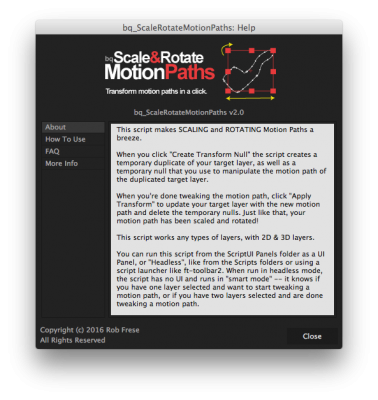
This tool lets you scale & rotate motion paths like you would any other path.
You know, like it should be.
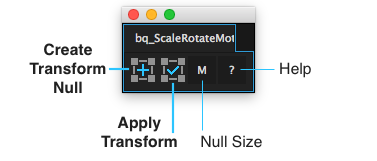
Notes:
Works with any type of layer. 2D and 3D layers.
Only applies to root-level motion paths. In other words, it won't work on the position property of a shape within a layer.
If you can't see your entire motion path, you have to tweak an internal AE setting. Go to Preferences > Display and set "Motion Path" to "All Keyframes" to see your entire motion path at once.
Headless Version:
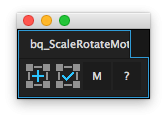
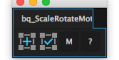
It can be run in "headless" mode -- such as with ft-toolbar2 or from the "Scripts" folder. In this mode, the script knows what you're trying to do and operates accordingly:
- If you have one layer selected, it creates a transform null for you to scale and rotate.
- If you have transform null/temp layers selected, it applies the transformation.
- If you have nothing selected and there are temp layers in the comp, it selects them for you.
| After Effects | CC 2017, CC 2015.3, CC 2015, CC 2014, CC, CS6, CS5.5, CS5 |
|---|
2.0 (Current version) - Apr 11, 2016
- Faster processing
1.0 - Mar 12, 2015
1 - Feb 19, 2015
-
- Compatibility After Effects
MonkeyWipes
Add to CartA wild procedural transition system with virtually endless possibilities. Built for easy experimentation. Great for logos, text or motion graphics.
-

- Compatibility Premiere
Textyle Premiere
Add to CartAnimate text with an easy to use interface that includes many presets and styles in Premiere Pro
-

- Compatibility After Effects
Trails
Add to CartTrails is an add-on for After Effects which creates amazing, fully dynamic trails, swooshes and speed lines. You can set up a Trail in seconds, and apply dynamic effects to give even more life to your animation.
-

- Compatibility After Effects
PQ Mo•Bits
Add to CartPQ Mo•Bits is a big fat library of obvious everyday icons that a motion designer needs to keep handy. They're all pre-animated and customizable. Just search or browse the dockable inside After Effects and pop them into your project, use the controllers to tweak lots of parameters and BOOM: Massive time save.
-

- Compatibility After Effects
Crazy Shapes
Add to CartWith Crazy Shapes, you can expand the possibilities of Path work in After Effects. Make rigs, add cool animations in a few clicks, and use extra tools to make your work easy and fun.
-
- Compatibility After Effects
- Compatibility Premiere
Anchor Pro
Add to CartFree Trial
Take control over your Anchor Point in Premiere Pro & After Effects!
-
- Compatibility After Effects
bq_Project Panel Navigator
A compact toolbar to quickly navigate & edit Project Panel items.Add to Cart$9.99