
Motion Path Pro
-
Compatibility After Effects Please check exact version compatibility under the "COMPATIBILITY" tab below
 Adding to cart...
Link motion paths for easy animation control.
Features
- Link masks from existing layers to motion paths with a single click
- Animation controlled by the slider from 0 to 100
- Switching motion paths
- Toggling AutoOrient and Reverse
- Simple UI Panel.
- Works very fast.
Is it easy to control motion paths in After Effects?
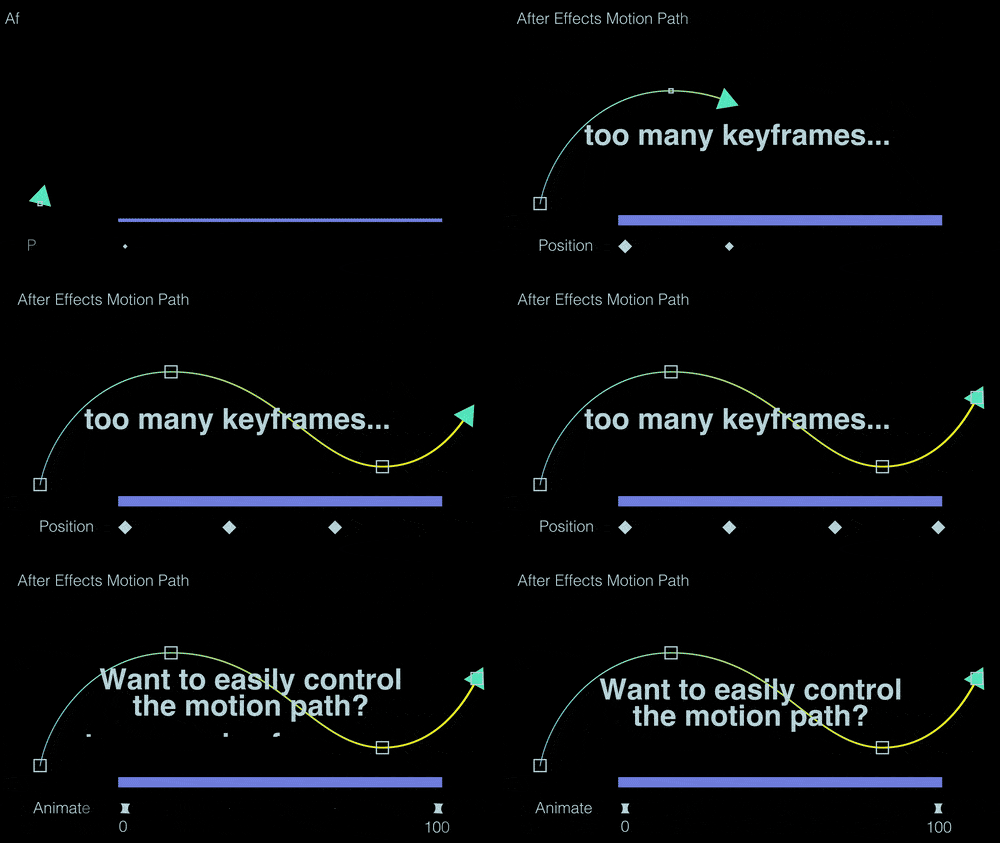
The built-in motion paths in After Effects can be challenging to control due to the abundance of keyframes.
Additionally, unintended changes in motion path shapes can occur during animation adjustments.
Link motion paths
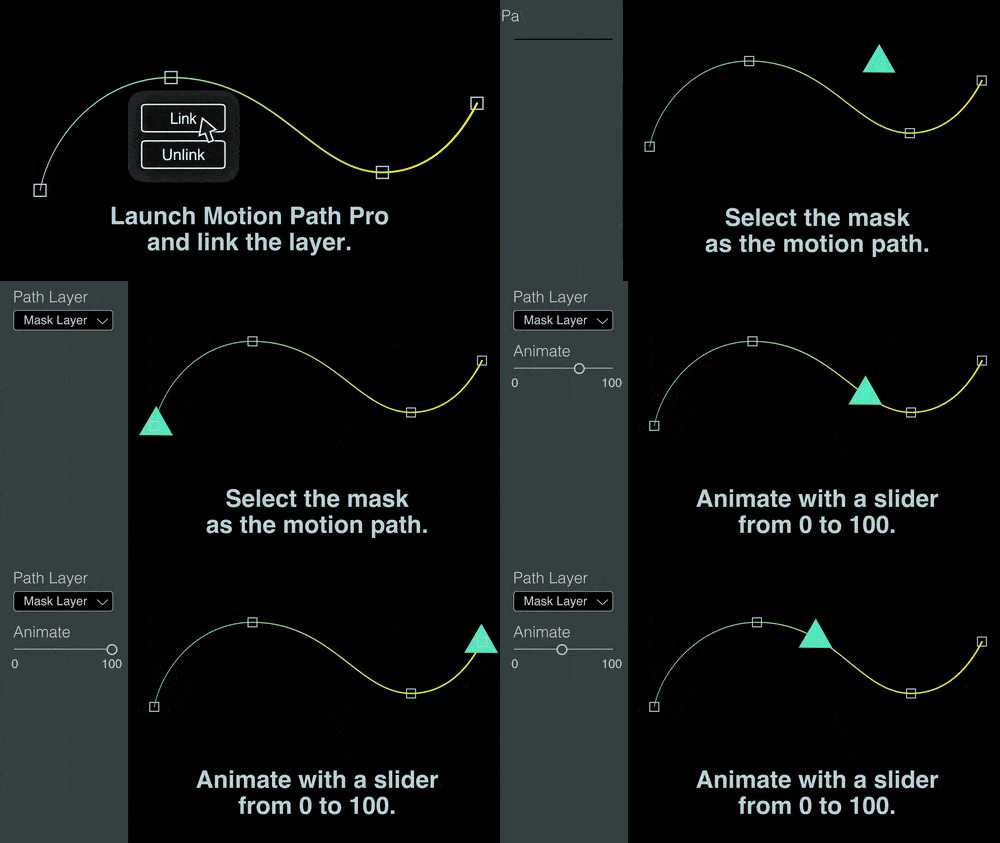
1.Launch Motion Path Pro and click "Link" button
2.Select the mask as the motion path
Switch masks at any time
3.Animate with a slider from 0 to 100
Easily control animations
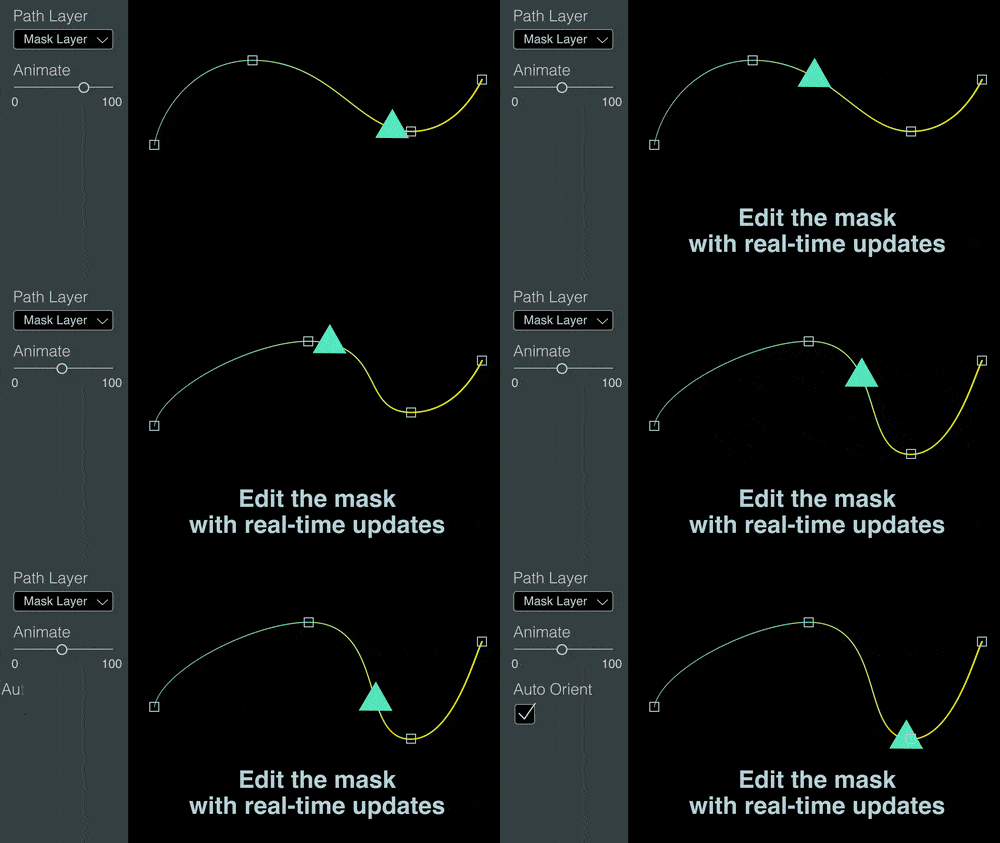
Edit the mask with real-time updates

Toggle Auto Orient
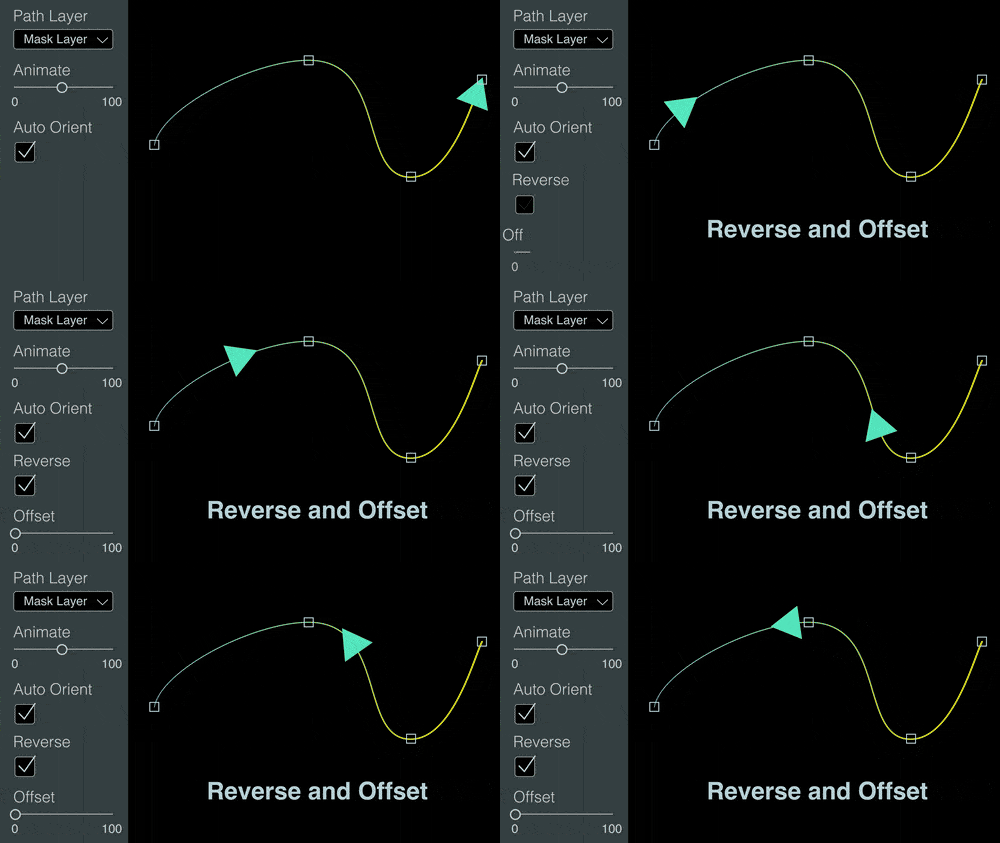
Reverse and Offset
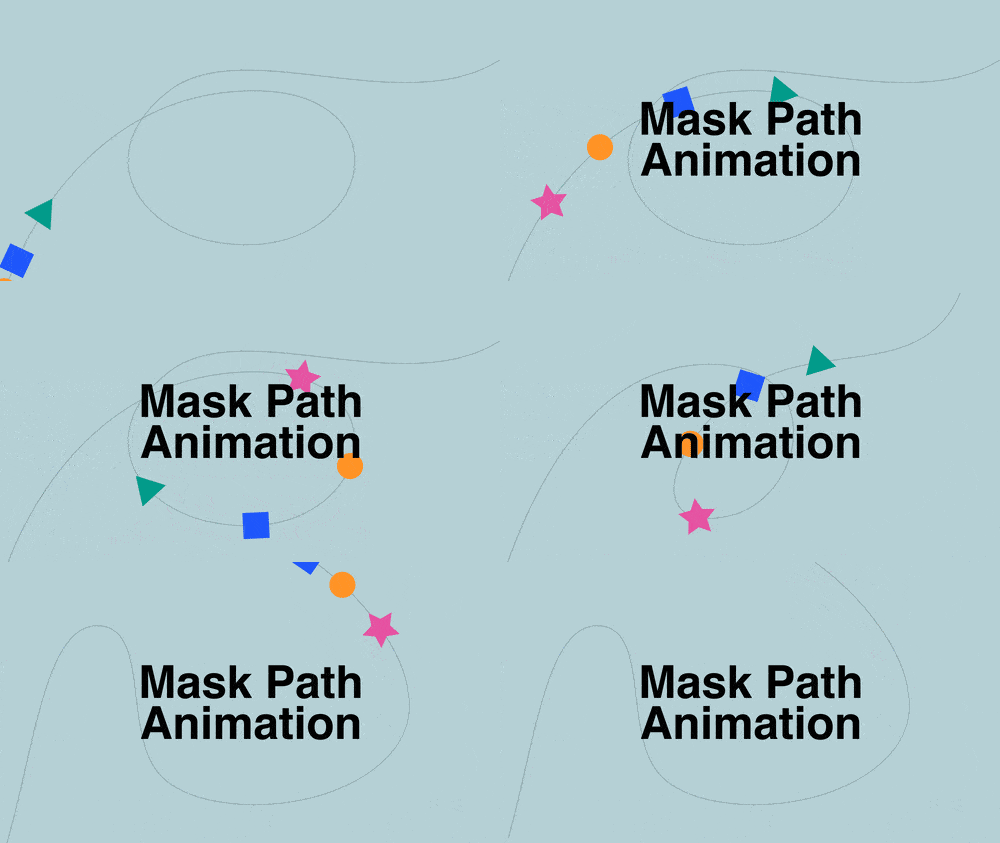
Supports animation of mask paths
Tutorial Video
| After Effects | 2024, 2023, 2022 |
|---|
1.2 (Current version) - Aug 15, 2024
1.1 - Jul 20, 2024
1.0 - Jul 6, 2024
-

- Compatibility After Effects
Jump Keyframe
Jump keyframe is a huge time saver that lets you make changes on the fly on any animated property without having to worry about first moving the CTI to the latest keyframe that already exists in the animation sequence.Add to Cart -

- Compatibility After Effects
Keysmith
Manipulate keyframes and property channels precisely in a compact UI.Add to Cart -

- Compatibility After Effects
Uber Key
Add to CartMake changes to an animated path by just changing the path once!
-

- Compatibility After Effects
Quick Access 2
Add to CartSave time finding your files and folders. Now with all new UI, improved workflow and favorites plus much more.
-
- Compatibility After Effects
MaskShapeConverter
Add to CartConvert masks to shapes and shapes to masks in After Effects
-

- Compatibility After Effects
SplitImage
Allows you to split the selected project item into rectangular pieces.Add to Cart
-
- Compatibility After Effects
Real Ease
Add to CartPhysically accurate smooth animations with 1-click in Real Ease! Easy to use!
$24.10 -

- Compatibility After Effects
Shape Library
Add to CartSave and create custom shapes in Shape Library! Easy to use!
$34.10 -
- Compatibility After Effects
Blend Scatter
Add to CartBlend Scatter is a tool for After Effects that blends and scatters properties. Easy to use!
$9.80 -
- Compatibility After Effects
Polka Dots Maker
Add to CartPolka Dots Maker generates polka dots very easily in After Effects. Works very fast!
$9.80 -
- Compatibility After Effects
Smooth Rounder
Add to CartSmooth Rounder generates smoothly curved shapes in After Effects. Works with Shape Layers and supports animation with keyframes. Very easy to use.
$9.80