
Cloners + Effectors
-
Compatibility After Effects Please check exact version compatibility under the "COMPATIBILITY" tab below
 Adding to cart...
 Procedural animation system for After Effects
Creating complex animations with a lot of layers and keyframes, has always been a difficult and time consuming task.
With Cloners+Effectors you can animate multiple layers at the same time using a large set of effectors and falloffs. This workflow is well known from many 3D applications, and allows you to create those complex animations in a few minutes. While still remaining fully customisable.
New Features in v1.2
- Path cloner*
- Path Point cloner*
- Path effector*
- Path Ends effector*
- *Only available in AE 2018 and above
- Change: Offset Variation is no longer linked to Offset
- Change: Cloner layers can be parented
- Change: Trial limit of only 20 clones have been removed
New Features in v1.1
- Can create audio setup for animating to the audio spectrum of an audio track
- Duplicate cloner system
- Duplicate effector
- Can bake without keeping the ability to unbake
- Works with windows and HiDPI panels
- Video Overview of these new features
Cloners
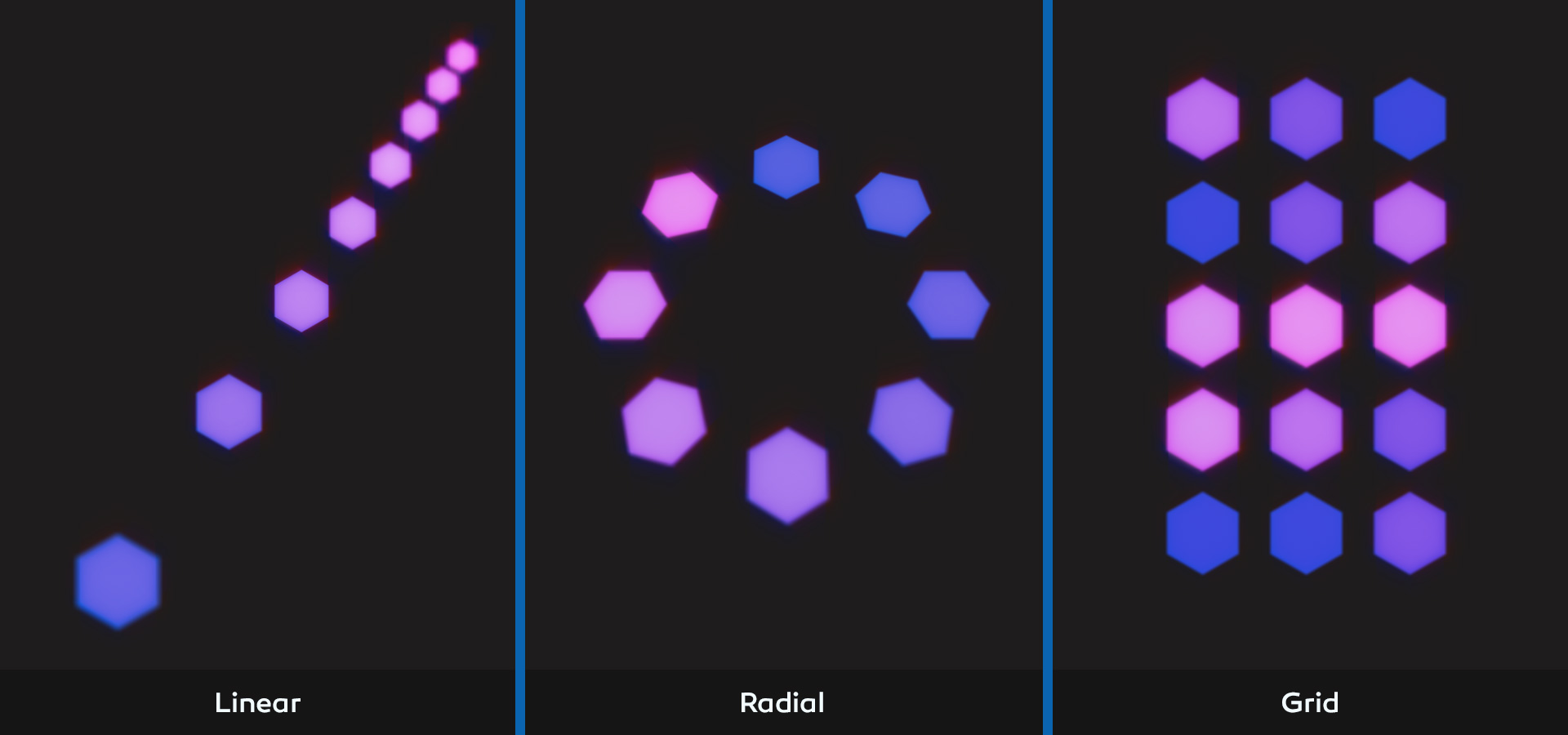
Quickly set up cloned layers in a Linear, Radial or Grid pattern. These patterns can all be controlled parametrically to create the exact result you are looking for. You can also use the cluster cloner and leave all the clones as your original layers, making it easy to animate Text and Illustrations.
Effectors
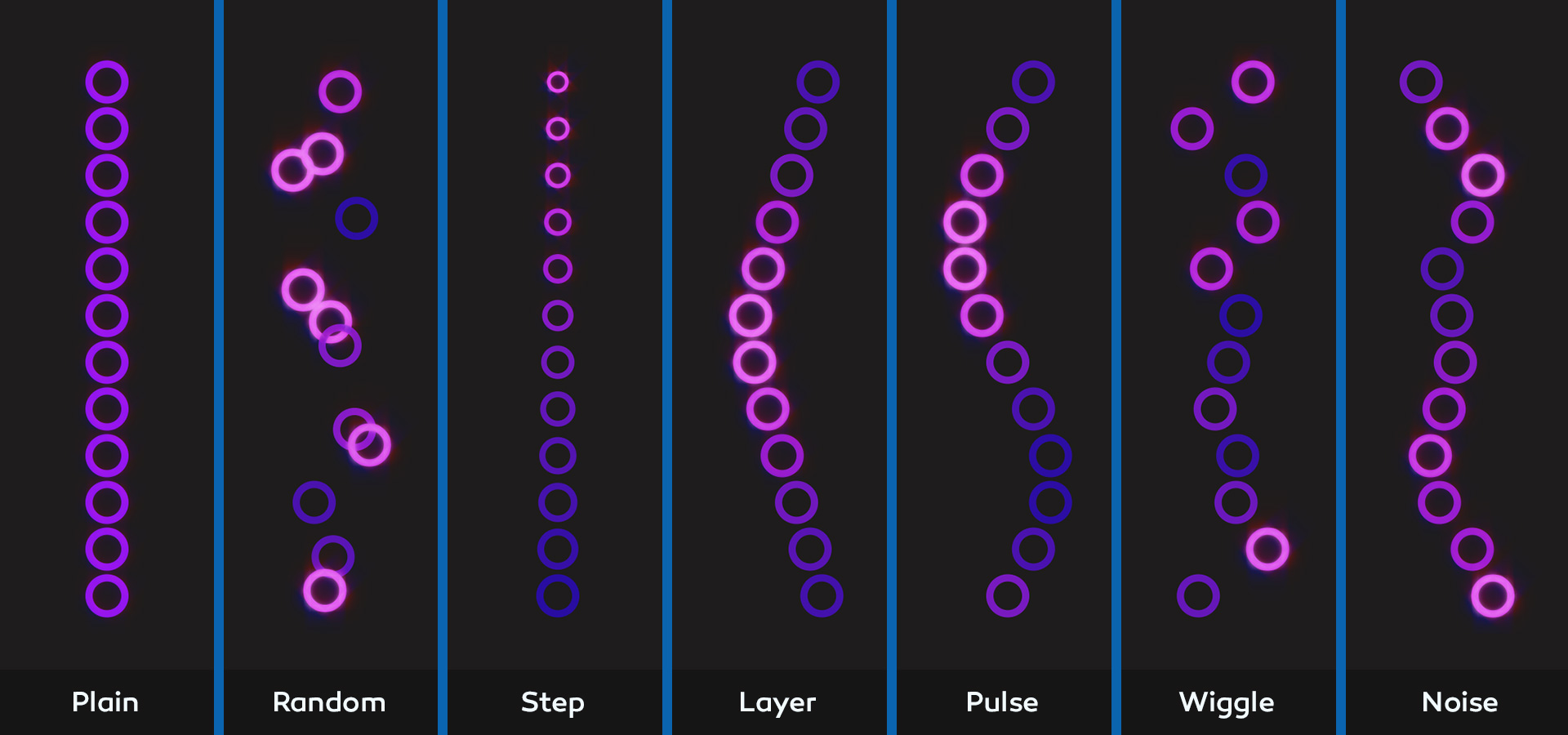
Add one of the seven powerfull effectors to animate your clones. Easily control basic properties like position scale and color. Or add any numeric or color parameter on your cloned layer with a single click. You can even control properties from any filters which have been added.
Use the Random or Step effector to create even more complex patterns. Use effectors like Pulse or Noise to create animation with out putting down a single keyframe. Combine multiple effectors for ultimate control.
Falloffs
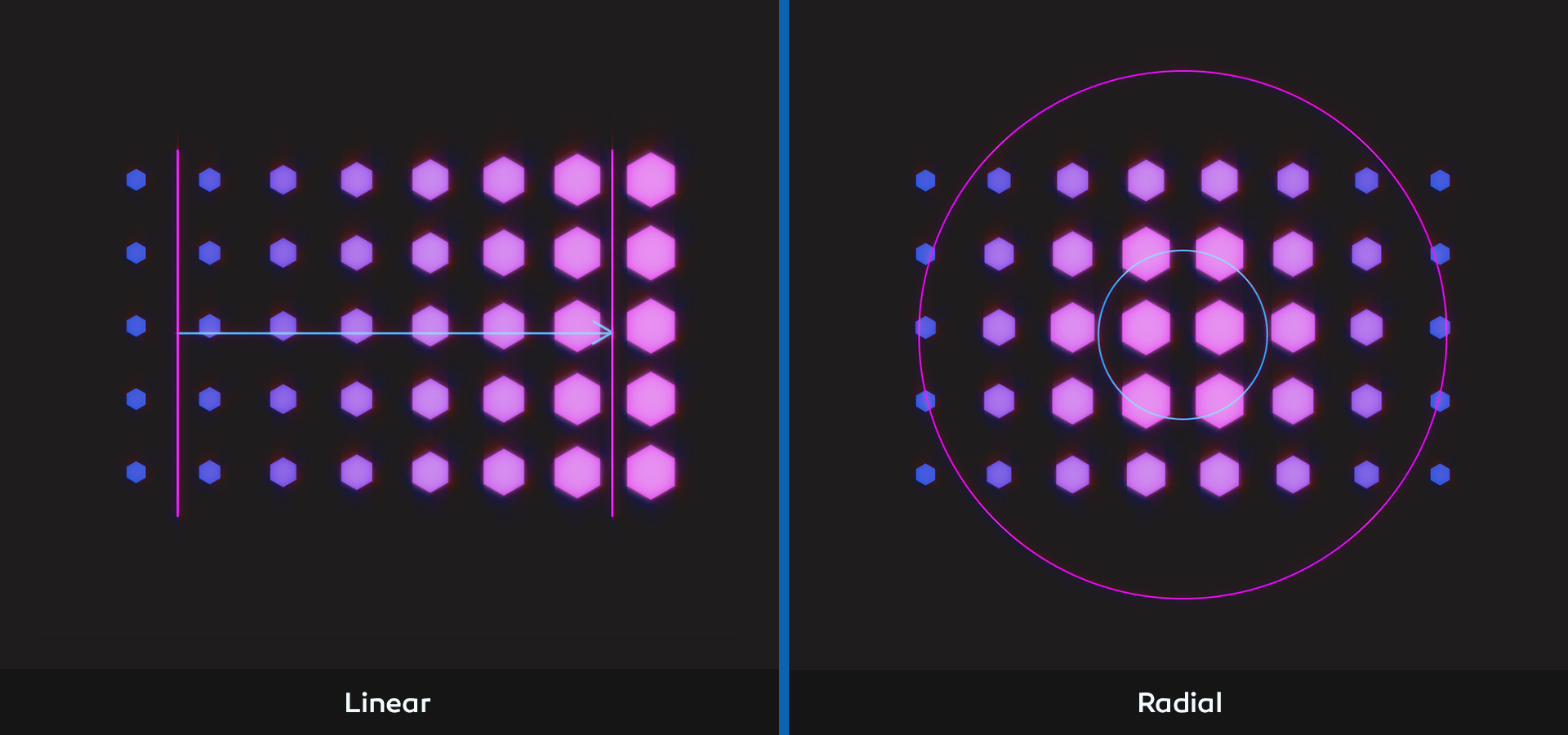
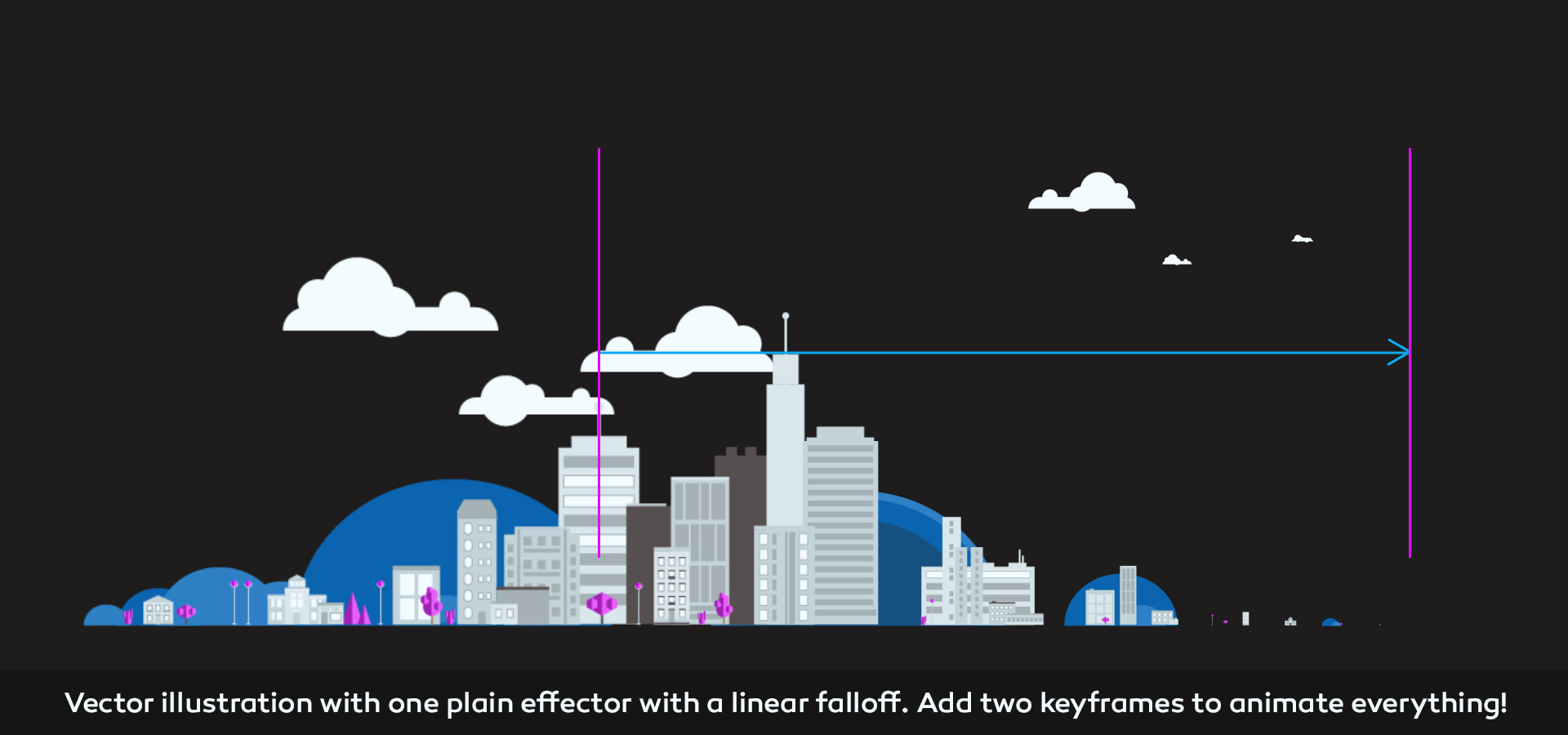
Add falloffs to any effector and drag it across your clones to animate them. This workflow allows you to create advanced animation in just a few keyframes. You get a great idea of what your animation will look like even before you put down the first keyframe, and the animations will be easy to edit and adjust.
Text
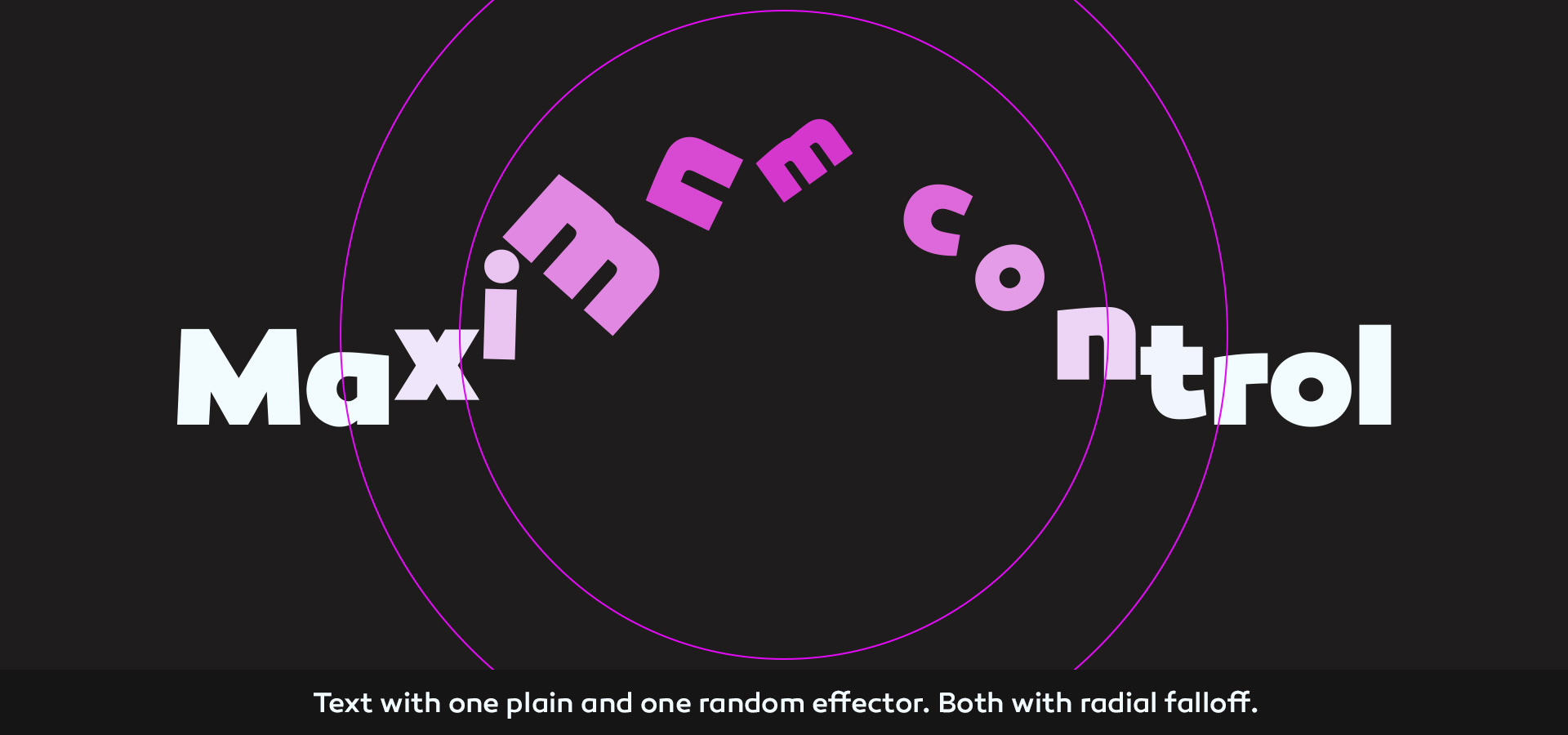
Cloners+Effectors also makes it easy to create complex text animations. Giving you unprecedented control over your text animations.
Illustrations
Animate illustrations or vector logos faster than ever before. Quickly add transitions to entire illustrations with a single effector.
2D and 3D
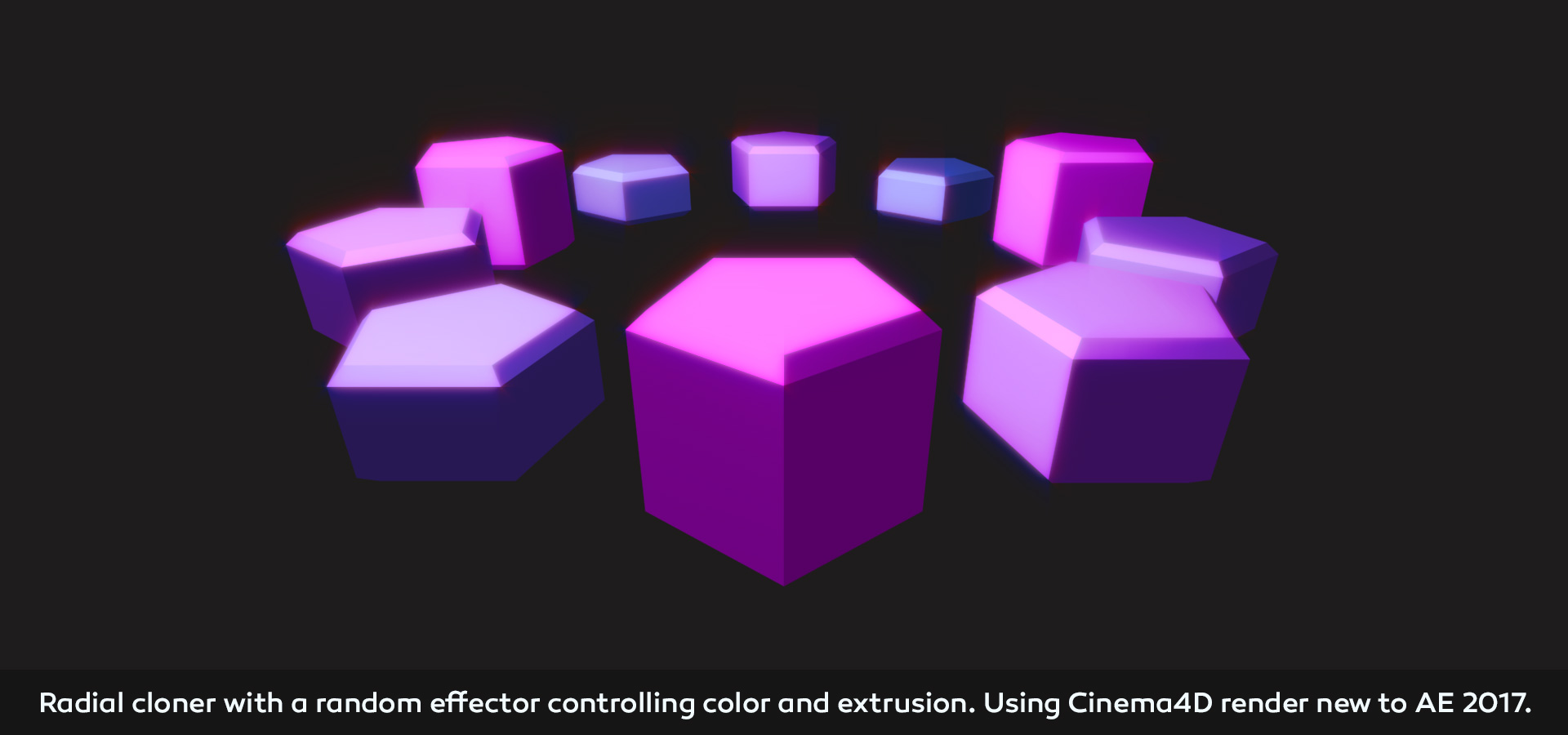
Clone and animate both 2D and 3D layers. And control those 3D layers in After Effects’ 3D space.
Get started!
Download the trial, watch the overview video below or check out all the “working with Cloners+Effectors” tutorials here.
Follow me on Twitter or Instagram for lots of free source files, tutorials and more!
Trailer
Overview
Watch all the tutorials here: https://www.youtube.com/playlist?list=PLKGywXBm3uWInpNBHNev_RwOhCROMW0bI
Follow me on Twitter or Instagram for lots of free source files, tutorials and more!
Advanced text animation tutorial:
Animate to the sound of music:
| After Effects | 2022, 2021, 2020, CC 2019, CC 2018, CC 2017, CC 2015.3, CC 2015, CC 2014, CC, CS6 |
|---|
1.2.9 (Current version) - Oct 13, 2022
1.2.8 - Jul 14, 2022
1.2.7 - Aug 28, 2021
1.2.6 - Apr 17, 2020
1.2.5 - Oct 22, 2019
Updated to work on mac OS Catalina
1.2.4 - Jan 29, 2019
1.2.3 - Jan 28, 2019
1.2.2 - Jan 25, 2019
1.2.1 - Jun 7, 2018
1.2 - Jun 4, 2018
- New feature: Path Point cloner*
- New feature: Path effector*
- New feature: Path Ends effector*
*Only available in AE 2018 and above
- Change: Offset Variation is no longer linked to Offset
- Change: Cloner layers can be parented
- Change: Trial limit of only 20 clones have been removed
- Bug corrected: Radial cloner Offset Variation random now working correctly
- Bug corrected: Radial cloner Align Rotation is now working with 3D layers
1.1.2 - Dec 12, 2017
- Corrected wrong tooltip placement.
1.1.1 - May 4, 2017
1.1 - Apr 13, 2017
- New feature: Can create audio setup for animating to the audio spectrum of an audio track
- New feature: Duplicate cloner system
- New feature: Can bake without keeping the ability to unbake
- If baking unanimated systems, the baker makes no keyframes
1.07 - Jan 23, 2017
- Fixed small bug which could reset orientation of cloner layer
- Fixed bug when using sequences or any layer containing [] in layer name
1.06 - Dec 15, 2016
1.05 - Dec 8, 2016
- Fixed Bug causing the cs6 panel not to update when selecting falloff.
1.04 - Nov 29, 2016
1.03 - Nov 28, 2016
1.02 - Nov 23, 2016
1.01 - Nov 23, 2016
1.0 - Nov 18, 2016
-

- Compatibility After Effects
MographAE
Add to CartA powerful toolkit to help create complex animations quickly, with three cloners and five effectors.
-

- Compatibility Premiere
Motion Presets for Premiere Pro
Add to CartA handy tool to make animations in Premiere Pro
-

- Compatibility After Effects
Space Curves
Add to CartSpace Curves makes motion paths as simple as "Easy Ease" - Just select a position keyframe and pick a style.
-

- Compatibility After Effects
Akuto - Animated Typeface
Add to CartAkuto is a captivating humanist typeface that merges playfulness with geometric precision. With a delightful dance of frame-by-frame motion, Akuto will bring a dynamic touch to your design projects. Order 4 or more Animography Typefaces and save an additional 25%
-
- Compatibility After Effects
Arc
Add to CartEase your keyframes in Adobe After Effects quickly with a compact UI that packs a powerful punch despite its adorable appearance.
-
- Compatibility After Effects
Vertex Tool
Round mask/shape layer corners with a click! Vertex Tool applies rounding algorithms to a shape by placing two (in some cases more) new vertices in place of original one at selected corner, based on a specified line length. There are 12 corner rounding algorithms to choose from.Add to Cart