
Curve Tracer
-
Compatibility After Effects Please check exact version compatibility under the "COMPATIBILITY" tab below
-
Compatibility Premiere Please check exact version compatibility under the "COMPATIBILITY" tab below
 Adding to cart...
 How it works
Curve Tracer plugin simulates the process by which an artist creates a drawing by pencil. The drawing is an abstract rendition of another, full color image or animation. The artist would first make a few “sketching” curves, which serve as a rough estimation of the shape of the final drawing. Then they would continue with the main - more detailed - curves that may also be shaded so as to convey a sense of depth.
The filter works by analyzing the edges / contours of the incoming image and converting them to a collection of splines (curves). These curves are then smooth or decimated in vector space, and finally rendered as continuous segments. A post-processing step adds colors and a light “bloom” effect, to aid realism.
Available parameters rundown
- Preset - Start from scratch or apply one of twelve presets for various styles.
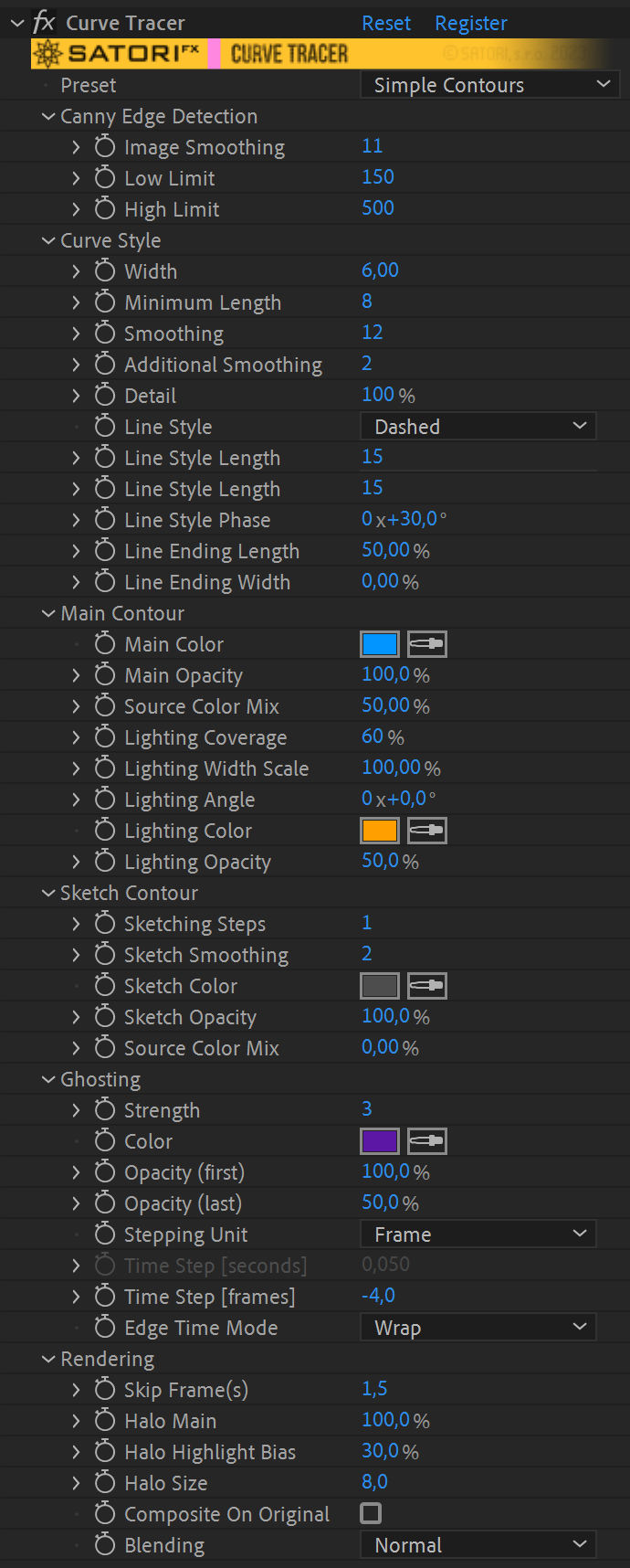
▽ Canny edge Detection
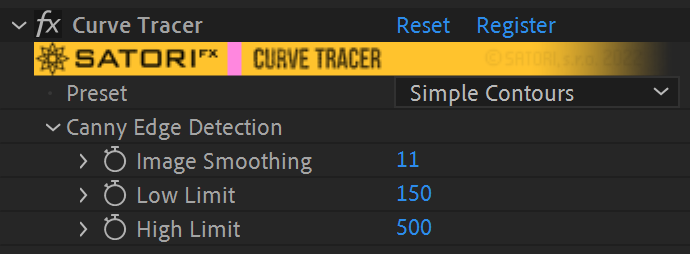
The image needs to be converted to a map of edges, as a binary image. For this, we use Canny edge detector, a technique that is widely adapted and used in computer vision systems.
- Image Smoothing - Application of Gaussian smoothing before Canny edge detection - to smoothen out edge transitions.This will eliminate high frequency noise so that splines are more organic.
- Low Limit - First limit for the hysteresis procedure (during Canny).
- High Limit - Second limit for the hysteresis procedure. The two limits decide on which edges are kept and which are discarded. The pixel gradient values that lie above the low values are kept, and those below are discarded. Those in-between have special rules based on connectivity. These values are best explored via trial and error. A value between 2:1 to 3:1 ratio between the Limit values is recommended.
▽ Curve style
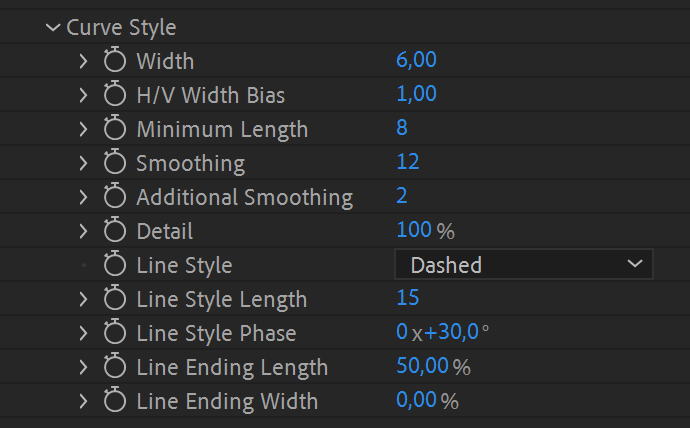
After Canny detection, the edges transform into vectorized curves. These options affect all such curves.
- Width - Width of curves in pixel units.
- Additional Smooth - A different algorithm that gives similar results to Smoothing, albeit with a larger smooth aperture.
- Detail - Percentage of curve points sampled and recreated again as a continuous curve. This is the equivalent of Sampling precision from Canny edge Detection, but in vector space.
- Line Style - A choice between Solid or Dashed curves. Dashed will appear as a series of short strokes.
- Line Ending Length - This is an option for scaling down the width of either end of each curve; so that the curves may look like finishing into a point. It represents the distance from end (or beginning) before the effect starts taking place.
- Line Ending Width - Percentage for the effect of line ending scaling. A combination of this and the previous value (0 and 100%) will generate the effect of pointing finish.
▽ Main Contour
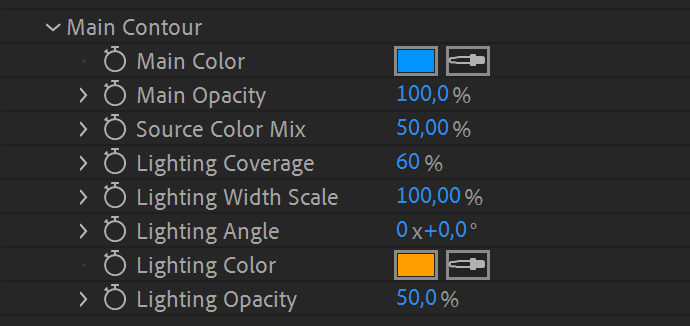
All curves are separated by function to Main/Lighting and Sketch contours. Each has a different function. The Main contours can be seen as the baseline. Lighting are additional contours, rendered with different color (usually bright, to indicate lighting effect - with light coming from a user-defined direction on the XY plane of the image).
- Main Color - Color of main contour.
- Main Opacity - Alpha opacity of main contour.
- Source Color Mix - Percentage of mixing of Color and colors derived from projecting over the source image.
- Lighting Coverage - Normalized (0-100) value of coverage of lighting contours. The higher the value, the more lighting contours will appear.
- Lighting Scale - Percentage of the scale of the Curve Style Width to be used for rendering lighting lines. Use a high value to accentuate lighting contours.
- Lighting Angle - Indicates position of virtual light source on the image plane. The calculations for the lighting are based on the lighting angle and orientation of the curve at given points.
- Lighting Color - Color of lighting contour.
- Lighting Opacity - Alpha opacity of lighting contour.
▽ Sketch Contour
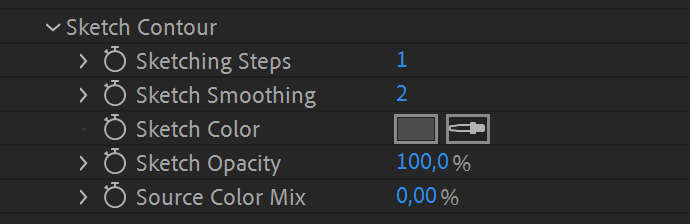
Sketch contours have the function of simulating "hand written" contours, usually with a color that is typically darker.
- Sketching Steps - Amount of Sketching-style overlays; each will have a slightly different smooth parameter in order to simulate an effect of "preliminary" sketches, with less defined detail.
- Sketching Smoothingy - Smoothing of first sketching contour. Each additional one (their number is given by the Sketching steps parameter) will have a slightly increased smoothing factor. This can be seen as the baseline parameter.
- Sketching Color - Color of Sketching contour.
- Sketching Opacity - Alpha opacity of Sketching contour.
- Source Color Mix - Percentage of mixing of Color and colors derived from projecting over the source image.
▽ Ghosting
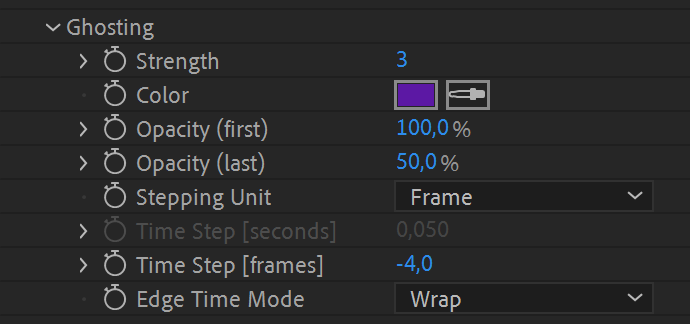
Ghosting is the overlay rendering of the curves of the previous or upcoming frames from the video sequence. The desired effect is that past or future calculated curves are displayed with fading alpha blending, giving a better impression of animation through movement, similar to very old pencil-sketched cartoons. The ghosting frames are smoothed out more than the current frame, in order to give the appearance of a dissolving sketch.
- Strength - Defines the amount of individual frames, rendered as ghost contours, to be layered with the current frame.
- Color - Color of ghost contours.
- Opacity (first) - Alpha of the first ghosting contours.
- Opacity (last) - Alpha of the last ghosting contours. If you select a strength of 3 for the ghosting curves, then the alpha of the middle contours is the average of both opacity parameters. If the chosen strength is 2, the first ghosting contours has an alpha of Opacity (first) and a second of Opacity (last). For strength 1, this parameter has no effect.
- Stepping Unit - The options Second and Frame specify which Time Step parameter is in use. Sometimes the precise stepping by number of frames is preferred, while control by time step in seconds guarantees stable stepping even when the FPS of the composition is changed.
- Time Step [seconds] - Specifies the time step for each frame in seconds from a negative value for previous frames to a positive value for upcoming frames. Zero value causes the plugin to render ghosting contours using the current frame.
- Time Step [frames] - Specifies time step per each frame in number of frames and ranges from negative to positive values using the same principle as step in seconds. Please keep in mind it’s in relation to your actual composition’s FPS.
- Edge Time Mode - Defines a strategy for handling access of frames outside the applied layer content boundaries. Repeat Last picks the first or the last frame. The Wrap option behaves as if the layer was extended before and after it by new copies of itself, which is ideal for looped footage. Setting Mirror acts as if the layer is extra copied before and after in the reversed direction.
▽ Rendering
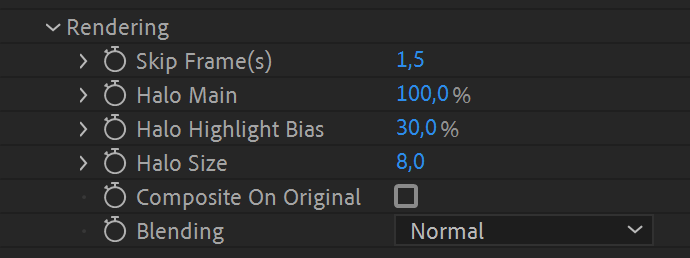
Rendering options for post processing.
- Skip Frame(s) - Adjust original footage’s FPS and allow less frames per second for filtering in order to suppress jitter and relate closer to the feeling of traditional cel animation.
- Halo Main - A Gaussian blurred image of the curves, added over the rendering - giving it a soft halo appearance.
- Halo Highlight - Additional soft halo rendering of the "highlight" curves.
- Halo Size - Size of the Gaussian filter that produces the halo, in pixels.
- Composite On Original - Enable or disable overlaying the original image (before curve conversion and rendering), over the final render.
- Blending - Option for Additive or Normal (alpha based) blending of the overlay.
| PLATFORMS | |
| Microsoft Windows | ✓ |
| macOS Intel | ✓ |
| macOS Apple Silicon | ✓ |
| APPLICATIONS | VERSIONS | |
| After Effects | ✓ | CS6 - 2024 |
| Premiere Pro | ✓ | CS6 - 2024 |
| FEATURES | |
| Max. Rendering Resolution | no limit |
| Multi-Frame Rendering | ✓ |
| Utilizing GPU | ✓ |
| After Effects | 2024, 2023, 2022, 2021, 2020, CC 2019, CC 2018, CC 2017, CC 2015.3, CC 2015, CC 2014, CC, CS6 |
|---|---|
| Premiere | 2024, 2023, 2022, 2021, 2020, CC 2019, CC 2018, CC 2017, CC 2015.3, CC 2015, CC 2014, CC, CS6 |
1.1.0 (Current version) - Aug 11, 2023
• Fix of crash for unregistered version with composition height over 4096 pixels (watermark bug)
• Disabling Sketch Contour parameters when the feature is not applied
• Aescripts framework v4.0.7 - improved stability of license checks
1.0.2 - May 2, 2022
• Aescripts framework v4.0.4 - Fixed "invalid format" error for floating licences
1.0.1 - Feb 26, 2022
1.0.0 - Feb 17, 2022
-

- Compatibility After Effects
Squash & Stretch Pro
Add to CartCreate animations in no time with Squash & Stretch, featuring a vast range of ready to use behaviors, carefully handcrafted by professionals and controlled by an intelligent system. This Pro version includes over 60 extra behaviors and 350 extra sound effects and can also be extended with additional behavior bundles.
-
- Compatibility Nuke
Pixel Sorter for Nuke
https://aescripts.s3.us-east-1.amazonaws.com/bskl/Add to CartPixel Sorter was the first tool to bring the pixel sorting glitch effect available for motion designers and video editors within After Effects and Premiere Pro. Experimenting with Pixel Sorting just became so much easier! Since its launch, AEPS had a huge success in Broadcast TV, Live performances, VJs, Music Videos, Video Games, Photography and even Apparel! Version 3 brings a lot of new useful features.
Pixel Sorter is also available for After Effects & Premiere Pro and Resolve as a separate license.
-
- Compatibility After Effects
- Compatibility Premiere
- Compatibility Media Encoder
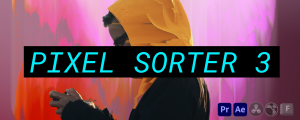
Pixel Sorter 3 for After Effects and Premiere Pro
Add to CartPixel Sorter was the first tool to bring the pixel sorting glitch effect available for motion designers and video editors within After Effects and Premiere Pro. Experimenting with Pixel Sorting just became so much easier! Since its launch, AEPS had a huge success in Broadcast TV, Live performances, VJs, Music Videos, Video Games, Photography and even Apparel! Version 3 brings a lot of new useful features.
Pixel Sorter is also available for Nuke and DaVinci Resolve as a separate license. PROMO: Get a 30% discount on the regular price on Nuke and Resolve licenses when you already have Pixel Sorter for AE/Premiere
-

- Compatibility After Effects
TinkerType
Break up animations, and have full control. All in just one text layer.Add to Cart -
- Compatibility Davinci Resolve
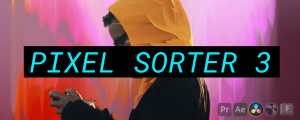
Pixel Sorter for Resolve
Add to CartPixel Sorter was the first tool to bring the pixel sorting glitch effect available for motion designers and video editors within After Effects and Premiere Pro. Experimenting with Pixel Sorting just became so much easier! Since its launch, AEPS had a huge success in Broadcast TV, Live performances, VJs, Music Videos, Video Games, Photography and even Apparel! Version 3 brings a lot of new useful features.
Pixel Sorter is also available for After Effects & Premiere Pro and Nuke as a separate license.
-

- Compatibility After Effects
Pins & Boxes
Add to CartCreate dynamic layouts easily. Align and attach elements to any point of the bounding box of texts and create boxes that grow and shrink with their content.