
Layer Displayer
-
Compatibility After Effects Please check exact version compatibility under the "COMPATIBILITY" tab below
 Adding to cart...
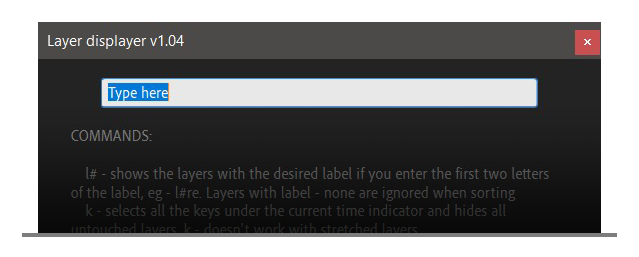
| Layer displayer is a script that shows layers on request. It analyzes your layers and hides everything unnecessary using the “shy” layer property. It is also worth paying attention to the fact that the gray layers are hidden automatically, which must be taken into account in the process. |
 |
|
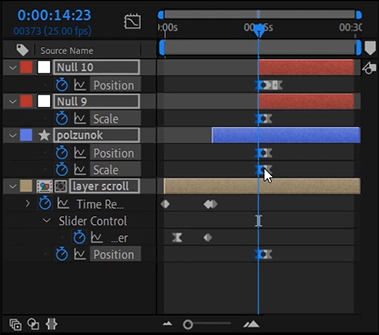
k - select all the keyframes under the current time indicator and hide all the untouched (doesn't work with stretched layer)
|
 |
|
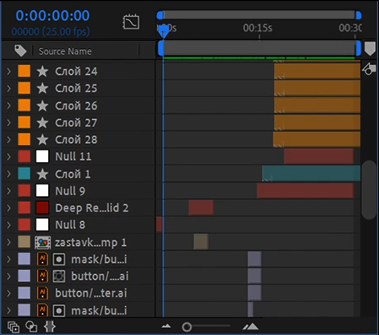
An empty field will reveal all the layers
|
 |
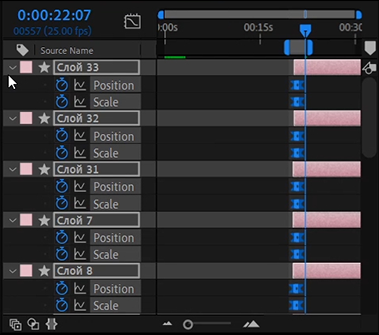
ks - select all the keyframes within the work area and hide all the untouched layers
|
 |
|
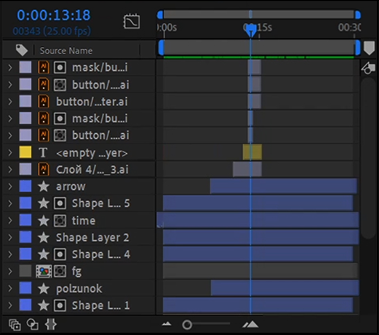
t - reveal the layers that are under the time indicator
|
 |
|
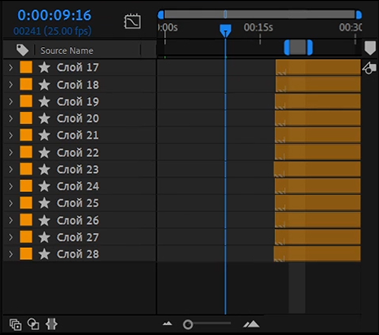
l# - reveal the layers with the label of the specific color. The first two letters are enough (e.g. l#re). The layers with the label None will be ignored.
|
 |
|
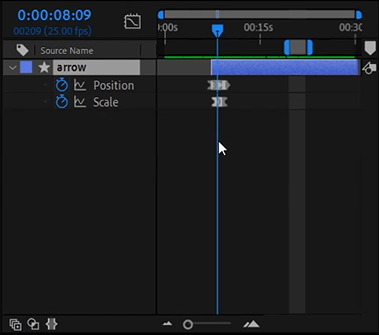
s - reveal the selected layers only
|
 |
- msk - hide masks
- n - hide nulls
- wa - reveal the layers that are within the work area
- vn - reveal the layers with the grey label only
- lo - hides locked layers
- en - hides enabled layers
- le - hides locked and enabled layers
- l# - show layers with labels that the selected layers had
- pa - show layers shared with the parent layer of the selected layer
- is - changes the 'Shy' parameter of all layers to the opposite
- gl - shows guide layers
- r - show random layers depending on the entered number (for example 'r 10', will show approximately 10 percent of all layers). If you select layers before using the function, the layers will be hidden instead of showing.
- kfs - selects keys under the time slider for selected layers
- ksfs - selects the keys that are in the workspace of the selected layers
- srl - Changes the label of the selected layers to any random label. If the composition runs out of unique labels, this function will display a message and stop working
- add group - opens a panel in which you need to enter the name of a new group or select existing names. After that, the selected groups will appear in the commentary to the layer. One layer can be included in several groups
- remove groups - removes all groups from the selected layer
A new fifth category “Groups”, which will display buttons created by users. Now you can group layers without binding to labels. This is convenient since now the same layer can be included in several groups.
New commands in the "Groups" group:
- show + 'group name' - shows layers by group name
Now, after closing the script, the focus returns to the viewer, thanks to this, when the script is restarted, the focus returns to the script. This means that you do not have to make an extra click in the console area or on the window if the user wants to enter a command or use hotkeys. If the user does not have a viewer, the focus feature will not work.
If you have ideas what can be added to the tool, write in the comments.
If the layer has been stretched in time using the "stretch" option, then there may be problems with the selection of keys. To exclude these layers from selection, they can be locked.
|
In addition to the commands, the script also has buttons and hotkeys. In the archive with the script, you can find a file with a table, which describes all its capabilities. I am conducting a survey on future script functions and want to know your opinion and requests for new features. |
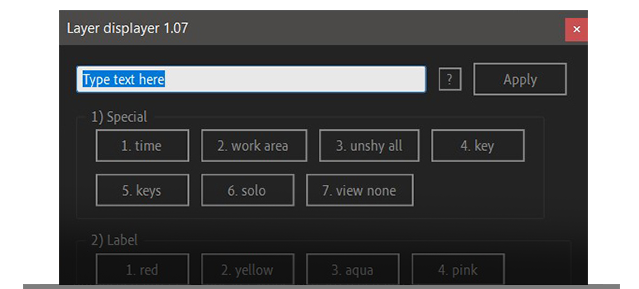 |
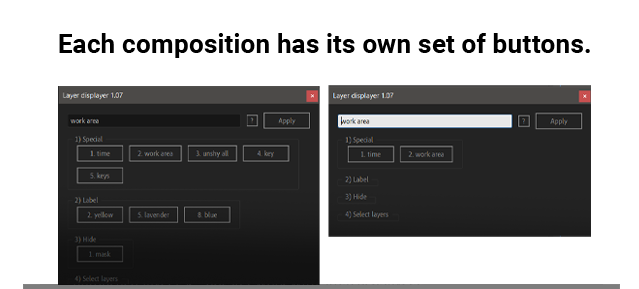
| About buttons By default, the buttons have the “All checking” mode enabled, which means that the panel will display only the actual buttons corresponding to the active composition. This mode can be disabled in the settings, which can be accessed through the button with the question icon. You can also disable numbering for buttons and groups there. The “All checking” mode can slow down the script execution a little. |
 |
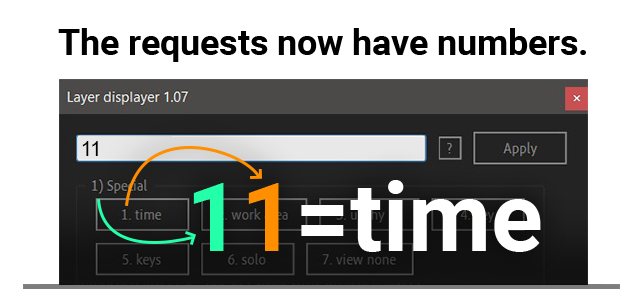
| About the console The console remembers the last command used as before. Now, when starting the script, just press enter while the input field is active. Now you can refer to commands in a new way. Each had its own number. To refer to a command, you must sequentially enter the group number and the command number. For example 11 - will show layers in time, as if you entered “time” or “t”. Now in the settings you can change the label prefix. |
 |
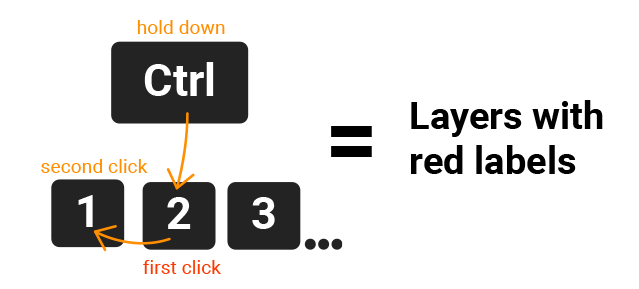
| About shortcuts Windows users can use hotkeys. To do this, hold down ctrl and alternately click on the numbers. The first digit is the group number, the second is the button number. Shortcuts are limited to the 9th button. For example, ctrl + 2 + 1 will only show the red layers. |
 |
| After Effects | 2020, CC 2019, CC 2018 |
|---|
1.08 (Current version) - May 6, 2021
New commands in the "Special" group:
- is - changes the 'Shy' parameter of all layers to the opposite
- gl - shows guide layers
- r - show random layers depending on the entered number (for example 'r 10', will show approximately 10 percent of all layers). If you select layers before using the function, the layers will be hidden instead of showing.
New commands in the "Select layers" group:
- kfs - selects keys under the time slider for selected layers
- ksfs - selects the keys that are in the workspace of the selected layers
- srl - Changes the label of the selected layers to any random label. If the composition runs out of unique labels, this function will display a message and stop working
- add group - opens a panel in which you need to enter the name of a new group or select existing names. After that, the selected groups will appear in the commentary to the layer. One layer can be included in several groups
- remove groups - removes all groups from the selected layer
A new fifth category “Groups”, which will display buttons created by users. Now you can group layers without binding to labels. This is convenient since now the same layer can be included in several groups.
New commands in the "Groups" group:
- show + 'group name' - shows layers by group name
Now, after closing the script, the focus returns to the viewer, thanks to this, when the script is restarted, the focus returns to the script. This means that you do not have to make an extra click in the console area or on the window if the user wants to enter a command or use hotkeys. If the user does not have a viewer, the focus feature will not work.
1.073 - Mar 1, 2021
- shortcuts work even if the input field is inactive
- fixed bugs when rolling back actions
- keys are no longer highlighted in gray layers
- keys are no longer highlighted in locked layers
1.072 - Feb 27, 2021
Updated the description in the instructions.
1.07 - Feb 25, 2021
In this version there are two new sorting methods, by parent and by multiple labels.
1.06 - Jun 13, 2020
1.04 - May 11, 2020
1.04 - Apr 28, 2020
-

- Compatibility After Effects
BAO Boa
Add to CartBoa is a plugin for After Effects built to distort layers along mask paths.
-

-

- Compatibility After Effects
BAO Distortion Bundle
Add to CartGet all of BAO's distortion plugins and save 25%. Use BAO Boa to distort layers along mask paths, BAO Layer Sculptor to warp and sculpt layers with extreme precision and BAO Joint to connect and distort a layer between 2 different parents.
-

- Compatibility After Effects
Path Duplicator
Path Duplicator duplicates your layer along a path.Add to Cart -
- Compatibility After Effects
Multi Parent Rigging
Add to CartModular based animation rigging & Parent rigging, with unlimited possibilities.
-

- Compatibility After Effects
- Compatibility Premiere
- Compatibility Media Encoder
Screen Saver Exporter
Add to CartExport your movie to a screen saver in one click!