
EFX HDRI Comp
-
Compatibility After Effects Please check exact version compatibility under the "COMPATIBILITY" tab below
 Adding to cart...
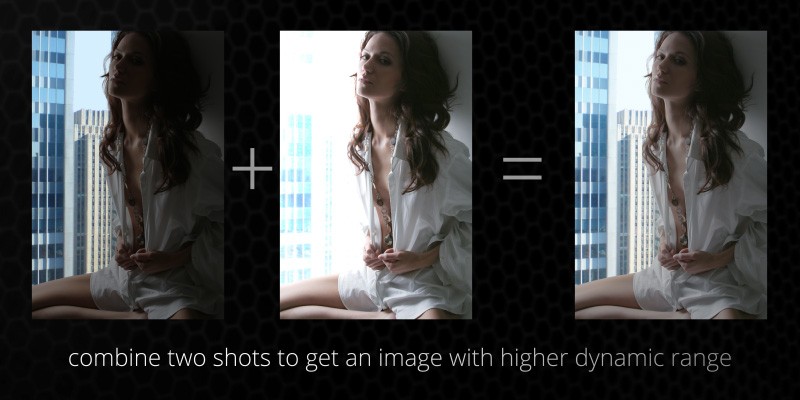
 This plugin allows you to combine two separate clips shot with different exposures into a new clip that will contain detail from both.
Output modes:
- Compressed: the dynamic range of the scene is scaled down to fit in the visible range between 0.0 and 1.0,
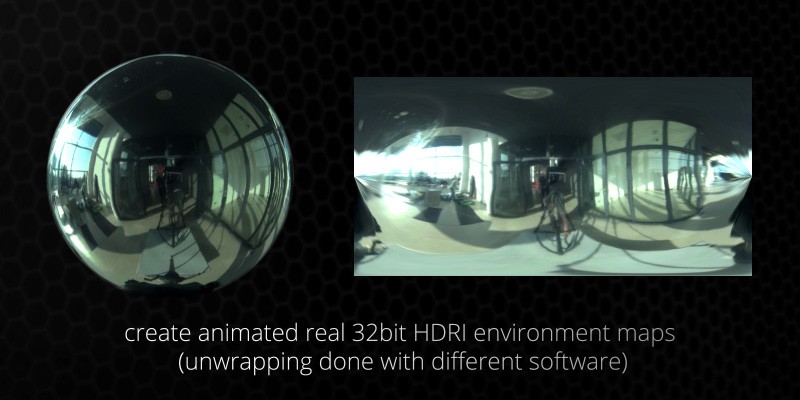
- Raw 32bit: the dynamic range remains unscaled which results in real 32bit HDR image with pixels brighter than pure white.
Download manual: EFX HDRIcomp 1.0 manual.pdf

| After Effects | CS5.5, CS5, CS4 |
|---|
1.0 (Current version) - Jul 16, 2012
- 1.0 - Initial release - Jan 2011
-
- Compatibility After Effects
Pixel Bender Accelerator
Runs Pixel Bender filters natively using the GPU of your video card. Besides making them run very fast it also means you can run pixel bender files in CS6 and above!Add to Cart -

- Compatibility After Effects
qp_ChromaSubsample
Add to CartSimulates chroma subsampling in order to make CG slightly less than perfect. This plugin has been designed to simulate the chroma subsampling process to help better integrate perfect CG renders into video backplates.
Please note that this plugin is not compatible with CS6 or above
$29.99 -

- Compatibility After Effects
YY_BitExtender
Add to CartThis plugin turns 8 bpc footage into 32 bpc footage, and lets you very easily tweak the results based on your needs.
Please note that this plugin is not compatible with CS6 or above
$24.99 -

- Compatibility After Effects
BAO Perspective Changer
This native plug-in allows you to change the perspective of your image without degrading it. It is corner pin on steroids!Add to Cart -
- Compatibility After Effects
Quick ToneMapper
Quickly tone map your CG renders in After Effects, recover overblown highlights and introduce contrast.Add to Cart -

- Compatibility After Effects
- Compatibility Premiere
Neural Enhancement Suite
Add to CartNow available for macOS (>11.5) and Windows! Neural Enhancement Suite is an A.I. powered toolset for AI-based video enhancement to achieve results not previously possible in After Effects.
https://blaceplugins.com/product/neural-enhancement-suite/
-

- Compatibility After Effects
EFX Keying-Alpha Plugin Suite
Add to CartA full suite of plugins aimed to help you get better keys and alpha mattes.
$49.99 -

- Compatibility After Effects
EFX Render Elements Free
Add to CartTwo free plugins from the full EFX Render Elements Plugin Suite. These plugins are useful to help select object from an ID pass and remove artifacts from the resulting alpha channel. Check out the full suite for the rest of the toolbox.
Please note that this plugin is not compatible with CS6 or above
$0.00 -
- Compatibility After Effects
- Compatibility Premiere
EFX Chromatic Aberration
This plugin lets you apply (or remove) the chromatic aberration effect to a layer.Add to Cart$14.99 -

- Compatibility After Effects
EFX Keying-Alpha Free
Three free plugins from the full EFX Keying/Alpha Plugin Suite. These plugins are useful when keying or creating alpha mattes. Check out the full suite for the rest of the toolbox.Add to Cart$0.00 -
- Compatibility After Effects
EFX Render Elements Z Depth Tools
These plugins will let you make the most use of a ZDepth pass that you often render out from a 3d application. It's a pass that stores the information about the distance from camera for each pixel - there is really a lot you can do with this data.Add to Cart$14.99 As low as: $13.49 -

- Compatibility After Effects
EFX AB Compare
Add to CartThis plugin lets you compare the current layer (or composition if applied to an Adjustment Layer) to a reference layer.
Please note that this plugin is not compatible with CS6 or above
$2.99