
EFX Chromatic Aberration
-
Compatibility After Effects Please check exact version compatibility under the "COMPATIBILITY" tab below
 Adding to cart...
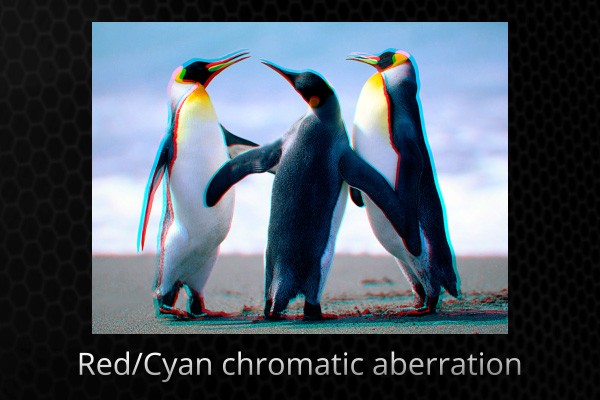
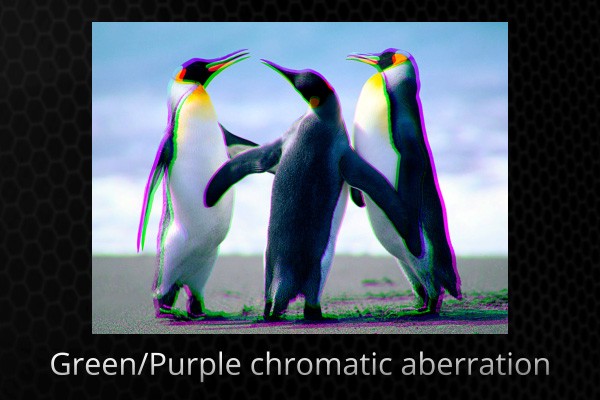
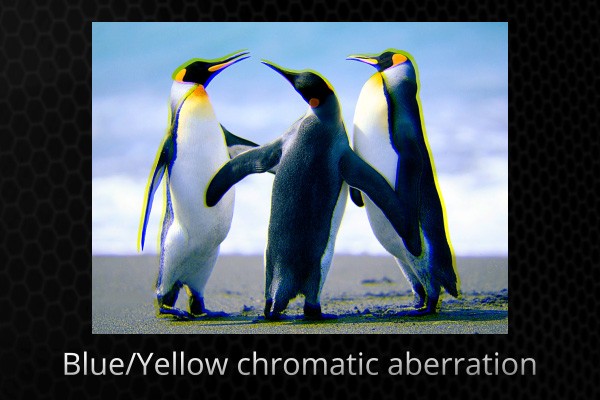
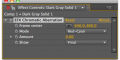
 This plugin lets you apply (or remove) the chromatic aberration effect to a layer.
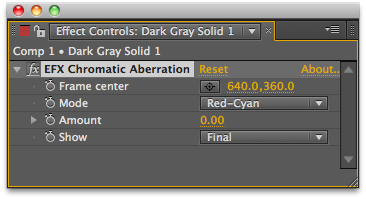
This is a known workflow of separating a comp into Red, Green and Blue channels, scaling one of them and recombining the channels, wrapped into a single effect.
The process of adding chromatic aberration is pretty straight forward if you do it to a single image.
If you try adding it to a layer with an alpha channel, that you later want to composite over a background image, you'll get into some trouble.
In the tutorial you can see different approaches to the problem, and how the plugin helps you in each one of them.
Upgrade notice: You upgrade to this version for free. Simply login with the same email address you used for the original purchase.


| After Effects | 2024, 2023, 2022, 2021, 2020 |
|---|
2.0.1 (Current version) - Aug 1, 2022
- few other MacOS problems fixed
- new licensing
1.7.2 - Feb 8, 2022
1.7.1 - Jun 3, 2017
1.6.3 - Aug 2, 2016
1.6.1.1 - Dec 7, 2015
1.6.1 - Apr 7, 2015
1.6 - Mar 22, 2015
1.5.1 - Jan 31, 2015
- 1.4 - Updated licensing framework (will require that you re-enter your license code) - Dec 2013
- 1.3 - Fixed working in 16-bit color space - Mar 2013
- 1.1 - Ported to native plugin, CS6 Compatible - Jan 2013
- 1.0 - Initial release - Mar 2012
-

- Compatibility After Effects
- Compatibility Premiere
ft-Filmic Contrast Bundle
Add to CartBundle of 3 plugins to ease the Filmic Color Grading process: ft-Filmic Contrast Pro, ft-Technicolor and ft-Auto White Balance.
-
- Compatibility Davinci Resolve
FlexiMist - Diffusion Plugin For DaVinci Resolve (DCTL)
Add to CartWith FlexiMist, achieving the perfect diffusion effect is now super simple. Whether you’re a professional filmmaker or an aspiring content creator, this GPU-accelerated DCTL plugin delivers stunning results in no time.
Want the beautiful Misty, glowing, dreamy look like that of Wong Kar Wai? Check out this plugin.
Experience the timeless allure of classic diffusion filters without the hassle of physical gear or complex editing techniques. Whether you’re working on commercials, music videos, or narrative films, our plugin delivers that coveted filmic quality that captivates audiences.
-

- Compatibility After Effects
- Compatibility Cinema 4d
- Compatibility Blender
Lockdown 3 for After Effects
Add to CartNew FREE version of Lockdown which allows 1 and 2 point tracking. Lockdown is the original and best plug-in that allows you to track warping surfaces inside After Effects. Lockdown 3 lets you give your mesh 3D depth. Easily send the mesh to Cinema 4D, Blender, and other 3D apps to attach objects, digitally re-light, and more!
Click the TRY button above to download the free version.
-
- Compatibility After Effects
PATTOON 2 Texture & Displace
Add to CartPATTOON 2 Cyber SALE in November 2023 SAVE BIG Check out the new features. We put in some work so you can create even more stunning visuals more easily. See for yourself what the new and improved features can do.
- Glitch
- Displace Engine (improved)
- Flicker (improved)
- Turbulence (reworked)
- Displace Pixelshape(new)
- Displace Emission (new)
- Dissolve (new)
- Distortion (new)
Mix & match to create even more versatile effects. We can't wait to see what you can do with it.
Texture mapping in Adobe After Effects is finally made easy with PATTOON. Get direct layer access to your textures from Creative Cloud Libraries, Photoshop and more plus a bunch of extra features, textures and presets for all your designing needs.
50% upgrade discount price available. More information below
-

- Compatibility After Effects
Fixel LightIT 2
Add to CartFixel LightIT is a color correction plugin based on non-linear masking to identify the shadows in the image. The result is an image with optimized colors and revealed details in the dark regions. LightIT is fast, effective and simple to use.
Owners of previous versions of Fixel LightIT are entitled to 50% discount..
-
- Compatibility After Effects
Swatcheroo
Add to CartSwatcheroo is your handy dandy swatch pal. That's, uh, short for 'palette.'
-
- Compatibility After Effects
EFX Render Elements Plugin Suite
A full suite of plugins to help improve everyday compositing workflows.Add to Cart$49.99 -

- Compatibility After Effects
EFX Keying-Alpha Free
Three free plugins from the full EFX Keying/Alpha Plugin Suite. These plugins are useful when keying or creating alpha mattes. Check out the full suite for the rest of the toolbox.Add to Cart$0.00 -
- Compatibility After Effects
EFX Keying-Alpha Plugin Suite
Add to CartA full suite of plugins aimed to help you get better keys and alpha mattes.
$49.99 -
- Compatibility After Effects
EFX Render Elements Z Depth Tools
These plugins will let you make the most use of a ZDepth pass that you often render out from a 3d application. It's a pass that stores the information about the distance from camera for each pixel - there is really a lot you can do with this data.Add to Cart$14.99 As low as: $13.49 -
- Compatibility After Effects
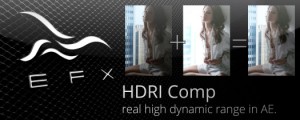
EFX HDRI Comp
Add to CartThis plugin allows you to combine two separate clips shot with different exposures into a new clip that will contain detail from both.
Please note that this plugin is not compatible with CS6 or above
$4.99 -
- Compatibility After Effects
EFX Render Elements Free
Add to CartTwo free plugins from the full EFX Render Elements Plugin Suite. These plugins are useful to help select object from an ID pass and remove artifacts from the resulting alpha channel. Check out the full suite for the rest of the toolbox.
Please note that this plugin is not compatible with CS6 or above
$0.00