
rd: Scooter
-
Compatibility After Effects Please check exact version compatibility under the "COMPATIBILITY" tab below
 Adding to cart...
 Displays a palette with controls for slipping and sliding various layer settings, such as layer footage source, in/out range, markers, and keyframes. You can use different combinations of these settings for more powerful control over layer editing operations.
Note: If you select the Keyframes = Selected option, the script might take awhile to finish, depending on the number of keyframes and the selected settings. Also, this option works on only the first selected layer.
There are four navigation buttons that you can use. The frame offset appears above each button, but you can change these to any positive number. These offsets are saved as settings for use in subsequent sessions.
Note: Note: This version of the script requires After Effects CS5 or later. It can be used as a dockable panel by placing the script in a ScriptUI Panels subfolder of the Scripts folder, and then choosing it from the Window menu.
Originally requested by Stu Maschwitz. Thanks for the challenge.
| After Effects | CC 2014, CC, CS6, CS5.5, CS5 |
|---|
3.1 (Current version) - Sep 1, 2014
3.0 - May 11, 2013
- v2.0 - Requires AE CS3. Can work as a dockable panel or a palette. (12-aug-2007)
- v1.0 - Initial release. Use for AE 7.0. (17-jan-2006)
-
- Compatibility After Effects
Array
Array makes things much easier for you when you need to duplicate layers a lot of times or change the basic properties of selected layers.Add to Cart -

- Compatibility Premiere
Looper Pro
Free TrialAdd to CartLoop animations in Premiere Pro! With looping types you love: • cycle • pingpong • offset
-

- Compatibility After Effects
Trigger
Add to CartQuickly setup and retime animations by triggering animations inside a precomp using layer markers. Easily create Trigger comps, add markers, and trigger animations from inside a precomp . Turn your linear workflow into an automated event based workflow, allowing you to non-destructively retime complex animations, easily test out multiple versions of an animation, and sequence together multiple animation events easily from your global composition.
-

- Compatibility After Effects
LoopMaster
Add to CartMake seamless loops! Loop keyframes, items, wiggle, spin and orbit. Perfect for GIF's, NFT's, Lottie Animations and Social media posts.
-

- Compatibility After Effects
Keystone
Add to CartThe professional keyframe toolbox for After Effects: align, distribute, stagger, duplicate, stretch and more!
-
- Compatibility After Effects
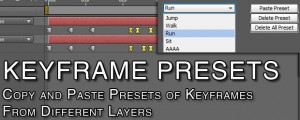
Keyframe Presets
Create presets for keyframes from multiple layersAdd to Cart
-

- Compatibility After Effects
rd: Studio Techniques
These are the sample scripts excerpted from Adobe After Effects CC Visual Effects and Compositing Studio Techniques by Mark Christiansen. A complete chapter on scripting by Jeff Almasol is included with the book.Add to Cart$0.00 -

- Compatibility After Effects
rd: Comp Setter
Displays a palette with controls for changing the size, pixel aspect ratio, duration, frame rate, preserve options, motion blur, and renderer of the selected compositions, and all nested compositions (pre-comp layers) in it.Add to Cart#devforacause
This script is part of the rd: scripts collection. Please consider making a donation to a charity important to you. Thanks.$0.00 -

- Compatibility After Effects
rd: Slicer
Displays a palette with controls for slicing the selected layer into a grid. Slicing works best with non-rotated layers. If a parent null layer is created, it will be anchored at the layer's current anchor point.Add to Cart#devforacause
This script is part of the rd: scripts collection. Please consider making a donation to a charity important to you. Thanks.$0.00 -

- Compatibility After Effects
rd: Render Layers
Renders each of the selected layers separately. You might find it useful if layers represent different versions of an effect or different parts of an effect that you want to render as separate "passes" for flexibility in how they get composited.Add to Cart#devforacause
This script is part of the rd: scripts collection. Please consider making a donation to a charity important to you. Thanks.$0.00 -

- Compatibility After Effects
rd: Kinda Sorta
Displays a palette with controls for sorting layers based on specific criteria.Add to Cart#devforacause
This script is part of the rd: scripts collection. Please consider making a donation to a charity important to you. Thanks.$0.00