
sParticular
-
Compatibility After Effects Please check exact version compatibility under the "COMPATIBILITY" tab below
 Adding to cart...
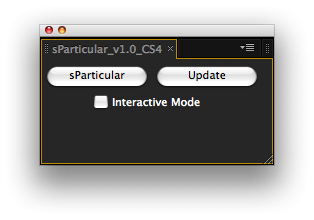
sParticular is a script for After Effects that helps you with 3D integration when using Trapcode Particular.
If you apply particular on a layer, you will see that the particles are 3D-aware if you have a camera. But if you have layers in your 3D space, the particles won't intersect with them. Particles are always "in front of" the 3D layers that are below the particules layer in the layer stack.
Particular has a visibility option, where you can set a range where your particles are visible or not, let's say from 0px to 200px in Z space from the camera.
What the script does is sort your layers in your comp so that the 3D layers stack on the composition regarding to their Z position, and then duplicates your particle layer between every 3D layers. All thoses instances have their visibility option expressioned to fill the Z range between the front and behind 3D object. Like that your particles are intersecting properly with your layers.
It's not a true intersection, it rather an automation of a workaround, but it works great. Plus there are some options if you want to update your particle layer so that every instance get updated too.
Supports Particular from v1.5 and above, and works fine with multiple Particular effects on the same layer.
Tutorial
| After Effects | CC, CS6, CS5.5, CS5, CS4, CS3 |
|---|
1.1 (Current version) - Jul 12, 2012
- v1.0 Initial release for CS3 & CS4 (Aug 2009)
-

- Compatibility After Effects
Orient World
After camera tracking set the ground plane of your scene and orient everything accordingly.Add to Cart -

- Compatibility After Effects
Swiss Knife
Add to CartSwiss Knife is a group of 20 tools that can be combined in thousands of variations.
-

- Compatibility After Effects
Construction - Make 3D Buildings in After Effects
Construction allows you to make cities and buildings in After Effects easily.Add to Cart -
- Compatibility After Effects
Power Cylinder
Add to CartA 3D Cylinder plugin with power controls! Elliptic distortion, unfolding, rich shading, self shadowing, reflections, DOF and comp lights and camera.
-

- Compatibility After Effects
TinkerType
Break up animations, and have full control. All in just one text layer.Add to Cart -
- Compatibility After Effects
Extrudalizer
Add to CartExtrudalizer allows you to extrude any 2D shape layer into virtual 3D space, control its depth, position, rotation, and scale. You can set up appearance, animation, and even manipulate the original 2D path with the Extrudalized shape repeating this manipulation. The script is 100% Lottie compatible for web use (bake expressions to keyframes for mobile app use) and can be exported using the Bodymovin plugin.
-

- Compatibility After Effects
Copy Paste Markers 2
Add to CartAllows you to copy one or more markers and paste them on any other layer. After Effects does not allow copy/pasting markers in their UI, so this tool is here to help.
$9.99 -
- Compatibility After Effects
Story Boarding
Import any screenplay right into After Effects. Use it as a context tool while working on your scene, or to create an animated storyboard, previz, animatic, and much more depending on your project pipeline. Fast & efficient, it will boost your creativity, and your pre-production pipeline. #devforacause 25% of the proceedings will go to the Child's Play Charity http://www.childsplaycharity.org/Add to Cart$59.99 As low as: $39.99 -

- Compatibility After Effects
XML Gibson
XML Gibson is a script that allows you to export your composition to XML files.Add to Cart$19.99