
BBTools Tiler 4
-
Compatibility Photoshop Please check exact version compatibility under the "COMPATIBILITY" tab below
 Adding to cart...
Make tiles and seamless textures easily in Adobe Photoshop
Features
- Choose between rectangle and ellipse shapes for tiles.
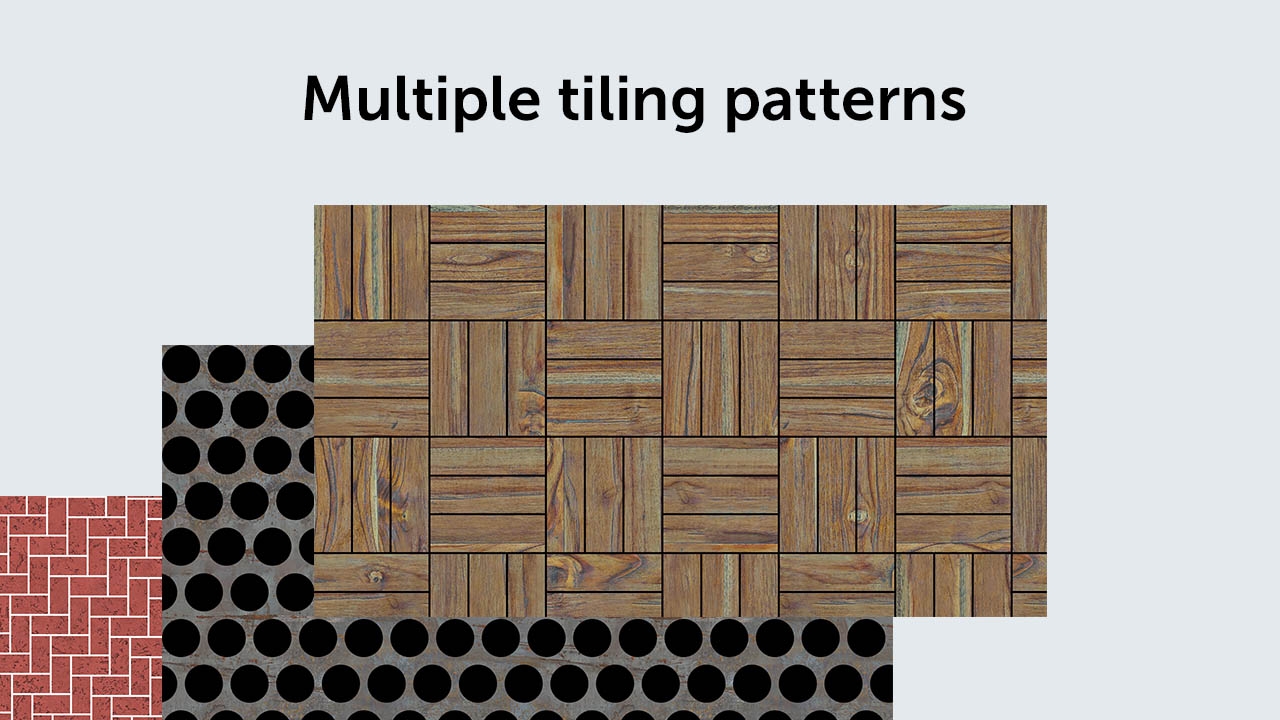
- Select from various grid patterns like bricks, ceramic tiles, and more.
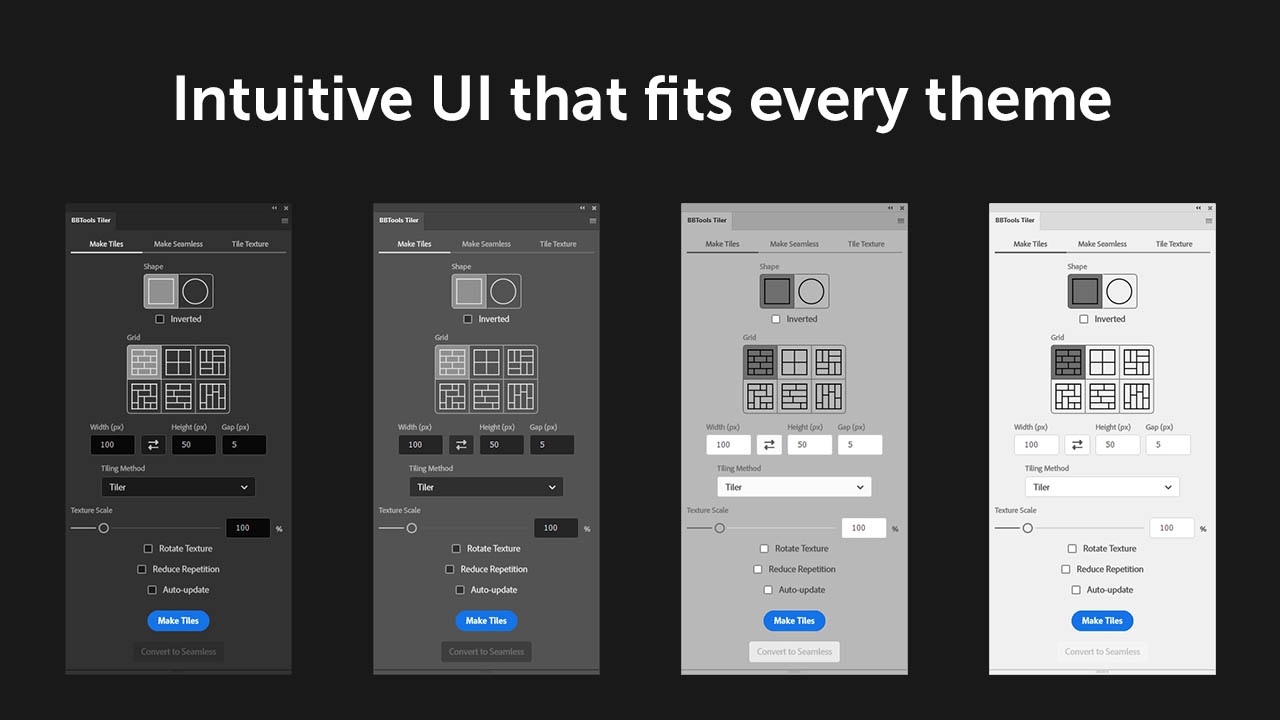
- Adjust the tile width, height, gap, and other aspects to get the desired look.
- Easily drag and drop seamless textures for tiling.
- Adjust rotation, scaling, and remove patterns.
- Experience real-time updates and iteration with auto-update.
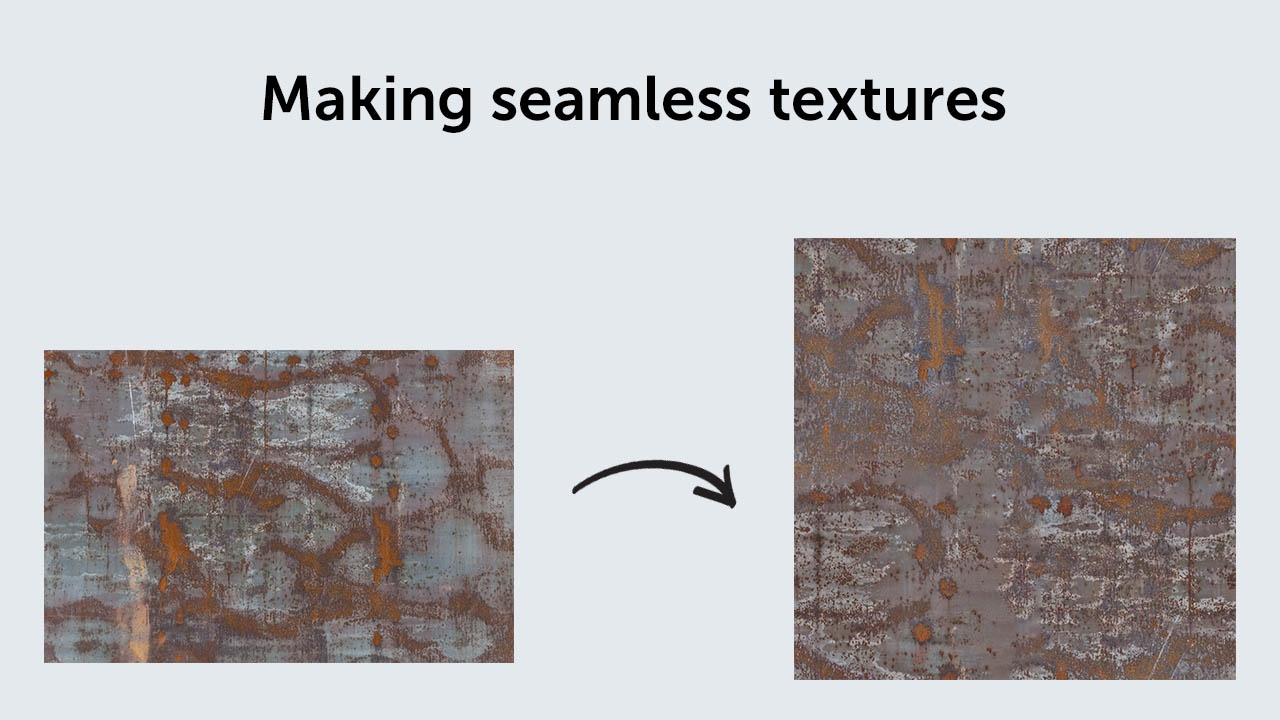
- Quickly convert grids into seamless textures.
- Adjust high pass and patch width for image-based seamless textures.
- Choose between Tiler and Pattern Fill for the tiling method.
- Fine-tune texture scale, rotation, and repetition.
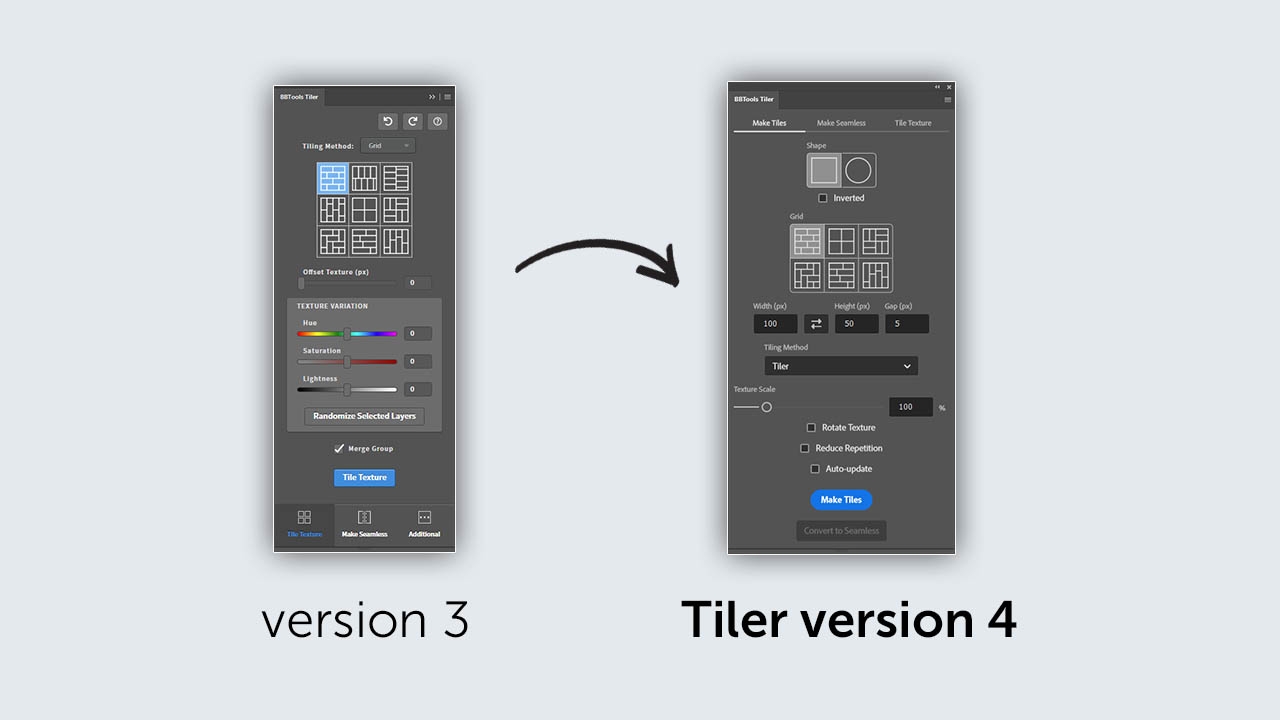
What's new and different from Tiler version 3?
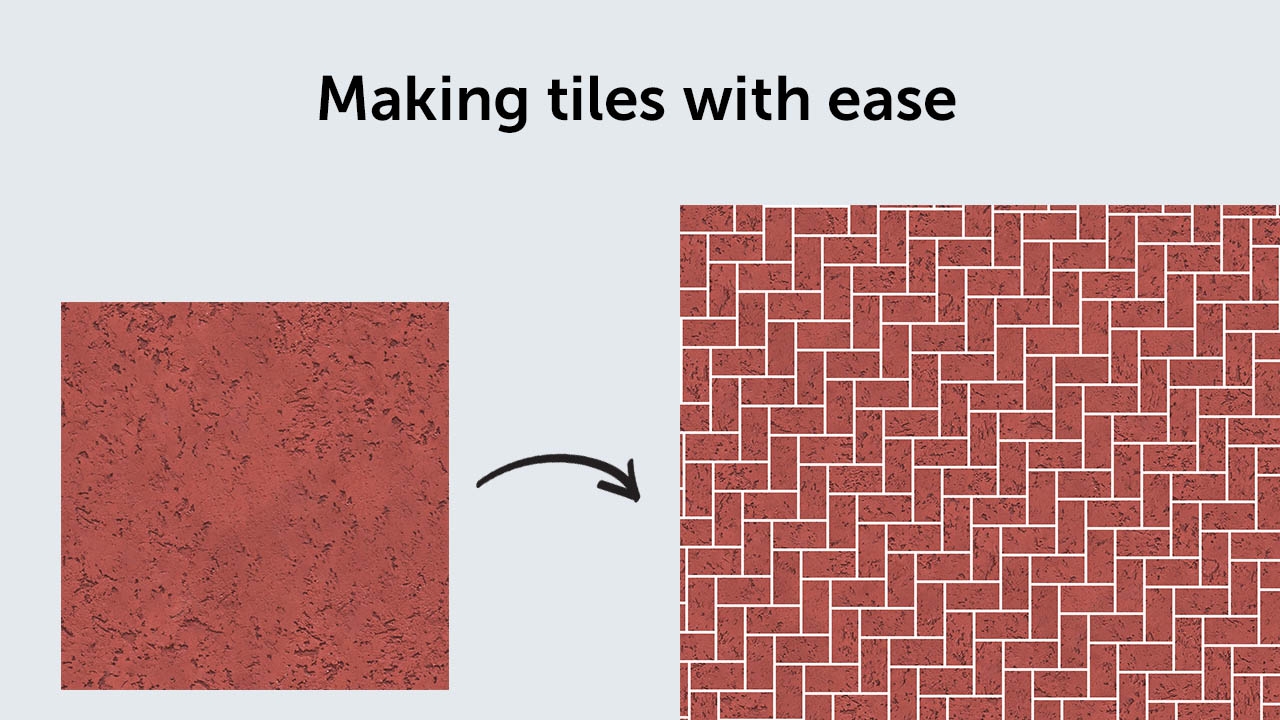
- Changed the way the Make Tiles tab works. Now it's easier to use and all you need to do is pick a single seamless texture and press the Make Tiles button. You can easily switch between the different tiling grids.
- Significant performance improvements in the Make Tiles. A new tiling grid is created almost instantly after pressing the Make Tiles button.
- Added tile Shape in the Make Tiles section that can be used to increase the number of possibilities and variations of the Tiling Grid.
- Removed the texture variations (Hue, Saturation, and Lightness) from the Make Tiles.
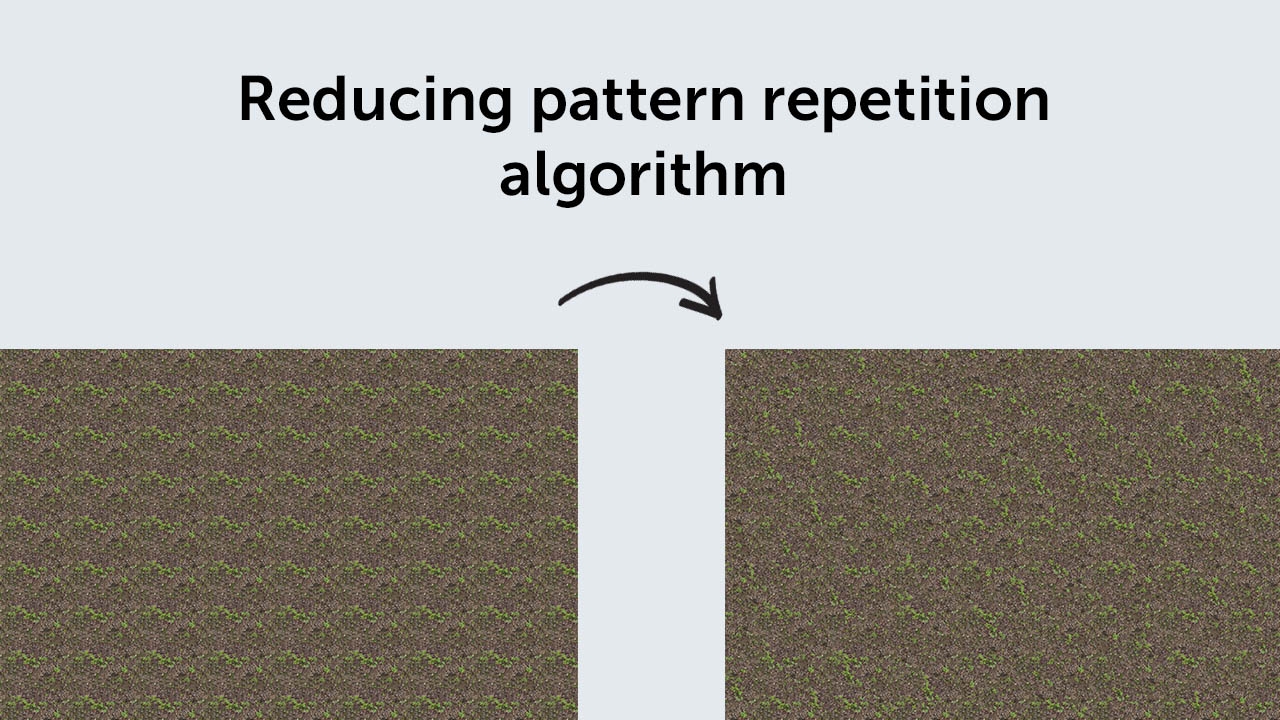
- Added Texture Scale, Reduce Repetition, and Rotate Texture in the Make Tiles section for easier and more advanced texture manipulation.
- Added Convert to Seamless option in the Make Tiles section that can easily crop the texture based on the Tiling Grid and make it seamless.
- Added Presets Manager to the Make Seamless section.
- Switched from the predefined High Pass value to a text-based input field to give more control over this setting.
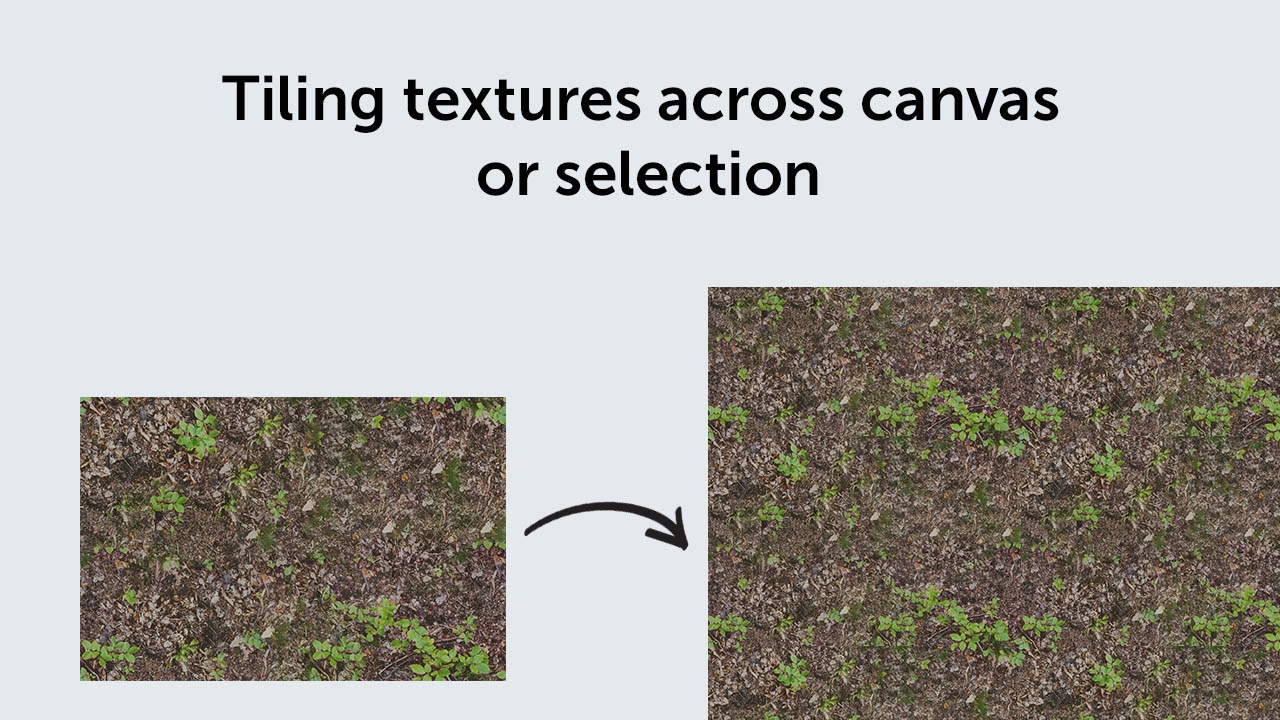
- The Additional tab/section was changed into the Tile Texture. Besides the name change the functionality of that section changed as well. The Torn Edges functionality was removed. This tab now holds all tools that can be used just for tiling the texture on the Photoshop canvas. The texture can be tiled across the entire canvas or within the selection. If the resolution of the canvas is too large then the recommendation is to use a different "Tiling Method" like the "Pattern Fill" or to make a rectangular selection and then press the "Tile Texture" button. This recommendation will help improve performance. This tab also has the Texture Scale, Rotate Texture, and Reduce Repetition for advanced texture manipulation.
Upgrade Notice
If you purchased Tiler Photoshop Extension V3 after Apr 1, 2024 you can upgrade for $6, otherwise you can upgrade for $14. Simply login to the same account and the upgrade price will be automatically displayed. If you need assistance please open a support ticket and we will be happy to assist
| Photoshop | 2024 |
|---|
4.2.7 (Current version) - Oct 20, 2024
4.2.6 - Oct 7, 2024
4.2.5 - Sep 21, 2024
- Potential bugfixes.
4.2.4 - Aug 31, 2024
4.2.3 - Jul 9, 2024
4.2.2 - Jun 13, 2024
4.2.1 - Jun 13, 2024
-
- Compatibility After Effects
RasterFast
Add to CartContinuously rasterize entire project with a click.
-

- Compatibility After Effects
Renamer2
Add to CartRenamer2 revolutionizes composition management by automating the composition renaming process, significantly enhancing efficiency.
-

- Compatibility After Effects
Easy Bounce Free & Pro
Add to CartDownload FREE version. Create bouncing animations the easy way! Just roughly keyframe the motion path you'd like, and let Easy Bounce take care of the rest.
-
- Compatibility After Effects
Squash & Stretch Pro
Add to CartCreate animations in no time with Squash & Stretch, featuring a vast range of ready to use behaviors, carefully handcrafted by professionals and controlled by an intelligent system. This Pro version includes over 60 extra behaviors and 350 extra sound effects and can also be extended with additional behavior bundles.
-

- Compatibility After Effects
- Compatibility Premiere
- Compatibility Audition
BeatEdit Bundle 2
Add to CartBuy BeatEdit for After Effects, Audition and Premiere Pro and save $150!
-

- Compatibility After Effects
HandyCam
Add to CartTired of wrestling with the default AE camera? HandyCam simplifies every aspect of animated cameras in AE.