
Evil Twin Stereo 3D
-
Compatibility After Effects Please check exact version compatibility under the "COMPATIBILITY" tab below
 Adding to cart...
Diabolically Clever Stereo 3D Compositing
Evil Twin Stereo 3D is a complete stereo workflow tool to help you move seamlessly between traditional 2D compositing and stereoscopic 3D. It uses a deep-level, but minimalist paradigm so that any compositing technique, effect, or plugin you already depend on can be quickly adapted to stereo 3D using the tools provided. As a matter of principle, Evil Twin does this with the least possible interference on the original creative work. Whether working with stereo footage, 3D plugins and cameras or adding stereo to 2D source material - It's a lifesaver for those who've already mastered compositing techniques and want to keep it that way when they journey into the stereoscopic realm.
But What Is this Black Magic ?
The main action of Evil Twin is the automatic creation of the Right eye comp using only information that is stored in the Left. The magic happens when you push the L▷R button. A Right comp is built from the Left, footage gets swapped with its stereo twin, comp and layer settings are copied exactly, and special expressions that sit quietly in the Left comp will come alive in the right comp, connecting effects and properties back to the Left and adding offsets to match the stereoscopic space where needed. This means you can control EVERYTHING without ever opening the Right comp. The Right comp is just a warped clone (ahem...the Evil Twin?) of the Left comp.
Instant S3D Feedback 
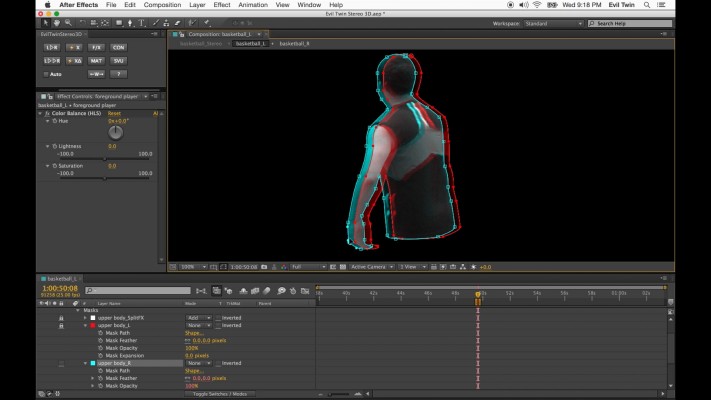
Evil Twin also introduces a lightening fast stereo 3D viewing trick that allows you to toggle between normal editing and stereo mode. View and edit your comp live in Anaglyph 3D or stay in 2D and quickly flip between the Left and Right with the click of a button. No extra comps and viewer panels necessary (though you can do that too...) - you always stay in the main Left comp and instant feedback is always one click away. It's seamless, effective, and will save you time.
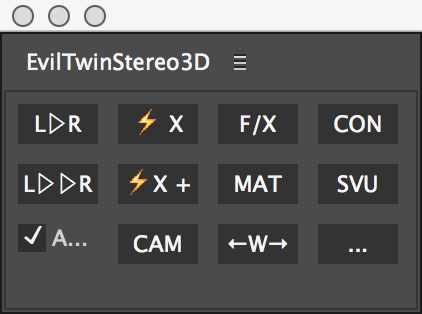
The tiny panel that will free you from the technical shackles of stereo 3D!
Features
- One-click creation/update of Right comp. Evil Twin takes care of all the repetitive grunt work.
- Visual paradigm: Stereoscopic properties controlled by observation or numerically.
- Ideal workflow for rendered S3D footage and artwork.
- Can be used to add S3D to monoscopic graphics.
- Control EVERYTHING from inside the Left comp. No need to open the Right comp.
- Compatible with any After Effects compositing technique: If you can do it 2D, Evil Twin can do it in S3D.
- Anaglyph 3D viewing in the Left comp. No need for extra viewer comp.
- Wiggle function to quickly flip back and forth between Left and Right (quick way to see color differences and/or stereo depth without glasses).
- Special stereoscopic mattes that can break into the stereoscopic space (not confined to a single 2.5D plane). Perfect for S3D keying, roto, rig removal, and adjustment layers.
- Live-link any property to its stereo twin for instant feedback or real-time editing in S3D.
- Dedicated S3D viewer comp with enhanced stereo formatting options on demand (for external 3D displays and projectors). More flexible options than stock 3D Glasses effect.
- Allows you to upgrade a 2D project into S3D without repeating work. Can exchange between compositor and S3D specialist.
- Adapt and fine tune Evil Twin's behaviour for different contexts using layer and comp comment tags (e.g "no_evil" layer comment means use same footage in both eyes).
- Do it all without compromising your pre-existing work on the Left comp...
- Simple, robust, esay to use Stereo 3D Camera Rig that works seamlessliy with the workflow.
| After Effects | 2020, CC 2019, CC 2018, CC 2017, CC 2015.3, CC 2015, CC 2014, CC, CS6, CS5.5 |
|---|
1.1.1 (Current version) - Aug 26, 2020
- Help is now available through settings panel.
- Minor bug fixes.
1.1.0 - Oct 16, 2015
- Simplified settings panel.
- Wiggle now uses RAM Preview - control speed, etc... in Preview Panel.
S3D Camera Rig:
- Now symmetric by default (Left - Master - Right). Left Nodal is optional.
- Added option to converge cameras (toe-in)
- Added quick keystone correction for converged cameras.
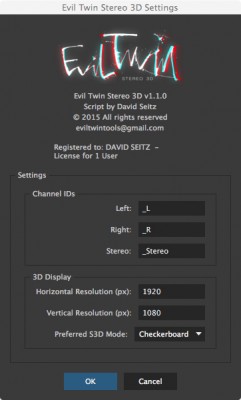
-Stereo Viewer Comp now supports Checkerboard and Interlaced S3D modes. Select preferred method in settings so that comp is created in the correct S3D mode (this can be changed later).
Small bug fixes and bulletproofing...
1.0.2 - Apr 6, 2015
- Fixed cropping issue with edge mattes in Stereo Viewer comp
- Added 3D Glasses layer to Stereo Viewer comp for those who prefer the stock plugin.
- Evil Twin Right now disabled during LR Deep Clone to prevent repeated viewer rendering during the process.
- Fixed bug where LR clone disabled Evil Twin Right layer when in solo mode.
1.0.1 - Feb 11, 2015
- Fixed an error when trying to apply S3D matte to Camera or Light layers (not allowed).
- R—> Slider in S3D Matte layer no longer has expression. The value shown in the slider is the offset of the S3D Anchor when S3D Corner Pin is enabled.
- Better error handling of some unlikely circular references.
1.0 - Jan 28, 2015
-

- Compatibility After Effects
BAO Mask Avenger 2
Add to CartControl mask vertices (and tangents) individually using a native plugin in After Effects!
-

- Compatibility After Effects
- Compatibility Premiere
Colorful Style Pack for Animation Composer
Add to CartThis product has been discontinued. You can now purchase all Mister Horse products through a single subscription plan. -
- Compatibility After Effects
Transformer 2
Add to CartPowerful footage transformation and animation tool for After Effects
$29.99 -
- Compatibility After Effects
Power Cylinder
Add to CartA 3D Cylinder plugin with power controls! Elliptic distortion, unfolding, rich shading, self shadowing, reflections, DOF and comp lights and camera.
-

- Compatibility After Effects
Locations
Create 2D and 3D geo located markers on equirectangular, mercator, gallpeters, hammer, sinusoidal and aitoff maps or projected onto a sphere. In other words, add map location data to your After Effects comp quickly and easily!Add to Cart -
- Compatibility After Effects
MonkeyCam Pro
Add to CartA wild procedural camera with 1-click set up & marker-based motion effects. Works with 3D layers or other Monkey Tools!
-
- Compatibility After Effects
Layer Slayer
Add to CartPerfectly sync layers across the layer stack with a single click.
$40.00