
Force Auto-Save
-
Compatibility After Effects Please check exact version compatibility under the "COMPATIBILITY" tab below
 Adding to cart...
 The day I created this tool my computer funked up and deleted all my work for 2 days back. AE's auto-save didn't save my work at the second drive I picked so I had to redo everything and from that I decided to make my own auto-save, thus Force Auto-Save was created!
The script has no settings and uses After Effects Auto-Save-settings to drive it. Simply put the script in the Scripts\Startup folder and you can be sure your auto-savings are being saved!
You can turn on/off the script by running it while holding down the Shift key. If both After Effects internal Auto-Save and Force Auto-Save is turned off, Force Auto-Save will give you a heads up, so you always can be sure to have your project saved and backed up!
As mentioned in the video, AEs internal auto-save is good and smart. If you're playing your footage it won't interupt you and it will wait till the next time its suppose to auto-save, but if this happens every time it won't save at all! There are also reports that people with touch-interfaces (like wacom) tend to have problems with the auto-save. AE feels the usage of the stylus and decides to not auto-save for now. Adobe is trying to fix it but it's not fixed yet, so till then Force Auto-Save is a good alternative.
Good:
You're sure your project is saved and backed up!
Bad:
If you're working on a giant project you might not want to use auto-save because of the long saving-time, but you can alwas dissable the auto save.
| After Effects | CC 2015, CC 2014, CC, CS6, CS5.5, CS5, CS4, CS3 |
|---|
1.1 (Current version) - Oct 18, 2015
1.0 - Sep 13, 2015
-

- Compatibility Nuke
smartLook for Nuke
smartLook offers multiple features to enhance look development inside Nuke. It offers the snapshot browser to take snapshots of your work, flag and comment snapshots and work collaboratively on look versions for your comps. Furthermore, it lets you save, edit, import and export looks for each node as well as import and export toolsets.Add to Cart -

- Compatibility After Effects
- Compatibility Premiere
ft-Color and Channel Bundle
Add to CartA suite of tools to manipulate colors and channels for several tasks: ft-Brightness Check, ft-Clamp, ft-Color Gray and ft-CombineRGA
-
- Compatibility After Effects
AE Suicide-After Effects Crash Recovery
When running Adobe After Effects under OSX, if the application becomes unresponsive, this application attempts to force a crash recovery that automatically saves a copy of your project.Add to Cart -
- Compatibility After Effects
aw-Autosaver V2
Add to Cartaw-Autosaver is a powerful replacement of the standard After Effects autosave option with lots of options.
-

- Compatibility Nuke
smartCollect for Nuke
Add to CartsmartCollect is a multi threaded batch archiver for Nuke. It collects all your used sources (not only the read nodes) and makes archiving your shots super quick and simple. smartCollect creates detailed job log reports and is customizable to your needs. It can be run directly inside of Nuke or as a standalone application.
-

- Compatibility After Effects
ToeJam
ToeJam is a simple Mac utility application for Adobe After Effects that runs as a status bar item. When executed, it terminates After Effects® in order to force an autosave of your current working project.Add to Cart
-

- Compatibility After Effects
AEmpeg
Render with FFmpeg directly from After Effects. Get many more codecs than After Effects offers you, for example ProRes on Windows!Add to Cart$39.99 -

- Compatibility After Effects
Universal Shortcut Fixer
Convert After Effects shortcuts to work with your non-english keyboardAdd to Cart$4.99 -

- Compatibility After Effects
Bend Layers
Bend layers without RayTracing in all versions of After Effects.Add to Cart$29.99 As low as: $23.99 -

- Compatibility After Effects
Tiny Tools
13 small (but awesome) tools in one toolbar to help your daily struggles!Add to Cart$39.99 -

- Compatibility After Effects
Malcolm in the center
Place any object in the complete center of two points in 3D spaceAdd to Cart$4.99 -
- Compatibility After Effects
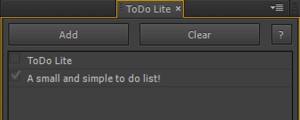
ToDo Lite
A simple to do list that runs as a dockable panel in After Effects.Add to Cart$9.99