
Tiny Tools
-
Compatibility After Effects Please check exact version compatibility under the "COMPATIBILITY" tab below
 Adding to cart...
 Tiny tools contains 13 different awesome tools in one dynamic toolbar, to help you with your daily struggles! From small and helpful to more advanced but easy-to-use tools.
The tools:
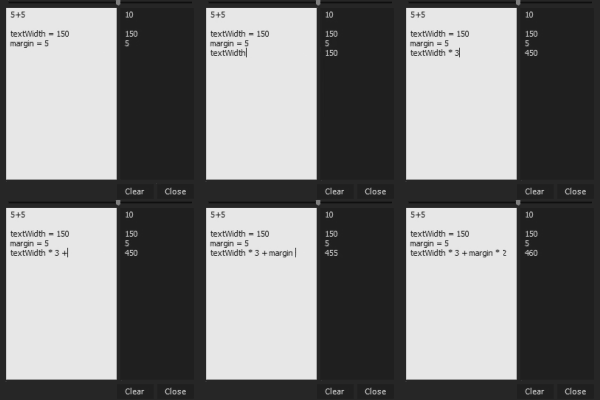
Calc
Calc is a small calculator. It's not like a normal calculator but gives to you fields, one to write your problem and the second to show you the solution (who really uses the + and - buttons on a computer calculator anyway!). The advantage of this is that you can assign names to numbers and use the name! Eg. Height = 125px. Margin = 10. (Height * 5 + width * 4) * 2 = 1580.
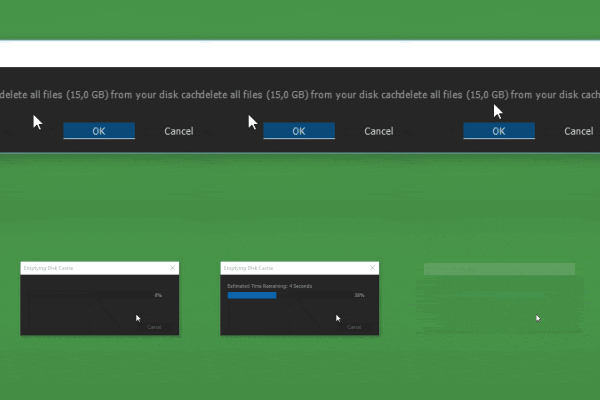
Clear Cache
It does what it says it does. It quickly clears all your kind of cache. Eg. when working with scripts that doesn't work well with After Effects cache-system it's always handy to be able to clear the cache quickly.
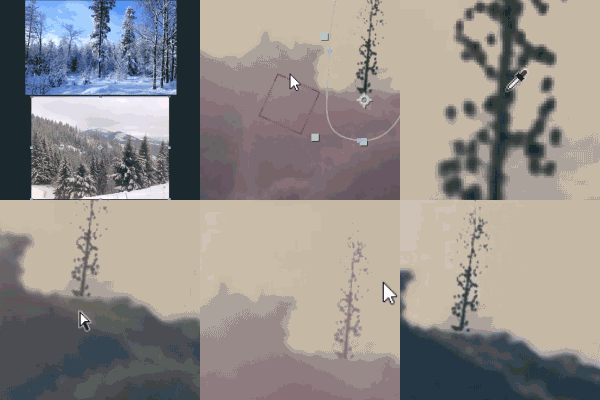
Color Matcher
Match two videos with each other in only 4 clicks! Select the shadows and highlights in both the videos and Color Picker takes care of the rest! What also makes Color Picker special is the ability to dynamically change the colors of the video (check xx:xx in the tutorial-video for more information).

ExpressIOn
Turn expressions on or off with a press of a button! Do it on selected properties, property-groups, layers or all comps in your project! ExpressIOn also is great if you accidentally break an expression, like deleting a layer and undoing it. Just press the button while holding down Shift and your expressions will be back on track!
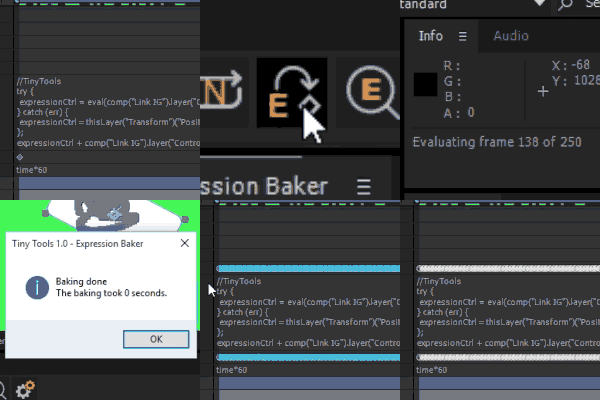
Expression Baker
Having a lot of expressions can really slow down your work. Bake them to speed up! Select one or more properties or layers and bake everything! Your expressions are of corse saved. Just delete the keyframes and activate the expressions.

Link
Link can be described like parenting but instead of inheriting properties, the properties are linked. You can link anything to anything! The position to blurriness. The masks expansion to the fractal noise's evolution. Really anything to anything.
But where Links power lies is in its expression-linking. This lets you apply expressions to your properties from one location only, meaning if you want to change the expression, change only ones and all the properties will be updated! And because they are linked and not parented, they will act as if the expression was written to them exclusively.
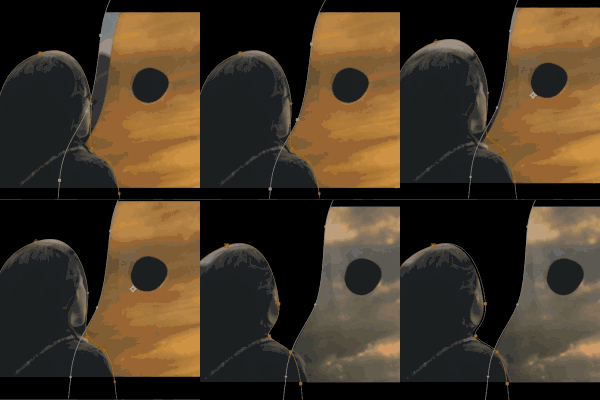
Mask Nudge
Press ones and then use your arrow-keys to move one more more masks. If your masks are keyframed the keyframes will move too. You can also move the image itself and leave the masks in their position.
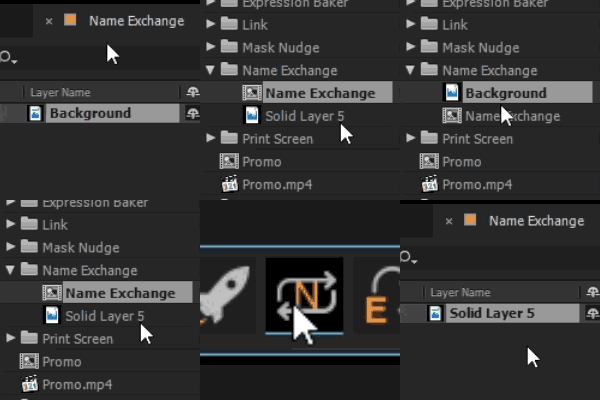
Name Exchange
Quickly rename "Blue Solid 5" in the project panel to "BG" as the name is in the project panel. Also works the other way around. Rename the layer to its name from the project panel. You can also select a layer and press Name Exchange while holding down Alt to reveal the file in the project panel.
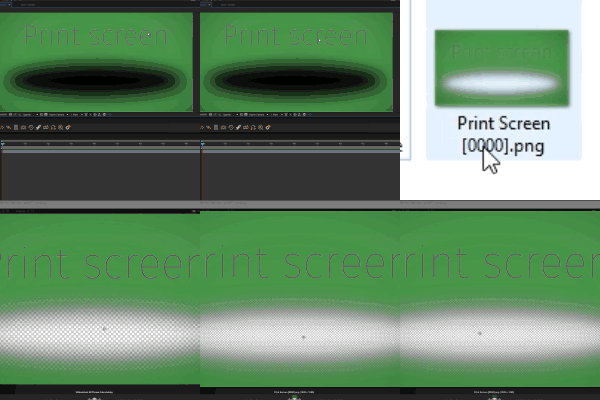
Print Screen
Press to save your current image without needing to render! The alpha is of course included! Just make sure you have your preview on full to get the best quality.
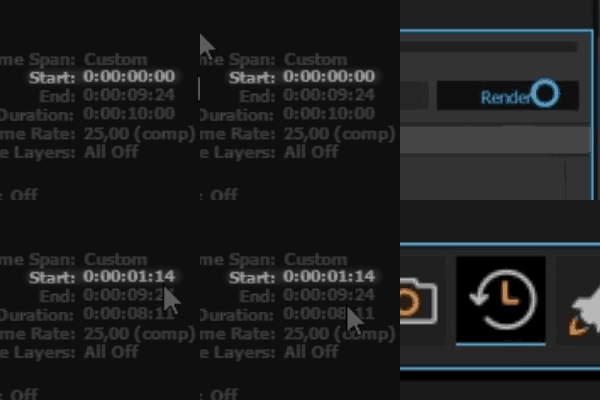
Reset Timespan
When rendering in AE, if you cancel the timespan will start from where you stopped. This is often not what you want when you will re-render. Reset Timespan resets it to what you intended it to be!
Script Launcher
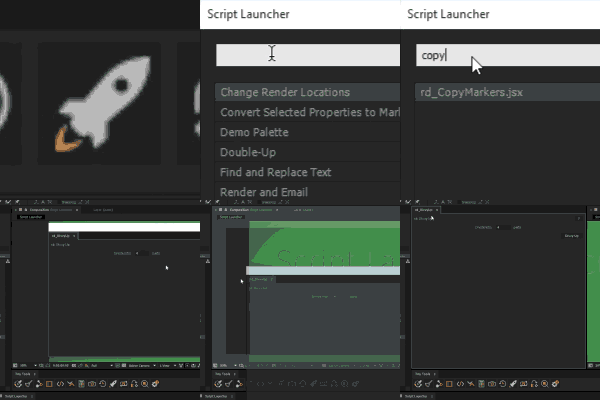
Press, type and launch! Script Launcher is a small and effective script launcher that lets your search through all your script at any location and launch them! If they are located inside the ScriptUI folder, they will launch as dockable! Wanting to launch them dockable but don't want them in the ScriptUI folder? Don't worry. Script Launcher contains a tool to create shortcuts to your scripts and place the shortcuts inside the ScriptUI panel, making them dockable without needing to be there!
Search and Replace Expressions
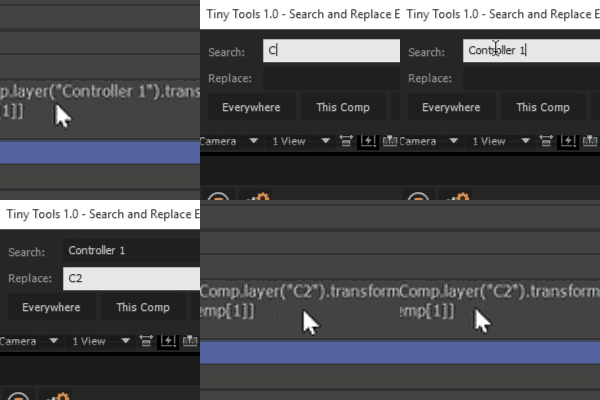
Small but yet powerful search tool to search and replace expressions in the selected properties, property-groups, layers or in the whole project!
Toggler
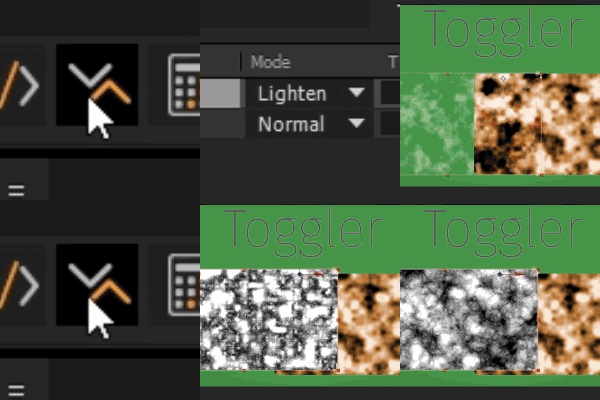
Loving the way you can toggle settings in almost any other software, simply using the arrow keys? Toggle let's you do that on all properties inside After Effects! Select any property or properties, press Toggle and toggle away on your keys! Having a layer selected and you will toggle the modes instead to quickly find the look you're looking for!
| After Effects | CC 2018, CC 2017, CC 2015.3, CC 2015, CC 2014, CC |
|---|
1.2 (Current version) - Apr 17, 2020
Fixes:
- Better names for Color Matcher
- Working undo for ExpressIOn when turning on/off all expressions
- Namebaker can no longer give errors if the selected object doesn't have a source object (eg shapes)
- Printscreen button no longer gives error
- Updated license framework
- Better names for Color Matcher
- Working undo for ExpressIOn when turning on/off all expressions
- Namebaker can no longer give errors if the selected object doesn't have a source object (eg shapes)
- Printscreen button no longer gives error
- Updated license framework
1.1 - Jan 20, 2016
Fixes:
- Code cleanup
- Better icon-creation
- Faster toolbar
Features:
Script Launcher:
- Max showing script in lists set to 23 for faster searching and browsing. Can be changed in settings
- Not needing to write complete name for two worded script (eg: So La would give you the script Sort Layer)
Print Screen
- Hold Shift to import print screen to your project
- Hold Alt to import + place print screen in timeline above selected layer
- Code cleanup
- Better icon-creation
- Faster toolbar
Features:
Script Launcher:
- Max showing script in lists set to 23 for faster searching and browsing. Can be changed in settings
- Not needing to write complete name for two worded script (eg: So La would give you the script Sort Layer)
Print Screen
- Hold Shift to import print screen to your project
- Hold Alt to import + place print screen in timeline above selected layer
1.0.1 - Nov 19, 2015
Fix: Script couldn't be dockable, now it can.
1.0 - Sep 25, 2015
Initial Release!
-

- Compatibility After Effects
Swatcheroo
Add to CartSwatcheroo is your handy dandy swatch pal. That's, uh, short for 'palette.'
-

- Compatibility After Effects
Fade It!
Add to CartApply a variety of Fade In and Fade Out transitions to After Effects' layers for your daily tasks and projects! -
- Compatibility After Effects
Layer Selector Toolbar
A compact toolbar to quickly select layers by property.Add to Cart -
- Compatibility After Effects
ShapeMonkey
Add to CartGenerate an endless variety of procedural shape layer animations in seconds. Works with text & vectors too!
-

- Compatibility Premiere
Sequence Hub
Free TrialAdd to CartEasily navigate through Nested Sequences and keep your project organized!
-

- Compatibility After Effects
Templater Bot Subscription Upfront
Add to CartTemplater Bot extends Templater Rig by offering full server automation, allowing you to build applications that version, render, and distribute custom video on demand. A recurring monthly or annual subscription plan is available as well.
-

- Compatibility After Effects
Bend Layers
Bend layers without RayTracing in all versions of After Effects.Add to Cart$29.99 As low as: $23.99 -

- Compatibility After Effects
Face Tracker to Nulls
Creates nulls from your face track in After Effects CC2015 and aboveAdd to Cart$9.99 -
- Compatibility After Effects
AEmpeg
Render with FFmpeg directly from After Effects. Get many more codecs than After Effects offers you, for example ProRes on Windows!Add to Cart$39.99 -
-

- Compatibility After Effects
Malcolm in the center
Place any object in the complete center of two points in 3D spaceAdd to Cart$4.99 -

View all Jacob Danell products