
Templater Bot Subscription Recurring
-
Compatibility After Effects Please check exact version compatibility under the "COMPATIBILITY" tab below
 Adding to cart...
 What is Templater Bot?
Templater Bot is an enterprise solution for custom video on demand. It works as an automated system. Use it to periodically check for incoming data, pull new data in, and render video as a background process. Or use the command line interface to push data in to create new renders. Once your AE project is prepared, use The Bot or the command line interface to customize and render it without operating the After Effects user interface. Developers can create front end applications, such as web or mobile apps, that feed data into Templater's data source, offering a collaborative, custom video content creation solution.
Templater Editions
Templater is available in three separate editions—Rig, Pro, and Bot. Learn more about Templater Rig and Templater Pro on their catalog pages.
Subscription Types
Subscribe to Templater Bot on a month-to-month plan by adding this item to your cart, or choose a yearly recurring plan or purchase a 1, 3, 6, or 12 month license in an up-front transaction. Templater Rig is included with all Bot subscriptions.
Important Requirements
- Templater Bot activation and license verification requires your system to be online and connected to the Internet.
Submit a help ticket if your organization requires offline activation or floating license server support.
Why Use Templater Bot?
Sometimes you need to fully automate After Effects to handle the versioning and rendering of a master composition and then automatically distribute the output. Use Templater Bot to develop applications that can harness the power of After Effects. Reasons you might need to use Templater Bot in your organization:
- You need an efficient way to create anywhere from 15 to 15,000+ unique videos based on a data source.
- You want to automatically create a video based on web form input and run a script to upload it to a server.
- You want to integrate Templater into an existing automated production pipeline.
- You need to automatically run a script after every render job or after all render jobs are complete.
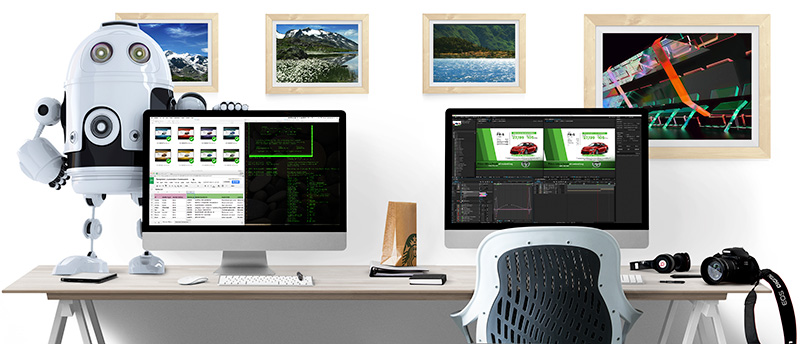
A single license of any Templater edition allows you to install and / or activate that edition on a single machine for one user. Before purchasing, you should verify that Templater will help your workflow by using it in trial mode. The trial lets you explore Templater Rig, Templater Pro and Templater Bot features with a watermark. After 30 days, all functions cease to work without a purchased license. For an additional fee, a floating license version is also available which works in conjunction with a Linux based license server. To inquire about a floating license version and server please open a support request.
Compare Edition Features
See the table below to note which features ship with Templater Bot.
| Key Feature | Rig | Pro | Bot |
|---|---|---|---|
| Use a JSON-formatted text file as a data source | |||
| Use a Google Sheets document as a data source | |||
| Use a Tab-separated value file as a data source | |||
| Incorporate web API feeds into a data source | |||
| Easily swap out footage sources | |||
| Use cloud-based footage references | |||
| Apply layout rules to layers | |||
| Apply timeline rules to layers | |||
| Store batch asset reference presets in project files | |||
| Preview compositions with data | |||
| Log Templater activity to file | |||
| Batch replicate compositions | |||
| Batch render compositions | |||
| Batch render with Adobe Media Encoder | |||
| Custom output naming | |||
| Switch AE projects within the data source | |||
| Run shell scripts while Templater processes | |||
| Command-line interface control | |||
| Version AE projects as a background process | |||
| Process extremely large data sources |
Subscription Pricing
Templater is a professional grade application—the kind that eliminates the worst of the tedium in post-production. Taking user feedback from the original release, we re-engineered our product line-up to accommodate users in any environment, from independent producers needing a single copy of Templater Rig to those working in studios and organizations running Templater Bot on dedicated server farms. What's more, this new model provides better sustainability for continued support and development.
© Copyright 2013–2015 Dataclay, LLC. All rights reserved.
| After Effects | 2024, 2023, 2022, 2021, 2020, CC 2019, CC 2018, CC 2017, CC 2015.3, CC 2015, CC 2014, CC, CS6, CS5.5, CS5 |
|---|
Templater for AE 2022 and above
3.5.0 (Current version) - Oct 16, 2024
- Support for Adobe's MoGRT format
- Dock the Dynamic Subtitles palette
- Edit SRT files from within Templater
- Sync edits to original SRT file
- Export a local SRT file copy
- Choose point or box text for subtitles
- Choose vertical anchor position for SRT text layers
- Choose drop shadow type for SRT Rig
- Added settings for box text
- Improved user experience using AE Essential Graphics
- Support for basic HTML markup in SRT files
- Upgraded network communication library
- Upgraded licensing framework for Windows OS
- BUG FIX: Fixed failure retrieving Sheets documents on Windows
- BUG FIX: Spreadsheet values with operands now treated as strings
- BUG FIX: Null values for dynamic footage layers now considered faulty
3.4.1 - May 1, 2024
- Adjustment: Time Sculpting Requires Target Comp
- Enhancement: New Parameter for Dynamic Text Styling
- BUG FIX: Fixed issue with garbled characters in non-English AE installations
- BUG FIX: Fixed issue with forced paragraph justification when styling text
3.4.0 - Apr 16, 2024
- Introduced dynamic text styling
- Reorganized Templater Preferences dialog
- Added Footage Processing and Footage Download events
- Enhanced the flags feature to support both double braces {{}} and double brackets [[]]
- Introduced new reserved column names: srt-display, srt-data, and srt-bg
- Introduced new Bot property keys
- Introduced new pre-defined argument macros for shell scripts
- Introduced new object methods for ExtendScript API
- Introduced target timeline auto zoom-out preference
- BUG FIX: Fixed issue with Time Sculpting with nested comps
- BUG FIX: Fixed issue with Templater layer groups
- BUG FIX: Fixed AE error when Templater Settings applied to audio layers
- BUG FIX: Fixed automation issue caused by an intrusive confirmation dialog in AE 24.3
3.3.3 - Dec 19, 2023
3.3.2 - Nov 13, 2023
3.3.1 - Sep 27, 2023
- Support for share links for remote footage
3.3.0 - Aug 18, 2023
- Support for footage URLs that include parameters
- Support for using Templater with an empty data source
- Improved the use of markers in spot checking
- Enhanced logging to include actions performed when a specific project file is not open
- Added a button in Templater Preferences to open the log location in the macOS Finder or Windows Explorer
- Grouped all sorting options in their own section in the Job Selector Setup dialog
- Fixed an issue where spot checking multiple frames sometimes produced duplicate still images
- Fixed an issue where range validation was being incorrectly applied when the data source was QUE
- Fixed an issue with using the additional_pages option in the command line interface
- Updated EULA for macOS and Windows versions to reflect change of address for Dataclay, LLC
3.2.0 - Mar 7, 2023
▔▔▔▔▔▔▔▔▔▔▔▔▔▔▔▔▔▔▔▔▔▔▔▔▔▔▔▔▔
It's now easier than ever to identify when errors occur
during Templater's operation and what specifically causes
those errors:
+ In Templater's connected data source, Bot will label
individual rows / jobs with an error when an output issue
occurs. Any issue locating or importing media assets causes
Templater to assign an error value to the `render-status`
property.
+ For each processed row / job, Templater logs details about
missing or corrupt media references and their corresponding
composition layers to the `templater.err` file.
+ Errors and info emitted by After Effects, regardless of
severity level, to the `templater.err` file.
+ Detailed logs are attached to each processed job in QUE for
enhanced observability and transparency.
BUG FIXES
▔▔▔▔▔▔▔▔▔
+ When using the command line interface to render QUE jobs,
Templater would only process the initial page of returned
results when using the `job_filter.additional_pages`
property. Templater now processes all pages in a returned
query from QUE when using the CLI.
+ Fixed failed installation error on macOS Ventura systems
+ Fixed an issue with registering QUE Satellites on
non-English Windows installations
3.1.1 - Oct 20, 2022
3.1.0 - Sep 28, 2022
CRITICAL UPDATES!
- To ensure continued compliance with Google data authorization requirements, we simplified Templater's authorization flows for Google Sheets data sources. Users with Google Sheets data sources must update to Templater 3.1.0 by October 3, 2022. Without this update, Google may block Templater from accessing Google Sheets data sources.
- Updated and simplified the authorization flow for QUE.
- Improved remote footage retrieval on Windows.
- Added support for .obj, .c4d, .heic, and .heif file types for dynamic footage layers.
- BUG FIX — The Wand tool now works without a connected data source.
- BUG FIX — Enabling Bot when a TSV file is connected will now display an error message.
3.0.0 - Apr 5, 2022
▔▔▔▔▔▔▔▔▔▔▔▔▔▔▔▔▔▔▔▔▔▔▔▔▔▔▔▔▔▔▔▔▔▔▔▔▔▔
We are happy to introduce QUE! Moving forward QUE will be the
primary and optimal data source for Templater. QUE exposes a
REST API to leverage the full capabilities of Templater to
produce dynamic videos. QUE frees you from the scalability
constraints of traditional tabular data sources, such as
spreadsheets, which become unwieldy as the volume and
complexity of your video production needs grow. QUE supports
security measures such as data-at-rest encryption as well as
data masking for hiding personal and demographic data.
An overview of QUE can be found at
https://dataclay.com/que
Read and study QUE's API endpoints here:
https://que-api-docs.dataclay.com
Learn more about using QUE with Templater here:
http://dcly.io/que-tutorials
+ NEW FEATURE — Spot Checking
▔▔▔▔▔▔▔▔▔▔▔▔▔▔▔▔▔▔▔▔▔▔▔▔▔▔▔
Spot checking lets you export still images or short video
clips of specific frames from target compositions to help
assure the quality of merged data in a batch process. Use
composition timeline markers to set which frames you want
exported, otherwise Templater exports an evenly distributed
number of frames from the target composition. Spot checking
can be performed exclusively or together with render or
replication tasks, and export data can be sent to event
scripts. Use new properties in `templater-options.json` to
invoke spot checking via the Command Line Interface.
+ NEW FEATURE — Use Expressions-based Layout Engines
▔▔▔▔▔▔▔▔▔▔▔▔▔▔▔▔▔▔▔▔▔▔▔▔▔▔▔▔▔▔▔▔▔▔▔▔▔▔▔▔▔▔▔▔▔▔▔▔▔▔
Users now have the option to turn off Templater's
auto-layout engine and Time Sculpting features. Doing this
allows users to rely on layer expressions or other custom
plugins to achieve dynamic layouts as Templater processes
your data. For example, if Templater's internal layout
engine does not suit your needs, you can disable the Layout
Engine in Templater's preferences and author your dynamic
layout using tools such as:
mamoworld's Pins & Boxes
https://dcly.io/pins-and-boxes
or
Zack Lovatt's Flex
https://dcly.io/flex
+ IMPROVEMENT — Optimized for AE's Multi-Frame Rendering
▔▔▔▔▔▔▔▔▔▔▔▔▔▔▔▔▔▔▔▔▔▔▔▔▔▔▔▔▔▔▔▔▔▔▔▔▔▔▔▔▔▔▔▔▔▔▔▔▔▔▔▔▔▔
The Templater Settings effect is now "thread safe" making it
optimized for AE's Multi-Frame Rendering (MFR) feature released
in 2022. Users should no longer see a yellow warning icon in
the Effects Controls for Templater Settings.
+ IMPROVEMENT — Support for Google Shared Drives
▔▔▔▔▔▔▔▔▔▔▔▔▔▔▔▔▔▔▔▔▔▔▔▔▔▔▔▔▔▔▔▔▔▔▔▔▔▔▔▔▔▔▔▔▔▔
Users can now store Google Sheets in a Shared Drive, and
Templater will be able to access those documents. Users no
longer need to explicitly share the individual Sheets with
Shared Drive members.
+ IMPROVEMENTS — Miscellaneous
▔▔▔▔▔▔▔▔▔▔▔▔▔▔▔▔▔▔▔▔▔▔▔▔▔▔▔▔
License activation has improved messaging when it encounters
an issue. Offline activation is now accomplished using the
Templater panel.
You can now install Templater directly into After Effects Beta
application folders on both macOS and Windows.
On Windows, utility executables are now signed with a digital
certificate so that they pass anti-virus checks.
The {{off}} flag now mutes audio in addition to visually
hiding a layer.
Added support for references to JPEG File Interchange Format
(.JFIF) assets and Google WebP (.webp) formatted file assets.
Improved error messaging for missing output destination,
missing footage root, and footage importing.
Templater for AE 2021 and below
3.5.0 (Current version) - Oct 16, 2024
- Support for Adobe's MoGRT format
- Dock the Dynamic Subtitles palette
- Edit SRT files from within Templater
- Sync edits to original SRT file
- Export a local SRT file copy
- Choose point or box text for subtitles
- Choose vertical anchor position for SRT text layers
- Choose drop shadow type for SRT Rig
- Added settings for box text
- Improved user experience using AE Essential Graphics
- Support for basic HTML markup in SRT files
- Upgraded network communication library
- Upgraded licensing framework for Windows OS
- BUG FIX: Fixed failure retrieving Sheets documents on Windows
- BUG FIX: Spreadsheet values with operands now treated as strings
- BUG FIX: Null values for dynamic footage layers now considered faulty
3.4.1 - May 1, 2024
- Adjustment: Time Sculpting Requires Target Comp
- Enhancement: New Parameter for Dynamic Text Styling
- BUG FIX: Fixed issue with garbled characters in non-English AE installations
- BUG FIX: Fixed issue with forced paragraph justification when styling text
3.4.0 - Apr 16, 2024
- Introduced dynamic text styling
- Reorganized Templater Preferences dialog
- Added Footage Processing and Footage Download events
- Enhanced the flags feature to support both double braces {{}} and double brackets [[]]
- Introduced new reserved column names: srt-display, srt-data, and srt-bg
- Introduced new Bot property keys
- Introduced new pre-defined argument macros for shell scripts
- Introduced new object methods for ExtendScript API
- Introduced target timeline auto zoom-out preference
- BUG FIX: Fixed issue with Time Sculpting with nested comps
- BUG FIX: Fixed issue with Templater layer groups
- BUG FIX: Fixed AE error when Templater Settings applied to audio layers
- BUG FIX: Fixed automation issue caused by an intrusive confirmation dialog in AE 24.3
3.3.3 - Dec 19, 2023
3.3.2 - Nov 13, 2023
3.3.1 - Sep 27, 2023
- Support for share links for remote footage
3.3.0 - Aug 18, 2023
- Support for footage URLs that include parameters
- Support for using Templater with an empty data source
- Improved the use of markers in spot checking
- Enhanced logging to include actions performed when a specific project file is not open
- Added a button in Templater Preferences to open the log location in the macOS Finder or Windows Explorer
- Grouped all sorting options in their own section in the Job Selector Setup dialog
- Fixed an issue where spot checking multiple frames sometimes produced duplicate still images
- Fixed an issue where range validation was being incorrectly applied when the data source was QUE
- Fixed an issue with using the additional_pages option in the command line interface
- Updated EULA for macOS and Windows versions to reflect change of address for Dataclay, LLC
3.2.0 - Mar 7, 2023
▔▔▔▔▔▔▔▔▔▔▔▔▔▔▔▔▔▔▔▔▔▔▔▔▔▔▔▔▔
It's now easier than ever to identify when errors occur
during Templater's operation and what specifically causes
those errors:
+ In Templater's connected data source, Bot will label
individual rows / jobs with an error when an output issue
occurs. Any issue locating or importing media assets causes
Templater to assign an error value to the `render-status`
property.
+ For each processed row / job, Templater logs details about
missing or corrupt media references and their corresponding
composition layers to the `templater.err` file.
+ Errors and info emitted by After Effects, regardless of
severity level, to the `templater.err` file.
+ Detailed logs are attached to each processed job in QUE for
enhanced observability and transparency.
BUG FIXES
▔▔▔▔▔▔▔▔▔
+ When using the command line interface to render QUE jobs,
Templater would only process the initial page of returned
results when using the `job_filter.additional_pages`
property. Templater now processes all pages in a returned
query from QUE when using the CLI.
+ Fixed failed installation error on macOS Ventura systems
+ Fixed an issue with registering QUE Satellites on
non-English Windows installations
3.1.1 - Oct 20, 2022
3.1.0 - Sep 28, 2022
CRITICAL UPDATES!
- To ensure continued compliance with Google data authorization requirements, we simplified Templater's authorization flows for Google Sheets data sources. Users with Google Sheets data sources must update to Templater 3.1.0 by October 3, 2022. Without this update, Google may block Templater from accessing Google Sheets data sources.
- Updated and simplified the authorization flow for QUE.
- Improved remote footage retrieval on Windows.
- Added support for .obj, .c4d, .heic, and .heif file types for dynamic footage layers.
- BUG FIX — The Wand tool now works without a connected data source.
- BUG FIX — Enabling Bot when a TSV file is connected will now display an error message.
3.0.0 - Apr 5, 2022
▔▔▔▔▔▔▔▔▔▔▔▔▔▔▔▔▔▔▔▔▔▔▔▔▔▔▔▔▔▔▔▔▔▔▔▔▔▔
We are happy to introduce QUE! Moving forward QUE will be the
primary and optimal data source for Templater. QUE exposes a
REST API to leverage the full capabilities of Templater to
produce dynamic videos. QUE frees you from the scalability
constraints of traditional tabular data sources, such as
spreadsheets, which become unwieldy as the volume and
complexity of your video production needs grow. QUE supports
security measures such as data-at-rest encryption as well as
data masking for hiding personal and demographic data.
An overview of QUE can be found at
https://dataclay.com/que
Read and study QUE's API endpoints here:
https://que-api-docs.dataclay.com
Learn more about using QUE with Templater here:
http://dcly.io/que-tutorials
+ NEW FEATURE — Spot Checking
▔▔▔▔▔▔▔▔▔▔▔▔▔▔▔▔▔▔▔▔▔▔▔▔▔▔▔
Spot checking lets you export still images or short video
clips of specific frames from target compositions to help
assure the quality of merged data in a batch process. Use
composition timeline markers to set which frames you want
exported, otherwise Templater exports an evenly distributed
number of frames from the target composition. Spot checking
can be performed exclusively or together with render or
replication tasks, and export data can be sent to event
scripts. Use new properties in `templater-options.json` to
invoke spot checking via the Command Line Interface.
+ NEW FEATURE — Use Expressions-based Layout Engines
▔▔▔▔▔▔▔▔▔▔▔▔▔▔▔▔▔▔▔▔▔▔▔▔▔▔▔▔▔▔▔▔▔▔▔▔▔▔▔▔▔▔▔▔▔▔▔▔▔▔
Users now have the option to turn off Templater's
auto-layout engine and Time Sculpting features. Doing this
allows users to rely on layer expressions or other custom
plugins to achieve dynamic layouts as Templater processes
your data. For example, if Templater's internal layout
engine does not suit your needs, you can disable the Layout
Engine in Templater's preferences and author your dynamic
layout using tools such as:
mamoworld's Pins & Boxes
https://dcly.io/pins-and-boxes
or
Zack Lovatt's Flex
https://dcly.io/flex
+ IMPROVEMENT — Optimized for AE's Multi-Frame Rendering
▔▔▔▔▔▔▔▔▔▔▔▔▔▔▔▔▔▔▔▔▔▔▔▔▔▔▔▔▔▔▔▔▔▔▔▔▔▔▔▔▔▔▔▔▔▔▔▔▔▔▔▔▔▔
The Templater Settings effect is now "thread safe" making it
optimized for AE's Multi-Frame Rendering (MFR) feature released
in 2022. Users should no longer see a yellow warning icon in
the Effects Controls for Templater Settings.
+ IMPROVEMENT — Support for Google Shared Drives
▔▔▔▔▔▔▔▔▔▔▔▔▔▔▔▔▔▔▔▔▔▔▔▔▔▔▔▔▔▔▔▔▔▔▔▔▔▔▔▔▔▔▔▔▔▔
Users can now store Google Sheets in a Shared Drive, and
Templater will be able to access those documents. Users no
longer need to explicitly share the individual Sheets with
Shared Drive members.
+ IMPROVEMENTS — Miscellaneous
▔▔▔▔▔▔▔▔▔▔▔▔▔▔▔▔▔▔▔▔▔▔▔▔▔▔▔▔
License activation has improved messaging when it encounters
an issue. Offline activation is now accomplished using the
Templater panel.
You can now install Templater directly into After Effects Beta
application folders on both macOS and Windows.
On Windows, utility executables are now signed with a digital
certificate so that they pass anti-virus checks.
The {{off}} flag now mutes audio in addition to visually
hiding a layer.
Added support for references to JPEG File Interchange Format
(.JFIF) assets and Google WebP (.webp) formatted file assets.
Improved error messaging for missing output destination,
missing footage root, and footage importing.
2.9.7 - Oct 27, 2021
2.9.6 - Mar 17, 2021
WHAT'S NEW?
+ Installers are compatible with After Effects 2021
...................................................
Templater now installs to the correct directories for AE 2021
+ Image sequence support for dynamic footage layers
.....................................................
Users can reference image sequences as source media for dynamic
footage layers. Enter the path to first file in the sequence
and prefix it with a hash symbol `#`. For example, if you have
a sequence at `/ads/anim_0000.png` relative to Templater's
footage root, entering `#/ads/anim_0000.png` into your data
source lets Templater know it should import and replace it as
an image sequence. When Templater imports a sequence, it sets
the sequence's frame rate to match the rate of the currently
mapped layer source.
+ Improved network communication on Windows
...........................................
On Windows, a new, flexible, and robust network communication
library is utilized when Templater makes requests. For most
users, this will not affect behavior, but for users with tight
security protocols, special privileges might need to be granted
to this library to communicate over the network.
+ Included Output Module and Render Setting Templates
.....................................................
Templater installs two new files that assist in render setup.
The file `dataclay-output-modules.aom` contains AE Output
Module Templates and file `dataclay-render-settings.ars`
contains AE Render Settings Templates that are optimized for
Templater batch performance. Load these files using AE's "Edit
> Templates..." dialogs. On macOS, find these files in
directory "/Applications/Dataclay", and on Windows find them in
directory "C:\
+ Defaults for Output Module and Render Setting selection
.........................................................
Templater will use a default Output Module and Render Setting
Template upon clean installation to avoid errors initiating
batch processing workflows.
+ Specify a path for writing Templater's log
............................................
In Templater's Preferences dialog, within the "Advanced" group
of controls, users can now specify a path for where Templater
writes its log.
+ Improved messaging for license expiration and renewal date
............................................................
Clicking the "License Info" button in Templater's Preferences
now displays the date when the activated license will either
expire or renew.
+ Improved log messages for Templater requests to Google
........................................................
To assist users with troubleshooting, the Templater log reports
more specificity regarding requests made to Google's API.
+ Various bug fixes have been addressed
.......................................
· The correct Windows and macOS version numbers are now
reported in the log.
· Fixed recurring license expiration issue when launching
Templater via its command line interface.
· Fixed Templater's scaling logic for portrait, square, and
landscape footage sources in accordance to its containing
composition.
· Dynamic audio layers now ignore spatial layout properties.
· Fixed hard crash bug when using AE's "Add to Adobe Media
Encoder Queue" menu command w
2.9.5 - Mar 5, 2020
- Critical upgrade to support new Google Sheets api. Any user who wishes to use Google Sheets as a data source they MUST upgrade to 2.9.5 no later than April 9, 2020.
- A live data toggle preview setting — You can enable the live data toggle to request live data when generating previews, or you can disable it to use cached data and speed up the previewing process.
- Default visual and audio placeholders — Templater points to these defaults within the preferences if you don’t specify a placeholder.
- Search functionality for locating a Google Sheets data source — It’s now easier to specify a linked worksheet.
- Status message and logging improvements — A variety of changes, tweaks, and additions to make status messages clearer and more accurate.
- Bug Fix: CLI checking JSON freed with headers — An issue has been resolved when passing headers values to access a JSON endpoint via the CLI.
- Bug Fix: Retrieve the correct row within range during preview — An issue has been resolved when iterating through previews and the Start and Finish range values change.
2.9.5 - Mar 5, 2020
- Critical upgrade to support new Google Sheets api. Any user who wishes to use Google Sheets as a data source they MUST upgrade to 2.9.5 no later than April 9, 2020.
- A live data toggle preview setting — You can enable the live data toggle to request live data when generating previews, or you can disable it to use cached data and speed up the previewing process.
- Default visual and audio placeholders — Templater points to these defaults within the preferences if you don’t specify a placeholder.
- Search functionality for locating a Google Sheets data source — It’s now easier to specify a linked worksheet.
- Status message and logging improvements — A variety of changes, tweaks, and additions to make status messages clearer and more accurate.
- Bug Fix: CLI checking JSON freed with headers — An issue has been resolved when passing headers values to access a JSON endpoint via the CLI.
- Bug Fix: Retrieve the correct row within range during preview — An issue has been resolved when iterating through previews and the Start and Finish range values change.
2.9.2 - Dec 5, 2019
+ Fixed a replication bug when `output` specifies sub folders
+ New preference for removing unused footage after each job
+ New ExtendScript methods to update layout and timeline
+ Google Sheets minimum polling frequency reduced to 0.3 mins
+ JSON minimum polling frequency reduced to 0.2 mins
+ Fixed a Time Sculpting bug related to nested compositions
+ Updated messaging in various parts of UI
+ Included new EULA for enterprise end-users
2.9.1 - Oct 15, 2019
+ Fixed bug when requesting license from server.
2.9.0 - Feb 25, 2019
+ Added transport user interface for intuitive previewing
+ Open data, footage, and output locations from main panel
+ New preference for handling empty or null footage references
+ Improved messaging when enabling Bot from command line
+ Bug Fix - specifying JSON polling interval via CLI now works
+ Bug Fix - Standard license builds no longer hang on startup
2.8.4 - Nov 22, 2018
+ Fixed target comp selection bug when switching .aep files.
+ Fixed target comp retrieval within registered ExtendScripts
+ Minor updates to various error messaging
2.8.3 - Oct 22, 2018
+ Minimum data source polling reduced to 30 seconds
2.8.2 - Sep 28, 2018
2.8.1 - Sep 27, 2018
+ No longer need target comp to Preview
+ New preference to prevent script execution on Preview
2.8.0 - Sep 4, 2018
+ UTF-8 support for arguments passed to event scripts
+ Choice to run event scripts asynchronously
+ Support for Adobe's JSON footage item
+ Choice to remove Templater Settings effects from replicas
+ Support Adobe's "South Asian and Middle Eastern" type engine
+ Fixed issue with layer attachment to TextBox layers
+ Fixed issue with project file retrieval
2.7.1 - Apr 20, 2018
+ Fixed an issue that caused Templater to hang during data retrieval while using the Preview task. The bug would manifest if there was no target composition set when Previewing. A target composition no longer needs to be set to begin Previewing.
+ Fixed an initialization bug that would sometimes prevent Templater to start on macOS.
+ Updated documentation to reflect new event architecture as implemented for both graphical user interface and command line interface.
2.7.0 - Mar 26, 2018
................................
Before installing Templater 2.7, please be sure to read and
agree to the new terms outlined in Templater's End User
License Agreement.
+ Enhanced and robust event architecture
........................................
This much requested and much awaited feature is now
available! You can now register both shell and ExtendScript
scripts to a new set of Templater events. The new Templater
events are as follows
1. Data retrieval events : Pre-data and Post-data
2. Batch processing events : Pre-batch and Post-batch
3. Job processing events : Pre-job and Post-job
4. Layer update events : Pre-update and Post-update
5. Output events : Pre-output and Post-output
6. Bot events : On-startup and On-shutdown
Events are now also broadcast when Previewing in Pro and Bot
editions.
WARNING - READ BEFORE YOU UPDATE TEMPLATER!
If you already make use of event scripts in your application
please note that we have deprecated a preference that might
prevent your application running. As of Templater 2.7 the
preference `For all commands, use job details as arguments`
is deprecated. If using the command line interface, the
`job_detail_args` property found in the `prefs` object within
the `bot` object is also deprecated. It is now required to
explicitly append arguments to your registered shell scripts.
Apologies for any inconvenience.
+ New argument macros for registered event scripts
..................................................
A few new argument macros can be passed to event scripts
1. $log : The full path to the templater.log file
2. $log_dir : The full path to the directory containing the
templater.log file
3. $event : A string identifier that references the most
recently broadcast event
+ New ExtendScript API
......................
ExtendScript files that are registered to listen for a
Templater event you now have access to read and manipulate
Templater's internal memory. Developers can accomplish this
by using the $D object. Full documentation for this API is
available at http://support.dataclay.com
+ Improved naming of downloaded footage assets
..............................................
When the `Allow unique downloads for cloud-based assets`
preference is enabled the downloaded asset will have a more
precise identifier prepended to the downloaded file. The
prepend string includes the job's row index value, column or
property name, and ID value if available.
+ Easily troubleshoot Templater operation
.........................................
Prevent Templater from suppressing any After Effects notice,
warning, or error dialogs with a new Templater preference.
Note that dialog suppression is on by default.
+ Silence Templater logging
...........................
You can now shut off all Teplater logging from the Templater
Preference dialog. This is not recommended, but useful if you
want to improve speed for batch processes.
+ Improved memory management
............................
A new preference allows you to choose if Templater should
automatically purge After Effect's internal memory caches
after each job in a batch process. Enable this if you find
that After Effects is eating up too much memory on batch runs.
Note that enabling this preference will add a bit of time to
complete each job in a batch.
+ Open log file directly from Templater Panel
.............................................
A new button labeled "Show Log" appears within the Templater
panel. When clicked, Templater will spawn a new terminal
window displaying a real-time log of Templater's operations.
+ Help Tips display in user interface
.....................................
When you hover over specific user interface elements in
Templater's main panel and its Preferences dialog, help tips
appear to assist your learning.
2.6.1 - Oct 20, 2017
2.6.0 - Sep 16, 2017
Users can trial all functions within Templater for 30 days without
any limitation. In trial mode, watermarks are rendered atop layers
that are designated as dynamic. Users can now try out all functions
from all editions of Templater including Rig, Pro, and Bot. After
the trial period, all features in Templater cease to function.
+ Unified Licensing Framework
Licensing framework has been standardized across all Templater
builds. If you are upgrading from Templater 2.5, please read
upgrading instructions in this document first.
+ Templater Events: Bug Fixes and Improved Architecture
Previously, any post-job or post-batch event scripts registered with
Templater's replication feature were not executed properly. This
issue is now fixed making registered post-job and post-batch scripts
execute as documented. Further, the code architecture for event
scripts is prepared for implementing more events types such as:
pre-data, pre-render, pre-replicate, post-data. These will be
implemented in a future release
+ Improved Logging Header
The header in the Templater log files now show more details about
the machine running Templater. It now includes the current
username, the machine ID, and the operating system. This helps
Dataclay's support team troubleshoot customer issues.
-

- Compatibility After Effects
- Compatibility Cinema 4d
CINEWARE proxy
Streamline your live 3D pipeline between Cinema 4D and After Effects CC. Quickly toggle between the live pipeline and rendered proxy files.Add to Cart -
- Compatibility After Effects
Font Collect
Add to CartAutomatically collects project fonts. Just like how After Effects collects footage!
$18.99 -

- Compatibility After Effects
- Compatibility Premiere
Version Raptor
Add to CartNext Level Versioning for Premiere Pro and After Effects
-

- Compatibility After Effects
- Compatibility Premiere
- Compatibility Media Encoder
Screen Saver Exporter
Add to CartExport your movie to a screen saver in one click!
-

- Compatibility After Effects
Roll it!
Painless and super fun way to roll any shape or mask in After Effects.Add to Cart -

- Compatibility After Effects
PFTrack 2d Data Importer
Simply import 2d tracking data from PFTrack.Add to Cart