
Fade It!
-
Compatibility After Effects Please check exact version compatibility under the "COMPATIBILITY" tab below
 Adding to cart...
Say goodbye to the painful process of keyframing opacity for fading layers in After Effects...
especially when dealing with several layers.
Fade It! is super fast, easy, and time-saving for fading layers
It allows you to add a variety of adjustable fade transitions to After Effects’ layers with just One click for your day-to-day tasks and projects!
Just select layers, and Fade It! will fade them in and out.
(No keyframing needed)
Introducing "Fade It!":
Are you sick of the time-killing repetitive task of keyframing Opacity to make fade in and fade out transitions?
Try out Fade It!
A tool for applying fade transitions to layers.
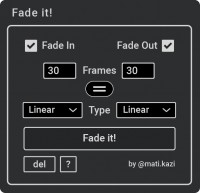
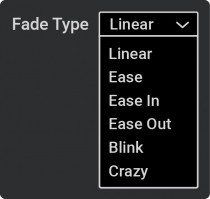
Packed with variety of fade types (i.e., linear, ease, blink, and crazy) to provide you multiple options.
You can easily adjust the duration of transitions by the markers added to layers.
Choose your fade type and Fade It! will do the rest with one click, saving you lots of time!
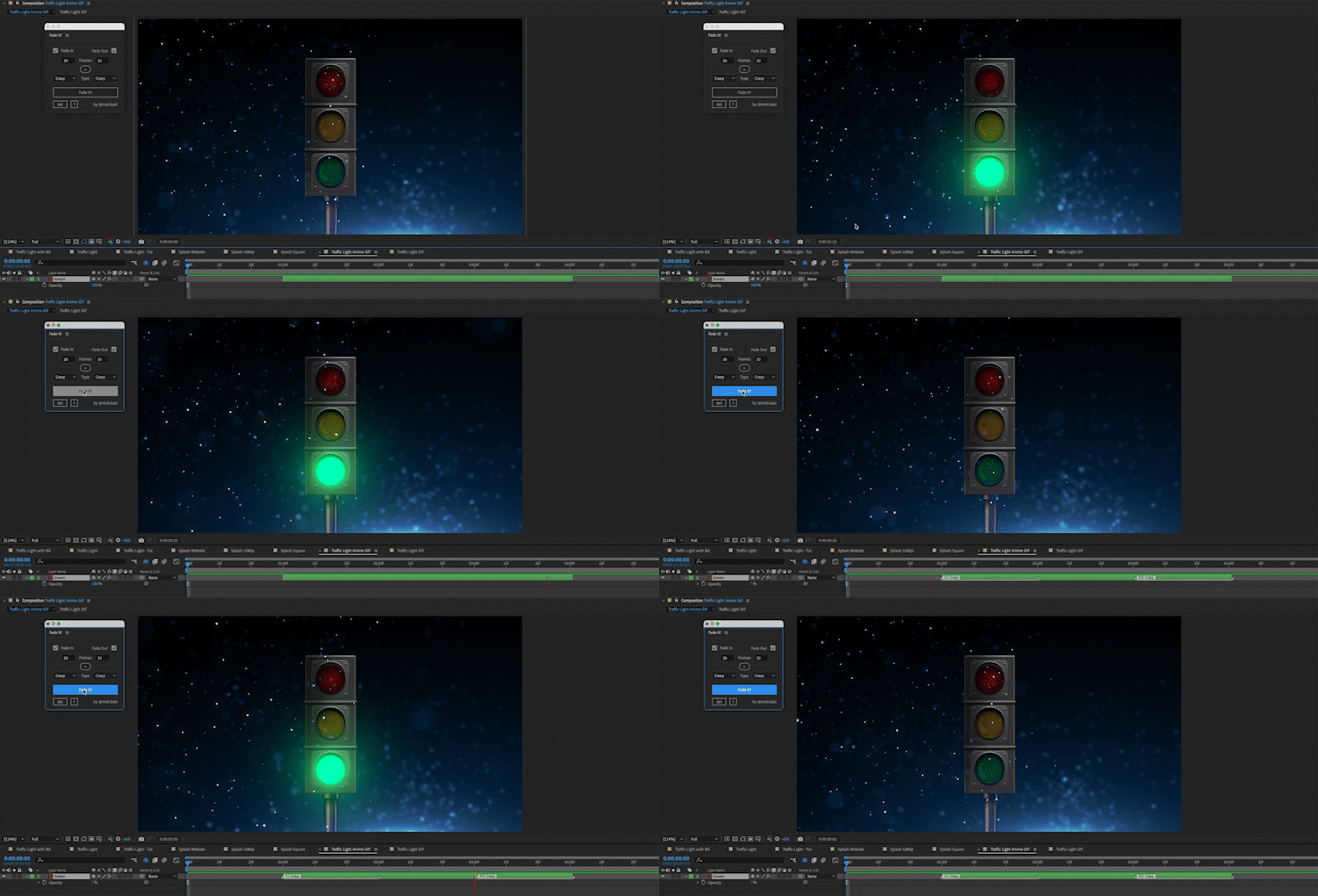
Why does "Fade It!" exist?
I spent a lot of time keyframing Opacity to make fade in and fade out transitions for every project and Ae task I worked on.
Eventually, I started thinking, "how can I automate this process and have a variety of options to adjust fade transition?" And that's how Fade It! was born.
Using Fade It! I've left many hours of keyframing opacity of layers for fade transition!
Who is "Fade It!" for?
Fade It! is for anyone who uses After Effects and wants to work more efficiently with fading layers.
It saves a good amount of time specially for those designers who work on making courses, tutorials, demos, and more.
The panel in After Effects:
| After Effects | 2024, 2023, 2022, 2021, 2020 |
|---|
1.0 (Current version) - Oct 18, 2023
-

- Compatibility After Effects
Fade Up RTL
Add to CartNow featuring animation adjustment tools. Fade Up RTL is a tool that can display multi-line text one character at a time or one word at a time. Creates an animation similar to the 'Fade Up Words' and 'Fade Up Characters' text animation presets for multi-line texts of RTL and LTR directions (paragraph text is supported).
-

- Compatibility After Effects
- Compatibility Premiere
LetsMotion Bundle
Add to CartSave 25% on LetsMotion Bundle, featuring bestsellers and our latest & greatest: Subtitle Pro, Stock Search Pro, and Particle Pro
-

- Compatibility After Effects
- Compatibility Premiere
Automation Blocks Bundle
Buy Automation Blocks for both Premiere Pro and After Effects and save 20%!Add to Cart -

- Compatibility Premiere
Duplicate It!
Add to CartExtension for true duplication of sequences in Adobe Premiere Pro
-
- Compatibility After Effects
Auto Transition Builder
Add to CartAdd different transitions to a large number of layers in a very short period of time. Automate and speed up your video editing process!
-
- Compatibility Premiere
- Compatibility Media Encoder
RenderSegments
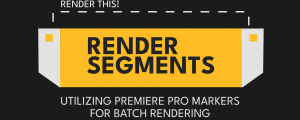
Render/Export segments from markers, Export Various Sections At Once, Render marker regions to clips in Premiere Pro!Add to Cart
-

- Compatibility After Effects
Head to Line
Add to CartAdd a variety of animated arrowheads to your lines with just one click!Regular Price: $19.99 Special Price: $15.99