
Head to Line
-
Compatibility After Effects Please check exact version compatibility under the "COMPATIBILITY" tab below
 Adding to cart...
Say goodbye to the painful process of creating animated arrows in After Effects...
especially when dealing with several arrows.
"Head to Line" is super fast, easy, and time-saving for creating customizable arrows!
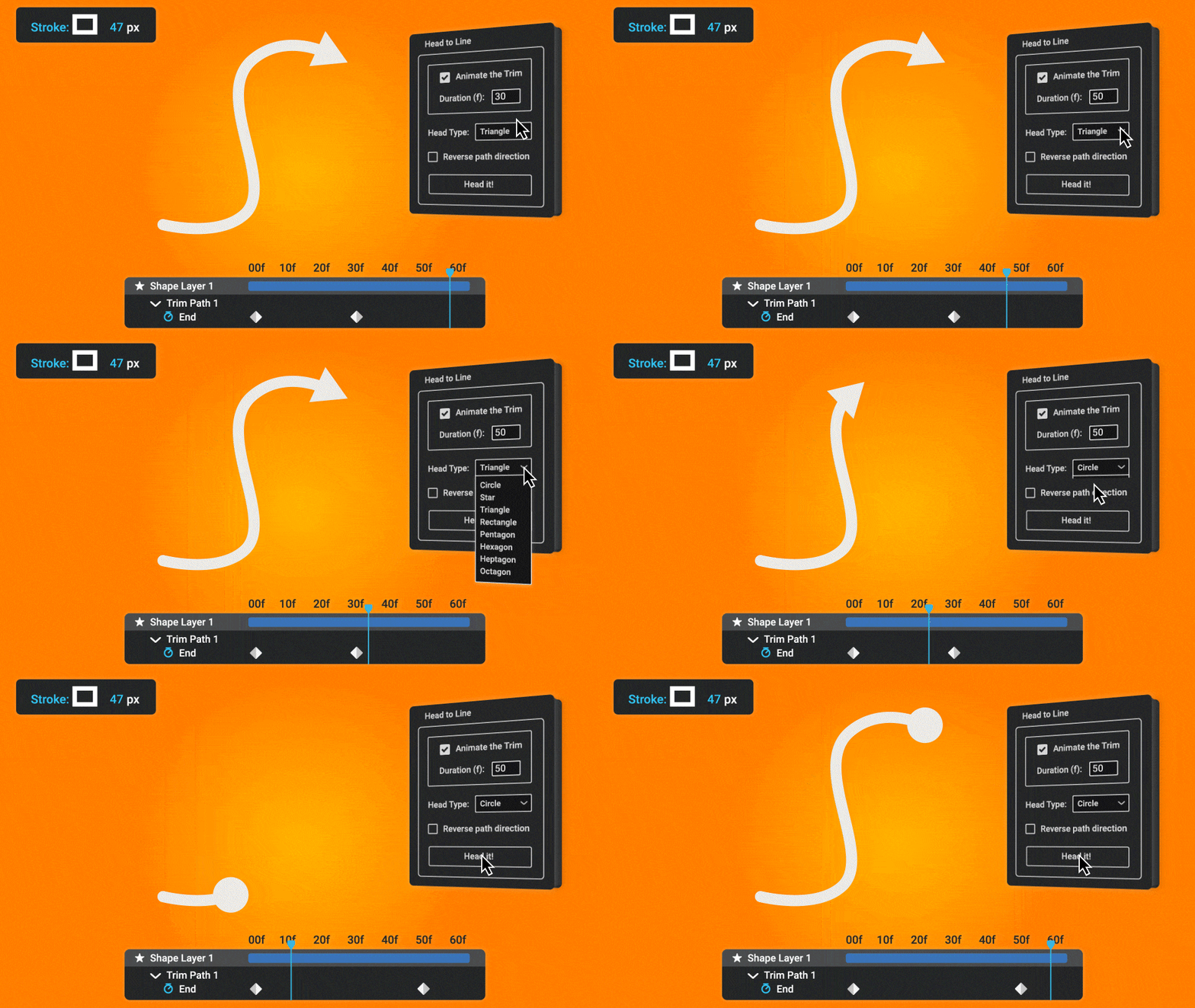
Just draw some lines, and "Head to Line" makes them animated arrows... with just One click!!
(No keyframing needed)
Introducing Head to Line:
A scriptUI Panel for making animated arrows out of lines.
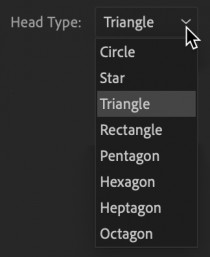
Packed with variety of arrowheads (i.e., triangle, star, circle, and rectangle) to provide you multiple options.
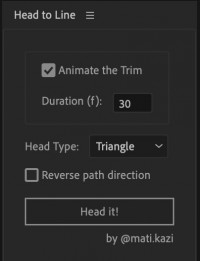
You can reverse the direction of animation or change the type of arrowhead or the duration at any time.
Easily change the size and color of arrows.
Choose your arrowhead and animation duration and Head to Line does the rest with one click, saving you lots of time.
Why does Head to Line exist?
I've spent a lot of time making animations of arrows for course-based projects.
Eventually I started thinking, "how can I automate this process and have variety of options to customize my arrows?" And that's how Head to Line was born.
Using Head to Line I've left many hours of making arrows animations on the table!
Who is Head to Line for?
Head to Line is for anyone who uses After Effects and wants to work more efficiently with animating lines and making arrows.
It saves a lot of hours specially for those designers who work on online learning projects (courses, tutorials, ...).
The panel in After Effects:
| After Effects | 2023, 2022, 2021, 2020 |
|---|
1.0 (Current version) - Aug 2, 2023
-
- Compatibility After Effects
Sprite-O-Matic
Easily animate sprite sheets in After Effects.Add to Cart -

- Compatibility After Effects
Randomatic 2
Add to CartThe perfect solution for creating random values on 2D, 3D and color properties in After Effects. Also randomize layers!
-
- Compatibility Premiere
Transmitter for Premiere Pro
Free TrialAdd to CartAnimate and work with "Transform" effect x10 faster!
-
- Compatibility After Effects
PATTOON 2 Texture & Displace
Add to CartPATTOON 2 Cyber SALE in November 2023 SAVE BIG Check out the new features. We put in some work so you can create even more stunning visuals more easily. See for yourself what the new and improved features can do.
- Glitch
- Displace Engine (improved)
- Flicker (improved)
- Turbulence (reworked)
- Displace Pixelshape(new)
- Displace Emission (new)
- Dissolve (new)
- Distortion (new)
Mix & match to create even more versatile effects. We can't wait to see what you can do with it.
Texture mapping in Adobe After Effects is finally made easy with PATTOON. Get direct layer access to your textures from Creative Cloud Libraries, Photoshop and more plus a bunch of extra features, textures and presets for all your designing needs.
50% upgrade discount price available. More information below
-

- Compatibility After Effects
BAO Mask Avenger 2
Add to CartControl mask vertices (and tangents) individually using a native plugin in After Effects!
-

- Compatibility After Effects
Roll it!
Painless and super fun way to roll any shape or mask in After Effects.Add to Cart
-

- Compatibility After Effects
Fade It!
Add to CartApply a variety of Fade In and Fade Out transitions to After Effects' layers for your daily tasks and projects!Regular Price: $17.99 Special Price: $13.99