
Smart Adapt - Recurring Subscription
-
Compatibility After Effects Please check exact version compatibility under the "COMPATIBILITY" tab below
 Adding to cart...
Easy to Use:
Our powerful extension are quite easy to use, create your masters, build or import your list click apply.

Video Tutorial
The video tutorial explains step by step how to use the extension

Support
Our friendly support is ready to help you when you need
Top Feature:
- Create Group and subgroup
- Add as many screens as you want
- Resize your screen based on width or high
- Check the box for group and subgroup (to include or exclude them from the adaptations)
- Prefix and suffix support
- Export/import your list
- Create as many lists as you want
- Set the alignment for every screen
- Auto duplicate screens (Automatically duplicate the closets resolution)
- Manual duplicate screens (Ability to assign a specific composition to be used as a master)
The subscription type is a month-to-month plan, it's also available as a yearly subscription plan here
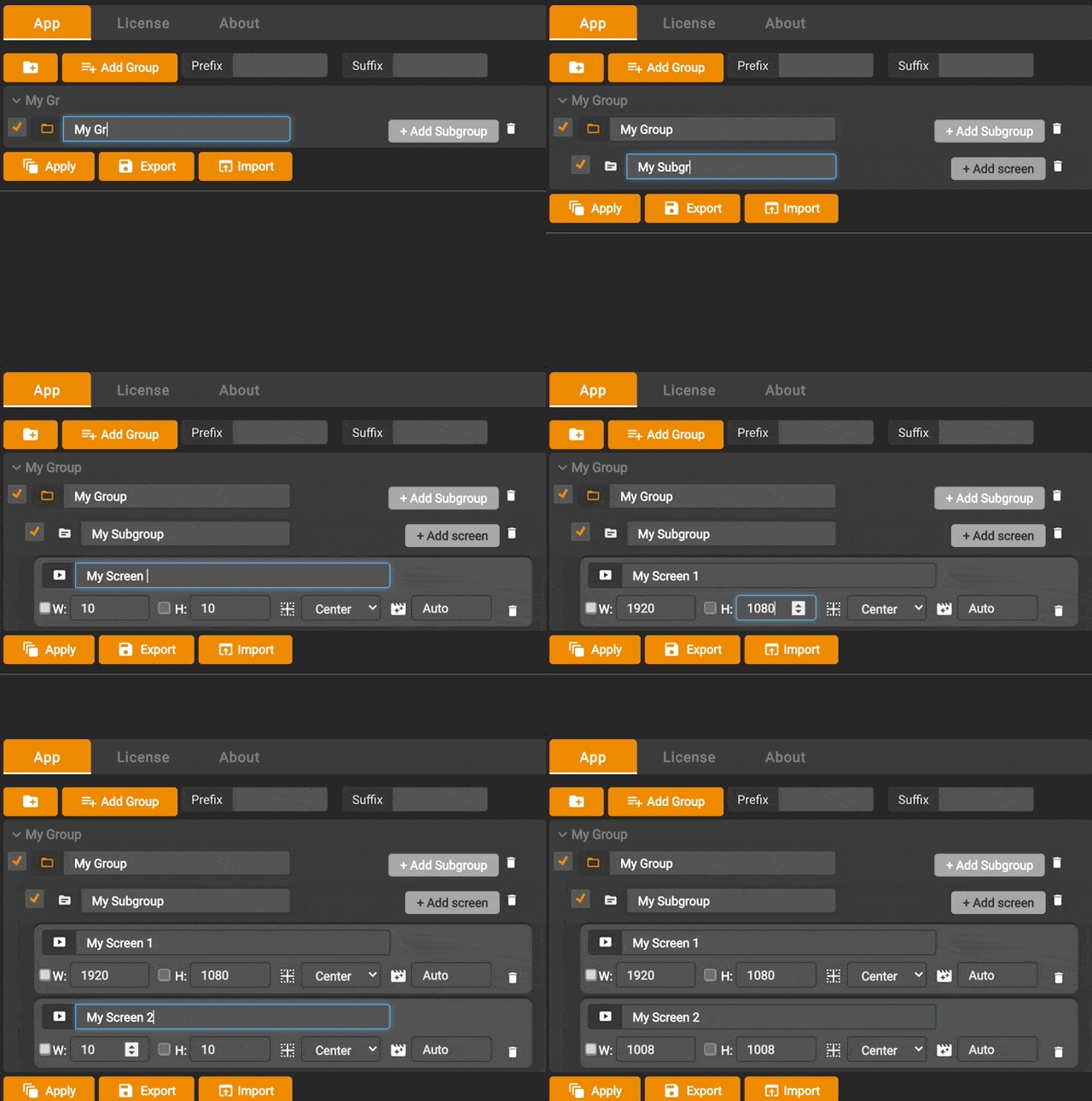
Create your list in a few clicks
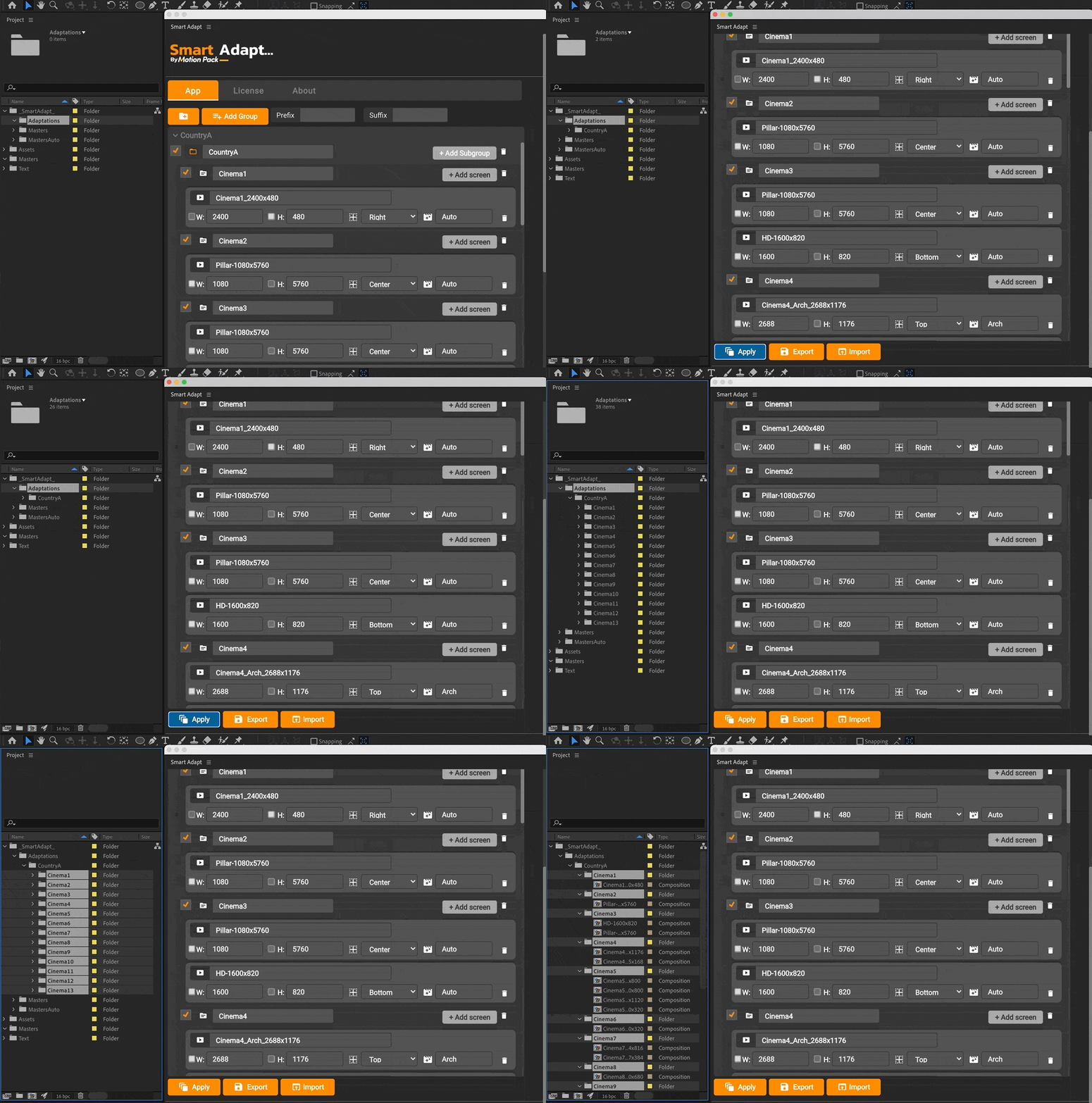
One-click and your screens adaptations are ready
With a voiceover video tutorial, learning how to use couldn’t be easier. Follow along at your own pace, pause, rewind, and playback until you get it just right. Chose what you need help with, sit back, and work through it step by step with our voice-over tutorials.
| After Effects | 2024, 2023, 2022, 2021, 2020, CC 2019 |
|---|
1.1.0 (Current version) - Jun 8, 2023
1.1.0 - Jun 7, 2023
-

- Compatibility After Effects
- Compatibility Premiere
LetsMotion Bundle
Add to CartSave 25% on LetsMotion Bundle, featuring bestsellers and our latest & greatest: Subtitle Pro, Stock Search Pro, and Particle Pro
-

- Compatibility After Effects
Sliced Box V3
Add to CartSliced Box allows you to create dynamic animated 3D sliced boxes in After Effects quickly and easily with complete control. Now with easy to use animation presets!
-
- Compatibility After Effects
ToDo Lite
A simple to do list that runs as a dockable panel in After Effects.Add to Cart -

- Compatibility After Effects
- Compatibility Media Encoder
MoDeck.io After Effects Template Automation
Add to CartMake your After Effects templates editable online through an easy to use, drag and drop editor. Also connect mogrt properties to spreadsheet data to generate many videos at once.
Now possible to trigger renders with Zapier automations, just search for MoDeck on Zapier! Zapier automations and API usage is possible with an Enterprise subscription.
Download the FREE version by clicking on the green TRY button above.
MoDeck is also available as an annual recurring subscription or an upfront subscription
-

- Compatibility After Effects
MonkeyWords
Add to CartOne-click kinetic typography with keywords. The quickest & easiest way to animate text.
-

- Compatibility Nuke
smartElements for Nuke
Add to CartsmartElements is a 2D, 3D and toolsets manager for Nuke that lets you easily categorize, browse and re-use your favorite elements and assets. Build up a pool of commonly used media for you and your team. smartElements contains multiple features that can be customized to your needs and if you have some programming knowledge you can take over full control and create your own custom pre- and post processors that run when ingesting media.
-
- Compatibility Final Cut Pro
FCP Titles Toolkit
Add to CartTitling toolkit for Final Cut Pro X featuring over 100 ultra high quality, ready-made animated titles, logo titles, lower thirds, animated explosion shapes and transitions.
$49.99 -
- Compatibility After Effects
Smart Adapt - Annual Recurring Subscription
Add to CartGet 2 Months Free. Smart Adapt is an After Effects extension that allows you to create hundreds of screen adaptations in a few steps, with the ability to export the list of your screens to use next time.
Please note that this is an annual recurring subscription, it is also available as a monthly subscription
Regular Price: $468.00 Special Price: $390.00