
Uniform Resizer C4D
-
Compatibility Cinema 4d Please check exact version compatibility under the "COMPATIBILITY" tab below
 Adding to cart...
Precise and faster
In Cinema 4D you can't resize objects uniformly to a precise number. (the scale tools is in percentage)
if you want your object to be 300cm (or any unit) in the x direction, you have to calculate the ratio beetween the actual size and the desired size. Then apply that ratio to the other directions.
This tool allow you to enter the desired size in the appropriate direction and, automaticaly, it will calculate and update your objects, splines or selection as needed.
Everything you need
It can be used on :
- one or several objects in both model or object mode.
- one or several splines
- points, edge, polygon modes
- uv points or uv polygon modes.
On points, edge, polygon mode you can move your modeling axis, it will resize accordingly
Select the axis you want to resize
If you want to resize in only two direction at once, desactivate one axis in the UI. And now you can resize on only two direction.
Minimaliste User Interface
 You can dock it just above your regular coordinate manager.
Adaptive UI
 It change the labels and units when you are in uv mode.
| Cinema 4D | R21, R20, R19, R18, R17, R16 |
|---|
1.15 (Current version) - Sep 7, 2019
1.14 - Feb 4, 2019
1.13 - Sep 6, 2017
- You can change the workplane alignement.
- null object is resize in scale mode.
1.11 - Aug 29, 2017
1.1 - Aug 31, 2017
-

- Compatibility After Effects
Swiss Knife
Add to CartSwiss Knife is a group of 20 tools that can be combined in thousands of variations.
-

- Compatibility After Effects
- Compatibility Cinema 4d
Paint & Stick 2
Add to CartPaint directly in comp with your custom and Photoshop brushes plus onion skinning (great for cel animation). "Stick" your paint on 3D renders. You gotta see it to believe it!
Please note Paint & Stick is not compatible with Apple Silicon machines
-

- Compatibility Cinema 4d
Auto Handwriting Rig for Cinema 4D
Add to CartEasy Realistic Handwriting/Drawing animations in Cinema 4D
-

- Compatibility Cinema 4d
Kurulumun
Kurulumun is Python driven Cinema 4D plugin that generates funky parametric splines, that twist 90 degrees around a random axis.Add to Cart -
- Compatibility After Effects
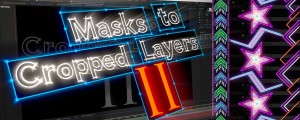
Masks to Cropped Layers II
Add to CartMasks to Cropped Layers II is a utility that helps to animate vector graphics, as well as improving the performance of vfx compositing. It works on layers that have multiple masks, for example when artwork is pasted from Illustrator, or when areas are tracked in Mocha. Each mask is copied to a new solid (for animation) or used to create a pre-comp. Each new layer is cropped to the size of the mask, providing flexibility for animation while dramatically improving performance.
-

- Compatibility Cinema 4d
Custom Buttons for Cinema 4D
Add to CartCreate user command buttons assigned to specific presets in Cinema 4D.
-

- Compatibility Cinema 4d
SpiderWeb C4D
Add to CartA generator for cinema 4D to create spider webs very easily and quickly.
$20.00