
Paint & Stick 2
-
Compatibility After Effects Please check exact version compatibility under the "COMPATIBILITY" tab below
-
Compatibility Cinema 4d Please check exact version compatibility under the "COMPATIBILITY" tab below
 Adding to cart...
 What's new in Paint & Stick 2?
You can now "Stick" live compositions!
What is Paint & Stick?
Testimonials
(8/10) An ingenious bridge between the worlds of 3D and 2D, Paint & Stick is a must-have paint tool for all After Effects users. - 3D World Magazine via creativebloq.com
Pretty amazing really. - Lester Banks
Best innovation at the show is [Paint & Stick] from @aescripts - Nathan Dodge
I don't know what kind of voodoo is at work here but [Paint & Stick] sure seems like magic to my eyes. - Just Add Motion
My NAB show highlights: @thinkboxsoft Krakatoa for C4D, @aescripts [Paint & Stick], and @TheFoundryTeam Nuke Studio. - Jeremy Cox (Imaginary Forces)
Featured work done with Paint & Stick
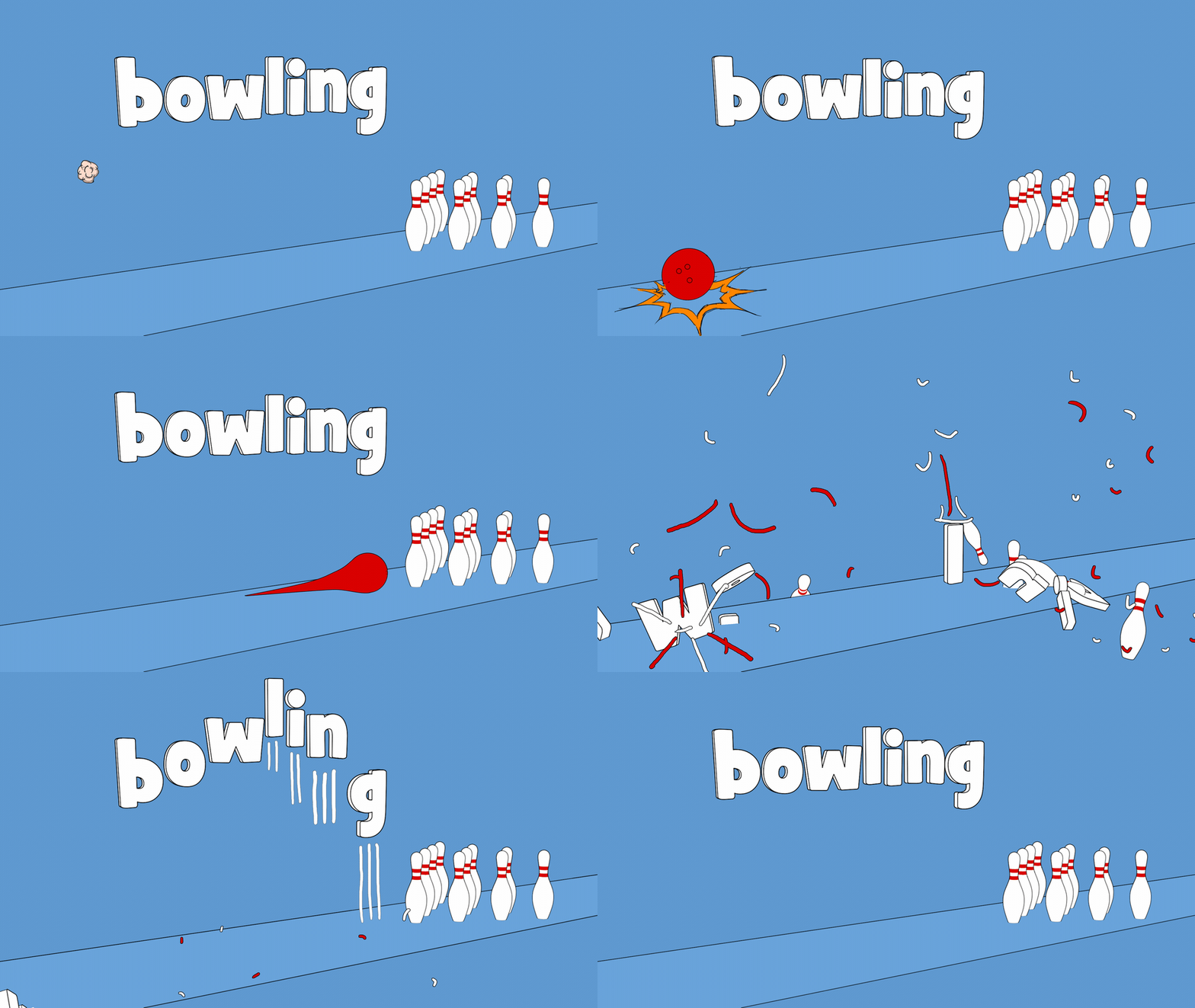
Check out the tutorial for this shot here!
Paint Features
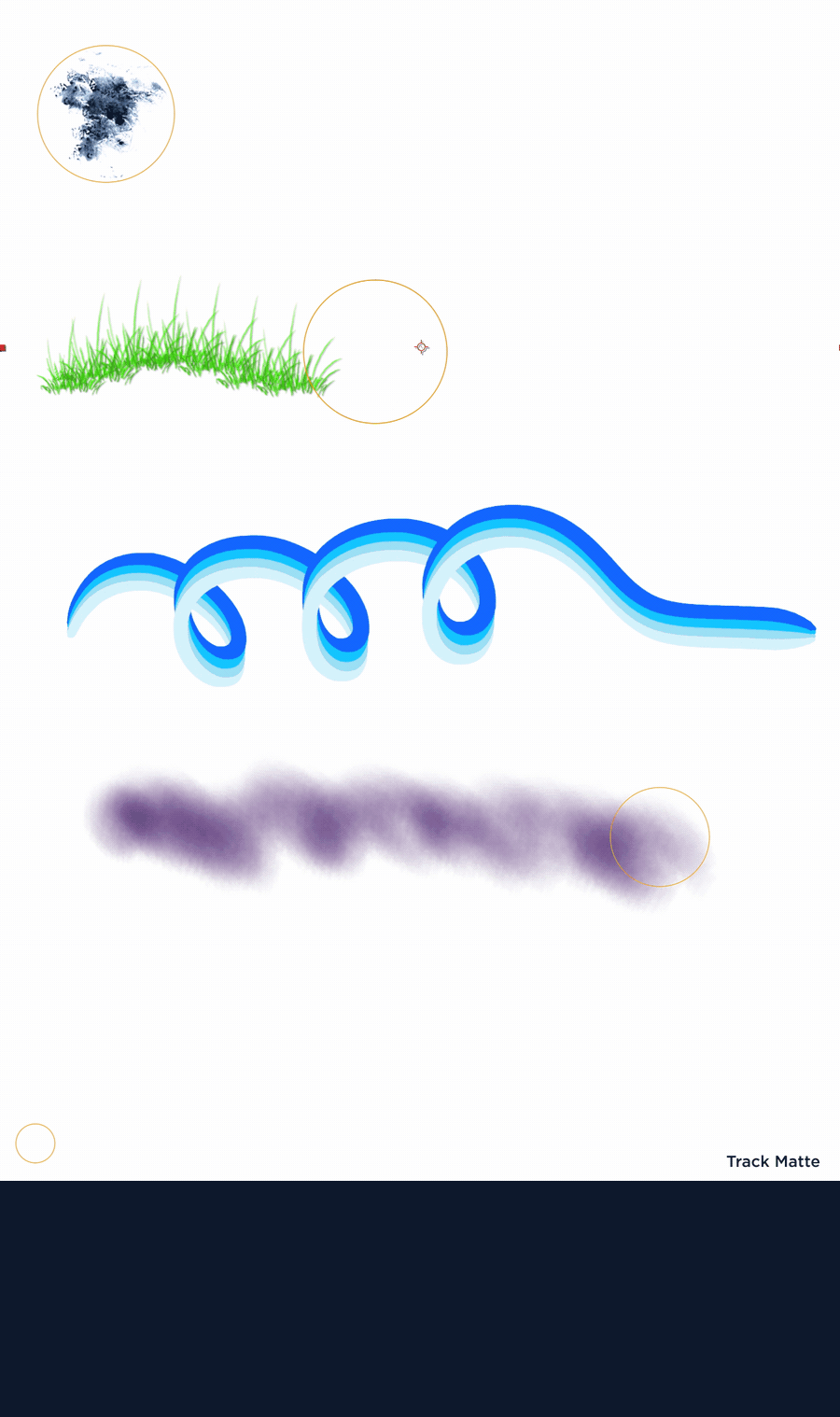
Draw directly in the comp window, in context of all your other layers
After Effects' built-in paint tool only lets you paint in the layer window where you have no context of you comp. Paint & Stick lets you paint directly in the comp window with any effects, track matters, adjustment layers, etc so you can paint and immediately see the final result.
Cel animation with onion skinning
Finally you can have a customizable onion skin in the comp! By the way, you can apply Paint & Stick on an adjustment layer and user the Onion Skin feature to help you tweak any animation not just cel animation.
Custom toolbar directly in the comp window
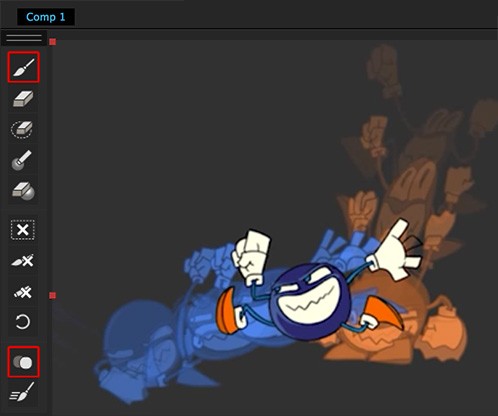
The Paint & Stick toolbar appears directly in the comp window for fast and easy access.
Use your Photoshop brushes
Export you Photoshop brushes using our provided export tool and use them directly in After Effects with Paint & Stick. Our beta testers were really excited about this!
Easily create and use custom brushes
Simply hold down a modifier key and click on any part of your comp to capture it as a new custom brush (with transparency!) and add it to your brush library. You will love it!
Paint using keyframes for easy re-timing

Animate on 2's or 3's or any custom timing, it's super easy and familiar.
A linear keyframe shows for that frame only, a hold keyframe holds it until the next key.
Super fast, even at 4K resolution!
We worked really hard (and long!) to make Paint & Stick super fast. Fast Draw was created for cel animators, who just want smooth paint performance, and don't need the effects in real time. When using Fast Draw, your paint is drawn on the UI, meaning nothing actually renders in your comp until after you're done drawing your strokes. By the way, drawing without Fast Draw is also pretty fast!
Stick Features
Paint your scene in After Effects with no 3D objects inside After Effects required!
Using a patented process and algorithm you can paint directly onto the rendered image, no 3D object is necessary.
Magically "Stick" paint to CG renders
Paint on one frame and it will stick to the whole animation. It really feels like magic.
Stick before and after


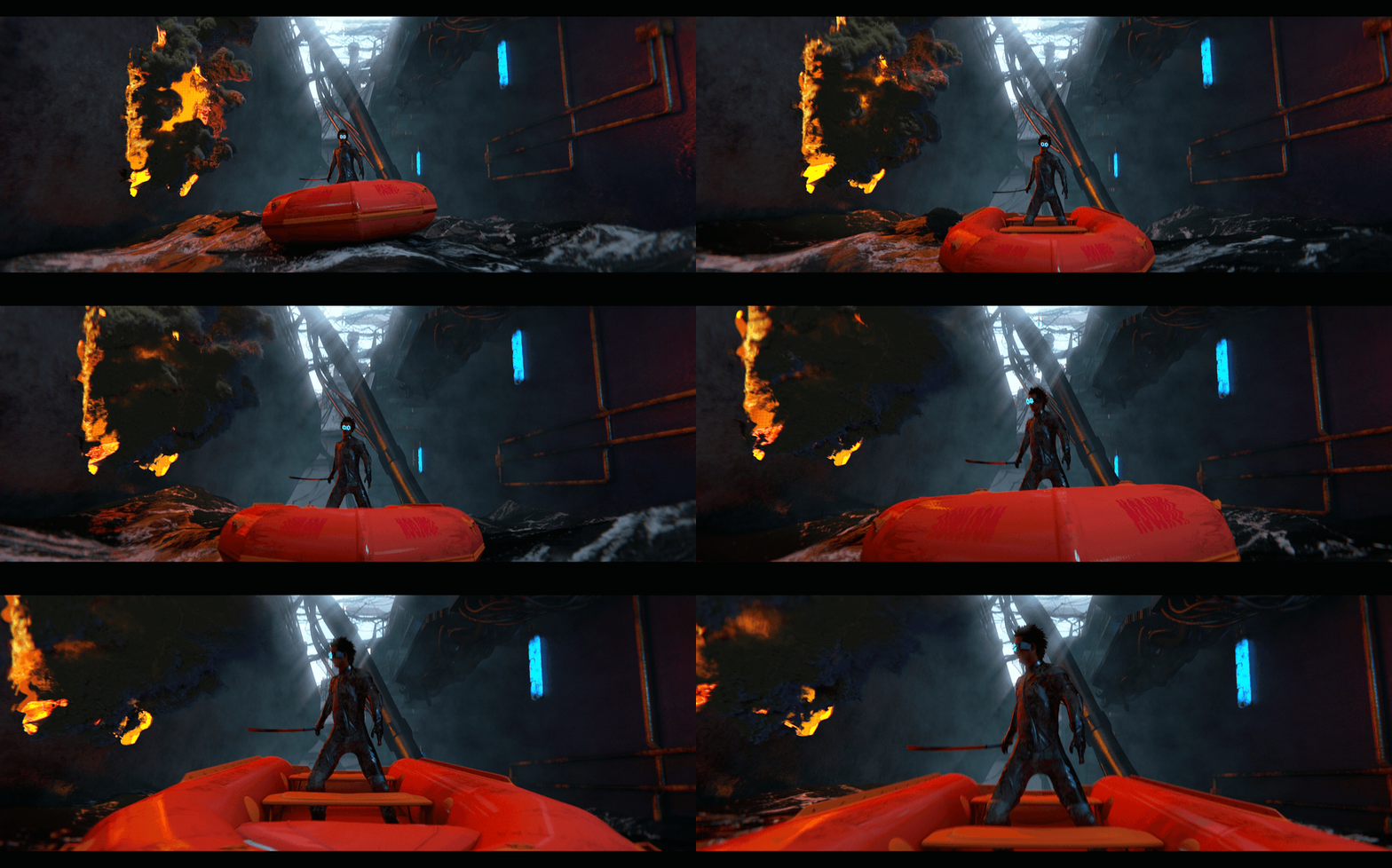
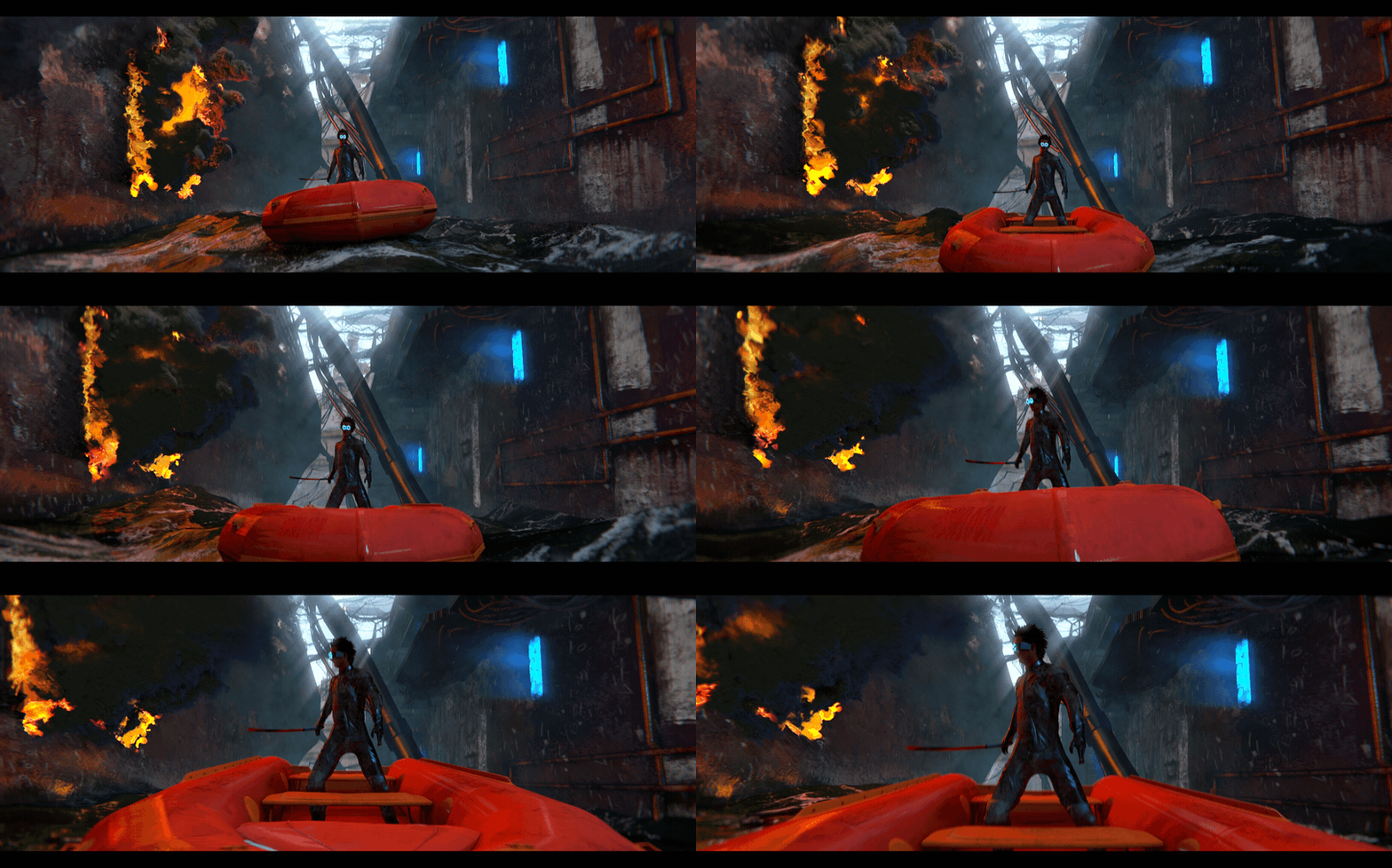
Slide back and forth to see the raw CG and Paint & Stick result.
Remember you only need to paint on one frame of your render!
Click here to see the Advanced Matte Painting Tutorial for the shot above
Free "Sticky Pass" export plugin for Cinema 4D.
It's very easy to export your 3D animation for use with Paint & Stick. And because there is no lighting or fancy rendering required, the render is super fast. If you are using R20 please use the R20 plugin bridge to run our exporter plugin
Compatibility
Works with After Effects CS6 and above. Please review the Known Issues and Workarounds section of the user guide for other compatibility details.
Purchase Options
We realize that not everybody has a need for the "Stick" functionality so in order to make it accessible to as many users as possible we have split the license into 2 affordable options:
- Paint Only (Stick features are watermarked)
- Paint & Stick (Full license with no watermarks)
No matter which option you choose you will get the same full featured plugin but if you get "Paint Only" any "Stick" stuff will be watermarked. The full "Paint & Stick” license does not watermark anything (please note that all watermarks created with the demo or paint only version are permanent). Upgrade details below.
Upgrade from "Paint Only"
You can easily upgrade from a "Paint Only" license to a full Paint & Stick license for the price difference. To upgrade simply add a full "Paint & Stick" license to the shopping cart using the same account you purchased the "Paint Only" license with and the upgrade discount will be automatically applied in the cart. If you have any issue or require assistance please do not hesitate to open a support request and we will be happy to help.
Quick Start
Tutorials and User Guide
Please click here for a full user guide including lots of video tutorials. If you still have issues or questions feel free to post a comment under the COMMENTS tab above or open a support request and we'll be happy to help.
Disclaimers
To make it work super fast we do a lot of direct talking to the hardware and since there's a lot of hardware setups out there, please download the free trial version and test with your current hardware and project to make sure everything works with your setup before buying.
Please review the Known Issues and Workarounds section of the user guide.
| After Effects | 2021, 2020, CC 2019, CC 2018, CC 2017, CC 2015.3, CC 2015 |
|---|---|
| Cinema 4D | R20, R19, R18, R17, R16, R15, R14 |
2.1.2e (Current version) - Oct 30, 2021
2.1.2e - Oct 29, 2021
2.1.2d - Jul 28, 2021
2.1.2c - Jan 22, 2020
2.1.2b - Nov 5, 2019
2.1.2a - Feb 25, 2019
- Fixed PS Brush Exporter issue on Windows
2.1.2 - Jan 21, 2019
- Fixed issues loading brushes with special characters in their names
- Added support for Floating licenses
2.1.0 - Aug 28, 2017
- Added brush smoothing options
- Added tablet input interpolation(smoothing) for low-frequency input devices
2.0.1 - Mar 30, 2017
- All new stick algorithm for faster, cleaner sticks
- Fixed Brush Palette issue that caused it to get disconnected
- Fixed issue when screen-capturing
1.5.5 - Nov 24, 2016
-Fixed a bug on Mac in which the Paint & Stick external tablet monitor app could close itself after extended inactivity, causing a crash when Paint & Stick attempted to communicate with it.
1.5.4 - Nov 5, 2016
-Fixed a bug in which the Brush Palette may not recognize brushes.
-Fixed small licensing issues.
1.5.3 - Jul 18, 2016
1.5.2 - Jul 11, 2016
-Dockable brush palette
-New Brush engine
-Speed enhancements to Onion Skin and drawing
-Hotkeys added
-New PNG/JSON brush format
-All new C4D Exporter
-Many bug fixes
1.0.1 - Jan 28, 2016
-Stability Improvements
1.0.0 - Dec 7, 2015
-

- Compatibility After Effects
Duplicate with Connections
Make a copy of a layer and link all its properties to the original using expressions.Add to Cart -
- Compatibility After Effects
AlignLayers
Aligns the selected layers along the x, y or z axis.Add to Cart -
- Compatibility After Effects
Fractal Noise 3D
Create Fractal Noise in three dimensions! Very useful for integrating noise in 3D composites. It reacts to After Effects comp cameras and lights.Add to Cart -
- Compatibility After Effects
Power Sphere
Add to CartA 3D Sphere plugin with power controls! Elliptic distortion, unfolding, rich shading, self shadowing, reflections, DOF and comp lights and camera.
-

- Compatibility After Effects
Construction - Make 3D Buildings in After Effects
Construction allows you to make cities and buildings in After Effects easily.Add to Cart -
- Compatibility After Effects
TinkerType
Break up animations, and have full control. All in just one text layer.Add to Cart
-

- Compatibility After Effects
- Compatibility Cinema 4d
Paint & Stick 2 Render Only
Add to CartPaint & Stick 2 Render Only License. This license can only be used on headless render machines using the command line renderer and you must own at least 1 full license of Paint & Stick 2 in order to purchase them. You can purchase a normal full Paint & Stick 2 license here.
$25.00