
versionUp
-
Compatibility After Effects Please check exact version compatibility under the "COMPATIBILITY" tab below
 Adding to cart...
 What is versionUp?
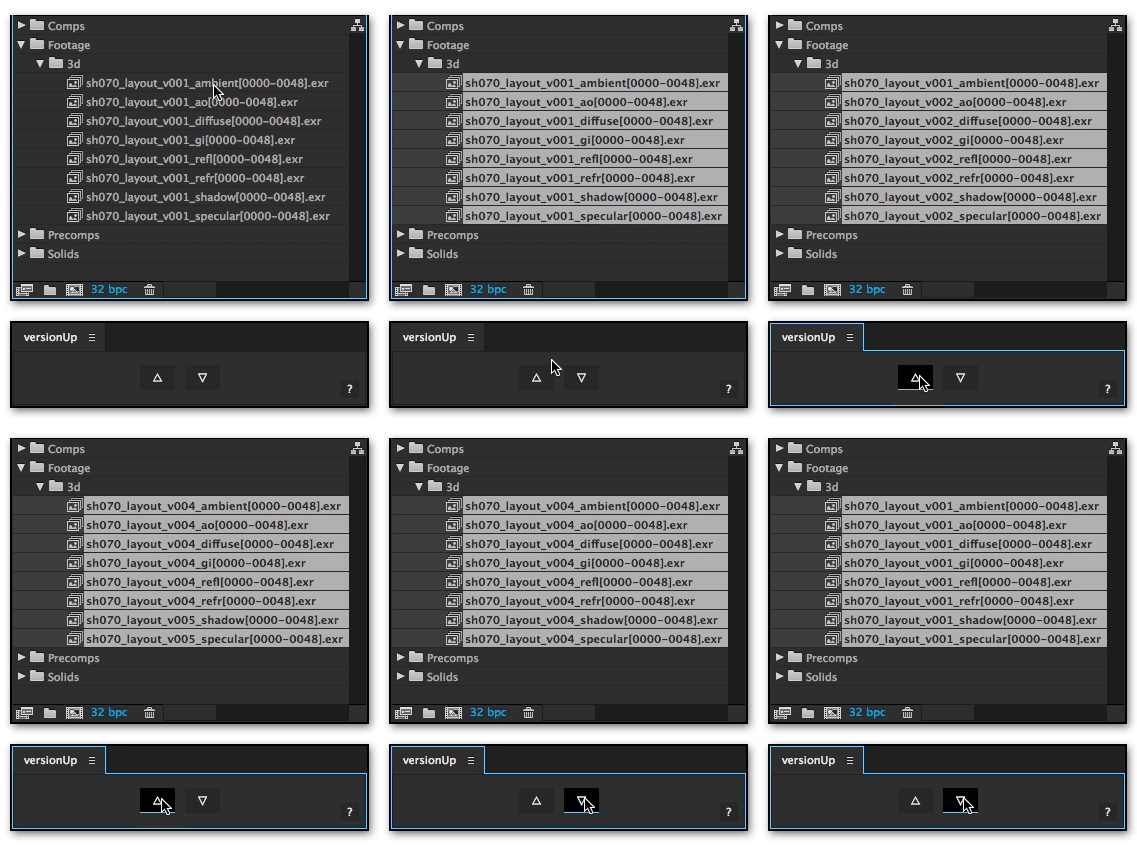
versionUp streamlines the tedious task of updating your footage to the newest version. It simplifies the switching of footage versions to a single click. Select one or more pieces of footage in the project panel, click the up arrow, and smartRender will update the footage to the next version available. Click the up arrow while holding the shift key and versionUp will skip to the newest version of the footage available. If you have ever been frustrated by the process of replacing footage by hand then versionUp is for you.
If you are using v### (v1, v01, v001, etc) style version numbers in your footage and assets, versionUp will just work. It is smart enough to skip footage that doesn't exist and find the next available version. It can even version up or down comp and folder names.
Features
- Click the up and down arrows to cycle through versions of your footage.
- Shift + Click to skip straight to the newest or oldest versions available.
- Option + Click to increment a letter following the version number.
- Included non UI scripts can be assigned to Kbar buttons.
- Custom keyboard shortcuts can be bound to perform all versionUp actions.
- Automatically skips versions if they don't exist.
- Works with stills, movies, and image sequences.
- It will even version up or down comp and folder names.
- Updates all version numbers in the file path, not just in the file name.
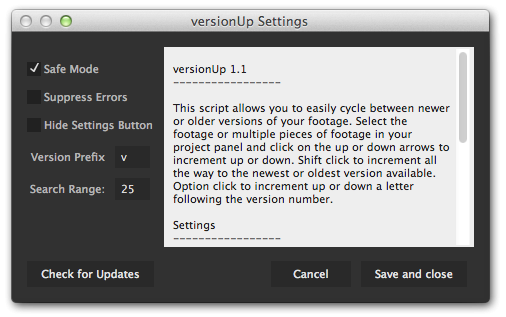
- Settings panel with options to customize the script to your liking.
Pipeline Integration
versionUp will fit seamlessly into any pipeline using v### (v1, v01, v001, etc) style version numbering. The version number padding can be any length as long as it is preceded by a consistent prefix. This prefix will usually be "v", but can be customized to any letter. To work properly, versionUp requires that the only difference between your files is the version number, be it in the file name or anywhere else in the path. If you are interested in versionUp but it will not work in your pipeline, send me a note and I am happy to discuss a custom solution.
Keyboard Shortcuts & ft-Toolbar
Custom keyboard shortcuts can now be assigned to run versionUp. Once the included non UI scripts have been installed, the AE shortcuts preference file can be modified to assign custom key bindings to the scripts. If you are an Kbar user, you can also create Kbar buttons to perform versionUp actions. See the included README file or this tutorial video for more information on assigning keyboard shortcuts and integrating with Kbar. Note that this video shows ft-Toolbar, but the concept is the same.
Dynamic UI
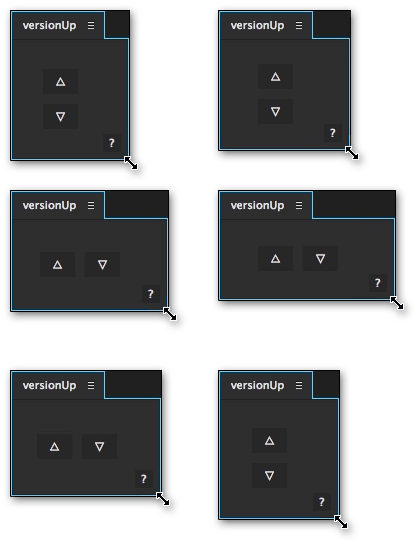
versionUp features a dynamic UI that adjusts itself to fit anywhere you want to put it. Whether you have a highly customized workspace, or are still using the AE default, versionUp will feel right at home. You can even hide the settings button to reduce the visual clutter.
Known Limitations
- Versioning to an image sequence with a different start frame will likely fail.
- Multiple unique version numbers in the same file name or path can produce unexpected results.
- Incrementing an AIFF file will change the "Type" from "AIFF" to "QuickTime". Shouldn't have any noticeable effect. Appears to be an AE bug.
| After Effects | 2020, CC 2019, CC 2018, CC 2017, CC 2015.3, CC 2015, CC 2014, CC, CS6, CS5.5, CS5 |
|---|
1.11 (Current version) - Oct 29, 2020
BUG FIX: The noUI settings dialog wasn't launching in latest AE versions
BUG FIX: Version checking broke, so button was removed from the settings as no easy fix exists
1.1 - Dec 6, 2014
NEW FEATURE: Includes standalone (non UI) scripts for use in ft-Toolbar or bind as custom keyboard shortcuts.
1.01 - Nov 30, 2014
1.0 - Nov 23, 2014
-

- Compatibility After Effects
OCD Renamer
Add to CartAutomatically rename layers based on effects, mattes, parents or children.
-

- Compatibility After Effects
Immigration
Add to CartA smart import and batch replace tool that greatly improves the workflow of importing and replacing files especially file sequences and highly nested hierarchies.
-

- Compatibility After Effects
Templater Bot Subscription Recurring
Templater Bot extends Templater Rig by offering full server automation, allowing you to build applications that version, render, and distribute custom video on demand. Yearly Recurring as well as 1, 3, 6, or 12 month licenses are also available.Add to Cart$450.00 As low as: $270.00 -
- Compatibility After Effects
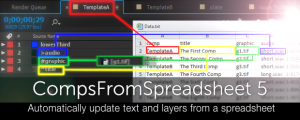
CompsFromSpreadsheet 5
Create versions of your After Effects comps using a spreadsheetAdd to Cart -

- Compatibility After Effects
- Compatibility Premiere
Version Raptor
Add to CartNext Level Versioning for Premiere Pro and After Effects
-

- Compatibility After Effects
- Compatibility Media Encoder
MoDeck.io After Effects Template Automation
Add to CartMake your After Effects templates editable online through an easy to use, drag and drop editor. Also connect mogrt properties to spreadsheet data to generate many videos at once.
Now possible to trigger renders with Zapier automations, just search for MoDeck on Zapier! Zapier automations and API usage is possible with an Enterprise subscription.
Download the FREE version by clicking on the green TRY button above.
MoDeck is also available as an annual recurring subscription or an upfront subscription