
3D Layer Distributor
-
Compatibility After Effects Please check exact version compatibility under the "COMPATIBILITY" tab below
 Adding to cart...
| After Effects | 2024, 2023, 2022, 2021, 2020, CC 2019, CC 2018, CC 2017, CC 2015.3, CC 2015 |
|---|
1.2 (Current version) - Jan 15, 2009
1.1 Fixed Random Function - Feb 2008
1.0 Initial Release - July 2006
-

- Compatibility After Effects
Character Swing Rigging
Add to CartCreate quick and easy advanced secondary character animations for, hair, clothes, fur, ears, tongues, + many more
-
- Compatibility After Effects
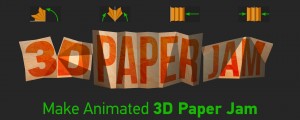
3D Paper Jam
Add to CartCreate an animated 3D Paper Jam effect with full controls.
-

- Compatibility After Effects
Flatten Layers 2
Add to CartGroup and flatten layers without pre-rendering! The selected layers will be flattened to a single layer in the background without any quality loss or rendering. Easily switch between the flattened and unflattened layers
-
- Compatibility After Effects
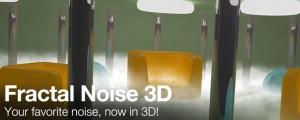
Fractal Noise 3D
Create Fractal Noise in three dimensions! Very useful for integrating noise in 3D composites. It reacts to After Effects comp cameras and lights.Add to Cart -
- Compatibility After Effects
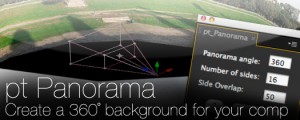
pt_Panorama
Converts a panoramic image into a 3D cylinder suitable for use as a background in a 3D compositionAdd to Cart -

- Compatibility After Effects
Extrudalizer
Add to CartExtrudalizer allows you to extrude any 2D shape layer into virtual 3D space, control its depth, position, rotation, and scale. You can set up appearance, animation, and even manipulate the original 2D path with the Extrudalized shape repeating this manipulation. The script is 100% Lottie compatible for web use (bake expressions to keyframes for mobile app use) and can be exported using the Bodymovin plugin.
-
- Compatibility After Effects
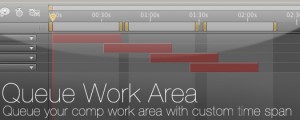
Queue Work Area
Queue your comp with the work area set as a custom duration. This way you can set several work areas to one queue and render them all at once.Add to Cart$14.99 -
- Compatibility After Effects
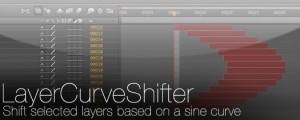
LayerCurveShifter
Shift selected layers based on a sine curveAdd to Cart$4.99 -
- Compatibility After Effects
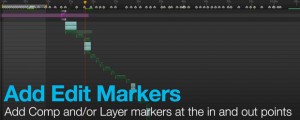
Add Edit Markers
Will add Layer or Comp markers at the in and out points of the selected layers in a comp.Add to Cart$14.99 -

- Compatibility After Effects
PhotoOrientationFixer
Rotate photos in your comp based on the orientation xmp metatagAdd to Cart$9.99 -

- Compatibility After Effects
Load Project or Template at Startup
Will launch a project or template every time your start After Effects. For example, if you have a certain folder/file structure you like to keep for your AE projects, you can setup a virgin project the way you like it and save it as a template by giving it a .aet extension. Now every time you launch AE your custom setup will be automatically loaded.Add to Cart$14.99 -
- Compatibility After Effects
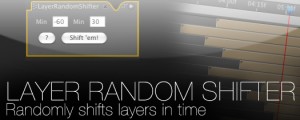
Layer Random Shifter
Randomly shifts the selected layers in time within user defined range.Add to Cart$9.99