
 Adding to cart...








Lloyd Alvarez


-
Sale

- Compatibility After Effects
AE Global Renamer 2
Add to CartBulk rename anything in After Effects. Completely rewritten with lots more functionality and a super tiny UI!
-
Sale

- Compatibility After Effects
Immigration
Add to CartA smart import and batch replace tool that greatly improves the workflow of importing and replacing files especially file sequences and highly nested hierarchies.
-
Sale
- Compatibility After Effects
Automate to Sequence
Mimics the Premiere Pro tool of the same name in After Effects. It shifts or sets the in point and out point of selected layers to markers set on a marker layer.Add to Cart -
Sale
- Compatibility After Effects
Magnum 3
Add to CartAutomagically detects edits in footage. Now with an all new detection engine that is easier to use and gives better results. What's not to love?
-
Sale

- Compatibility After Effects
ExpressionUniversalizer 4
Add to CartConverts the expressions in your projects so that they are compatible with After Effects running in any language. Now with batch processing.
-
Sale

- Compatibility After Effects
3D Text Creator
Generates text layers and distributes them in 3D space.Add to Cart -
Sale

- Compatibility After Effects
Reveal in Finder
Add to CartAllows revealing in finder from any context including the comp timeline. Can also be easily assigned a keyboard shortcut or a button in KBar.
-
Sale
- Compatibility After Effects
Duplicate Frame Remover 3
Add to CartRemoves duplicate frames in footage. New retiming feature and 50% faster processing.
-
Sale
- Compatibility After Effects
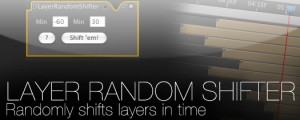
Layer Random Shifter
Randomly shifts the selected layers in time within user defined range.Add to CartRegular Price: $9.99 Special Price: $7.49 -
Sale

- Compatibility After Effects
3D Layer Distributor
Distributes layers in 3D space within set ranges (you can set the ranges by editing the user variables at the top the script).Add to Cart -
Sale

- Compatibility After Effects
Render Frame at Markers
Add to CartWill send to the render queue any frames that are marked by layer markers that are within the comp work area. This would be equivalent to going to a point in time in your comp and selecting "Save Frame As->File"
Regular Price: $14.99 Special Price: $11.24 -
Sale
- Compatibility After Effects
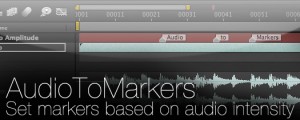
AudioToMarkers
Add to CartAdds markers, splits a layer or adds a new text layer with incrementing numbers based on audio intensity.