
BG Renderer MAX
-
Compatibility After Effects Please check exact version compatibility under the "COMPATIBILITY" tab below
 Adding to cart...
 Meet the new BG Renderer Max!
What's it for?
BG Renderer Max gives you the power to render compositions in the background with After Effects' rendering engine while still working on your projects. See ya later Media Encoder!
Set up your render workflow with multiple post-render options like Slack and Email notifications. Produce ProRes and mp4 files from sequence automatically. Monitor your renders remotely for free.
BG Renderer Max saves you time and hassle on production.
Easier workflow
We love smooth one-click workflows.
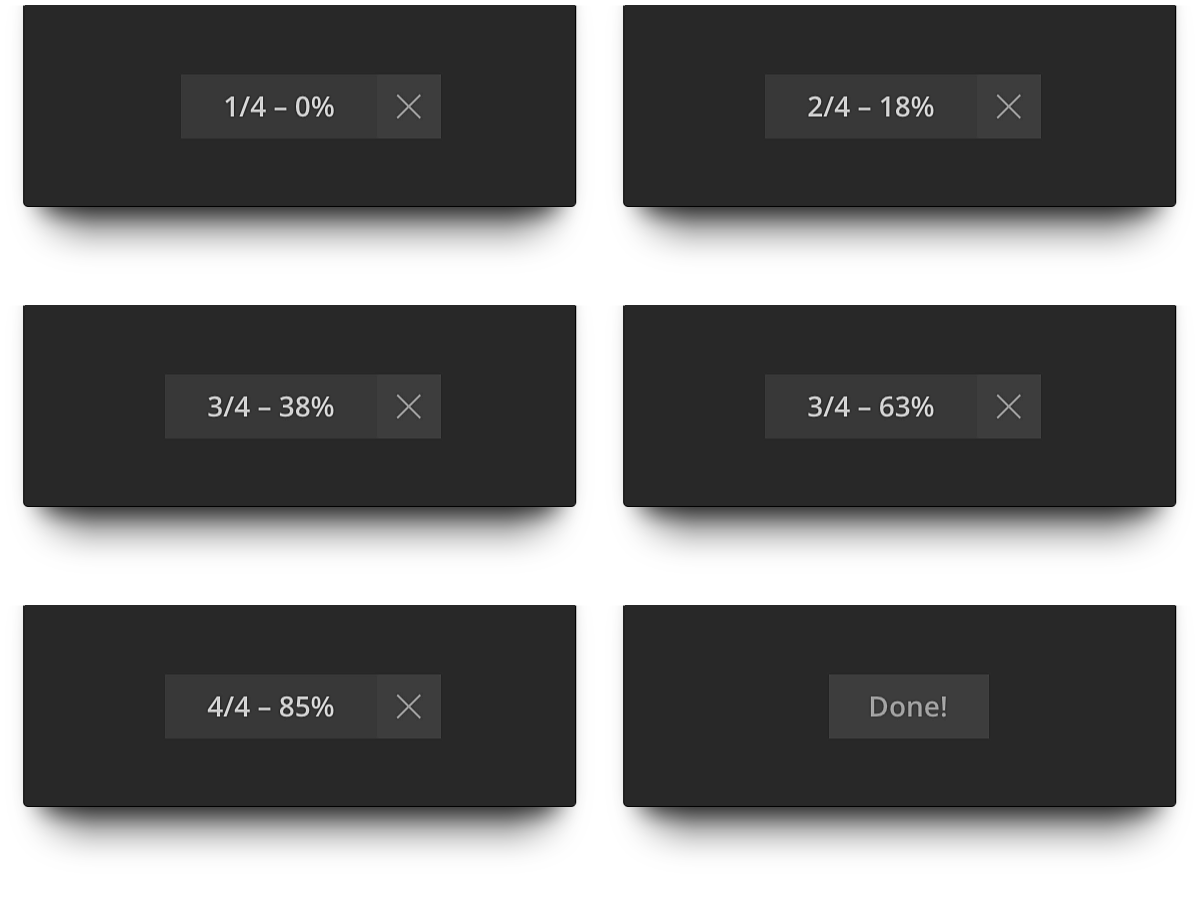
So we made a minimalistic render indicator. Yeah, just like in GifGun.
Free remote monitoring
Monitor your render progress on any machine on mobile device anywhere. For free.
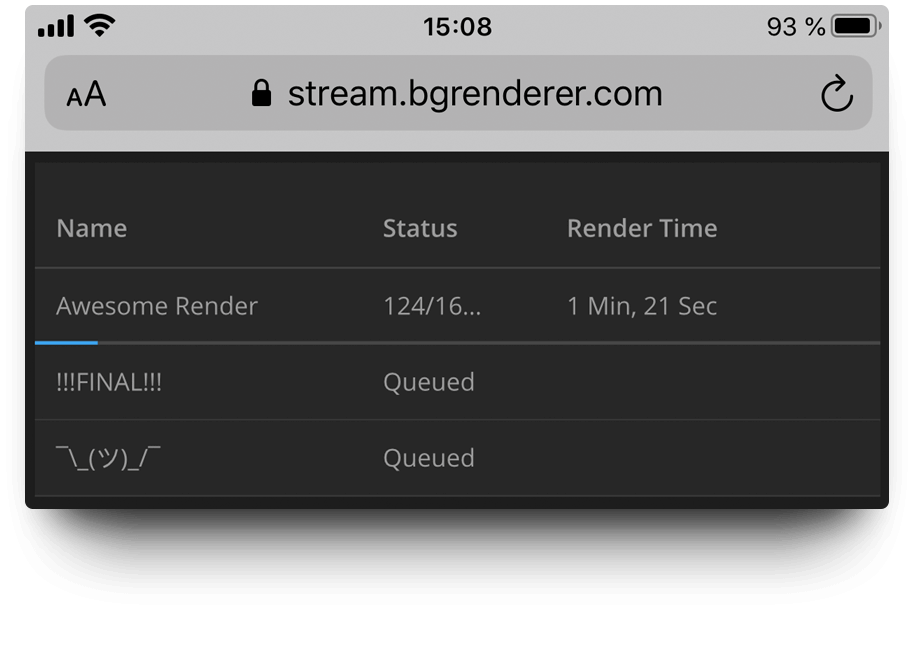
Read more about Remote monitoring on this page.
Native notification system
Send render notifications as Slack messages and emails right from the BG Renderer Max. No third-party accounts needed.
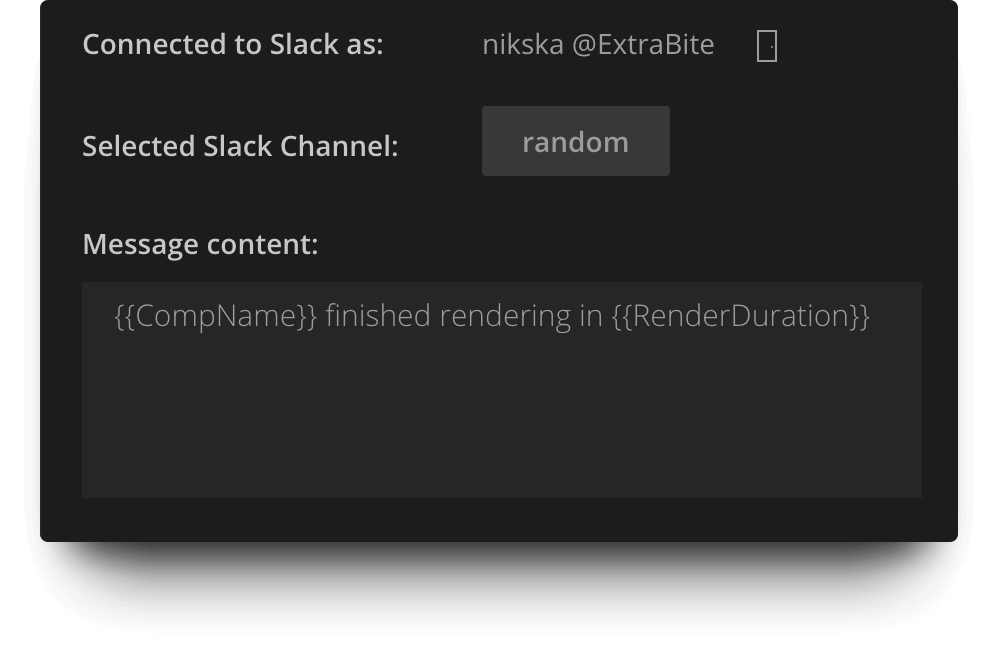
Tons of integrations
Zapier, Microsoft Power Automate, IFTTT, and Pushover integrations mean more notification options and better workflow enhancement.
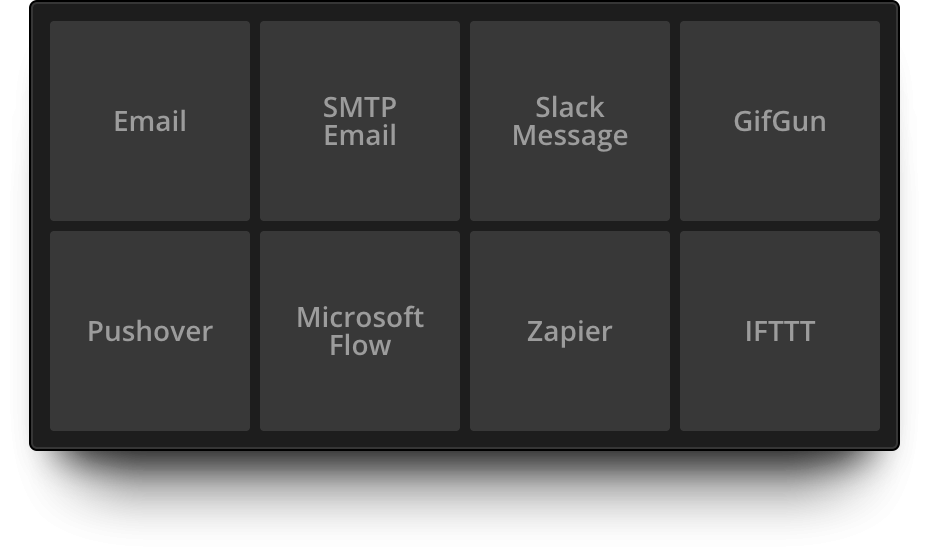
This means, you can access the full power of Push notifications, SMS messages, writing render confirmations to Google Sheets, Trello cards, turning off your smart lightbulbs... Oh, the options!
Powerful message composer
Create custom render notifications with our built-in Message Composer.
Add tags easily with autocomplete and suggest features.
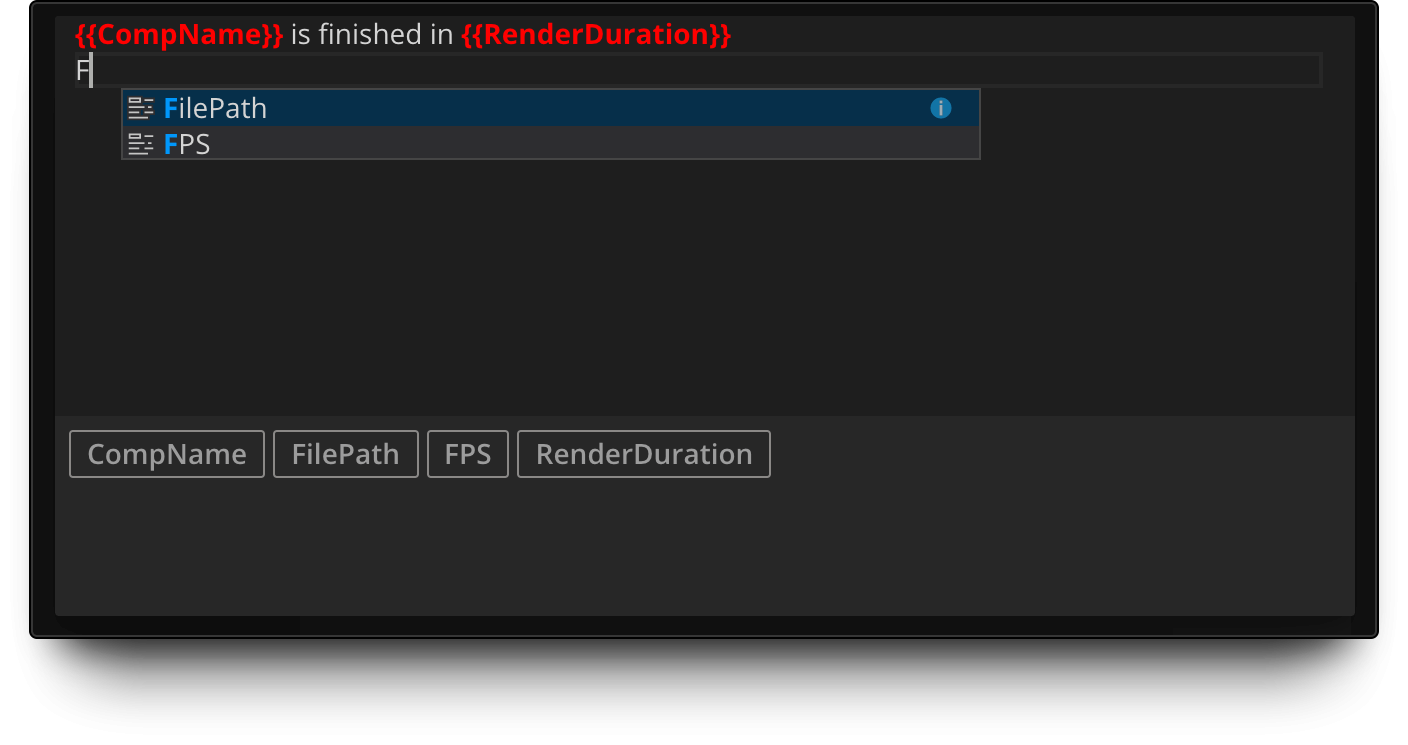
Compile sequence to animation
Render to sequence for pipeline intergation and produce mp4 or ProRes at the same time!
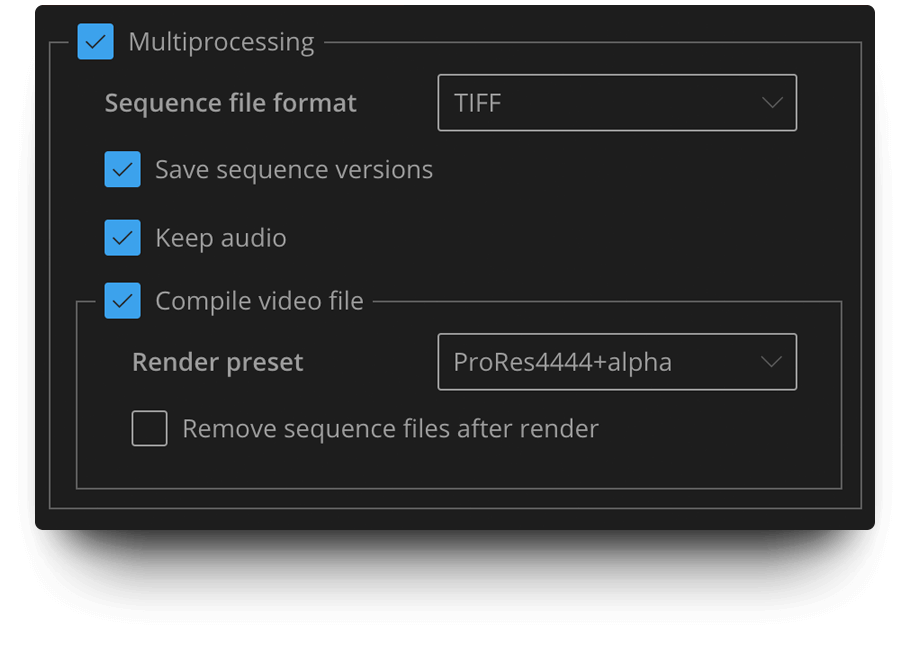
Custom render queue view
Enjoy easier render visual control with our custom Render Queue view.
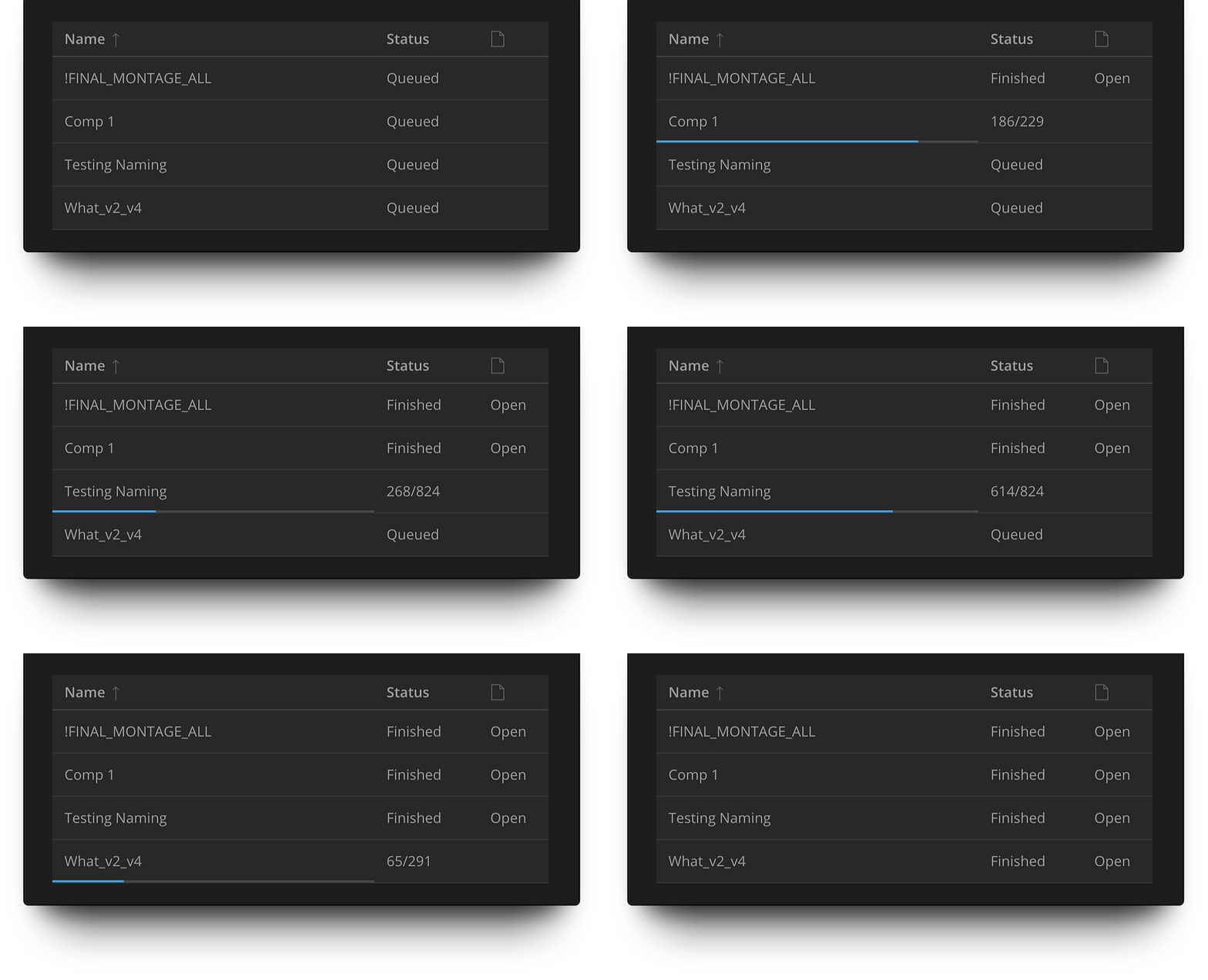
See the exact progress for each render queue element, sort by name, open render folders.
Built-in support
Get instant help on every part of the interface, any action, anything.
Just right-click anywhere and go to the website we've set up for you!
It contains an extensive description of each feature as well as tutorials and screencasts to help you start using all the BG Renderer Max' features faster.
If you experience any issues, please proceed to the Troubleshooting page.
Installing BG Renderer Max
Get ZXP Installer by aescripts, open it and drag BG Renderer Max.zxp into the interface.
Relaunch After Effects and go to Window -> Extensions -> BG Renderer Max
Good to know
After Effects' rendering capacity is mostly limited by your machine's RAM amount, not processor cores.
This is why we do not recommend setting the render threads amount higher than half of your cores. For easier renders you may set it to the number of cores minus one. Please test with the minimum threads amount first.
System Requirements
- After Effects CC2018+
Please note that due to an Adobe bug, BG Renderer is not compatible with AE 17.5, please use 17.1.4 or 17.5.1 - macOS 10.13 and newer
- Windows 10/11
Please note that there might be issues with Hackintosh setups. Install at your own risk.
Upgrade Notice
BG Renderer MAX is a brand new product re-written from the ground up. However, we are still offering a small upgrade discount if you own a BG Renderer Pro license (please note that Basic licenses or purchases made before Aug 2012 do not qualify). Simply log in to the same account, and the upgrade discount will be applied in the shopping cart. If you need any assistance, please open a support request
Follow us on Facebook and Twitter and share your great ideas!
BG Renderer is using FFMPEG under the LGPL license. Source code: [1] and [2]
| After Effects | 2024, 2023, 2022, 2021, 2020, CC 2019, CC 2018 |
|---|
1.0.27 (Current version) - Feb 12, 2024
-Fixed negative threads bug
1.0.26 - Feb 1, 2024
-Fixed freezing bug
1.0.25 - Mar 14, 2022
1.0.24 - Apr 13, 2021
1.0.23 - Mar 12, 2021
-Increased audio quality to 320kbps aac
1.0.22 - Jan 15, 2021
-Fixed incorrect file name template handling ([dateYear], [dateMonth] etc. )
-Bug fixes for some non-unicode languages
1.0.21 - Sep 29, 2020
1.0.20 - Sep 9, 2020
-Various fixes and optimizations
1.0.19 - Jul 27, 2020
-Minor UI updates
1.0.18 - Jun 2, 2020
-Render pause feature added
-Render sound added
-Resizable columns in the render queue UI
-Folder icon now opens the resulting file location, click on the path opens the sequence location
Bug fixes:
-Fixed compile video issues
-Fixed engine process hanging indefinitely
-Various fixes and improvements
Important notice:
Slack native integration removed due to Slack discontinuing legacy tokens. Use Zapier / IFTTT / Microsoft Power Automate instead.
1.0.17 - Apr 23, 2020
-Fixed After Effects CC2018 compatibility bug
1.0.16 - Apr 19, 2020
-Fixed partial audio compilation bug
1.0.15 - Apr 16, 2020
-Overwrite existing frames option added
-Save sequence versions moved to the Sequence handling dropdown and is now called "Keep sequence iterations"
Bug fixes:
-Fixed system-restricted symbols handling
-Windows .dll issue fixed
-Minor bug fixes and stability updates
Click to see the full features overview video.
1.0.14 - Mar 24, 2020
-Fixed CPU Limiter for multiple threads issue
-Fix for render progress on Japanese version
1.0.13 - Mar 19, 2020
-Add Item bug fixed
-Compile video hanging on some Windows machines fixed
-Fix for CPU Limiter processes not exiting
-Render queue duplicates naming issue fixed
1.0.12 - Mar 10, 2020
What's new:
-Core Engine and Remote Monitoring Beta is on by default
-CPU Limiter added to set a hard cap on CPU usage
-Custom FFmpeg command editor added
-VP8 preset added, old presets updated
Bug fixes:
-Fix for Custom Folder behavior
-Save Sequence versions infinite folder nesting fixed
-Remove Sequence for network disks fixed
1.0.11 - Feb 10, 2020
What's new:
-Core Engine Beta speed and stability updates
-Remote Monitoring Beta added
-Add/Remove compositions to the BGR Render Queue for the Core Engine Beta
-New H.264 presets
-Remove sequence checkbox moved to the main settings panel
Bug fixes:
-Fixed improper path for "As project" render location
-Fixed render stop button behavior for AE 2020
-Fixed software encoder issue for certain Hackintosh builds
1.0.10 - Jan 8, 2020
1.0.9 - Nov 29, 2019
1.0.8 - Nov 13, 2019
-ProRes LT preset changed for 4444 + alpha
-Engine performance improvements
-Now you can directly access logs with new -Open logs folder option
-Improvements to the sequence integrity check
Bug fixes:
-Email bugs fixed
Jumping status fixed
-EEXIST fix for edge cases
-Path with "%" and other symbols are properly supported now
-Fix for optimal threads count
1.0.7 - Sep 19, 2019
-ENOENT issue on Windows fixed
-Non-multiprocessing output module mismatch fixed
1.0.6 - Sep 13, 2019
-Multiprocessing render with audio is now available
-MacOS Catalina support
Bug fixes:
-Fixed EEXIST issue
-Render Queue issues fixed
-Support for TGA added
1.0.5 - Jul 22, 2019
-Added sequence removal and custom video output option in Sequence to video action
-Better logging
-App load speed improved by 30-40%
-Added post render actions indicator
Bug fixes:
-Fixed action removal issues
-Fixed render queue freezes
-Different compositions render to the same folder issues fixed
-Running post render actions freeze when reopening the app fixed
1.0.4 - Jun 26, 2019
-You can now remove emails from Email action
-Various minor code updated
Bug fixes:
-Email action bugs fixed
-Message Composer properly supports line breaks
-EEXIST error fixed for MacOS
1.0.3 - Jun 20, 2019
-Render Status progressbar updated
-"Save multiprocessing versions" logic changed. Unchecked – renders to the same folder (use for multi-machine render). Checked – creates version folder for each render.
Bug fixes:
-Rendering from and to network location on Windows bug fixed
-Incorrect Render Queue resize fixed
1.0.2 - Jun 17, 2019
-Render time column added to the render queue
-EXR and DPX support (use your own Output Module Templates and "As in render queue" sequence format)
-Custom folder now won't create subfolders and disables versioning. Use this feature for network rendering.
Bug fixes:
-Fixed Postrender bug
-Fixed ### mismatch issue
-Fixed "line 303" bug
-Render queue dynamic resize added
-Some minor bugs fixed as well
1.0.1 - Jun 10, 2019
1.0.0 - Jun 10, 2019
-
- Compatibility After Effects
3D Paper Jam
Add to CartCreate an animated 3D Paper Jam effect with full controls.
-

- Compatibility After Effects
Box It!
Add to CartCreate dynamic, self-resizing text boxes with powerful alignment & sizing options.
-

- Compatibility After Effects
QueueUp
It's easy to make mistakes when you're working on multiple jobs with different deliverables for previews and final renders. QueueUp saves the output folder and render settings for each of your jobs, so you can easily switch between them throughout the day.Add to Cart -

- Compatibility After Effects
Render Frame at Markers
Add to CartWill send to the render queue any frames that are marked by layer markers that are within the comp work area. This would be equivalent to going to a point in time in your comp and selecting "Save Frame As->File"
$14.99 -
- Compatibility After Effects
pt_Panorama
Converts a panoramic image into a 3D cylinder suitable for use as a background in a 3D compositionAdd to Cart -

- Compatibility After Effects
RenderHogs
Add to CartDisable unnecessary layers and effects until render time. Includes tools for maintaining responsiveness in heavy comps.
-
- Compatibility After Effects
Origami Hexagons Pack
Meet Hexagons – 4 various hexagonal mesh types for all your Origami needs.Add to Cart$9.99 -

- Compatibility After Effects
GifGun 2
Add to CartOne-click animated GIFs in After Effects. It's version 2, so it's better!
$39.99 -

- Compatibility After Effects
Origami
Origami is the procedural mesh generation and animation tool for After Effects. Create stunning effects like unfold and organic growth in a few clicks!Add to Cart$39.99 -
- Compatibility After Effects
Gridder 2
Add to CartGridder arranges layers into a customizable grid in many ways - rectangle, 3d, circular or spiral.
$14.99