
EFX Render Elements Plugin Suite
-
Compatibility After Effects Please check exact version compatibility under the "COMPATIBILITY" tab below
 Adding to cart...
 Working with CG render passes is never simple. Any experienced compositor will tell you that with every step you encounter new challenges. They also know that in this workflow lies an enormous power - you can completely change your shot without re-rendering, or achieve the same look in less time.
This suite has workflow tools developed over many years that incorporate many tricks and solutions that help in everyday compositing tasks.
Feature highlights:
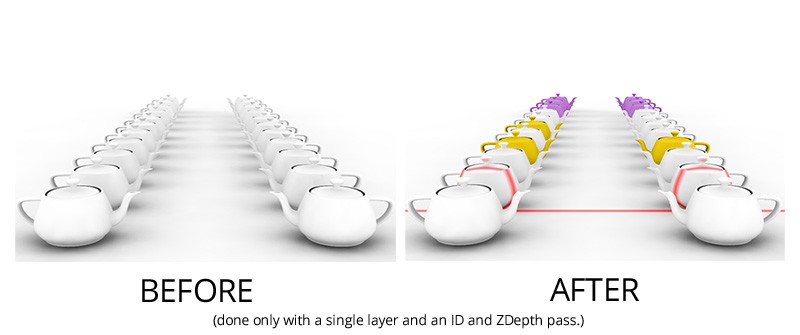
- select objects based on ID, Velocity or ZDepth pass,
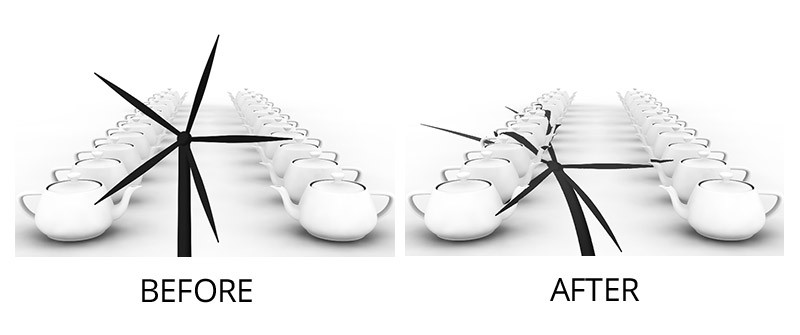
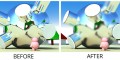
- remove artifacts on the edges of objects that are common in render passes workflows,
- fix the 1 pixel gap between objects and their shadows in the shadow pass,
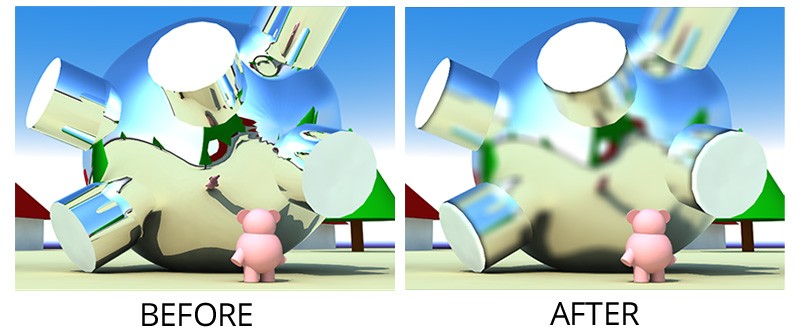
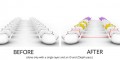
- blur a layer but without crossing the boundary between two objects.
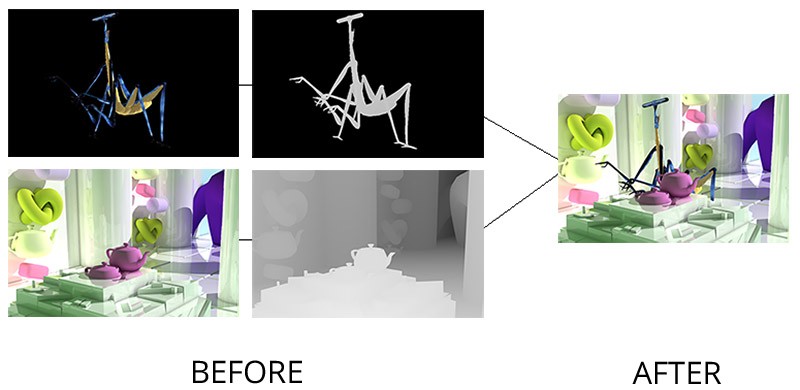
- composite two layers using their ZDepth passes as a guide,
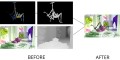
- project a layer onto a CG rendering so that it deforms nicely,
- create a depth wipe through a scene from back to front or the other way.
The suite includes 13 plugins:
- Alpha Streaks
- EFX ID Blur
- EFX ID Edge Blur
- EFX ID Select
- EFX ID-Z_Depth Blur
- EFX Shadow Fix
- EFX Velocity (Motion Vector) Select
- EFX Z-Depth Compose
- EFX Z-Depth Cut
- EFX Z-Depth Shadow
You can download the User Manual for details on individual plugins.
To check some of the plugins you can download the EFX Render Elements Free plugins here.
You can also buy just the Z-Depth plugins in the EFX Render Elements Z Depth Tools
Upgrade notice: If you already purchased ZDepth Tools and want to upgrade to the full Render Elements suite you will get a discount equal to the full purchase price of the ZDepth Tools. Login to see the discounted price if you qualify.

| After Effects | CC 2015, CC 2014, CC, CS6, CS5.5, CS5, CS4 |
|---|
1.5 (Current version) - Feb 9, 2023
Improved compatibilty with 2023
1.5 - Feb 8, 2023
Improved compatibilty with 2023
1.4.3b - Aug 1, 2022
1.4.3 - Jun 3, 2017
1.4.2.1 - Dec 7, 2015
1.4.2 - Nov 3, 2015
1.4.1 - Apr 7, 2015
1.4 - Mar 25, 2015
- 1.2 - Updated licensing framework (will require that you re-enter your license code) - Dec 2013
- 1.1 - Converted to native plugin, added CS6 compatibility - April 2013
- 1.0.3 (May 2012)
- Velocity Select:
- added formats for VRay and MentalRay
- ZDepth Cut:
- added an option for inverting the depth map
- ZDepth Compose:
- added an option for inverting the depth maps
- added a Fade parameter for softening the intersection between the two layers
- Manual: fixed the Tip for non-AntiAliased ZDepth map - it was unnecessary all along ;)
- Caution: new installation folder structure – see manual
- 1.0.2 - ID Select color swatches can now be used in any order (Jan 2012)
- 1.0.1 - Fixed crashing issue with Z-Depth Cut (Dec 2011)
- 1.0 - Initial Release (Oct 2011)
-
- Compatibility After Effects
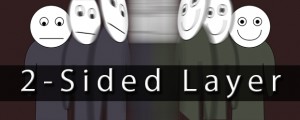
Two-Sided Layer
Combine two layers into one that is different on the front and backAdd to Cart -
- Compatibility After Effects
Extrudalizer
Add to CartExtrudalizer allows you to extrude any 2D shape layer into virtual 3D space, control its depth, position, rotation, and scale. You can set up appearance, animation, and even manipulate the original 2D path with the Extrudalized shape repeating this manipulation. The script is 100% Lottie compatible for web use (bake expressions to keyframes for mobile app use) and can be exported using the Bodymovin plugin.
-

- Compatibility Davinci Resolve
Fast Bokeh Pro for OpenFX
Add to CartFast Bokeh Pro OpenFX is a plug-in for Fusion/Resolve and other OpenFX hosts that creates a smooth Depth of Field bokeh blur using a Depth Map. It's very fast, handles edges properly and easy to use.
-
- Compatibility After Effects
3D Layer Distributor
Distributes layers in 3D space within set ranges (you can set the ranges by editing the user variables at the top the script).Add to Cart -
- Compatibility After Effects
E3D Mografter FX
Add to CartE3D Mografter FX is a toolset that allows you to control your Element 3D plugin like a C4D Mograph module. Say 'Hello' to the famous Cloner, Fracture and MoText, right inside After Effects !
Please note that Element 3D is required to use this tool. Grab it in a bundle and save!
-

- Compatibility After Effects
BAO Mask Brush
Add to CartApply custom brushes to mask paths in After Effects, in 3D space, with Motion Blur and Squash and Stretch!
-
- Compatibility After Effects
EFX AB Compare
Add to CartThis plugin lets you compare the current layer (or composition if applied to an Adjustment Layer) to a reference layer.
Please note that this plugin is not compatible with CS6 or above
$2.99 -
- Compatibility After Effects
- Compatibility Premiere
EFX Chromatic Aberration
This plugin lets you apply (or remove) the chromatic aberration effect to a layer.Add to Cart$14.99 -
- Compatibility After Effects
EFX Keying-Alpha Plugin Suite
Add to CartA full suite of plugins aimed to help you get better keys and alpha mattes.
$49.99 -
- Compatibility After Effects
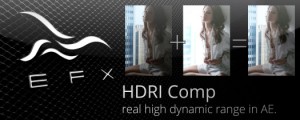
EFX HDRI Comp
Add to CartThis plugin allows you to combine two separate clips shot with different exposures into a new clip that will contain detail from both.
Please note that this plugin is not compatible with CS6 or above
$4.99 -

- Compatibility After Effects
EFX Keying-Alpha Free
Three free plugins from the full EFX Keying/Alpha Plugin Suite. These plugins are useful when keying or creating alpha mattes. Check out the full suite for the rest of the toolbox.Add to Cart$0.00 -
- Compatibility After Effects
EFX Render Elements Z Depth Tools
These plugins will let you make the most use of a ZDepth pass that you often render out from a 3d application. It's a pass that stores the information about the distance from camera for each pixel - there is really a lot you can do with this data.Add to Cart$14.99 As low as: $13.49