
Render Frame at Markers
-
Compatibility After Effects Please check exact version compatibility under the "COMPATIBILITY" tab below
 Adding to cart...
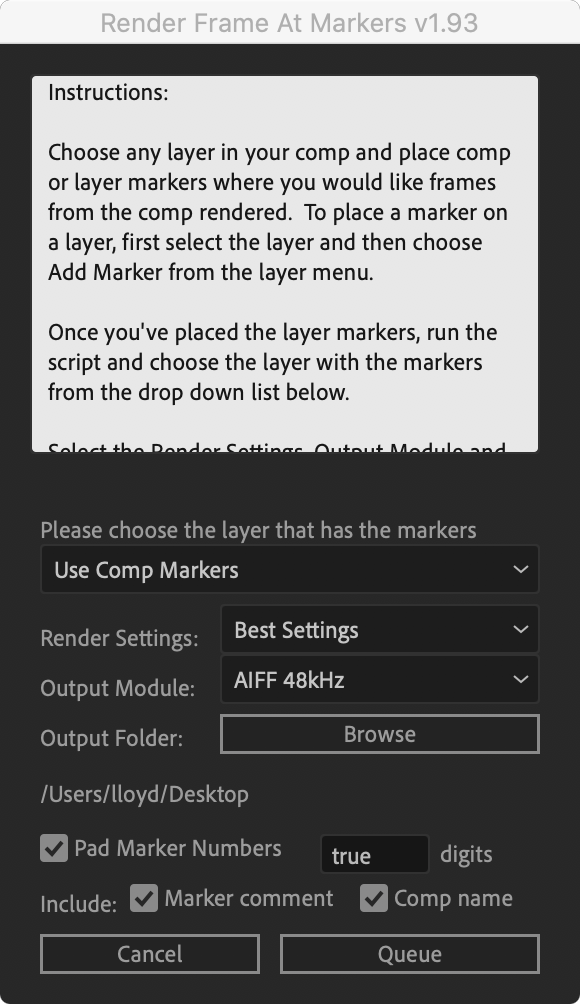
 Will render (actually send to the render queue) any frames that are marked by layer markers that are within the comp work area. This would be equivalent to going to each marker in your comp and selecting "Save Frame As->File"
| After Effects | 2023, 2022, 2021, 2020, CC 2019, CC 2018, CC 2017, CC 2015.3, CC 2015, CC 2014, CC, CS6 |
|---|
1.93 (Current version) - Sep 10, 2021
1.93 - Sep 10, 2021
1.92 - Feb 6, 2015
- 1.91 Fixed windows CS5 UI bug 03/2011
- 1.9 Added option to pad marker numbers 12/2010
- 1.8 Fixed output directory bug, CS5 compatible 08/2010
- 1.71 Fixed layer name bug 06/2010
- 1.7 Added marker comment and comp name in file name option 11/2009
- 1.6 Fixed select output folder if cancelled bug, removed RQ queued item check, checked for layer-less comp 11/2009
- 1.5 Added new smarter interface options 10/2009
- 1.3 fixed mac output filename bug 08/2009
- 1.2 added numbering option 07/2009
- 1.1 changed to work within workarea only 01/2009
- 1.01 bug fixes 09/2008
- 1.0 Initial Release 09/2008
-

- Compatibility After Effects
RenderHogs
Add to CartDisable unnecessary layers and effects until render time. Includes tools for maintaining responsiveness in heavy comps.
-

- Compatibility After Effects
Beatnik
Add to CartUnlock a new level of audio-driven edits, speed ramps, retimings & more with just one click.
-

- Compatibility After Effects
LayerRender
Add to CartRender directly at the layer level. All known AE renderers render at the level of a composition. It's very fast (uses all cores), handles most 8-bit up to 16-bit codecs and is very easy to use.
-

- Compatibility After Effects
Marker Conductor 3
Add to CartMarker conductor automatically places markers at specified intervals of time or bpm.
-
- Compatibility Premiere
Automation Blocks for Premiere Pro
Add to CartAutomation Blocks is an infinite collection of premade, one-click tools for any task. With Automation Blocks, you can fully customize all the tools, and even create your own!
$59.99 -
- Compatibility After Effects
MarkerMover
Add to CartThe ultimate toolset for marker manipulation – move, copy, cut, paste and delete markers, save and apply work area settings, and use markers to trigger animation on keyframed properties
-

- Compatibility After Effects
Batch Search-n-Replace Paths
Batch process folders of After Effects project and search and replace file paths. This can come in handy if you are moving a project to a different folder structure like a new server. You can also use it to batch replace files in many projects at once.Add to Cart$49.99 -
- Compatibility After Effects
Layer Random Shifter
Randomly shifts the selected layers in time within user defined range.Add to Cart$9.99 -

- Compatibility After Effects
Arrange Project Items Into Folders
Arranges project items into folders based on a matching prefix.Add to Cart$4.99 -

- Compatibility After Effects
Create Trimmed Adjustment Layer
Creates a new adjustment or null layer and trim it to the range of the selected layers.Add to Cart$4.99 -
- Compatibility After Effects
Introduction to After Effects Scripting Video Course
Add to CartBy popular demand we partnered with fxphd to offer this course that teaches you how to create scripts for After Effects starting with no programming knowledge.
$99.00 -
- Compatibility After Effects
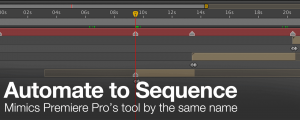
Automate to Sequence
Mimics the Premiere Pro tool of the same name in After Effects. It shifts or sets the in point and out point of selected layers to markers set on a marker layer.Add to Cart$9.99