
MarkerMover
-
Compatibility After Effects Please check exact version compatibility under the "COMPATIBILITY" tab below
 Adding to cart...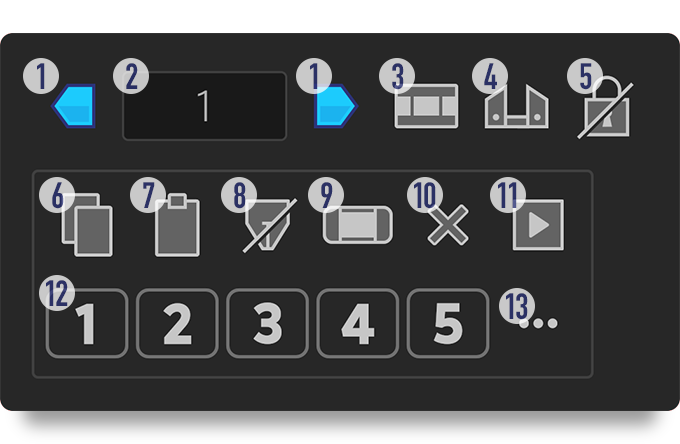
- Move markers
- Set value by which to move markers
- Switch time format between 'frames' and 'seconds'
- Toggle 'Split Markers'
- Toggle 'Protected Region Markers'
- Copy or cut markers
- Paste markers
- Toggle 'Paste to CTI'
- Save/apply work area settings; Create dummy 'comp markers' layer.
- Delete markers
- Apply marker trigger expression to selected properties
- Copy markers to and paste from Memory Banks
- Options, user guide and licence info
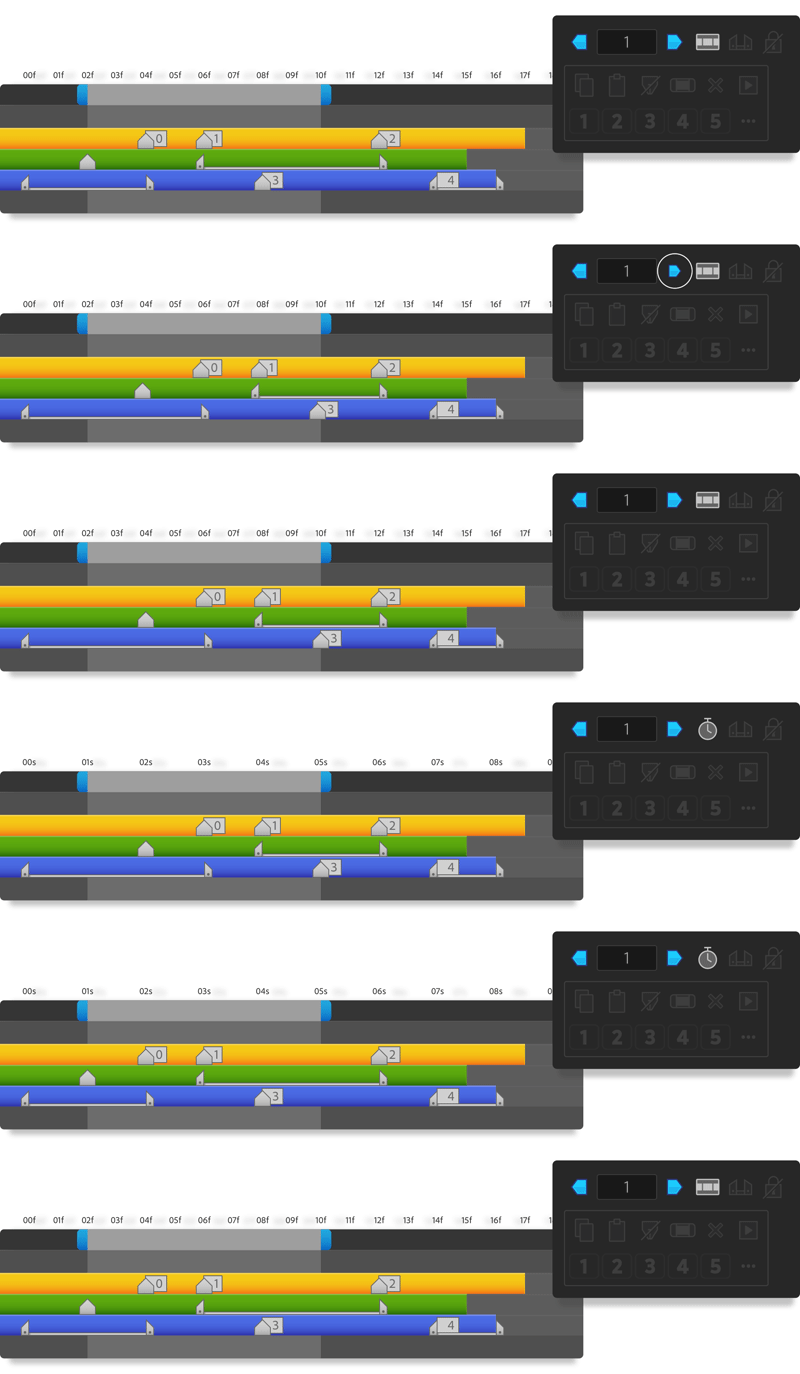
Effortlessly move markers
Move markers within the work area back and forth to fine-tune placements, with keyboard shortcuts to reverse and x10 shift, by number of frames or by seconds.
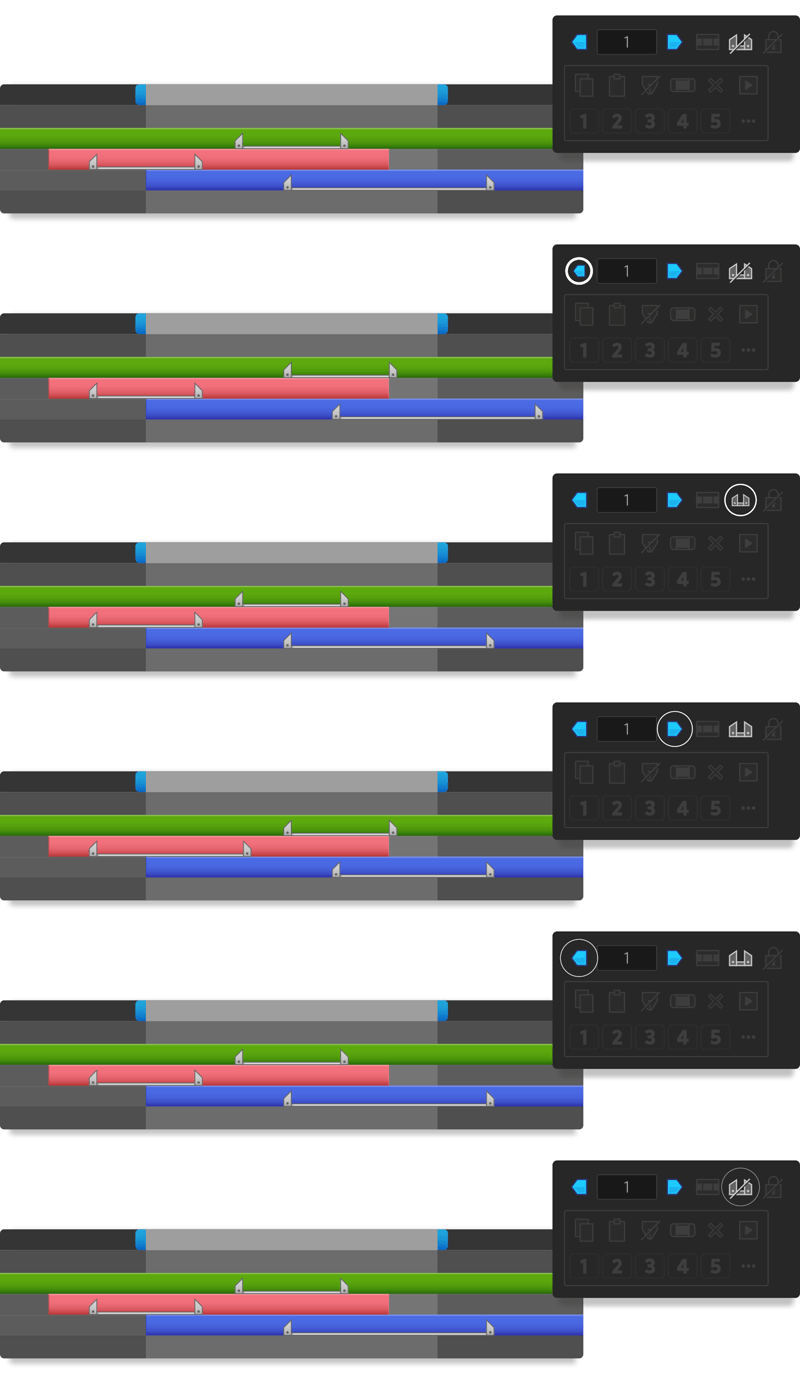
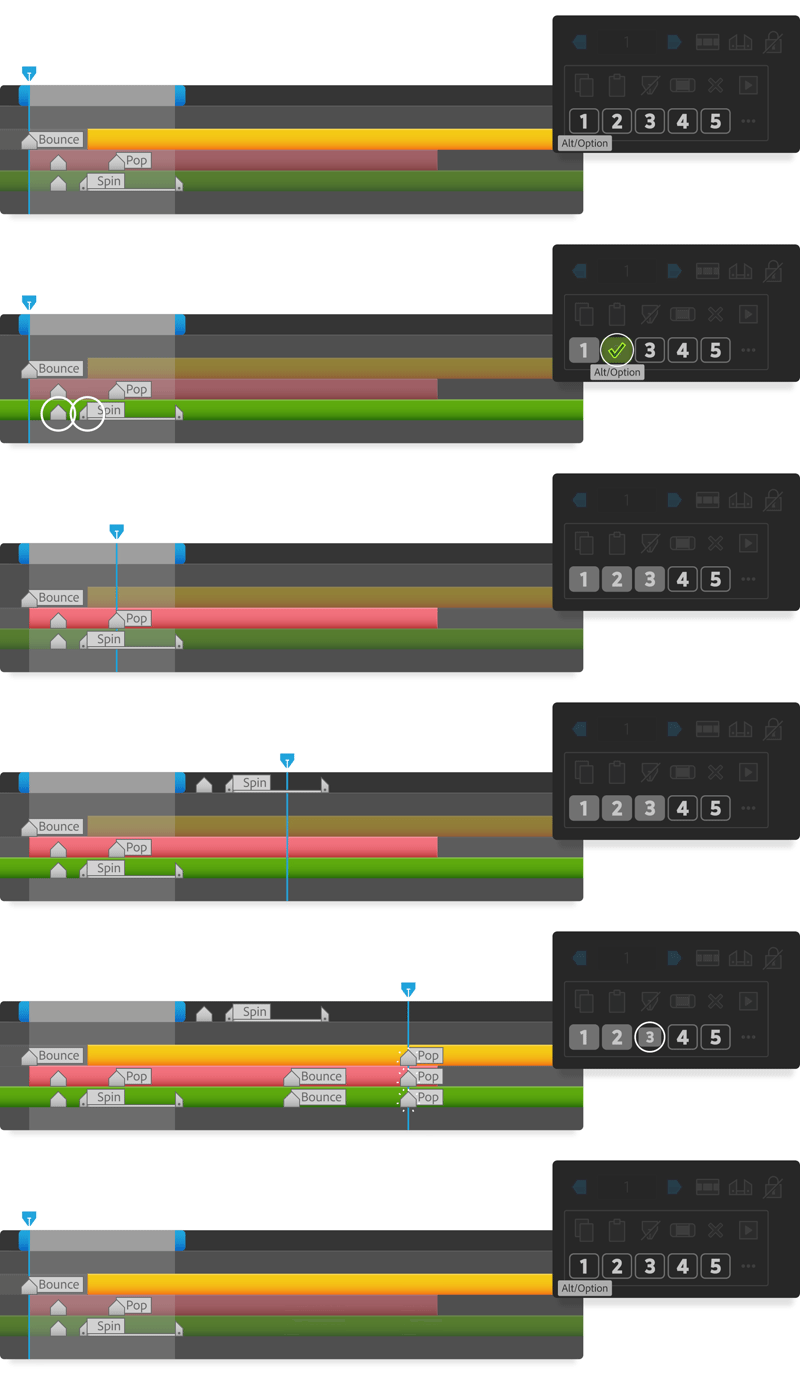
Adjust split marker durations
Optionally shift the start and end points of split markers independently, depending on your work area selection.
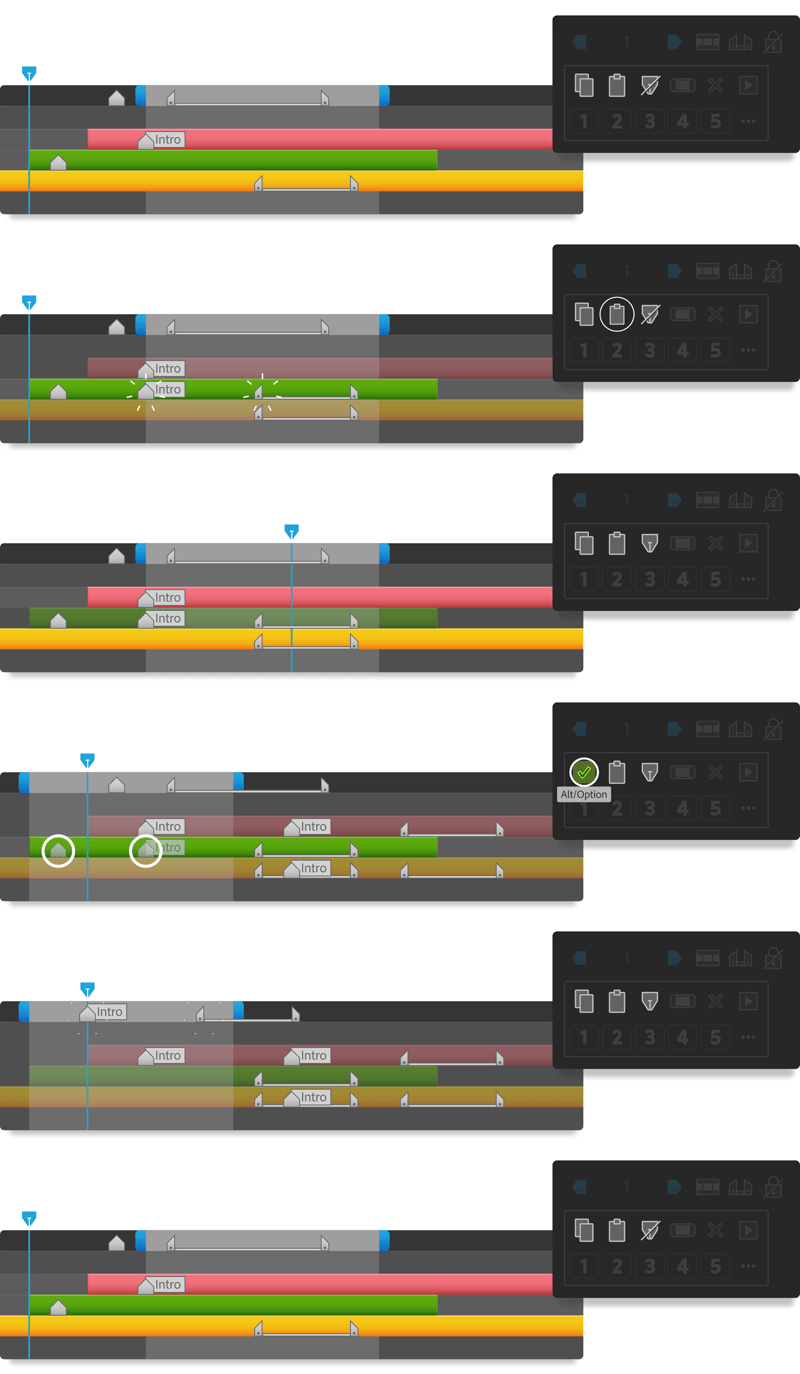
Copy and paste markers anywhere!
Copy or cut from multiple layers or the comp.
Paste to multiple layers or the comp, at the markers' original times or to the current time indicator, and optionally delete markers in the work area before pasting.
Save your most-used markers sets to Memory Banks
These five buttons allow you to save any number of markers to memory banks, which are persistent between projects and sessions, and paste in place with a single click.
Perfect for rapidly setting marker-based animation triggers!
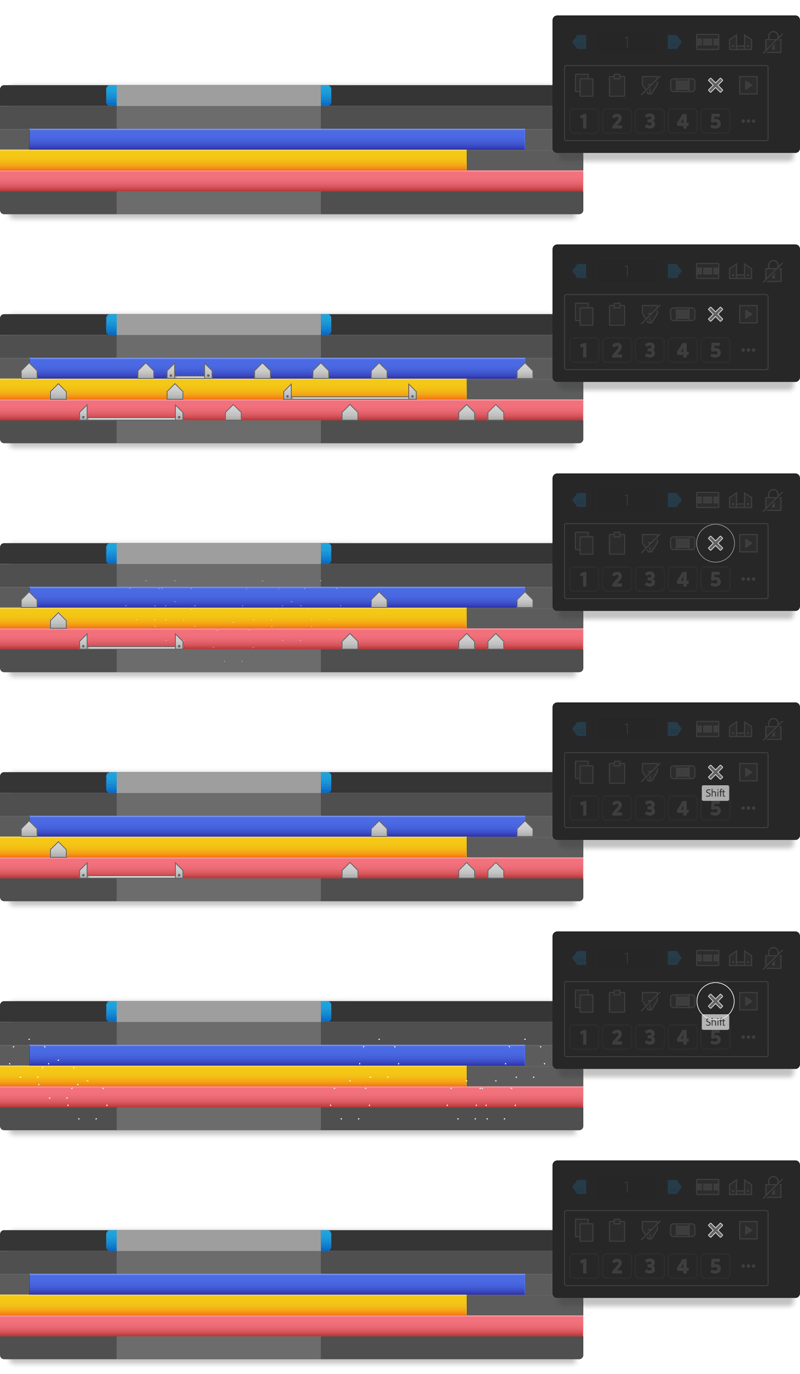
Bulk-delete markers
Remove markers from selected layers or the comp. Limit deletion to markers within the work area, or the entire composition duration.
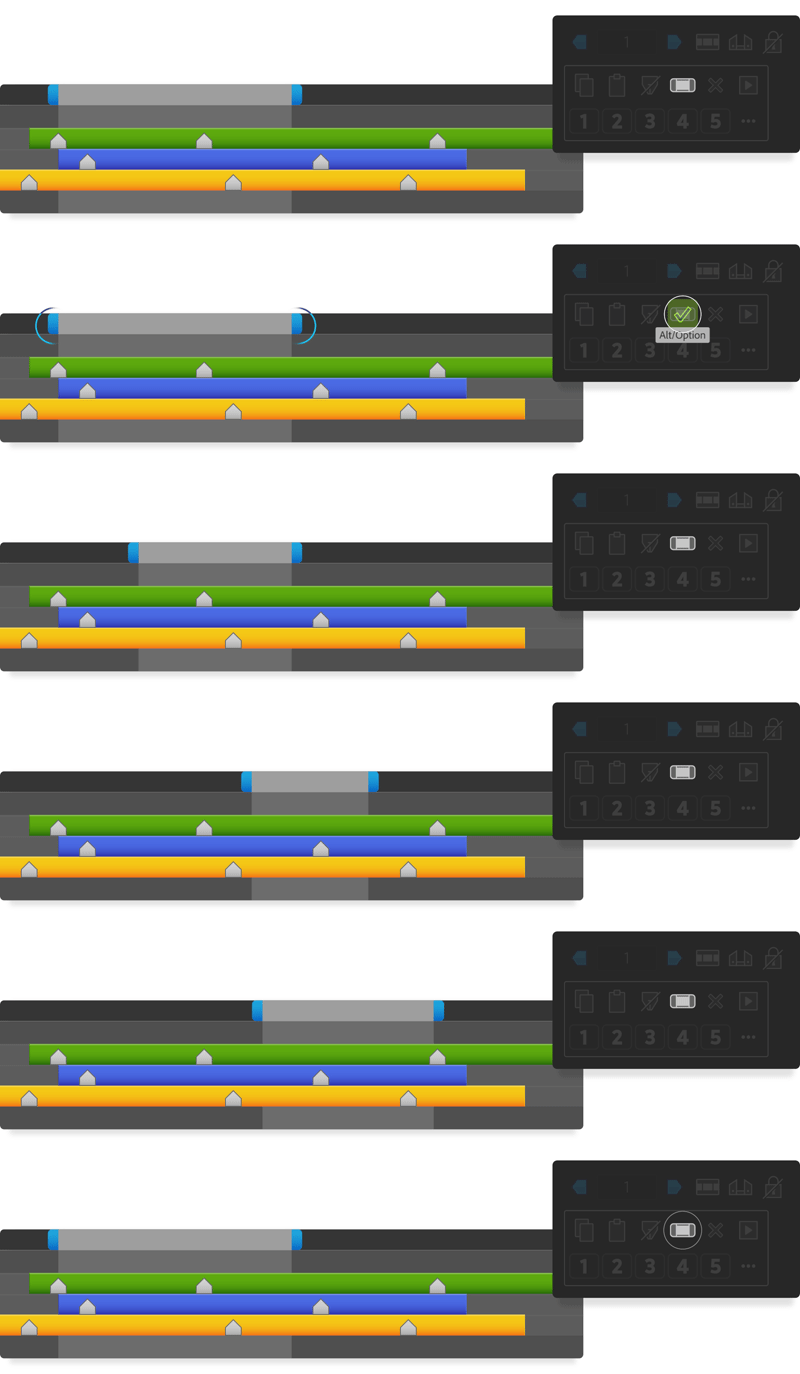
Save and apply work area settings
Save your current work area settings before adjusting your marker selection, and restore it to your comp with one click.
Or use this to copy work area settings between comps.
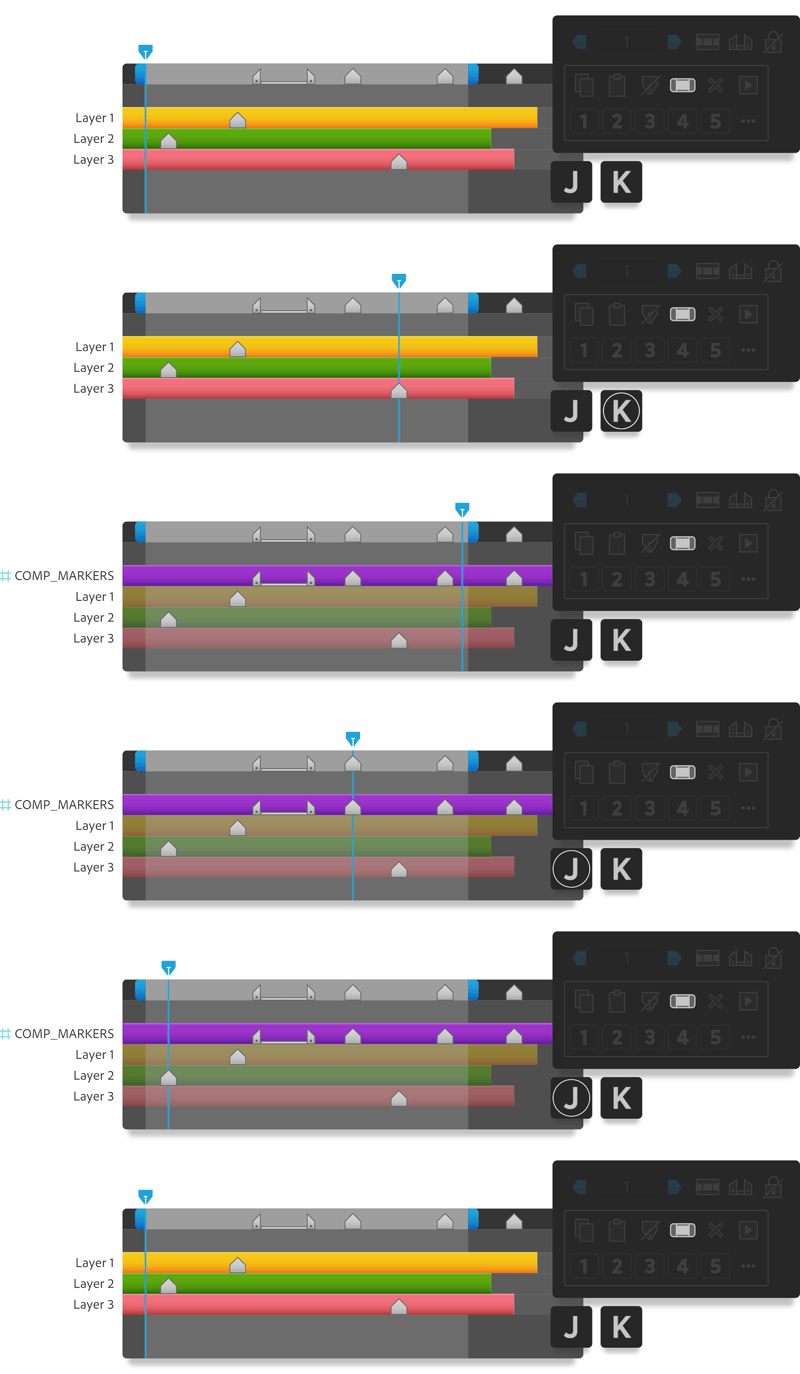
Finally jump between comp markers!
After Effects' J/K keyboard shortcuts allow you to jump between layer marker positions. However, this doesn't work for comp markers.
With one click, duplicate the comp markers to a 'dummy' guide layer, allowing super quick navigation. If you later adjust your comp markers, you can update this layer in one step.
Easily animate any property with marker triggers
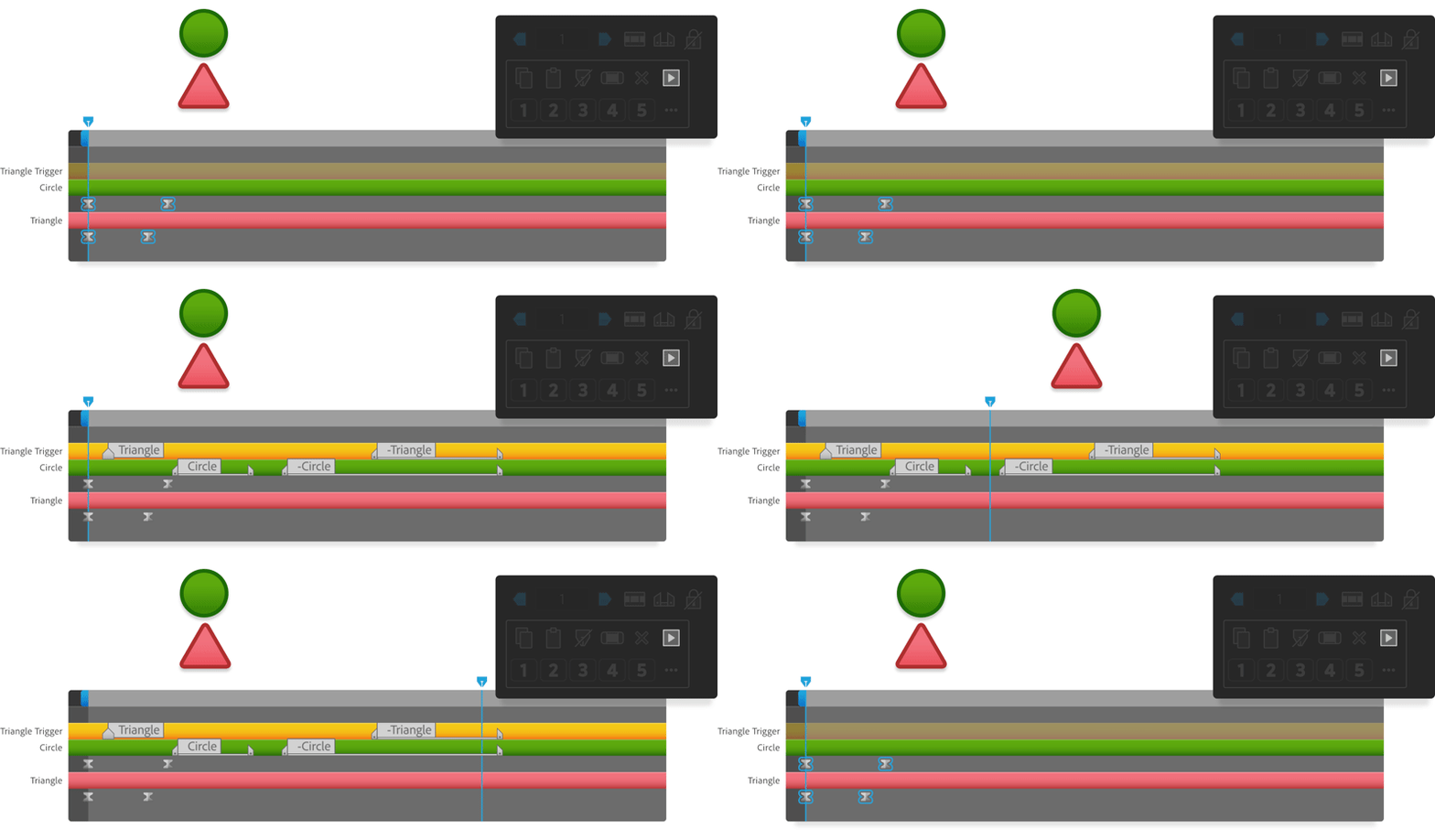
An easy-to-use panel guides you through setting up expression-based marker triggers, allowing you to repeat animation across layers with a single set of keyframes.
Adjust the duration, reverse the animation, apply a delay, and even use different layers or properties to drive the animation.
| After Effects | 2024, 2023, 2022, 2021 |
|---|
1.01 (Current version) - Nov 21, 2023
1.0 - Nov 18, 2023
-

- Compatibility After Effects
Multi Replacer
Add to CartReplace, insert and resize multiple images (footages) with one click.
-
- Compatibility After Effects
LayerMonkey
Add to CartCreates and animates unique layouts in seconds. Think TypeMonkey for layers!
-

- Compatibility After Effects
aw-Autosaver V2
Add to Cartaw-Autosaver is a powerful replacement of the standard After Effects autosave option with lots of options.
-

- Compatibility After Effects
Move To
Add to CartThe Move To tool is an After Effects tool that allows you to move layers, easily and quickly, in the timeline..
-

- Compatibility After Effects
Good Parents
Control parenting with keyframes. Finally. Now with 3D layers support!Add to Cart -

- Compatibility Premiere
- Compatibility Media Encoder
RenderSegments
Render/Export segments from markers, Export Various Sections At Once, Render marker regions to clips in Premiere Pro!Add to Cart
-

- Compatibility After Effects
Loopy
Add to CartThe handy panel for looping keyframes, paths, pre-comps and footage.
$9.95