AEC4D PRO

The most advanced C4D -> AE Importer

Learn about license types
  $39.99
  • Free Trial
Description

  AEC4D PRO

The most advanced
Cinema 4D to After Effects Importer.

Export any part of your scene as native After Effects layers — shape layers, nulls, cameras, lights and text. Update them in place. Import your renders in one click.

One click export Cinema 4D → After Effects macOS & Windows

  The problem

Two great apps.
One painful handover.

Cinema 4D for the 3D, After Effects for the comp — the pipeline every motion designer lives in. But between them sits the handover: compositing tags, re-exports after every tweak, and renders you relink by hand. AEC4D PRO turns your objects into native AE layers, keeps them updatable, and imports your footage for you.

  What you get

Your scene becomes real AE layers.
No pre-baking. No hassle.

Everything below ships in the current build.

Shape layers & nulls

Export any part of your Cinema 4D scene as native After Effects shape layers or nulls — into a new comp or straight into the active one.

Cameras & lights

Matching cameras and lights, animation included — with support for Redshift cameras and lights, focus distance and film offset.

Text layers

C4D text objects arrive as real AE text layers — multiline, Unicode and quotes handled for you.


Overwrite layers

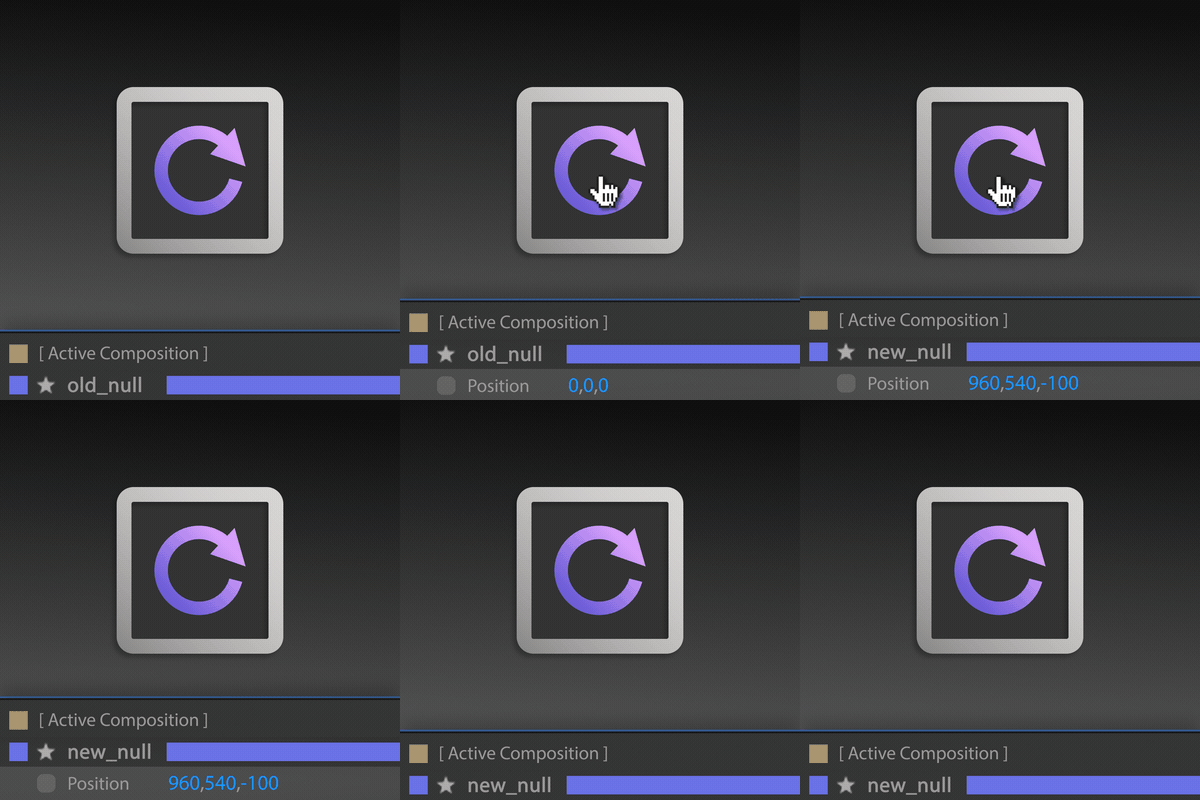
AEC4D PRO knows what you've exported. Change your scene, select the objects, hit Overwrite — the layers update instantly in your comp.

Textures, stills & multipasses

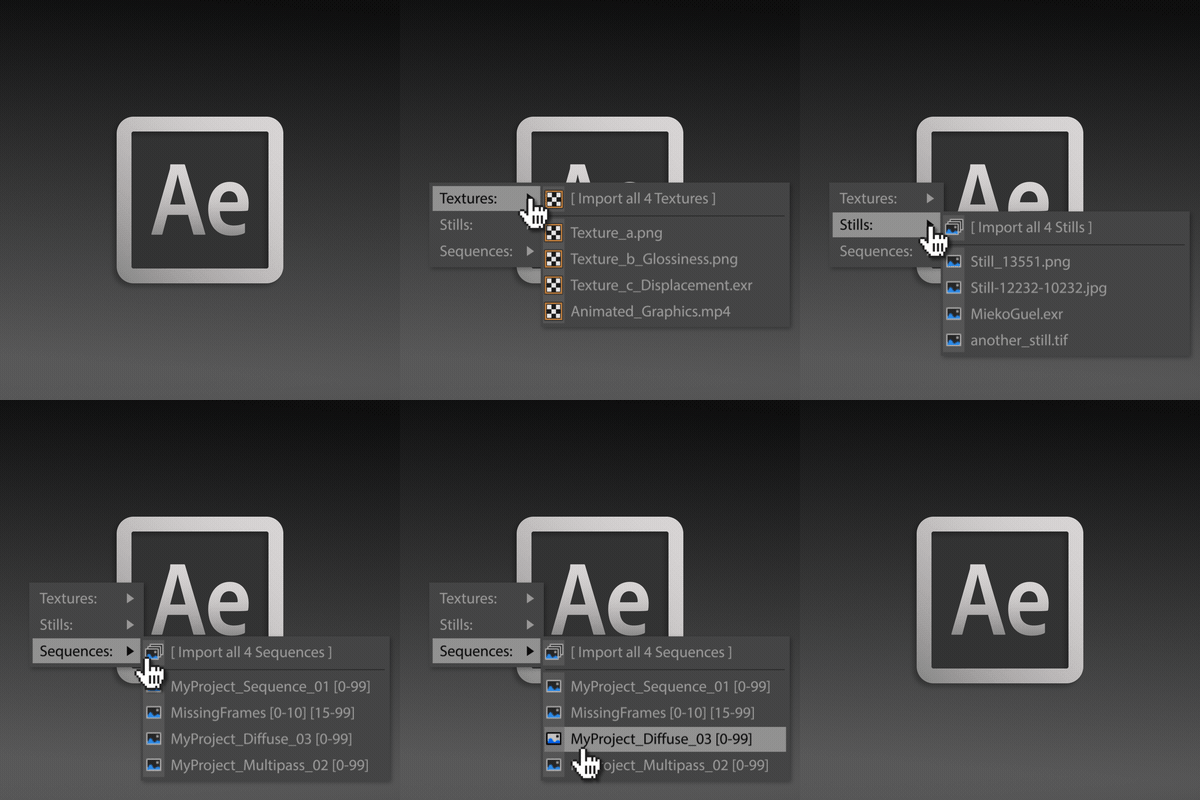
One click imports your renderings and footage — using the path from your render settings, with tokens and relative paths converted for you.

Markers, stage objects & more

Scene markers travel with your export, stage objects are resolved, and a Project Scale Multiplier keeps everything at the size you expect.

The AEC4D PRO palette in Cinema 4D

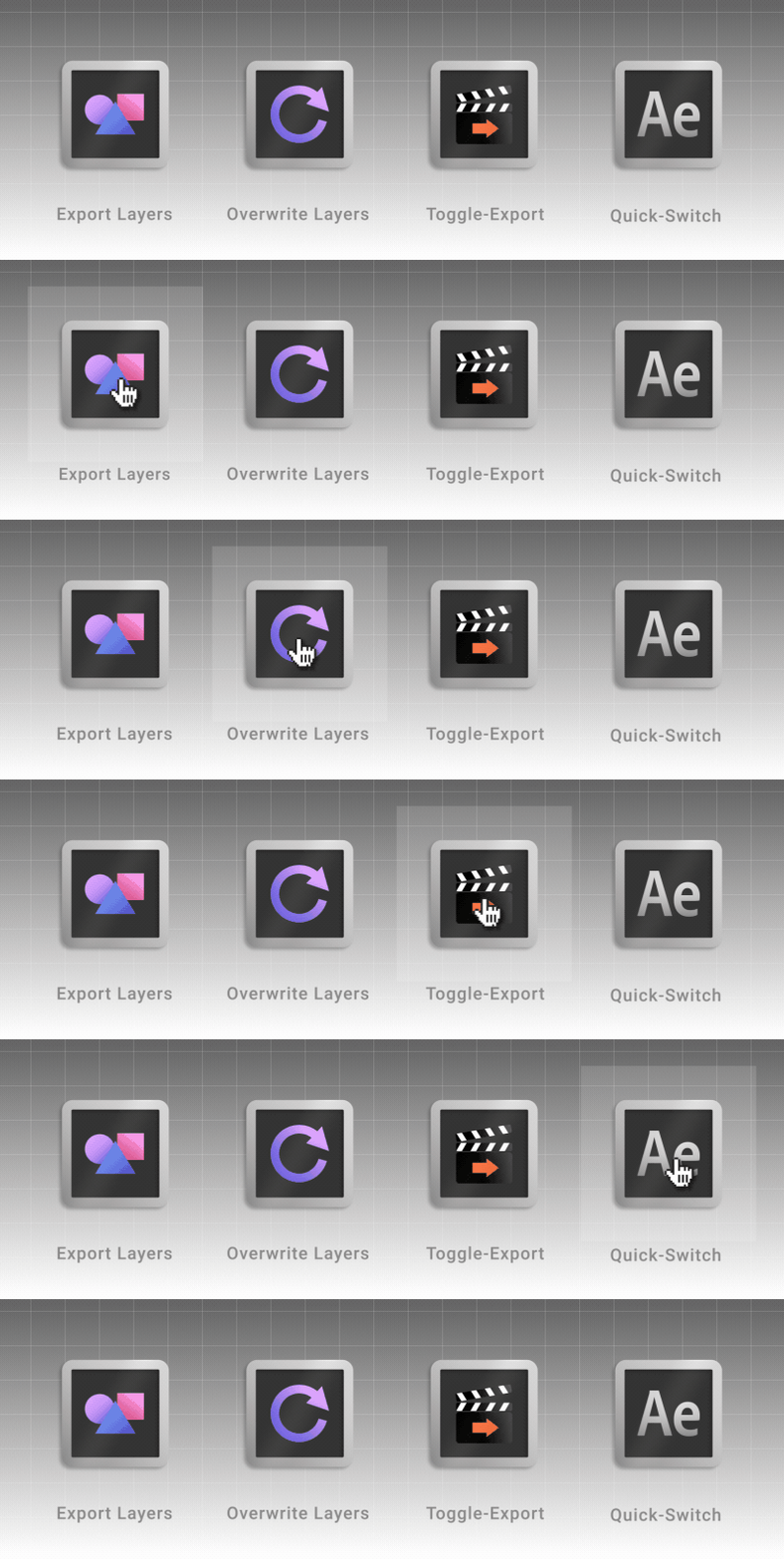
One palette in your C4D layout — Export, Overwrite, Toggle-Export and Quick-Switch.

  The workflow

Export. Tweak. Overwrite.

The loop you'll actually work in — no re-importing, no starting over.

Exporting layers from Cinema 4D to After Effects

Export Layers…

No selection exports your whole scene into a new comp; a selection exports just those objects. Hold SHIFT to send everything into the active comp instead.

Overwriting exported layers in After Effects

Overwrite Layers…

Changed a camera, moved a null? Select the objects and hit Overwrite — the matching layers update instantly in After Effects. No re-import, no duplicates.

Importing textures, stills and multipasses into After Effects

Import Renderings…

A click opens After Effects. SHIFT-click imports textures, stills and multipasses from your render settings. ALT-click switches between your installed AE versions.

  Compatibility

Works where you work.

Ten years of versions on both ends of the pipeline.

Cinema 4D

Cinema 4D

A native plugin right in your C4D layout. Pick what travels, hit export — scale, frame rate and film offset are handled for you.

R17+
After Effects

After Effects

Your export lands as native, editable layers in the comp of your choice — shape layers, nulls, cameras, lights and text.

CS6+

  How it works

Installed and exporting in seconds.

aescripts + aeplugins manager

Install the plugin

The easiest way to install and license is by using the aescripts + aeplugins manager app.

Cinema 4D

Export from Cinema 4D

One click in AEC4D PRO sends your objects to After Effects as native layers — new comp or active comp, your call.

After Effects

Comp in After Effects

Your layers are there, named and animated — import your renders and multipasses and finish the shot.

  Always in motion

Actively developed, shaped by your requests.

AEC4D PRO grows with every release — updates land free within the current major version.

Already shipped

Shipped  Brand-new documentation site

Shipped  Support for Redshift Cameras & Lights

Shipped  Project Scale Multiplier

Shipped  Quick-switch between all installed AE versions (Beta included)

Shipped  Text layers with full Unicode support

  FAQ

Questions, answered.

Which versions does it support?

Cinema 4D R17 through 2026 and After Effects CS6 through 2026 — on Windows and macOS.

How do I install it?

Install it through the aescripts + aeplugins manager app — full guide in the Documentation.

What exactly exports?

Shape layers, nulls, cameras (including Redshift), lights and text layers — with animation, markers and film offset. You choose the timeline range: preview range, render settings range or just the current frame. On top of that, the import button brings your textures, stills and multipasses into After Effects, resolving tokens and relative paths from your render settings.

I own the original AEC4D — do I have to buy again?

No — you can upgrade to the Pro version for $15. Log in to the same account and the upgrade discount is added automatically in the shopping cart.

Will it keep getting updates?

Yes — AEC4D PRO is actively developed and updates are free within the current major version. Feature requests and bug reports are welcome.


Upgrade Notice 

If you own AEC4D, you can upgrade to this all-new Pro version for $15. Simply login to the same account and the upgrade discount will be automatically added in the shopping cart. If you require assistance, please open a support ticket and we will be happy to help you.

Discussions

Want to talk about it?

Head over to r/aescripts to chat with fellow users about this product.

Need Support?

Please open a support ticket to be connected directly with the author of this product

Version History

1.19 -

Aug 20, 2026

- [ Added ] Brand-new documentation: https://lasselauch.github.io/aec4d-docs/
- [ Added ] Shift+Click selection for treeview
- [ Fixed ] JSX library: undeclared globals, localized matchNames (non-English AE installs) and several logic bugs
- [ Fixed ] JSX library now lives in a single AEC4DPRO namespace - no more global scope pollution in After Effects

1.18 -

Jun 16, 2026

- [ Fixed ] AE path & version selection (properly this time!)

1.17 -

May 27, 2025

- [ Fixed ] Issue with ComboBox of AE-Versions (including Beta-Versions!)

- [ Fixed ] Overwrite Issue with Lights in newer AE-Versions

- [ Fixed ] Switch to Classic 3D before importing for newer comp render methods.

1.16 -

Nov 28, 2024

- [ Fixed ] Issue for macOS users using AE 2024/2025

- [ Fixed ] Deprecation in 2025: c4d.Status -> c4d.gui.Status

1.15 -

Jun 24, 2024

- [ Fixed ] All Unicodes + Quotes in Name for Text, Objects and Markers

- [ Fixed ] Horizontal Spacing for Text-Objects: Integers between - 1000 and 1000

- [ Fixed ] Handling of Stage-Objects

1.14 -

Jun 6, 2024

- [ Fixed ] Another issue with RSCameras & compatibility with older versions. This gets old.

1.13 -

Mar 9, 2023

– [ Fixed ] Issue with RSCameras Focus Distance (Thanks, Chris!)

1.12 -

Jan 31, 2023

- [ Fixed ] Support for new Redshift Cameras

1.11 -

Oct 12, 2022

- [ Fixed ] UI Issues for Footage-Import

1.09 -

May 11, 2022

[ Fixed ] Problem with color from "Display Color/Layers" (#1080956)

1.08 -

Sep 29, 2021

- [ Fixed ] Support for Unicode and non-US-ASCII characters

- [ Fixed ] Multilines in Text-Objects

1.07 -

Aug 5, 2021

- Added Support for R25

- Replaced "is" with "==" in pyseq

1.06 -

Sep 2, 2020

- Restructured Plugin

- Optimized for R23 (Python 3)

- Fixed small GUI glitches.

1.05 -

Jan 18, 2020

- Fixed Camera In- and Outpoints with Stage-Object if ProjectTime isn't 0. Thanks to Michael Wood for the examples and the patience. :)

1.04 -

Sep 12, 2019

- Optimized License-Settings for macOS 10.15 'Catalina'

1.03 -

Jul 17, 2019

- External Compositing-Tag on Lights crashes C4D. (Thanks, Lars Jandel)

- Fixed import issues with special Characters. (Thanks, Ben Fallin)

1.02 -

Apr 2, 2019

- Null-Handles are now visible in Composition

- Limit Width / Height of Composition and round to Integers

1.01 -

Mar 22, 2019

- Fixed an issue when running in Trial-Mode

- Fixed an issue with "Check for update now"

- Support for (../) relative Renderpath

- Fixed a nasty "focusDistance" bug (Thanks, Pascal Fuerst)

1.00 -

Mar 21, 2019

Compatibility

After Effects

2026, 2025, 2024, 2023, 2022, 2021, 2020, CC 2019, CC 2018, CC 2017, CC 2015.3, CC 2015, CC 2014, CC, CS6

Cinema 4D

2026, 2025, 2024, 2023, S26, R25, S24, R23, S22, R21, R20, R19, R18, R17

EULA

END USER LICENSE AGREEMENT

This software ("the Software Product") and accompanying documentation is licensed and not sold. This Software Product is protected by copyright laws and treaties, as well as laws and treaties related to other forms of intellectual property. The author owns intellectual property rights in the Software Product. The Licensee's ("you" or "your") license to download, use, copy, or change the Software Product is subject to these rights and to all the terms and conditions of this End User License Agreement ("Agreement").

Acceptance
YOU ACCEPT AND AGREE TO BE BOUND BY THE TERMS OF THIS AGREEMENT BY SELECTING THE "ACCEPT" OPTION AND DOWNLOADING THE SOFTWARE PRODUCT OR BY INSTALLING, USING, OR COPYING THE SOFTWARE PRODUCT. YOU MUST AGREE TO ALL OF THE TERMS OF THIS AGREEMENT BEFORE YOU WILL BE ALLOWED TO DOWNLOAD THE SOFTWARE PRODUCT. IF YOU DO NOT AGREE TO ALL OF THE TERMS OF THIS AGREEMENT, YOU MUST SELECT "DECLINE" AND YOU MUST NOT INSTALL, USE, OR COPY THE SOFTWARE PRODUCT.

License Grant
This Agreement entitles you to install and use one copy of the Software Product. In addition, you may make one archival copy of the Software Product. The archival copy must be on a storage medium other than a hard drive, and may only be used for the reinstallation of the Software Product. This Agreement does not permit the installation or use of multiple copies of the Software Product, or the installation of the Software Product on more than one computer at any given time, on a system that allows shared used of applications, on a multi-user network, or on any configuration or system of computers that allows multiple users. Multiple copy use or installation is only allowed if you obtain an appropriate licensing agreement for each user and each copy of the Software Product.

Restrictions on Transfer
Without first obtaining the express written consent of the author, you may not assign your rights and obligations under this Agreement, or redistribute, encumber, sell, rent, lease, sublicense, or otherwise transfer your rights to the Software Product.

Restrictions on Use
You may not use, copy, or install the Software Product on any system with more than one computer, or permit the use, copying, or installation of the Software Product by more than one user or on more than one computer. If you hold multiple, validly licensed copies, you may not use, copy, or install the Software Product on any system with more than the number of computers permitted by license, or permit the use, copying, or installation by more users, or on more computers than the number permitted by license.

You may not decompile, "reverse-engineer", disassemble, or otherwise attempt to derive the source code for the Software Product.

Restrictions on Alteration
You may not modify the Software Product or create any derivative work of the Software Product or its accompanying documentation. Derivative works include but are not limited to translations. You may not alter any files or libraries in any portion of the Software Product.

Restrictions on Copying
You may not copy any part of the Software Product except to the extent that licensed use inherently demands the creation of a temporary copy stored in computer memory and not permanently affixed on storage medium. You may make one archival copy which must be stored on a medium other than a computer hard drive.

Disclaimer of Warranties and Limitation of Liability
UNLESS OTHERWISE EXPLICITLY AGREED TO IN WRITING BY THE AUTHOR, THE AUTHOR MAKES NO OTHER WARRANTIES, EXPRESS OR IMPLIED, IN FACT OR IN LAW, INCLUDING, BUT NOT LIMITED TO, ANY IMPLIED WARRANTIES OF MERCHANTABILITY OR FITNESS FOR A PARTICULAR PURPOSE OTHER THAN AS SET FORTH IN THIS AGREEMENT OR IN THE LIMITED WARRANTY DOCUMENTS PROVIDED WITH THE SOFTWARE PRODUCT.

The author makes no warranty that the Software Product will meet your requirements or operate under your specific conditions of use. The author makes no warranty that operation of the Software Product will be secure, error free, or free from interruption. YOU MUST DETERMINE WHETHER THE SOFTWARE PRODUCT SUFFICIENTLY MEETS YOUR REQUIREMENTS FOR SECURITY AND UNINTERRUPTABILITY. YOU BEAR SOLE RESPONSIBILITY AND ALL LIABILITY FOR ANY LOSS INCURRED DUE TO FAILURE OF THE SOFTWARE PRODUCT TO MEET YOUR REQUIREMENTS. THE AUTHOR WILL NOT, UNDER ANY CIRCUMSTANCES, BE RESPONSIBLE OR LIABLE FOR THE LOSS OF DATA ON ANY COMPUTER OR INFORMATION STORAGE DEVICE.

UNDER NO CIRCUMSTANCES SHALL THE AUTHOR, ITS DIRECTORS, OFFICERS, EMPLOYEES OR AGENTS BE LIABLE TO YOU OR ANY OTHER PARTY FOR INDIRECT, CONSEQUENTIAL, SPECIAL, INCIDENTAL, PUNITIVE, OR EXEMPLARY DAMAGES OF ANY KIND INCLUDING LOST REVENUES OR PROFITS OR LOSS OF BUSINESS) RESULTING FROM THIS AGREEMENT, OR FROM THE FURNISHING, PERFORMANCE, INSTALLATION, OR USE OF THE SOFTWARE PRODUCT, WHETHER DUE TO A BREACH OF CONTRACT, BREACH OF WARRANTY, OR THE NEGLIGENCE OF THE AUTHOR OR ANY OTHER PARTY, EVEN IF THE AUTHOR IS ADVISED BEFOREHAND OF THE POSSIBILITY OF SUCH DAMAGES. TO THE EXTENT THAT THE APPLICABLE JURISDICTION LIMITS THE AUTHOR'S ABILITY TO DISCLAIM ANY IMPLIED WARRANTIES, THIS DISCLAIMER SHALL BE EFFECTIVE TO THE MAXIMUM EXTENT PERMITTED.

Limitation of Remedies and Damages
Any claim must be made within the applicable warranty period. All warranties cover only defects arising under normal use and do not include malfunctions or failure resulting from misuse, abuse, neglect, alteration, problems with electrical power, acts of nature, unusual temperatures or humidity, improper installation, or damage determined by the author to have been caused by you. All limited warranties on the Software Product are granted only to you and are non-transferable. You agree to indemnify and hold the author harmless from all claims, judgments, liabilities, expenses, or costs arising from your breach of this Agreement and/or acts or omissions.

Governing Law, Jurisdiction and Costs
This Agreement is governed by the laws of New York, without regard to New York's conflict or choice of law provisions.

Severability
If any provision of this Agreement shall be held to be invalid or unenforceable, the remainder of this Agreement shall remain in full force and effect. To the extent any express or implied restrictions are not permitted by applicable laws, these express or implied restrictions shall remain in force and effect to the maximum extent permitted by such applicable laws.

Updated: Oct 21, 2025 1:35 AM

Floating License Server Required

The Floating Server License for AEC4D PRO requires a Floating License Server (FLS) to activate and use.

You don't currently own one and don't have one in your cart. You can purchase one for $99.99, or learn more about license types.

You Already Own This Product

It looks like you already own AEC4D PRO. If you're purchasing an additional license (for second machine or a different license type), go ahead. If this was an accident, you can check your existing licenses to confirm what you have.

View My Licenses