
HyperImport
-
Compatibility After Effects Please check exact version compatibility under the "COMPATIBILITY" tab below
 Adding to cart...
 Cloud-based assets import and automated assets switching
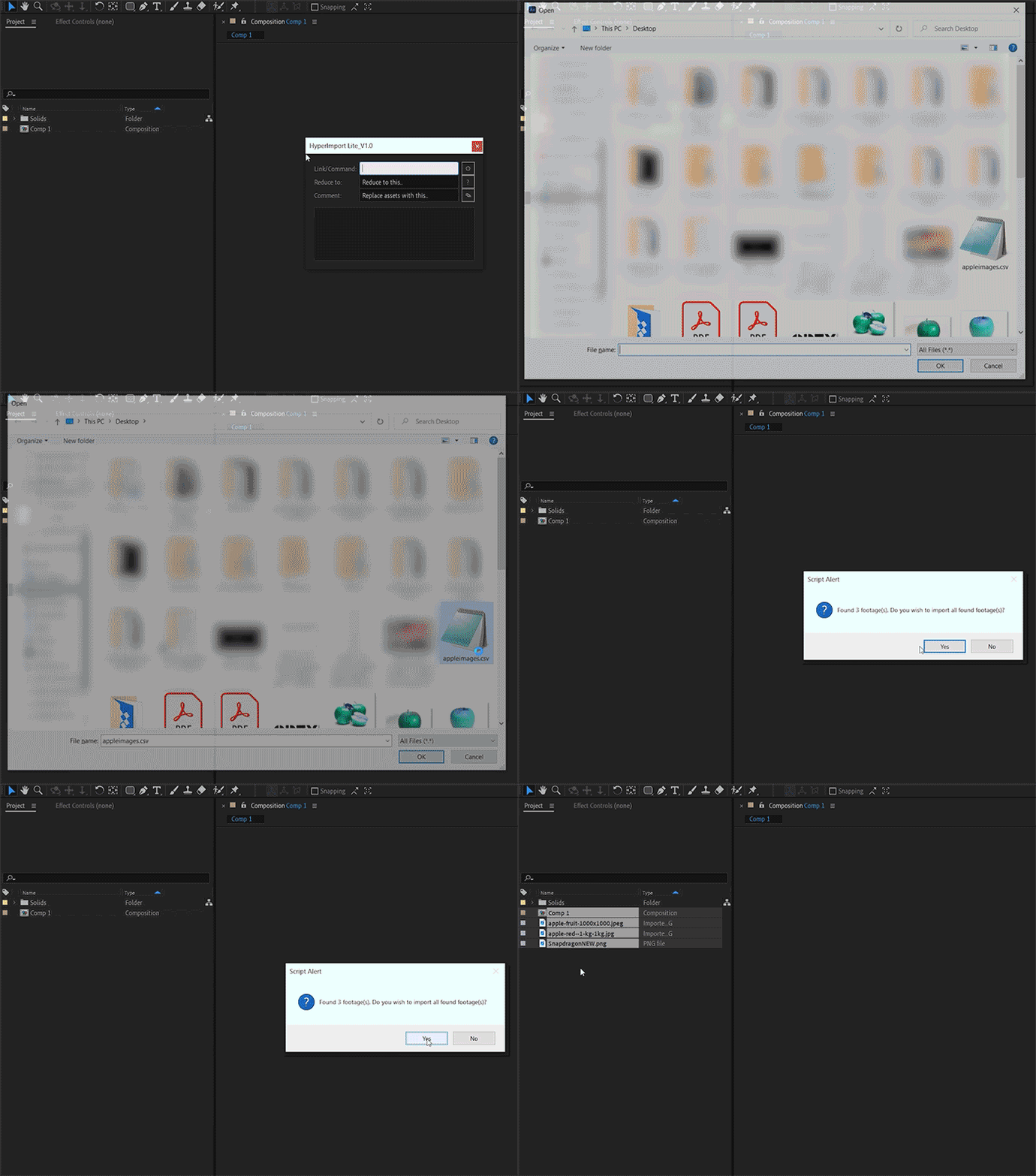
Besides enabling cloud-based assets download and import, individually or via a .csv file, HyperImport also offers customisable libraries and shortcut keys and a range of additional functionalities to streamline the process for motion graphics artists.
Hyper Moves
Now there's no reason why you can't do things in hyperspeed!
MAIN MOVES
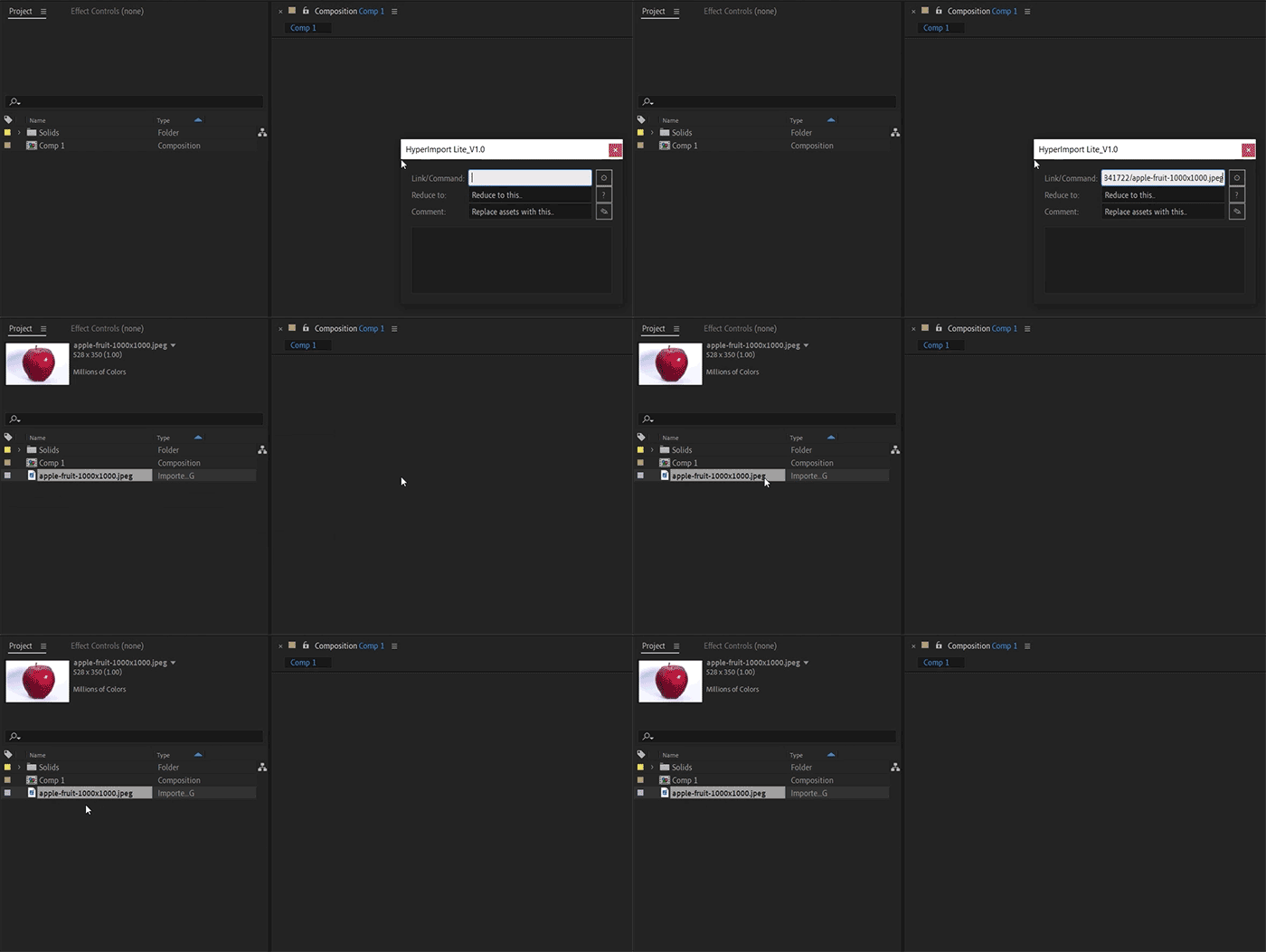
- Import from cloud
- Import locally
- Unpack .zip automatically
- Reduce File automatically after import
- Replace / Auto-replacement of assets
SPECIAL MOVES
- Selection
- Select Inverse Layer(s)
- Select Random Layer(s)
- Select Text Layer(s)
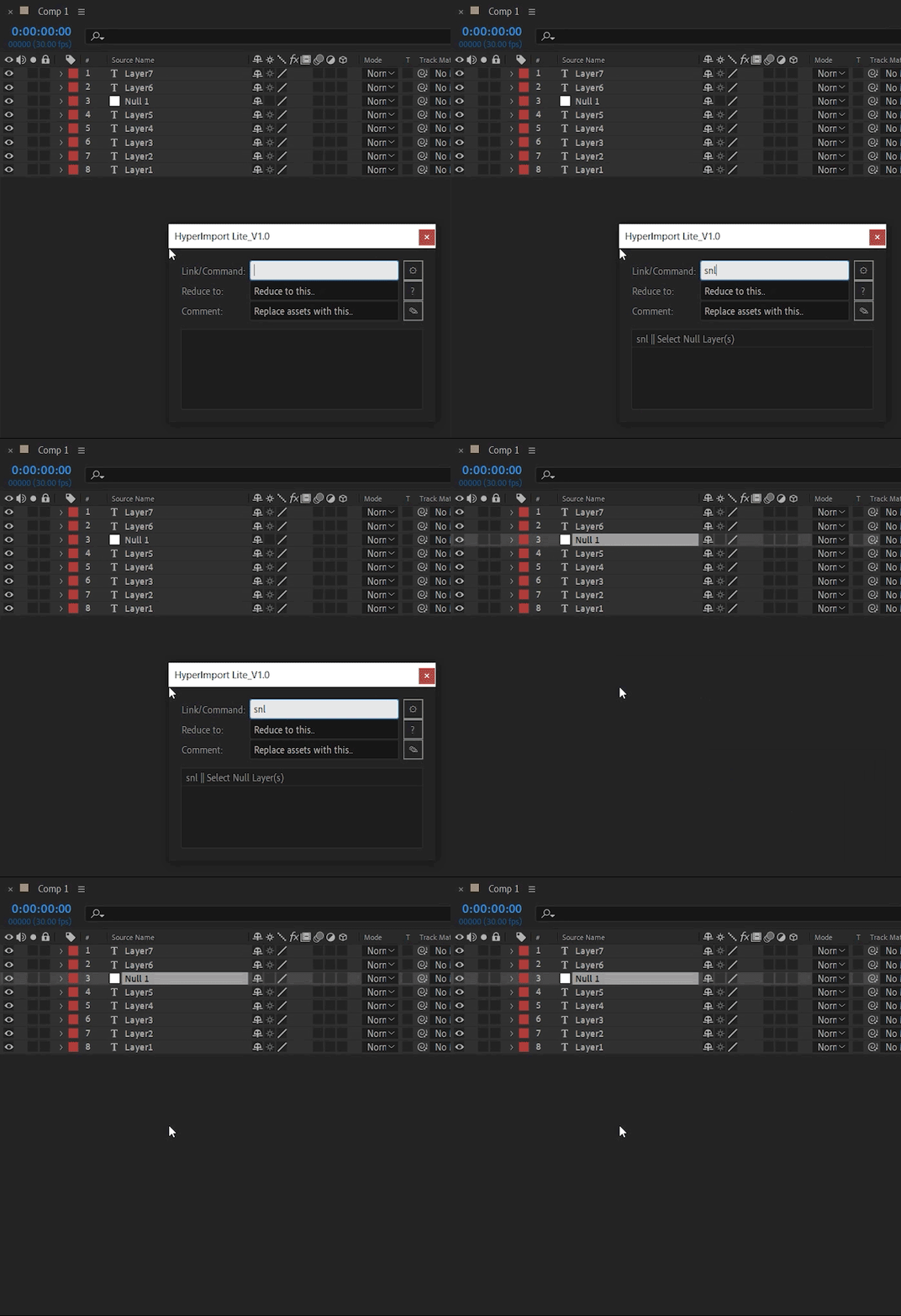
- Select Null Layer(s)
- Select Shape Layer(s)
- Select 3D Layer(s)
- Select Guide Layer(s)
- Select Audio Layer(s)
- Select Parent Layer
- Select Child(ren)
- Project Window
- Reveal In Project
- Reveal In Explorer
- Organize Project Assets
- Add Project Item Comment
- Layers
- Duplicate Layers - Shift Above
- Duplicate Layers - Shift Below
- Trim In/Out
- Trim In
- Trim Out
- Parent
- Chain Parent
- Hide And Shy
- Lock And Shy
- Unlock All Layers
- Set Universal Key
- Offset Layers
- Rename Layer(s)
- Rename Layer Source(s)
- Set Layer Label Color
- Set Track Matte
- Add Layer Comment
- Add Marker(s)
- Puppeting and Rigging
- Pins to Nulls
- Viewport
- Clear Viewport Guide(s)
- Split Viewport
- Workflow
- Consolidate Project
- Reduce Project
- Font Collect*
- Collect File
- Download All In Textfile
- Save Expression to JSXfile
CUSTOM MOVES
- Customisable Shortcut Keys
- Custom Functions
- Custom Expressions
HyperImport Demo
HYPERIMPORT UI
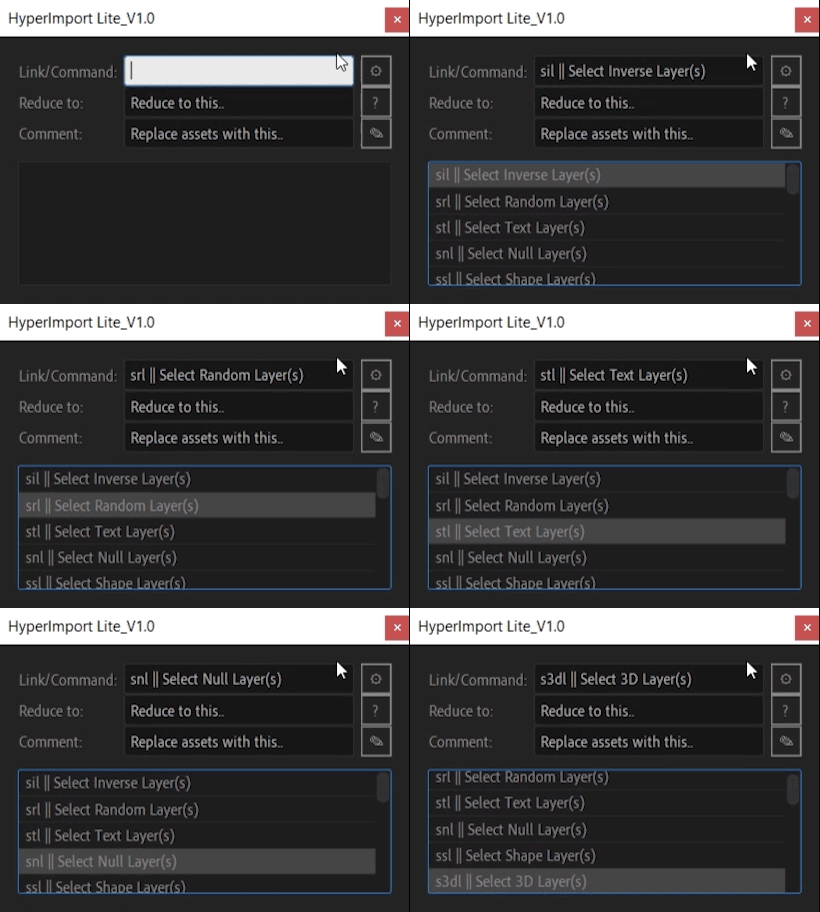
IMPORTING ONLINE ASSETS
IMPORTING ONLINE ASSETS VIA .CSV FILE
HYPERIMPORT SPECIAL MOVES
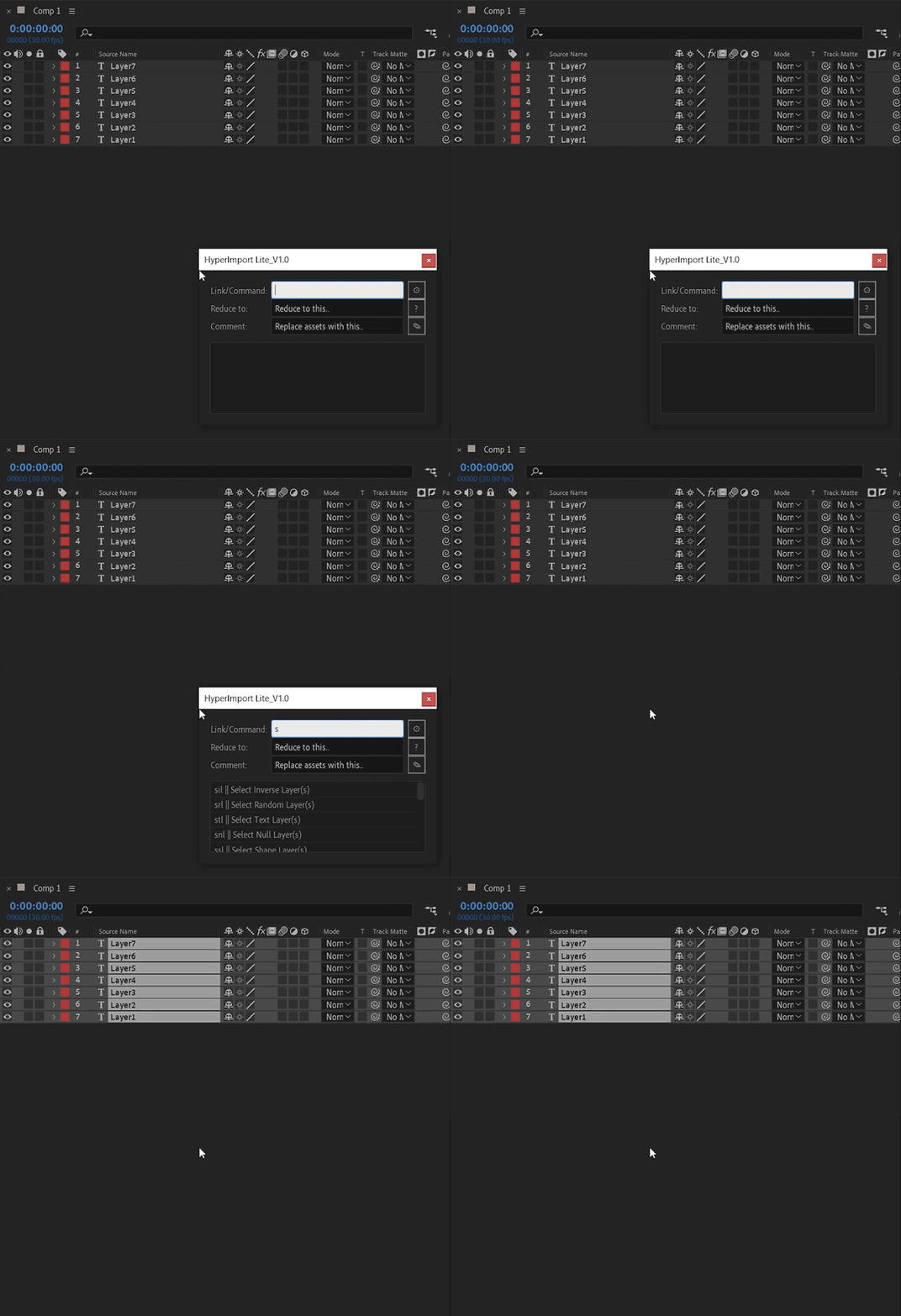
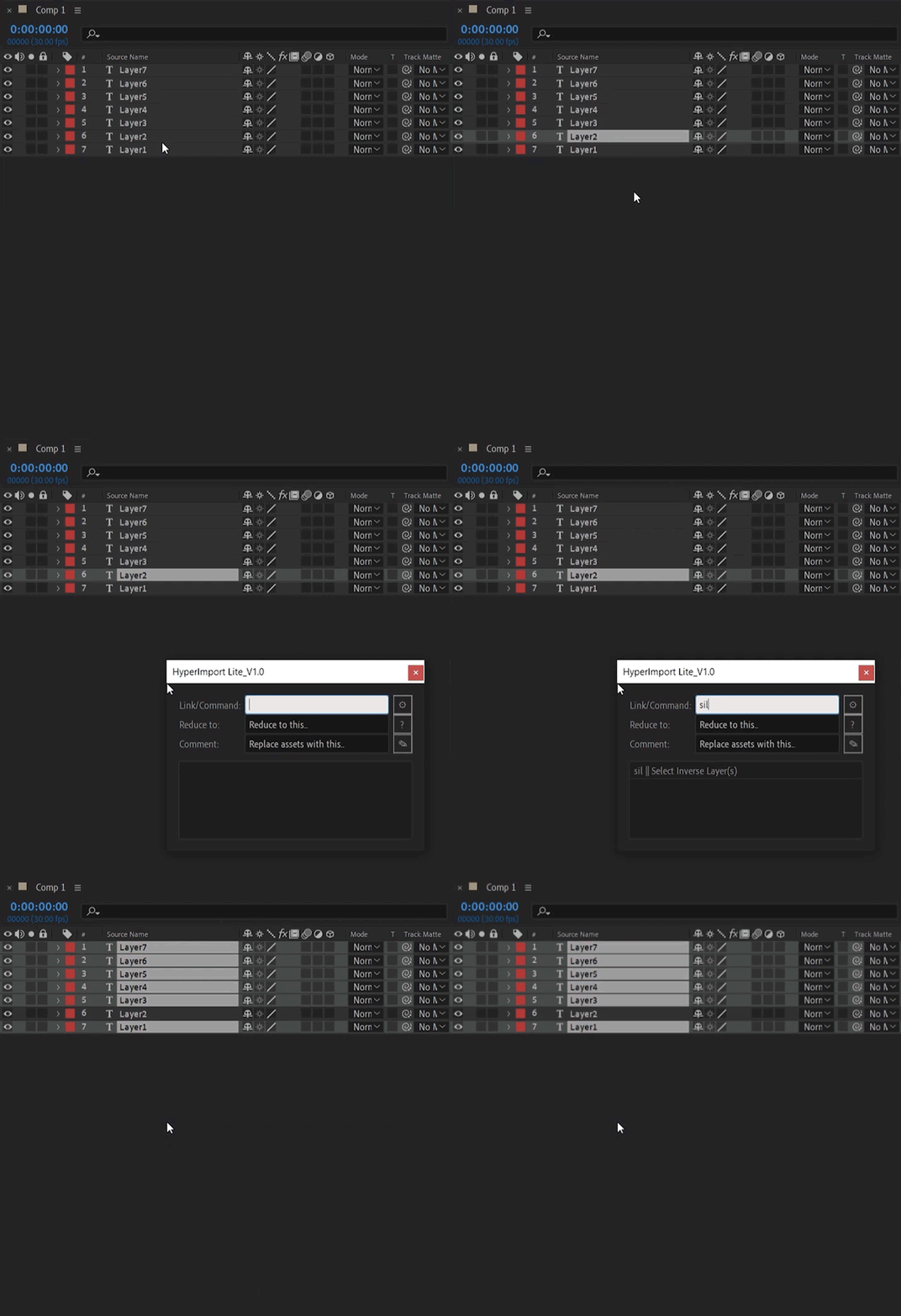
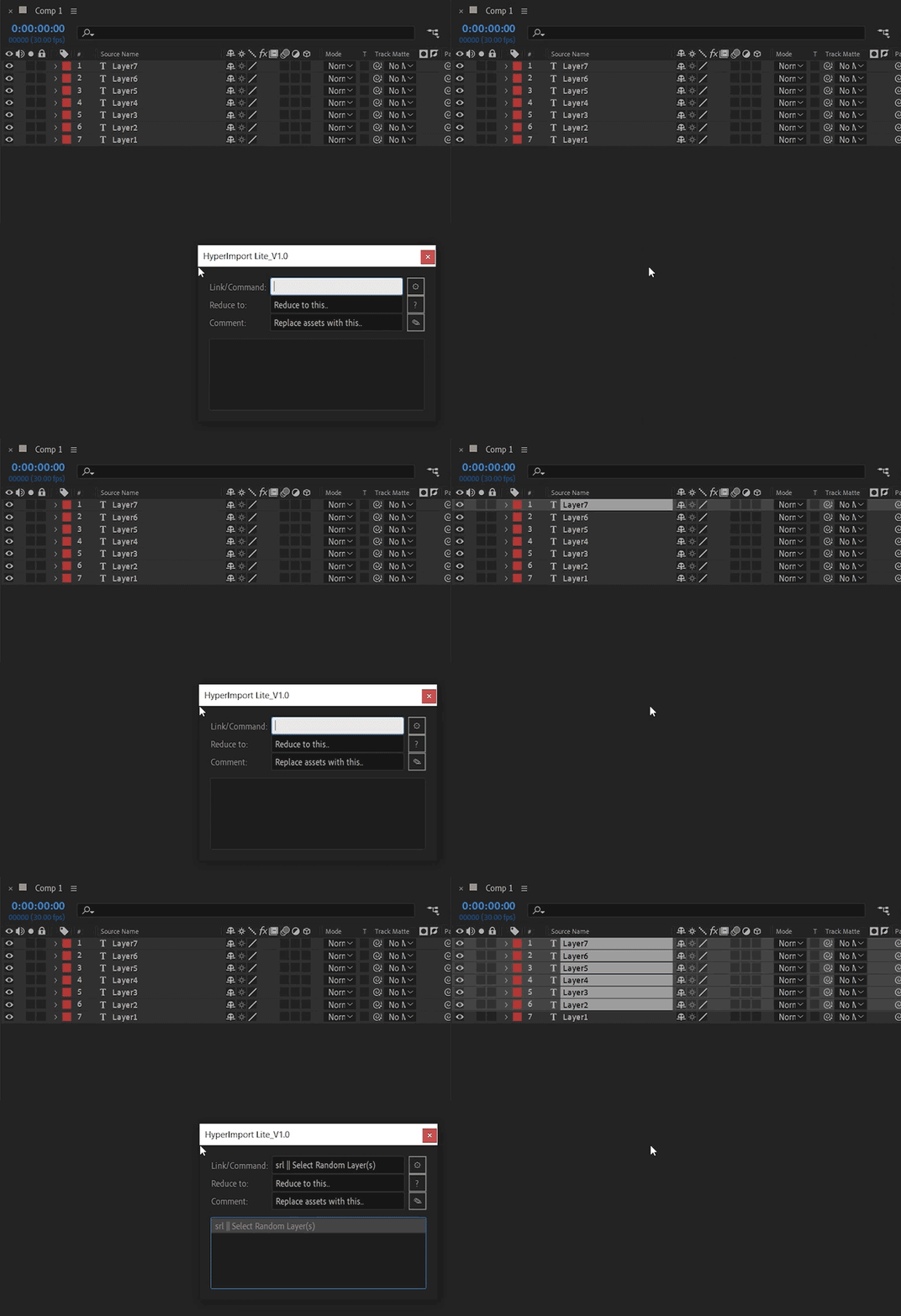
For more detailed info, visit https://www.opexstudios.com/hyperimport-guide.
| After Effects | 2024, 2023, 2022, 2021, 2020, CC 2019, CC 2018 |
|---|
1.0.5 (Current version) - Jan 16, 2024
1.0.4 - Jan 16, 2024
1.0.3 - Jan 11, 2024
1.0.2 - Jan 10, 2024
-

- Compatibility After Effects
- Compatibility Premiere
LetsMotion Bundle
Add to CartSave 25% on LetsMotion Bundle, featuring bestsellers and our latest & greatest: Subtitle Pro, Stock Search Pro, and Particle Pro
-

- Compatibility Premiere
Editing Essentials Bundle
Add to CartThree indispensable tools for your Adobe Premiere Pro editing workflow: BeatEdit 2, QuickImporter and Still Exporter.
-

- Compatibility After Effects
Tiny Tools
13 small (but awesome) tools in one toolbar to help your daily struggles!Add to Cart -

- Compatibility After Effects
Templater Bot Subscription Upfront
Add to CartTemplater Bot extends Templater Rig by offering full server automation, allowing you to build applications that version, render, and distribute custom video on demand. A recurring monthly or annual subscription plan is available as well.
-

- Compatibility Nuke
smartMedia
Add to CartNow available as affordable Studio Annual Subscription for all cragl tools. smartMedia is a fully customizable multi-threaded media converter, ingestion and delivery tool that runs standalone and inside Nuke. It lets you convert image and video based media from one format into another using Nuke under the hood. Due to using Nuke's node based workflow this means full flexibility to create any output you like - including custom slates and burn-ins. And if you have some programming knowledge you can take over full control and customize it heavily to your needs.
-

- Compatibility After Effects
- Compatibility 3ds Max
- Compatibility Maya
FBX to AE Pro
Add to CartImport and export one or more 3D animated cameras, reference solids and nulls from and to After Effects composition. Now supports OS X and Windows.
-

- Compatibility After Effects
Font Collect
Add to CartAutomatically collects project fonts. Just like how After Effects collects footage!
$18.99