
Shape Up
-
Compatibility After Effects Please check exact version compatibility under the "COMPATIBILITY" tab below
 Adding to cart...
 ⚠ When using the After Effects June 2019 release (version 16.1.2), please read below*
|
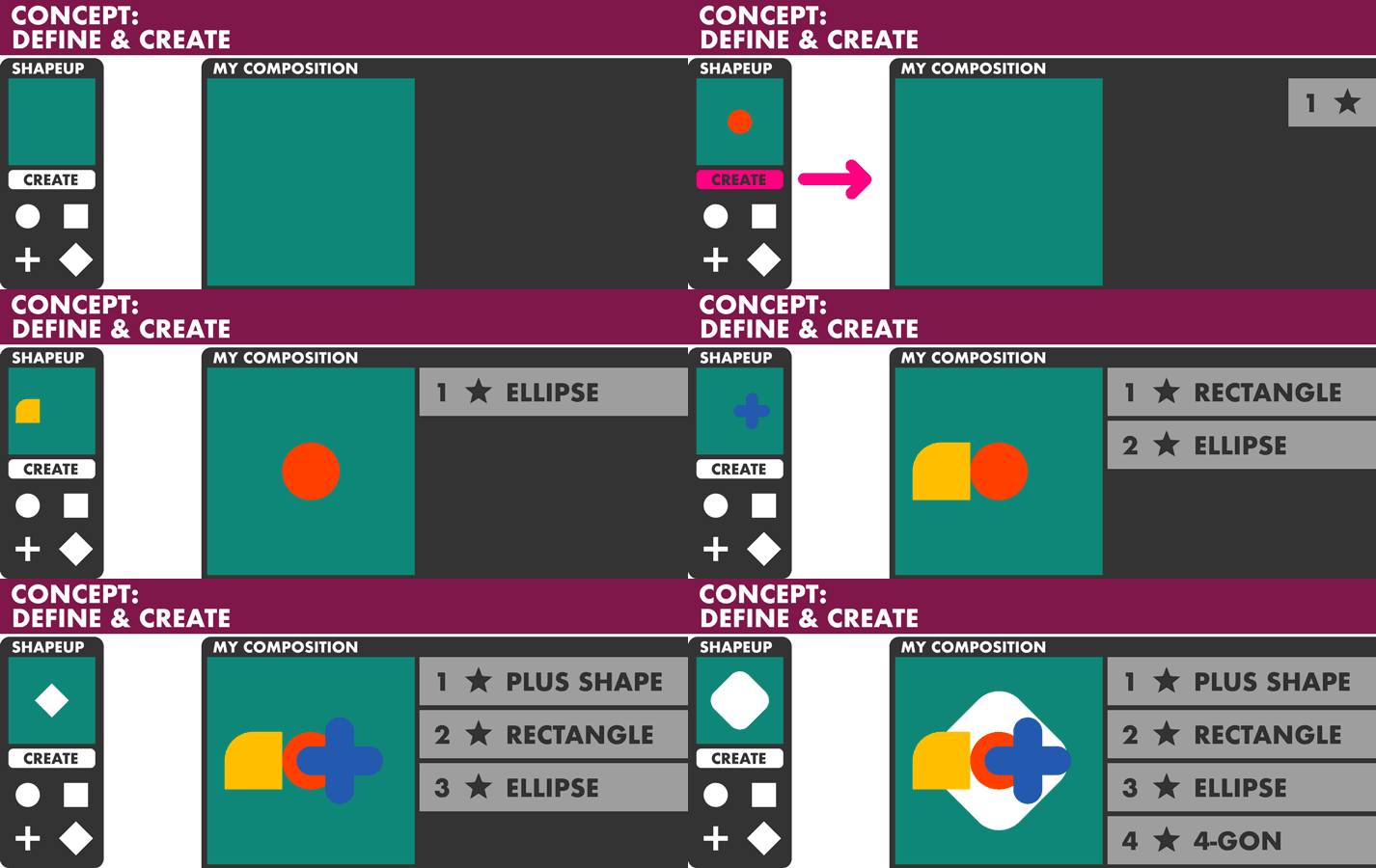
ShapeUp is a tool to define your shapes BEFORE creating the shape layers and adding them to your composition. It creates "clean" shapes, either AE's native parametric shapes or ones using custom paths (without utilizing merge paths). Rounding and zigzag vector filters may get added for corresponding shapes. Neither expressions nor animations will be applied. As said - clean - to get you started. Just try the demo version and have a look at the user guide linked below. MAIN FEATURES
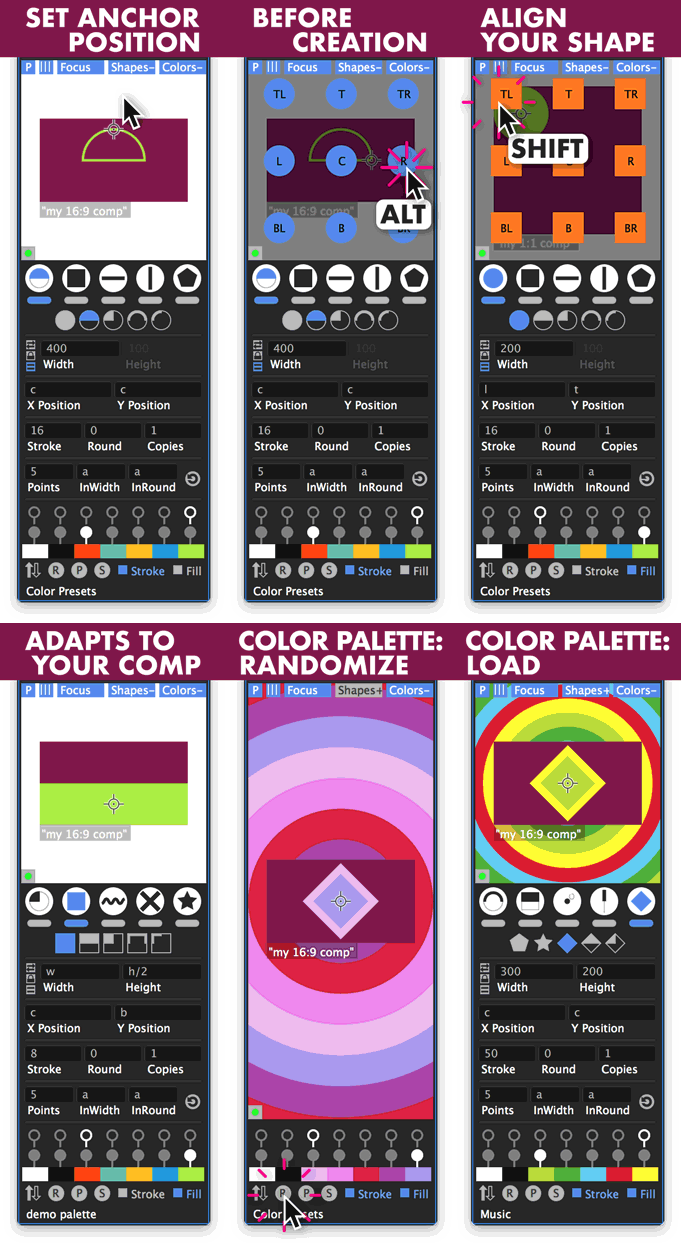
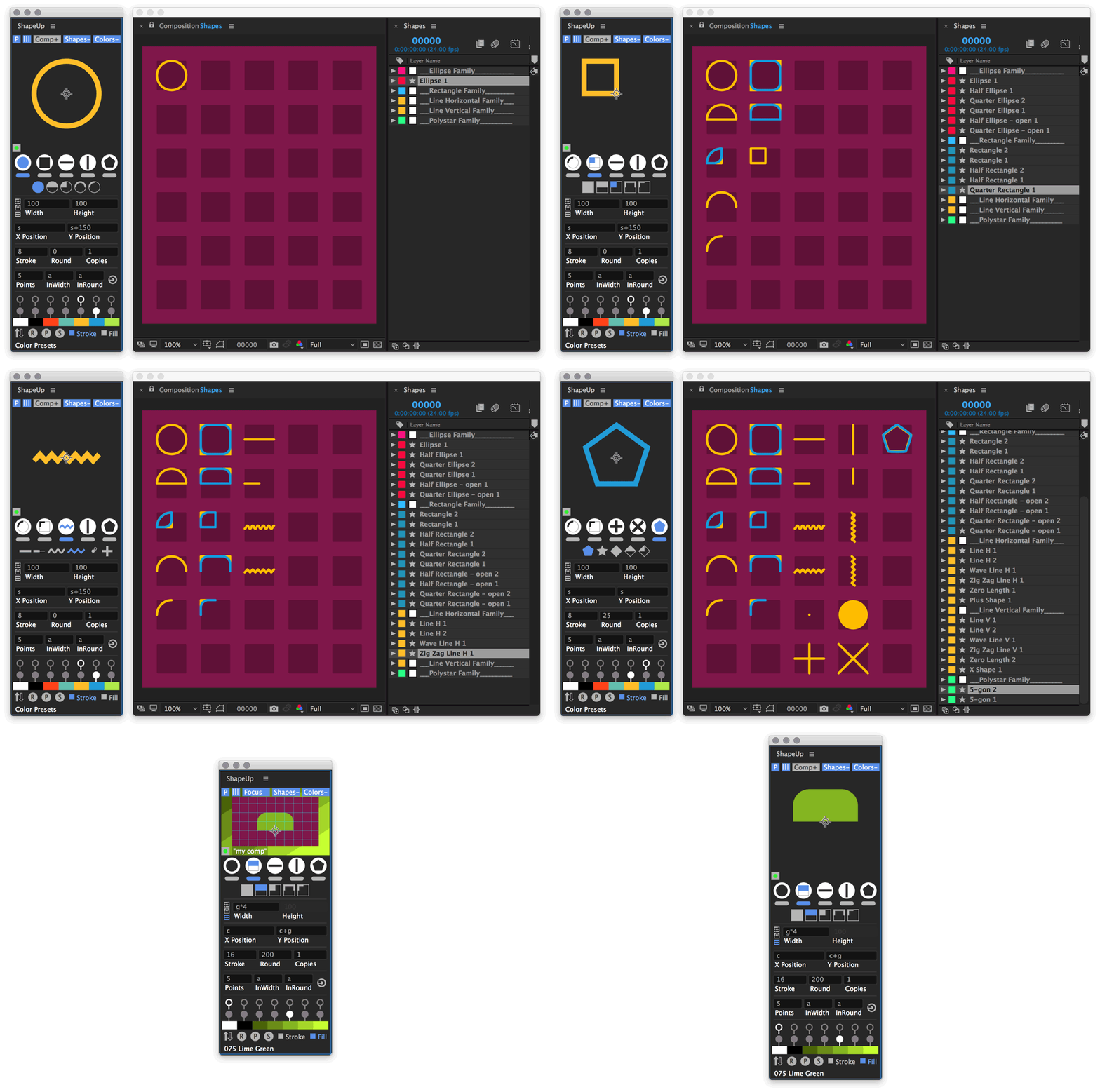
ShapeUp is meant as a construction kit to help you when working with standard shapes, e.g. you can quickly create half and quarter-sized versions of a "master" rectangle or ellipse or add lines in the same size. Use the input fields with simple math operations to create offsets in size or position. ShapeUp's preview displays the defined shape in relation to your active composition to give you an idea about size, position, colors. |
 |
Limitations:
Using the position of a selected object ("s"-token in the position input field) does not work with layers utilizing expressions on their position. It works with layers that have one parent, but not if they are rotated or scaled. As ShapeUp is written in "legacy" code, there are some limitations to its preview. The preview can't display all of the details of the shape you are going to create. There are also differences between CS6 and CC. Please have a look at the manual linked below containing a section about that. And try the demo - thanks.
*Note regarding the After Effects June 2019 release (version 16.1.2):
Unfortunately, AE 16.1.2 has a bug regarding drawing vector graphics and mouse events within the ScriptUI interface, which results in the disappearing/flickering of these elements. ShapeUp's build-in preview is affected by this issue. So sorry for the inconvenience. The functionality itself is not affected. This specific behavior doesn't exist in prior versions of After Effects and has been fixed via the release of After Effects 2020 (version 17.0) in November 2019. Thanks for your understanding.
| After Effects | 2020, CC 2019, CC 2018, CC 2017, CC 2015.3, CC 2015, CC 2014, CC, CS6 |
|---|
1.09 (Current version) - Aug 18, 2020
- Create Color Palette in Comp: wouldn't always use the current color palette
- Shape Up won't launch: "could not convert Unicode characters"
-> if you are already experiencing this issue, you will need to delete Shape Up's preferences:
Hold cmd+shift[Mac] / ctrl+shift[Windows] while launching the script -> you will get a confirmation pop up
1.08 - Jul 26, 2020
Oh well, it seems some fixes and changes made for v1.06 did not make it in the compiled versions of v1.06 and v1.07...
Sorry for that - so again:
Bug fix:
ShapeUp could write bad data in it's own preferences, resulting in an error and fail on launch
Change:
- Cmd/Ctrl Modifier Key:
Mac: Switched the previously assigned Mac-Ctrl Key to the proper Mac-Cmd Key.
Windows will keep the proper Ctrl Key. Tooltips will display this accordingly.
1.07 - Nov 23, 2019
1.06 - Jul 18, 2019
ShapeUp's own preference window would write unusable settings which resulted in unfinished shape creations or would even stop ShapeUp from launching. [Thanks to Joel Daniels for reporting this!]
Changes:
- Cmd/Ctrl Modifier Key:
Mac: Switched the previously assigned Mac-Ctrl Key to the proper Mac-Cmd Key.
Windows will keep the proper Ctrl Key. Tooltips will display this accordingly.
- "Equal Sides" and "Lock Ratio"(fixed aspect ratio) toggle settings will be saved now with the "Save Current Input Values as Default" within the preferences window and remembered on script launch.
1.05 - Jul 7, 2019
Unfortunately AE 16.1.2 has a bug regarding drawing vector graphics and mouse events within the ScriptUI interface, which results in the disappearing/flickering of these elements. ShapeUp's build in preview is affected by this issue. So sorry for the temporary inconvenience. The functionality itself is not affected. This specific behaviour doesn't exist in prior versions of After Effects and should be fixed in the very next minor update of AE. Adobe is informed about this bug and we are hoping for a quick update/fix. Thanks for your understanding and your patience.
- UI: build in preview: improved contrast of info text, score is off by default (1st installation)
- one time alert when using AE 16.1.2 regarding UI drawing issue
- forcing the preview to redraw more often when using AE 16.1.2 - still annoying behaviour, sorry
- updated licensing framework
v1.04 - Nov 12, 2018
- Using color swatches to link labels to the different shape families within the preferences now. Instead of the label names as before. Thanks.
v1.02 - Nov 3, 2017
- you can use now either a comma or a point in the input fields, when working with decimals
- wave and zig zag lines: AE's limit of 100 ridges kept lines longer than 1000 px from completing
v1.01 - Nov 3, 2017
v1.0 - Nov 3, 2017
-
- Compatibility After Effects
ToothPaste
Add to CartAn After Effects tool that lets you quickly paste SVGs from the clipboard.
-

- Compatibility After Effects
- Compatibility Premiere
Animated Illustrations bundle for Animation Composer
Add to CartThis product has been discontinued. You can now purchase all Mister Horse products through a single subscription plan. -
- Compatibility After Effects
BAO Distortion Selector 2
Get unprecedented control over distortion effects, including the puppet tool and liquify... you can define the area the distortion is applied to with definable smoothness.Add to Cart -
- Compatibility After Effects
Tweaks
Add to CartAdvanced control over paths, shapes, and layer distributions: + a Toolkit related: Grid, Bake and Exlode LayersFrom morphing shapes to fine-tuning paths and innovatively distributing layers, this tool will enrich your creative experience; with Tweaks, your artistic possibilities expand, limited only by your creativity.
-
- Compatibility After Effects
Monoline Text
Monoline Text creates text from a single stroke vector set as mask on solids, shape layers or motionpaths. You can have all on one single layer, separate it by line or have every character as an individual layer.Add to Cart -
- Compatibility After Effects
Shape Transitions for Animation Composer
Add to CartThis product has been discontinued. You can now purchase all Mister Horse products through a single subscription plan.
-
- Compatibility After Effects
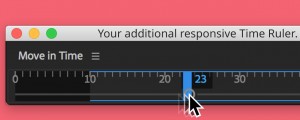
Move in Time
Add to CartA responsive Time Ruler to Navigate your Comp.
$5.00