
smartMessage for Nuke and Maya
-
Compatibility Maya Please check exact version compatibility under the "COMPATIBILITY" tab below
-
Compatibility Nuke Please check exact version compatibility under the "COMPATIBILITY" tab below
 Adding to cart...
Description
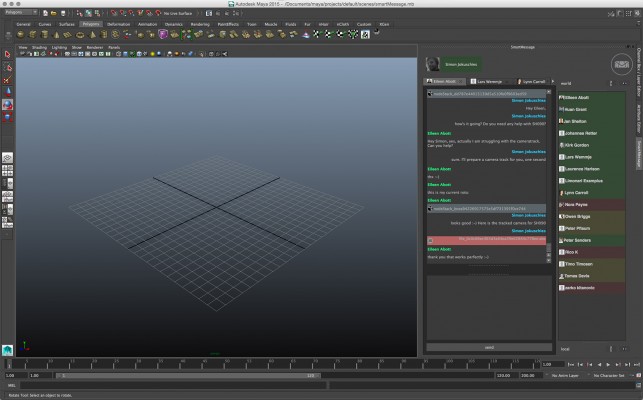
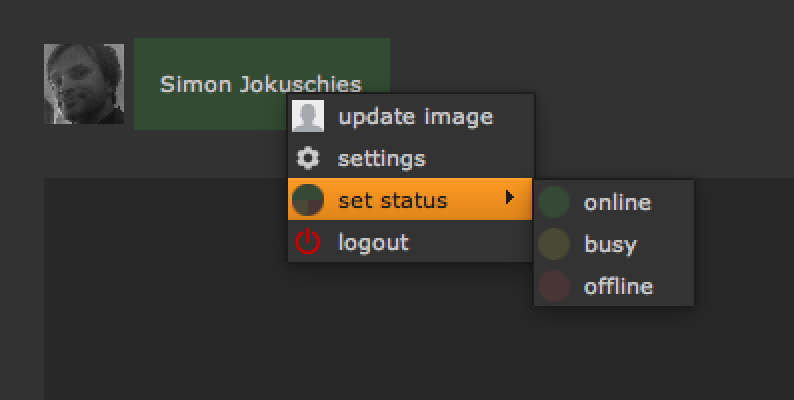
smartMessage is an instant messenger for NUKE and MAYA. You can use it as a local network and let all your NUKE and MAYA artists in your company communicate with each other to let them work more efficiently as a team. And you can also use it to get connected to a global network of digital artists from all over the world.
Besides writing text SmartMessage offers the ability to exchange data like node setups, images, 3D data like cameras and even animated geometry. This results in a fast way to communicate and enhances the collaboration among artists.
By using the local chat the computer you're working on doesn't need to be connected to the web. All data like text histories and files will be stored on a local path. On the other hand by using the global chat all data that will be generated is stored securely and crypted on the cragl server.
Main features
• Instant messenger for NUKE and MAYA
• Connect world wide and with your local artists
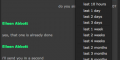
• Write messages
• Share node setups, cameras, animated geometry, urls, images, files, etc.
• Everything is saved crypted
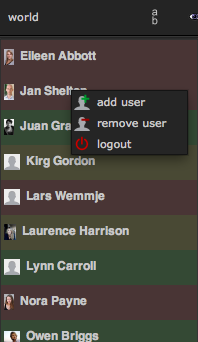
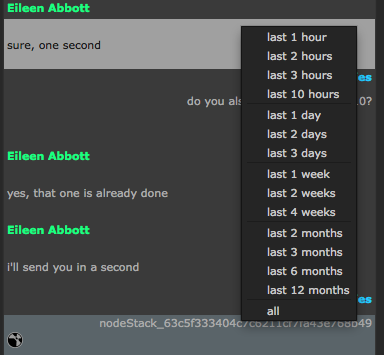
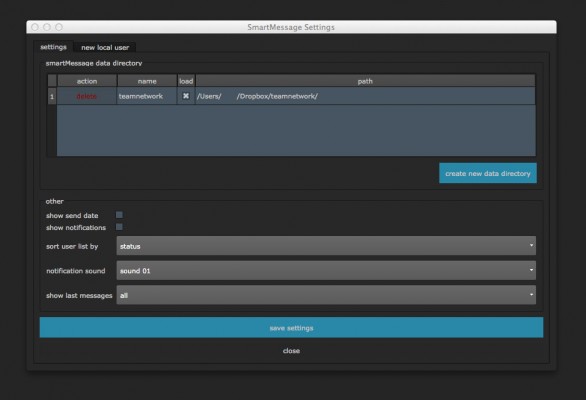
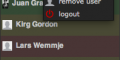
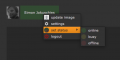
• add/remove users, limit history, set icons
A detailed tutorial video that shows how to install and use smartMessage can be found here:
Which kinds of licenses do you offer?
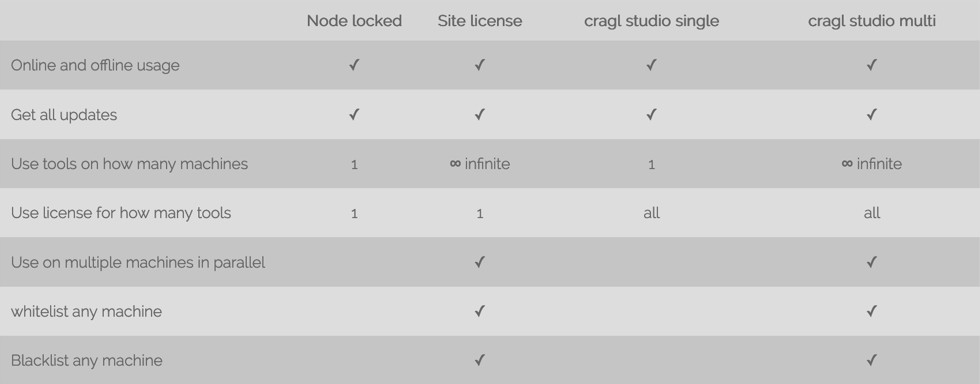
We offer node locked licenses and site licenses for single products as well as annual subscription licenses to use ALL cragl products with one license. All products work online and offline.
Additional
For additional info about smartMessage please refer to https://www.cragl.com/smartMessage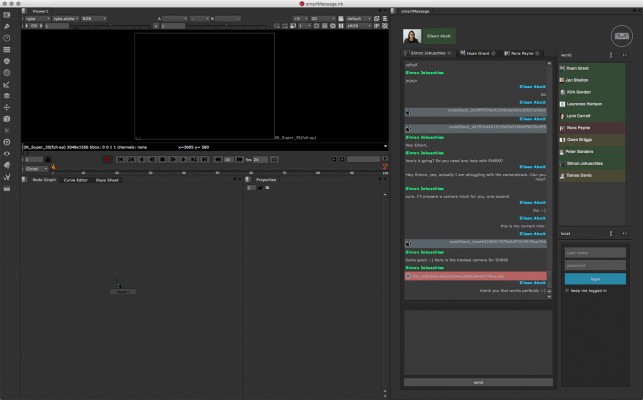
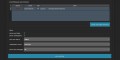
smartMessage manual installation for Maya users
| Maya | 2016, 2015, 2014 |
|---|---|
| Nuke/NukeX | 14.0, 13.2, 13.1, 13.0, 12.2, 12.1, 12.0, 11.3, 11.2, 11.1, 11.0, 10.0, 9.0, 8.0 |
3.12 (Current version) - Apr 25, 2024
3.11 - Jul 29, 2023
3.10 - Feb 26, 2023
• Add help menu, add settings button
• Fix - A locally set up com folder should be available immediately
3.9 - Dec 18, 2022
3.8 - Dec 6, 2021
• Fix creating global user bound user to trial when using site license
3.7 - Mar 28, 2021
3.6 - Mar 28, 2021
3.5 - Jan 12, 2021
• Send email to license author when machine installs license
3.4 - Jan 3, 2021
• Bring back notification sounds
3.3 - Oct 29, 2020
3.2 - Aug 9, 2020
• Speed up running in offline mode
3.1 - May 8, 2019
• Generate license by license file, login and install code
• Update internal package structure
3.0 - Jul 17, 2017
• Major code updates and code improvements
2.1 - Apr 6, 2016
• fixed bug that caused problems when trying to login locally in MacOS
2.0 - Apr 1, 2016
• group chats are accessible via web browser
• edit global account details when logged in (please refer to documentation point 13)
• pending approval contacts and ability to set some more settings for global user account (please refer to documentation point 14)
• fixed bug that caused problems when uploading a user icon for global smartMessage account in windows10
• fixed bug that caused nuke from not launching when set a data directory path that the user has no write access to
1.0 - Feb 11, 2016
-
- Compatibility After Effects
- Compatibility Premiere
- Compatibility Davinci Resolve
Glitch Preset Pack for TRANSITION MASTER 2
Add to CartGLITCH PRESET PACK for TRANSITION MASTER 2 BASIC and TRANSITION MASTER 2 PRO
-
- Compatibility After Effects
AE Suicide-After Effects Crash Recovery
When running Adobe After Effects under OSX, if the application becomes unresponsive, this application attempts to force a crash recovery that automatically saves a copy of your project.Add to Cart -
- Compatibility Nuke
Pixel Sorter for Nuke
Add to CartPixel Sorter was the first tool to bring the pixel sorting glitch effect available for motion designers and video editors within After Effects and Premiere Pro. Experimenting with Pixel Sorting just became so much easier! Since its launch, AEPS had a huge success in Broadcast TV, Live performances, VJs, Music Videos, Video Games, Photography and even Apparel! Version 3 brings a lot of new useful features.


 Pixel Sorter is also available for After Effects & Premiere Pro and Resolve as a separate license.
-

- Compatibility After Effects
Quick Menu 3
Add to CartFeaturing 14 new features! Find and apply plugins, effects, presets, scripts, extensions, menu commands, shape layer filters and expressions with lightning speed!
-
- Compatibility After Effects
ToDo Lite
A simple to do list that runs as a dockable panel in After Effects.Add to Cart -

- Compatibility After Effects
ToeJam
ToeJam is a simple Mac utility application for Adobe After Effects that runs as a status bar item. When executed, it terminates After Effects® in order to force an autosave of your current working project.Add to Cart
-

- Compatibility Nuke
smartCommand for Nuke
Add to CartsmartCommand is a window that bundles all commands from all menus, submenus and custom menus into one central location and offers search functionality. There is no need for browsing menus anymore. Simply search for your commands and execute them. It lets you create custom lists to store all your favorite commands, assign hotkeys on the fly and execute custom python scriptlets.
$9.00 -

- Compatibility Nuke
smartScripter for Nuke
Add to CartsmartScripter provides functionality to quickly store, retrieve and execute python code, tcl code and Nuke node snippets. These can be stored as commands inside smartScripter and are shareable among artists. As smartScripter lets you quickly jump between different scripts, it can speed up your daily work, even if you are just working on your own.
$0.00 -

- Compatibility Nuke
smartLink for Nuke
Add to CartsmartLink provides node linking and an advanced node navigation system for Nuke. It lets you create representation nodes of all your nodes and favorite any node so you can easily navigate inside your node graph. In addition, smartLink offers a custom backdrop manager to keep your node graph neat and clean.
$15.00 -

- Compatibility Nuke
smartRescue for Nuke
Add to CartsmartRescue lets you repair working files that won't open anymore. It offers several so called steps that run over your working files to update them so that you should hopefully soon be back working in your files. And you can easily add your own steps to smartRescue and share them with your team.
$0.00 -

- Compatibility Nuke
smartRecents for Nuke
smartRecents is a script selector for NUKE. Keep track of your latest work and open nuke scripts directly from the smartRecents window. Additionally you can drag and drop a nuke script into your nodegraph. smartRecents lets you also reveal your nuke scripts in your explorer.Add to Cart$9.00 -
- Compatibility Nuke
smartElements for Nuke
Add to CartsmartElements is a 2D, 3D and toolsets manager for Nuke that lets you easily categorize, browse and re-use your favorite elements and assets. Build up a pool of commonly used media for you and your team. smartElements contains multiple features that can be customized to your needs and if you have some programming knowledge you can take over full control and create your own custom pre- and post processors that run when ingesting media.
$29.00