
XML Gibson
-
Compatibility After Effects Please check exact version compatibility under the "COMPATIBILITY" tab below
 Adding to cart...
 XML Gibson is a script that allows you to export your composition to XML files.
XML files are commonly used in the post production industry to allow cross product and automated workflows. After Effects can only save it's projects to XML, but only very few paramters are available.
With XML Gibson, you can export your composition into XML with almost all informations from your composition: layers, keyframes, effects, all in editable form. Some information can't be exported to XML due to scripting restriction, such as curves, histograms, and some text properties.
Daniel from Safitech made a very cool tutorial on how to convert the XML exported by the script to HTML 5 animations: http://blog.dab.la/animation-for-iphone-and-html5.htm
*Please note that the XML file exported is in a generic format that is not immediately compatible with other applications like Final Cut Pro without further processing.
| After Effects | CS6, CS5.5, CS5, CS4, CS3 |
|---|
1.0 - Initial version - Aug 2012
-
- Compatibility After Effects
- Compatibility Cinema 4d
AEC4D PRO
Add to CartNow supporting Redshift. The most advanced C4D -> AE Importer
-

- Compatibility After Effects
Templater Rig
Add to CartNew in Templater 3: Quality control tools, native MFR and Apple M1, use expressions for responsive layout and integration with Dataclay QUE. Easily customize video with an elegant and streamlined workflow solution. Available editions Templater Pro and Templater Bot extend Templater Rig for desktop automation and full server automation.
$67.50 As low as: $40.50 -

- Compatibility After Effects
Templater Pro Subscription Recurring
Templater Pro extends Templater Rig by offering desktop automation, allowing you to render or replicate batches of versioned compositions using your data source. Yearly Recurring as well as 1, 3, 6, or 12 month licenses are also available.Add to Cart$225.00 As low as: $135.00 -

-
- Compatibility After Effects
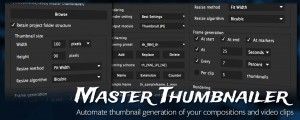
CI Master Thumbnailer
Easily generate thumbnails for your compositions, layers and video clips.Add to Cart -

- Compatibility After Effects
Templater Pro Subscription Annual Recurring
Templater Pro extends Templater Rig by offering desktop automation, allowing you to render or replicate batches of versioned compositions using your data source. Monthy Recurring as well as1, 3, 6, or 12 month licenses are also available.Add to Cart$2,250.00 As low as: $1,350.00
-
- Compatibility After Effects
sParticular
sParticular is a script that helps you with 3D integration when using Trapcode Particular.Add to Cart$14.99 -
- Compatibility After Effects
Story Boarding
Import any screenplay right into After Effects. Use it as a context tool while working on your scene, or to create an animated storyboard, previz, animatic, and much more depending on your project pipeline. Fast & efficient, it will boost your creativity, and your pre-production pipeline. #devforacause 25% of the proceedings will go to the Child's Play Charity http://www.childsplaycharity.org/Add to Cart$59.99 As low as: $39.99 -
- Compatibility After Effects
Copy Paste Markers 2
Add to CartAllows you to copy one or more markers and paste them on any other layer. After Effects does not allow copy/pasting markers in their UI, so this tool is here to help.
$9.99