
CI Master Thumbnailer
-
Compatibility After Effects Please check exact version compatibility under the "COMPATIBILITY" tab below
 Adding to cart...
Easily and automatically generate thumbnails from your video clips and compositions:
- at a given resolution expressed in pixels or as percentage of clip dimensions
- at various proportions or as a center crop
- at start of the clip
- at end of the clip
- at comp or clip markers
- at a given time in the clip, expressed in seconds, frames or as a percentage of total length
- spaced by a given amount of frames, seconds or percentage of total length
- divided into a number of equally spaced frames per clip
- named with a custom scheme that can be later saved as a preset
- saved to a given folder or subfolders replicating project folder structure
- render composition layers to separate files and folders - NEW!
Remember to import output modules before running CI Master Thumbnailer!
When in doubt, refer to overview video or user guide.
| After Effects | 2020, CC 2019, CC 2018, CC 2017, CC 2015.3, CC 2015, CC 2014, CC, CS6 |
|---|
1.2.3 (Current version) - Jul 25, 2020
- Comma in composition name no longer causes the render to fail.
1.2.2 - Jul 6, 2020
- Minor interface fixes for the panel.
1.2.1 - Dec 17, 2019
- Settings migrated to the new framework
1.2 - Nov 17, 2019
- New Licensing framework
- Catalina compatibility
Bug fixes:
- Sometimes render paths would not work properly.
1.1.1 - Nov 5, 2017
- Removed stray debug code.
1.1.0 - Oct 31, 2017
• Render at comp markers (only AE version 14.0 and higher)
• Render composition layers as separate files
• Render composition layers into separate folders
1.0.5 - Sep 30, 2017
1.0.4 - Oct 23, 2016
1.0.3 - Jul 29, 2016
1.0.2 - May 8, 2016
1.0.1 - Mar 29, 2016
1.0.0 - Mar 25, 2016
-

- Compatibility After Effects
- Compatibility Photoshop
- Compatibility Premiere
- Compatibility Illustrator
Motion Clock
Add to CartAccurately tracks and exports (Bar chart and CSV) your project hours in real-time in all Adobe Creative Suite applications (After Effects, Illustrator, Photoshop, and Premiere Pro). It's intuitive, unobtrusive, and syncs with your workflow effortlessly. Motion Clock ensures that every minute counts. Don't just track time; master it.
Pros, Freelancers: One-time leap, eternal tracking. Your creative flow is charted and sketched into an easy-to-export report!
-

- Compatibility After Effects
Crazy Shapes
Add to CartWith Crazy Shapes, you can expand the possibilities of Path work in After Effects. Make rigs, add cool animations in a few clicks, and use extra tools to make your work easy and fun.
-

- Compatibility After Effects
- Compatibility Photoshop
- Compatibility Premiere
Thumbs Up
Add to CartCreate thumbnails and frame grabs from your Sequence (PR), Composition (AE) or Document (PS).
-

-

- Compatibility After Effects
- Compatibility Premiere
- Compatibility Media Encoder
Screen Saver Exporter
Add to CartExport your movie to a screen saver in one click!
-

- Compatibility After Effects
BG Renderer MAX
Add to CartNow supports native multi-threaded render. The power to render compositions in the background with full control!
Multiprocessing, rendering to both sequence and mp4/ProRes, remote monitoring, lots of integrations, notifications – all in one super tool.
-
- Compatibility After Effects
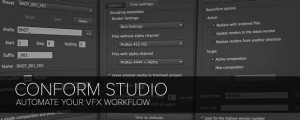
Conform Studio
Add to CartConform Studio is a set of scripts that help you automate and manage your vfx workflow: precompose, batch rename, trim, extract, and replace comps with rendered files.
$79.00 -
- Compatibility After Effects
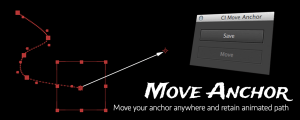
CI Move Anchor
Reposition the anchor point wherever you want while retaining the animation path.Add to Cart$3.99 -
- Compatibility After Effects
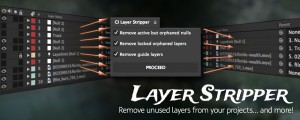
CI Layer Stripper
Removes invisible and unnecessary layers from your project.Add to Cart$11.75 -

- Compatibility After Effects
Trim N Collect
Trim media files used in your project and prepare it for archive or exchange.Add to Cart$59.00 As low as: $50.15