
YY_Seamless
-
Compatibility After Effects Please check exact version compatibility under the "COMPATIBILITY" tab below
 Adding to cart...
 THIS PRODUCT HAS BEEN DISCONTINUED
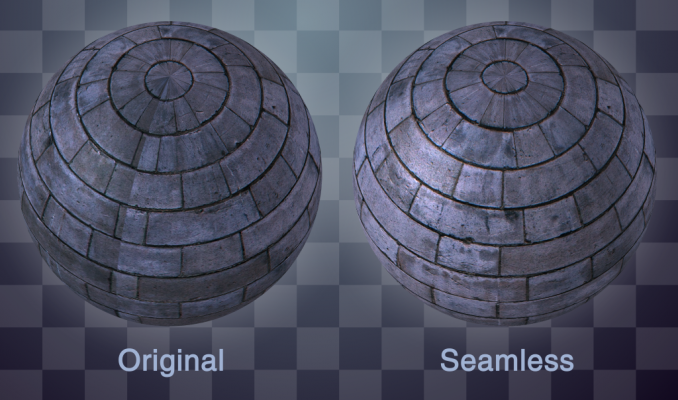
YY_Seamless is a plugin which will create seamlessly-tileable textures for other plugins which require them like CC Sphere, CC Cylinder, Polar Coordinates, etc. or any 3D program. It works by creating a copy of the texture offset by 50%, and smoothly interpolating between the offset and the original texture.
Options:
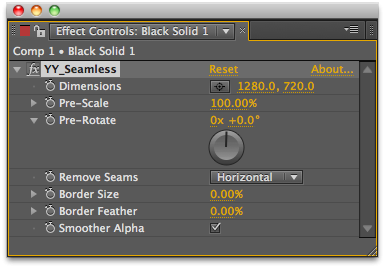
- Dimensions: This is here due to limitations in PixelBender, just leave it.
- Pre-Scale: Scale the image before tiling
- Pre-Rotate: Rotate the image before tiling
- Remove Seams: Whether to make it tile horizontally, vertically, or both
- Border Size: Size of the border used in interpolating
- Border Feather: Softness of the interpolation
- Smoother Alpha: Hides the blending between textures
| After Effects | CS5.5, CS5, CS4 |
|---|
1.0 (Current version) - Dec 1, 2010
- 1.0 - Initial release - Dec 2010
-

- Compatibility After Effects
- Compatibility Premiere
Looper Pack 2
Add to CartForty killer texture loops for After Effects. Think huge! These are 4K (3840 x 2160) files, made by hand in Photoshop and After Effects. Available as a Ray Dynamic Texture-ready AEP, or as QuickTime Movies or PNG Sequences if you like. Perfect for texturing your comps, shapes or type. Warning: these are so super bad, you might jump back and kiss yourself.
Please texture responsibly.
-

- Compatibility After Effects
quadrateFX
Add to CartGenerate random patterns of vector tiled rectangles in After Effects, simulating the data visualization method also known as treemapping.
-

- Compatibility After Effects
Pixelfan
Add to CartNow up to 4.5x faster. You've heard of stroke, but how about stroke with a custom texture? Bend and stretch layers along paths to create unique distortion effects, glitch effects, and more.
-

- Compatibility After Effects
- Compatibility Premiere
- Compatibility Final Cut Pro
- Compatibility Cinema 4d
- Compatibility Nuke
PQ Art Parts
Add to CartPQ Art Parts is a library of handmade transitions, a lot of frames for customizing the look of any layer, plus some useful elements like edges, individual brush strokes, bubbles and some lower thirds. Each Art-Part was lovingly painted, inked or sketched in multiples, shot in VERY high resolution, cleaned, then sequenced at either 12FPS or 24FPS. They're designed to bring arty character to any layer in After Effects.
-

- Compatibility After Effects
qp_ChromaSubsample
Add to CartSimulates chroma subsampling in order to make CG slightly less than perfect. This plugin has been designed to simulate the chroma subsampling process to help better integrate perfect CG renders into video backplates.
Please note that this plugin is not compatible with CS6 or above
$29.99 -
- Compatibility After Effects
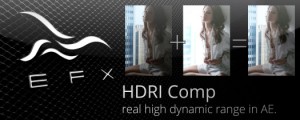
EFX HDRI Comp
Add to CartThis plugin allows you to combine two separate clips shot with different exposures into a new clip that will contain detail from both.
Please note that this plugin is not compatible with CS6 or above
-
- Compatibility After Effects
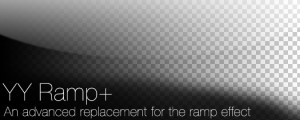
YY_Ramp+
A more full featured ramp effect, with more parameters such as opacity and blend modes.Add to Cart$39.99 -
- Compatibility After Effects
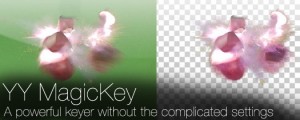
YY_MagicKey
Add to CartA powerful keyer without the complicated settings.
$34.99 -
- Compatibility After Effects
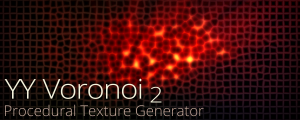
YY_Voronoi 2
Add to CartNow with Apple Silicon and MFR support. YY_Voronoi is a procedural texture generator which can be used as all sorts of textures, from terrain maps to water caustics to abstract backgrounds. By layering different Voronoi patterns, variations in complexity can be achieved.
$29.99 -

- Compatibility After Effects
YY_ShockRing
Add to CartYY_ShockRing was designed to be a feature-complete plugin for making rings. Blend modes, thickness, feathering, opacity; YY_ShockRing has it all. Use it for shockwaves, motion graphics, or anywhere else you need rings.
$24.99 -

- Compatibility After Effects
YY_HexTex
YY_HexTex generates tiled hexagon textures, with extra options such as rotation, edge thickness, etc. Everything can be animated right in the comp, without need to deal with messy nested precomps.Add to Cart$29.99 -

- Compatibility After Effects
YY_BitExtender
Add to CartThis plugin turns 8 bpc footage into 32 bpc footage, and lets you very easily tweak the results based on your needs.
Please note that this plugin is not compatible with CS6 or above
$24.99