
YY_Voronoi 2
-
Compatibility After Effects Please check exact version compatibility under the "COMPATIBILITY" tab below
 Adding to cart...
Procedural Texture Generator
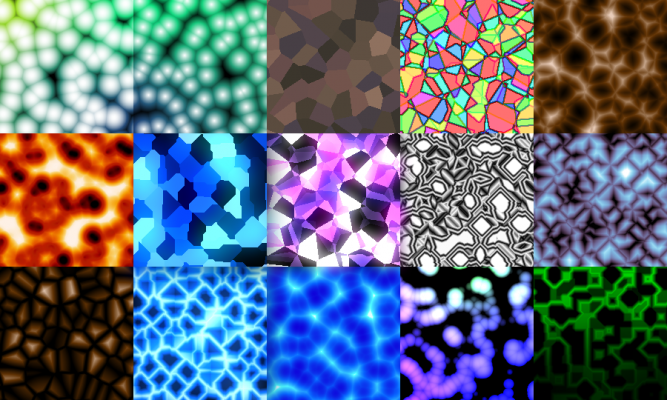
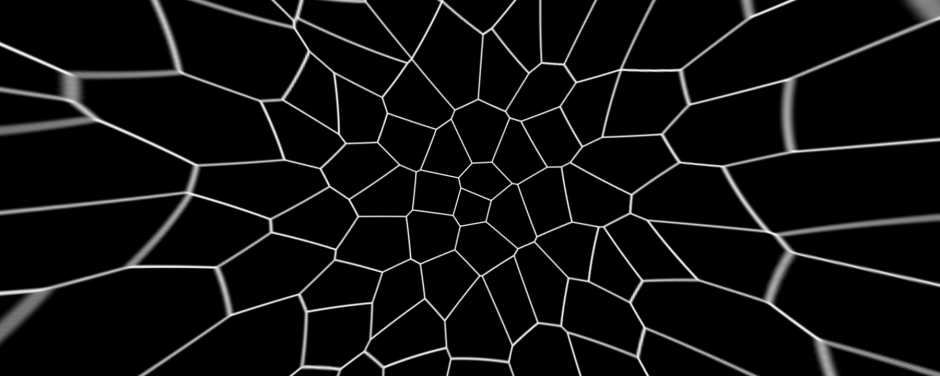
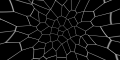
YY_Voronoi is a procedural texture generator. Voronoi diagrams (also known as Worley noise, or cell noise) are procedurally generated images which can be used as all sorts of textures, from terrain maps to water caustics to abstract backgrounds. By layering different Voronoi patterns, variations in complexity can be achieved. YY_Voronoi provides a way to generate Voronoi diagrams in After Effects, with extra options to control animation, shape, and much more.
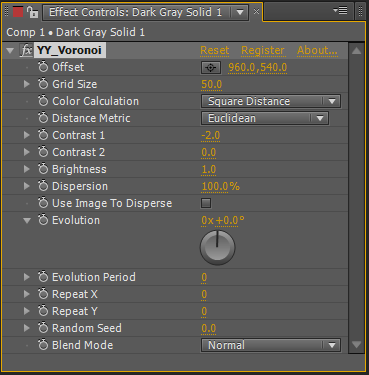
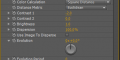
Parameters (new in version 2):
- Offset: moves the texture around
- Grid Size: distance between cells
- Color Calculation: underlying method of drawing the cells
- Square Distance: default, fast
- Absolute Distance: high contrast, linear falloff
- Edge Distance: uses distance from cell boundary
- Discrete (Changing): no variation of color within cells, mosaic effect
- Discrete (Static): no variation of color within cells, or through evolution
- Distance Metric: underlying method of calculating cell boundaries
- Euclidean: organic, unconstrained boundaries
- Manhattan: sharp, 45 degree boundaries
- Contrast 1: manipulates output shape
- Contrast 2: manipulates output shape
- Brightness: output brightness
- Dispersion: randomness of the cell distribution
- Use Image To Disperse: use the color of the layer pixels to control the dispersion amount
- Black = no dispersion
- White = full dispersion
- Evolution: animation of the cells
- Evolution Period: number of rotations for a seamless loop (0 for no looping)
- Repeat X: number of cells in each horizontal tile (0 for no tiling)
- Repeat Y: number of cells in each vertical tile (0 for no tiling)
- Random Seed: changes the start behavior of the cells
- Blend Mode: blending with background image
- RGB Only: keep alpha value of background if enabled (new in 2.0.1)
New Features:
- Completely redesigned algorithm and native code implementation for greatly improved render speed and compatibility
- Additional color calculation modes and distance metrics to adjust the overall look of the cell pattern
- Cell dispersion settings, with option to use the current layer's pixels as dispersion amount
- Repeat option, to adjust the vertical and horizontal grid tiling
- Full backwards compatibility with previous versions
Upgrade notice: Owners of version 1 will receive a discount equal to 50% of what they paid for it (since it was "Name Your Own Price"). Simply login with the same account that was used for the original purchase and the discounted price will be automatically calculated. Please contact support if you have any questions.
| After Effects | 2024, 2023, 2022, 2021, 2020, CC 2019, CC 2018, CC 2017, CC 2015.3, CC 2015, CC 2014, CC, CS6, CS5.5, CS5 |
|---|
2.1 (Current version) - Mar 12, 2022
- Support for MFR
2.0.2 - Nov 9, 2019
2.0.1 - May 16, 2015
- fixed layer size bug for masks and text layers
2.0 - Dec 29, 2014
- Additional color calculation modes and distance metrics to adjust the overall look of the cell pattern
- Cell dispersion settings, with option to use the current layer's pixels as dispersion amount
- Repeat option, to adjust the vertical and horizontal grid tiling
-
- Compatibility After Effects
Isomatic FX
Add to CartFinally, isometric graphics made easy within After Effects ! Two useful modes (faked 2D or true 3D) to choose from... and tons of possibilities!
-

- Compatibility After Effects
- Compatibility Premiere
- Compatibility Final Cut Pro
- Compatibility Cinema 4d
- Compatibility Nuke
PQ Art Parts
Add to CartPQ Art Parts is a library of handmade transitions, a lot of frames for customizing the look of any layer, plus some useful elements like edges, individual brush strokes, bubbles and some lower thirds. Each Art-Part was lovingly painted, inked or sketched in multiples, shot in VERY high resolution, cleaned, then sequenced at either 12FPS or 24FPS. They're designed to bring arty character to any layer in After Effects.
-

- Compatibility Cinema 4d
SpiderWeb C4D
Add to CartA generator for cinema 4D to create spider webs very easily and quickly.
-
- Compatibility After Effects
Pixelfan
Add to CartBend and stretch layers along paths to create unique distortion effects, glitch effects, and more.
-
- Compatibility After Effects
Array
Array makes things much easier for you when you need to duplicate layers a lot of times or change the basic properties of selected layers.Add to Cart -
- Compatibility After Effects
LayerGenerators
Add to CartA collection of 3 tools for After Effects to automate the creation of layers.
LayerGenerator is discounted 50% for students and faculty.
More info here.
-
- Compatibility After Effects
YY_HexTex
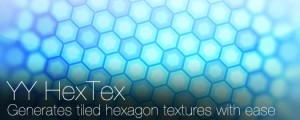
YY_HexTex generates tiled hexagon textures, with extra options such as rotation, edge thickness, etc. Everything can be animated right in the comp, without need to deal with messy nested precomps.Add to Cart$29.99 -
- Compatibility After Effects
YY_BitExtender
Add to CartThis plugin turns 8 bpc footage into 32 bpc footage, and lets you very easily tweak the results based on your needs.
Please note that this plugin is not compatible with CS6 or above
$24.99 -
- Compatibility After Effects
YY_Ramp+
A more full featured ramp effect, with more parameters such as opacity and blend modes.Add to Cart$39.99 -
- Compatibility After Effects
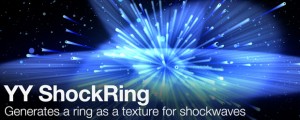
YY_ShockRing
Add to CartYY_ShockRing was designed to be a feature-complete plugin for making rings. Blend modes, thickness, feathering, opacity; YY_ShockRing has it all. Use it for shockwaves, motion graphics, or anywhere else you need rings.
$24.99 -
- Compatibility After Effects
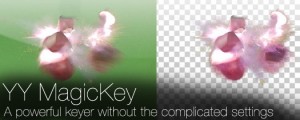
YY_MagicKey
Add to CartA powerful keyer without the complicated settings.
$34.99