
Batch Markers for Cavalry
-
Compatibility Cavalry Please check exact version compatibility under the "COMPATIBILITY" tab below
 Adding to cart...
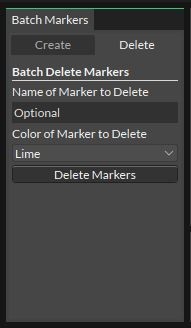
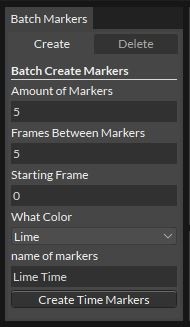
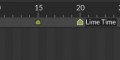
Create and delete Time Markers quickly and easily in Cavalry. Time Markers are useful for making dynamic timelines, triggering animations, or accumulating numbers. As is, you have to create Time Markers one at a time by hand. This is fine for many uses where you only need a few, but if you want to have repetitive animations that span over a long period of time, it can be tedious to try to add a lot of Time Markers by hand. This script allows you to quickly generate set sequential Time Markers of any color + label with a few clicks. It also gives you greater control over deleting existing Time Markers as well.
Custom Scripts only work with a PRO Cavalry license

| Cavalry | 1.4 |
|---|
1.1 (Current version) - Feb 3, 2023
1.0 - Nov 4, 2022
-
- Compatibility Premiere
Change it! for Premiere Pro
Add to CartChange sequence settings and organize your Project in Premiere Pro
-

- Compatibility After Effects
Vector Paint Studio
Add to CartCreate paint strokes groups to manage, edit and animate strokes all at once. Apply tracking data to the strokes to design cool paint effects
-
- Compatibility After Effects
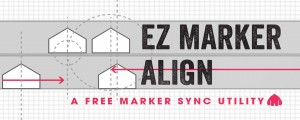
EZ Marker Align
A free utility that lines up markers on one layer with markers on another.Add to Cart$0.00 -

- Compatibility After Effects
SplitImage
Allows you to split the selected project item into rectangular pieces.Add to Cart -

- Compatibility After Effects
Helium + HeliumX Lite Free
Add to CartHeliumX Lite. FREE 3D plugin. It includes some of the basic tools of the HeliumX 3D toolset - 3D Models, 3D Animated Text , Extruded Shapes, Primitives and Scroll.
HeliumX AI. A new free AI image generation plugin, part of the HeliumX plugin toolset for Adobe After Effects.
HeliumX is a groundbreaking new 3D toolset for Adobe After Effects. Quickly and easily create slick and sophisticated 3D animation.
To download HeliumX Lite for free click on the TRY button above.
Please note HeliumX is a yearly recurring subscription, see terms here.
-

- Compatibility After Effects
MarkerMaestro
Add to CartAdd, edit, delete, shift and copy one or as many markers as you want. The missing Markers panel in After Effects, and more!
-

- Compatibility Cavalry
Create Duplicator Sequence for Cavalry
Add to CartTurn ~12 steps into 1! Quickly create Dynamic Animated Sequences in Cavalry!
$5.00 -

- Compatibility Cavalry
Cavalry Asset Library
Add to CartC.A.L lets you easily save complex rigs, with all connections and animations, in a few clicks. Create multiple libraries that you can share with other people!
Only for Cavalry
$15.00