
Change it! for Premiere Pro
-
Compatibility Premiere Please check exact version compatibility under the "COMPATIBILITY" tab below
 Adding to cart...
Change sequence settings at cosmic speed!
A new level of project management from the creators of “Rename and Change Toolkit” (yes, you can have a special price if you bought it!)
“Change It” can search, change settings and sort your sequences in the project window.
Searching
1. Selection panel

Search Items - search sequences in Project Window.
Work with Selected - change or sort the sequences that are selected in Project Windows.
2. Search Attributes
Enter search attributes for the selected item types.

Combine multiple parameters and see how many sequences were found!
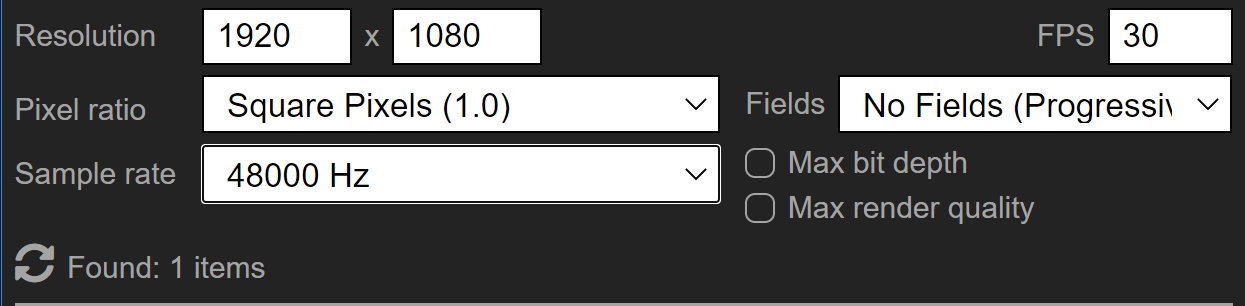
Functions
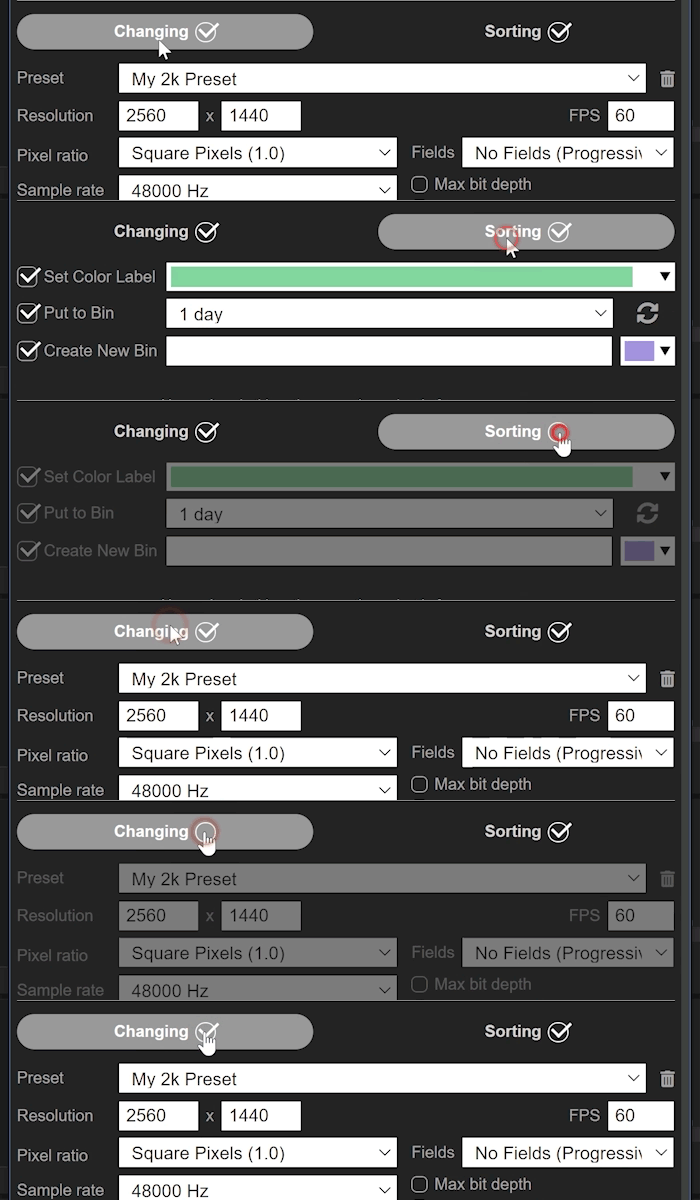
1. Changing
- You can change settings for the found sequences
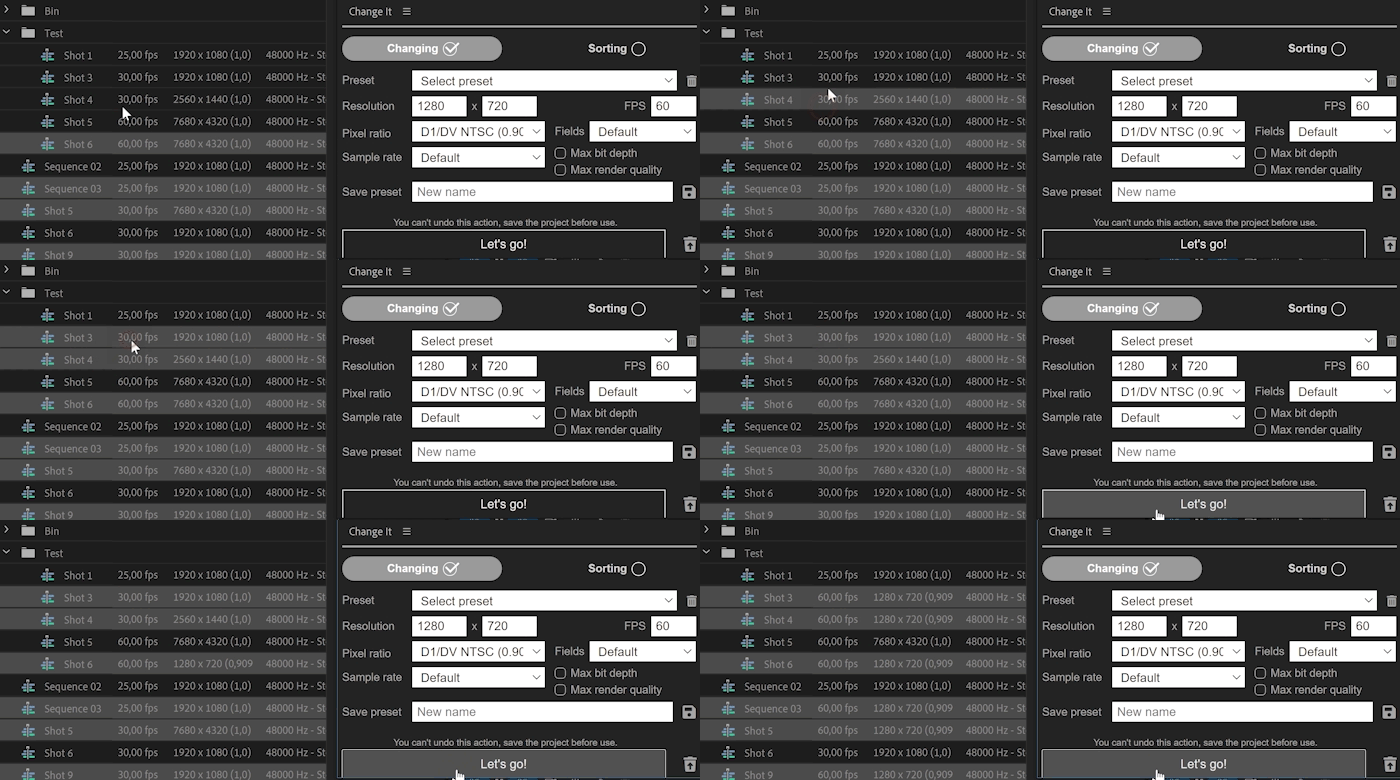
- Or change the settings of selected sequences in the Project Window
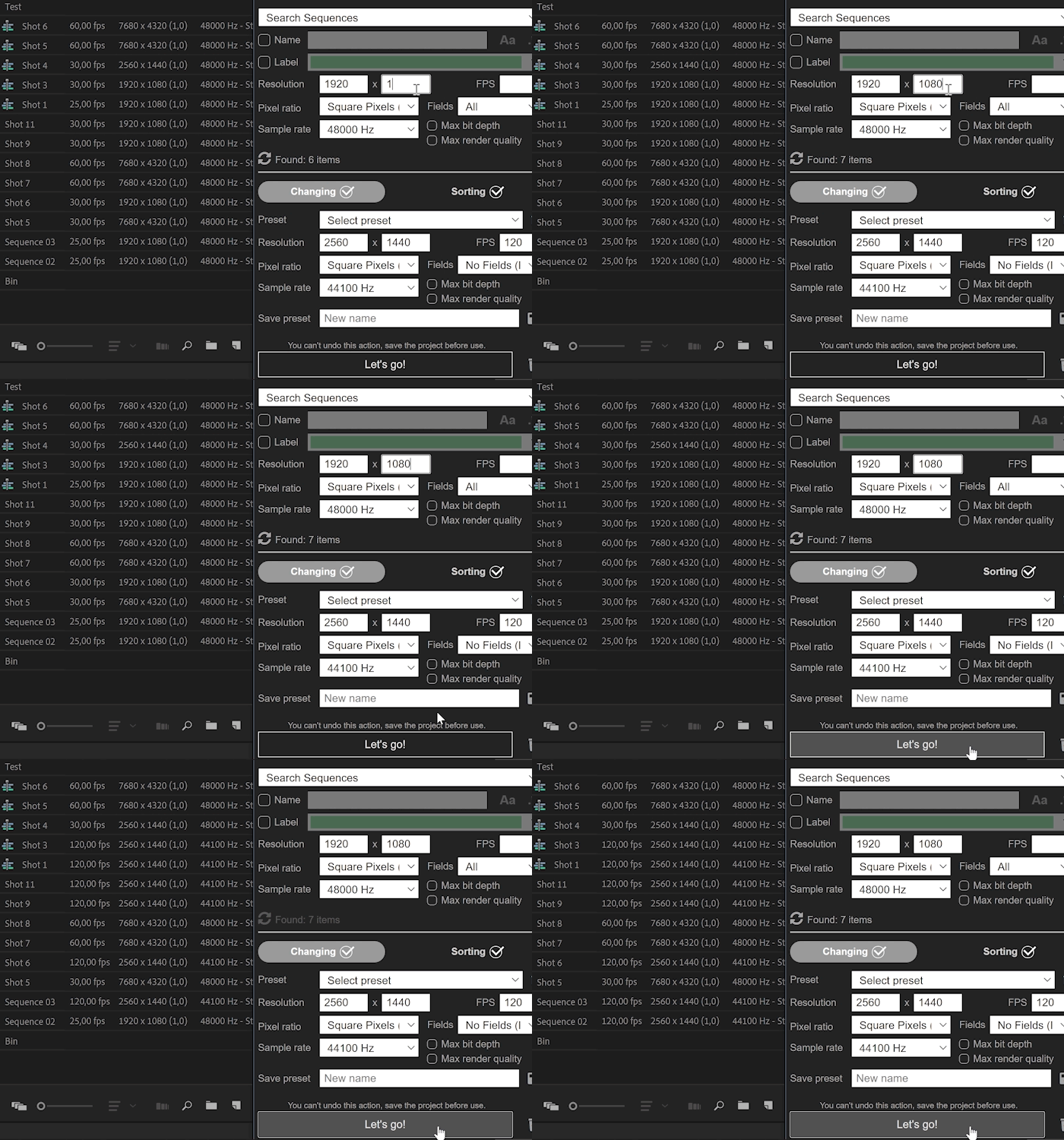
- If nothing is written in the fields for the search it will change all sequences in the project.
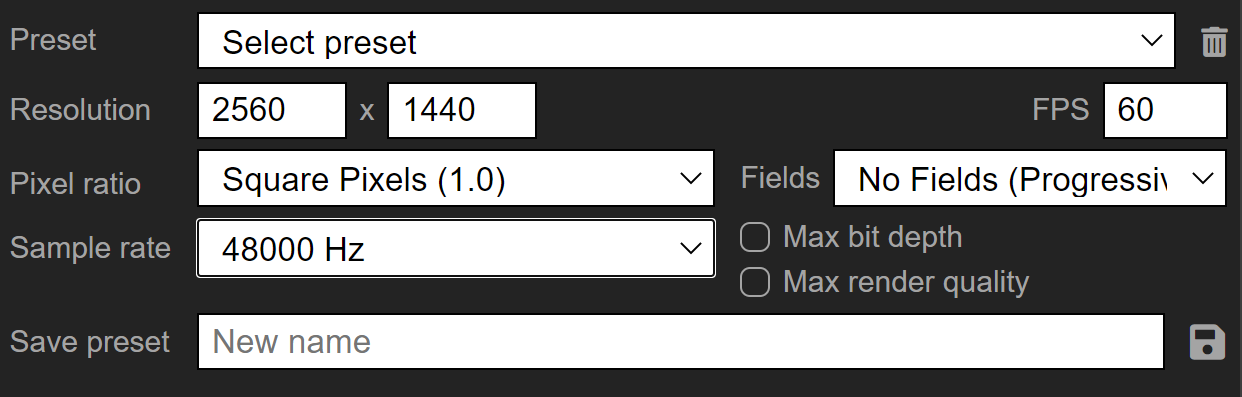
2. Presets
You can choose the preset with sequences settings or create your own!
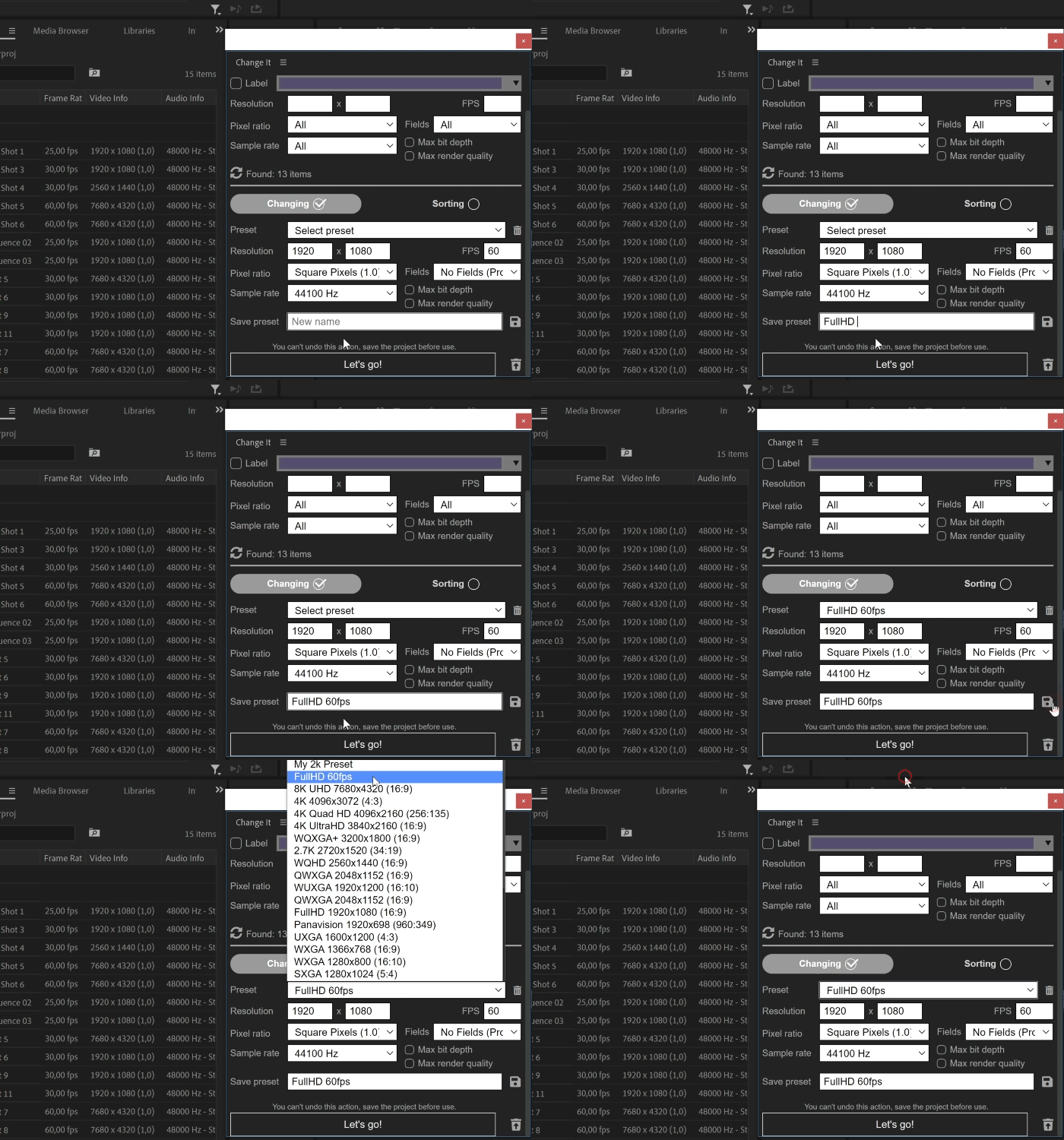
3. Sorting
The sorting will help you organize your project even better!
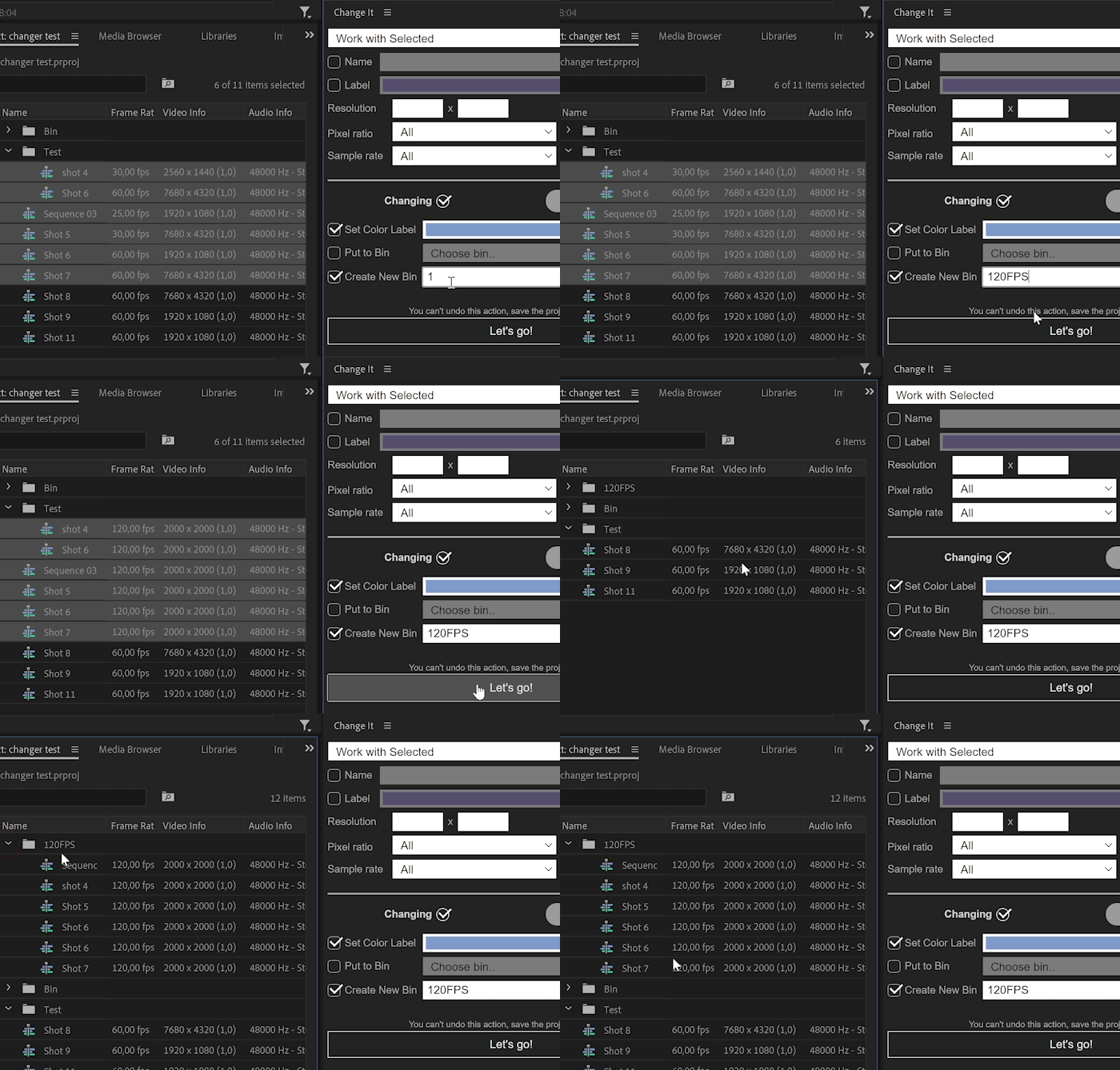
How it Works:
Upgrade Notice:
If you purchased Rename and Change Toolkit for Premiere Pro after May 1, 2022 you can upgrade for free. Otherwise you can upgrade for $12.5. Simply login to the same account and the discounted price will be shown automatically. If you need any assistance please open a support ticket.
| Premiere | 2022 |
|---|
1.0.0 (Current version) - Jul 9, 2022
-

- Compatibility Premiere
BeatEdit 2 for Premiere Pro
Add to CartCreate better edits in sync with the music! Create beat markers automatically to assist manual editing or even create automatic edits in sync with the music.
-

Events - A.I. Image & Video Sorter
Add to CartEvents uses A.I. based face recognition to automatically find and categorize all photos and videos by subject
$49.99 -
- Compatibility After Effects
- Compatibility Premiere
- Compatibility Nuke
- Compatibility Davinci Resolve
Transition Master 2 Basic
Native Transition Plugin for DaVinci Resolve, Adobe Premiere Pro and After Effects. Create, export and sell your own transitions or choose from a large transition presets library. It has never been that easy to create stunning native drag and drop transitions this quickly. NEW in Transition Master 2: Image Driven TransitionsAdd to Cart -

- Compatibility After Effects
Templater Bot Subscription Upfront
Add to CartTemplater Bot extends Templater Rig by offering full server automation, allowing you to build applications that version, render, and distribute custom video on demand. A recurring monthly or annual subscription plan is available as well.
-

- Compatibility After Effects
- Compatibility Premiere
Hand Drawn Stuff
Add to CartThis product has been discontinued. You can now purchase all Mister Horse products through a single subscription plan. -

- Compatibility After Effects
Parenter
Add to CartQuickly reposition layers without affecting their animation!
-

- Compatibility Premiere
Duplicate It!
Add to CartExtension for true duplication of sequences in Adobe Premiere Pro
$24.99 -

- Compatibility Premiere
Backup It!
Add to CartCreate and import sequences backups in Premiere Pro.
$24.90 -

- Compatibility After Effects
Ustav — Text layouts editor
Add to CartNEW: Simple selection tool. Quickly create and edit text layouts.
Headers text • Paragraph text • Numbered text list • Bulleted text list • To-Do text list • Quote text • Divider • Callout text$29.00 -

- Compatibility Premiere
Rename It!
Add to CartBatch renaming and sorting tool for Adobe Premiere Pro.
$23.99