
BeatEdit 2 for Premiere Pro
-
Compatibility Premiere Please check exact version compatibility under the "COMPATIBILITY" tab below
 Adding to cart...
BeatEdit detects the beats in your music and generates markers for them in your Premiere Pro timeline. Create automatic edits in sync with the music, or let BeatEdit assist your manual editing process.
Features
- robust, state of the art beat detection
- automatically create markers to the beat of your music
- supports both sequence markers and clip markers
- compatible with the Automate to Sequence function in Premiere Pro
- easy beat selection
- detect only beats or also other "rhythmically relevant" peaks for more variation
- batch manipulation of markers (create, move, delete)
Edit in sync with Music
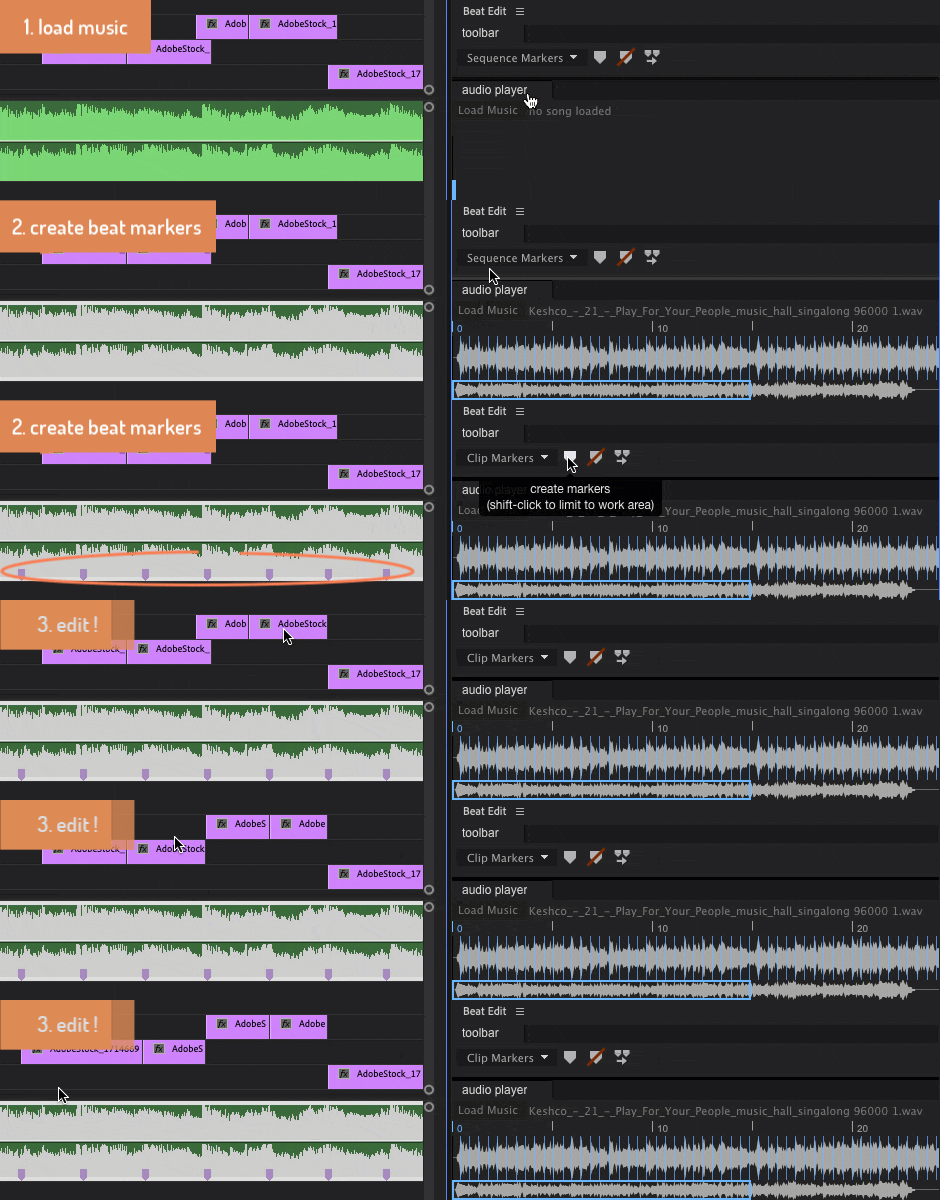
Editing in sync with music has never been easier. BeatEdit detects the beats of your music and represents them as markers in the Premiere Pro timeline.
Auto-Create Slideshows and Rough Cuts that change to the Beat
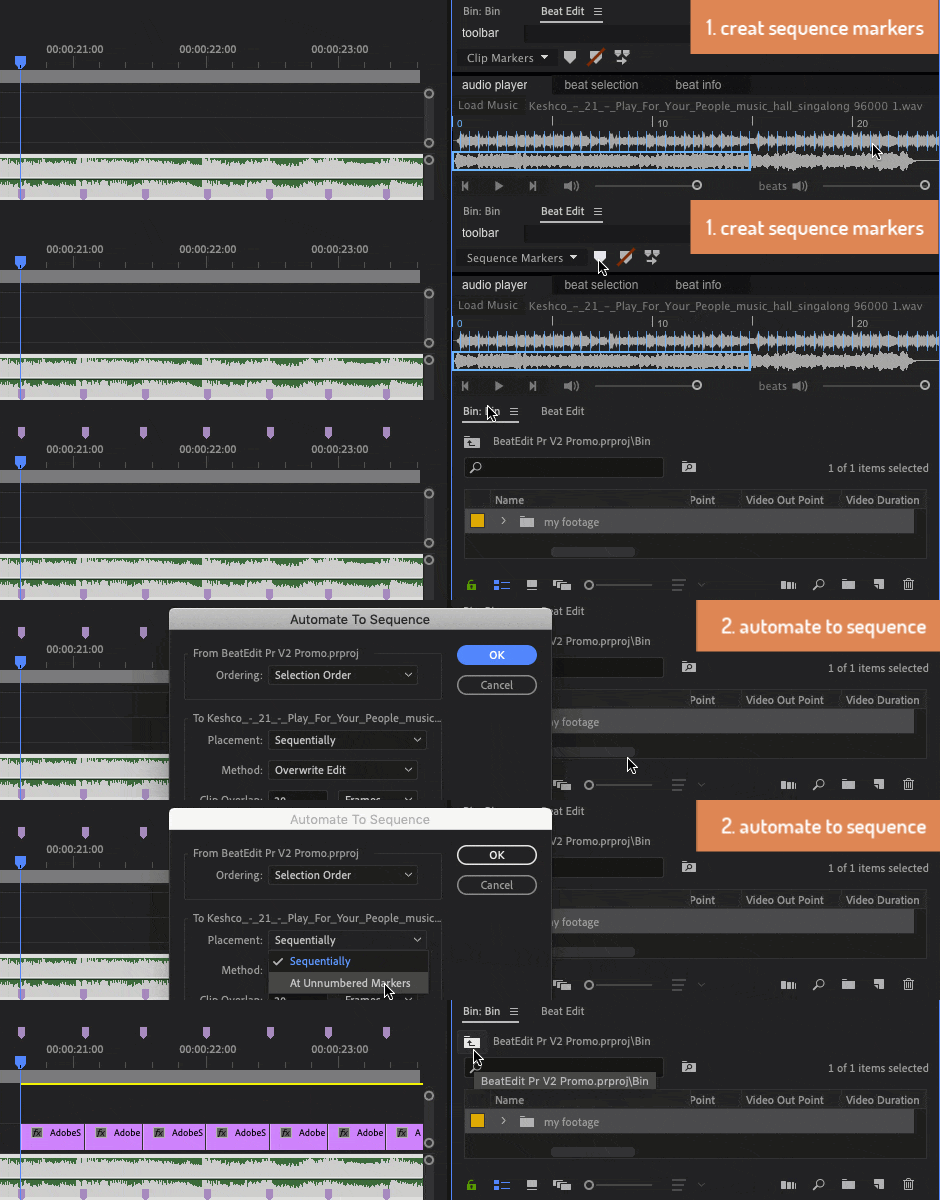
Use the beat information to generate fully automatic edits in sync with the music. If you need more control, the beat markers can also be used as guides in your manual editing process. What's more, the automatic edits can be easily tweaked in the timeline.
Full Control
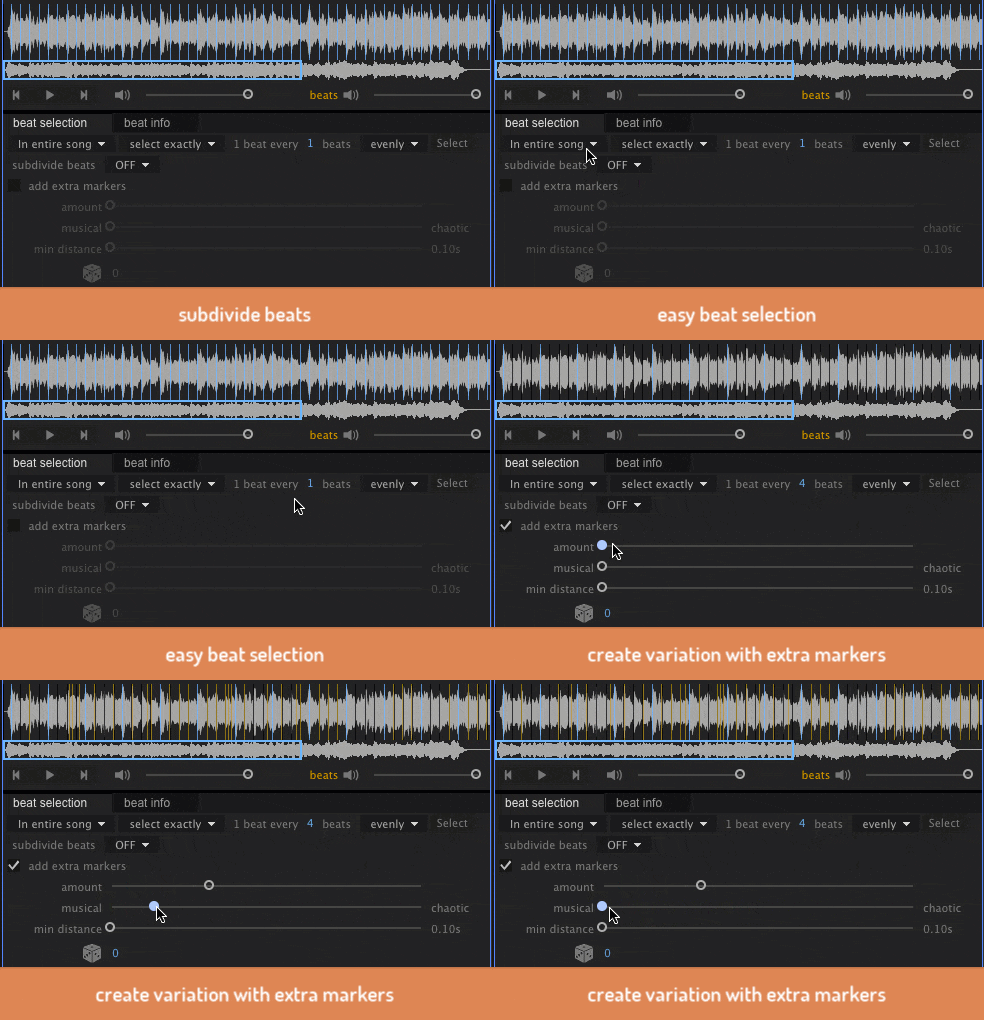
BeatEdit offers detailed controls to select the beats you want to work with. You can subdivide beats to create faster patterns, and select beats very easily. To create more variation, BeatEdit can also create extra markers at locations that are no beats but other rythmically relevant peaks of the music.
New in V2
- load music directly from the Premiere Pro Sequence
- move markers tool
- beat info panel (see bpm, number of selected beats and more)
- work area support (create, move or delete markers only within the workarea)
- new user interface with resizable sections
- support for Adobe Premiere Pro 13.1.5 (CC 2019) and newer
- beat at the very beginning of the song is detected properly
- performance improvements & bug fixes
Robust Beat Tracking Technology
BeatEdit relies on highly robust beat tracking technologies developed by music research groups around the globe. The beat tracker used (IBT) is developed by the Sound and Music Computing Group at the INESC University of Porto. BeatEdit also relies on the MARSYAS (Music Analysis, Retrieval and Synthesis for Audio Signals) framework developed under the direction of George Tzanetakis, Associate Professor at the University of Victoria.
Limitations
BeatEdit only works with audio files (wav, mp3). It cannot load audio from video clips and also does not take into account any effects or modifications - like rate stretching - that you applied to your audio in the timeline. If you need to work with rate-stretched audio or audio tracks of video files, you need to export them to a wav file before importing them into BeatEdit.
BeatEdit is designed to detect the beats in individual songs, but it cannot process audio files which are lasting for hours - since the entire audio data needs to be loaded into memory during beat detection. If you need to process very long audio files, you have to split those into smaller files and process each of them individually - the maximum length depends on your machine.
Upgrade Notice
If you purchased BeatEdit for Premiere Pro v1 after Sept 1, 2019, you can upgrade for free, otherwise, the upgrade is $20. To upgrade simply login to the same account. If you need any assistance please open a support request.
Please note that due to architectural changes that Adobe implemented in Premiere 13.1.5, BeatEdit for Premiere Pro v1 is not compatible with 13.1.5 and higher, for these versions you must use v2.
Reviews
English


German

If you are a video editor into making edits in time with the music this extension is perfect for you! A serious workflow enhancement you won’t want to be without after using it a few times.read review
BeatEdit will amaze even the most skeptical ears. It’s beat detection is stunningly accurate. And to be able to snap edit points to the beat with markers in Premiere Pro is dream-like editing workflow.read review
Hoy platicamos acerca de un script llamado BeatEdit de MamoWorld, este script nos permite automatizar la edición al ritmo de la música en unos cuantos minutos.read(Spanish)
Bundle Deal - BeatEdit for Ae, Pr and Au
Buy BeatEdit for After Effects, Audition and Premiere Pro together for a heavily discounted price!
Bundle Deal - Editing Essentials Bundle
Buy QuickImporter, Still Exporter and BeatEdit for Premiere Pro for an unbeatable price.
Are you using DaVinci Resolve?
We also have BeatEdit for DaVinci Resolve!
Other Voices
Generating markers to the beat is now just one click away with BeatEdit for #PremierePro. – https://t.co/OAHuggHrRa pic.twitter.com/XynbpEwHzS
— Adobe Premiere Pro (@AdobePremiere) January 17, 2016
Love me some Beat Edit, have used it in my last few projects! video editing in sync with the music just got much easier in #PremierePro https://t.co/kP2HDldNcc
— Jerry Nelson (@AttackMotion1) March 12, 2018
.@petermckinnon Love your latest 2 minute Tuesday! This is a great plugin to get on point markers to match the beats https://t.co/8nAPV6BTDU
— Grubbing with Grant (@GrubWithGrant) October 24, 2017
Use your new music skills with BeatEdit. Helps you locate where the beats are. - @davebode #AdobeVideoWorld https://t.co/8h4hVcNMkk
— Kelsey aka Gal (@premiere_gal) September 30, 2016
if you edit to music in #PremierePro, try this https://t.co/96VU3JN2hX
— alinagrad (@laniesss) August 11, 2019
BeatEdit from @mamoworld can help retime tempo for smooth music transitions in #PremierePro https://t.co/dRoxdGbQvT pic.twitter.com/DyErzjGooV
— Premiere Bro (@premierebro) September 2, 2016
For those that edit video clips against music, it's worth checking out @mamoworld #BeatEdit, it's a handy time saver, I've owned it a while but only took the effort to use it today and wish I'd used it earlier. pic.twitter.com/9wsDgGBlBg
— UAVHive (@UAVHive) January 8, 2024
You find more tutorials about BeatEdit (for Pr and Ae) at mamoworld.com
| Premiere | 2024, 2023, 2022, 2021, 2020, CC 2019, CC 2018, CC 2017, CC 2015.3 |
|---|
2.2.000 (Current version) - Nov 17, 2023
- native support of Apple Silicon processors
- fixed installation issues
2.1.010 - Jan 25, 2023
2.1.009 - Jul 7, 2022
2.1.007 - Oct 11, 2021
2.1.004 - May 10, 2021
2.1.003 - Apr 19, 2021
- fixed copy/paste issues
2.0.006 - Jul 11, 2020
2.0.004 - May 25, 2020
2.0.003 - Sep 26, 2019
move markers tool
- beat info panel (see bpm, number of selected beats and more)
- work area support (create, move or delete markers only within the workarea)
- new user interface with resizable sections
support for Adobe Premiere Pro 13.1.5 (CC 2019) and newer
- beat at the very beginning of the song is detected properly
performance improvements & bug fixes
-
- Compatibility Premiere
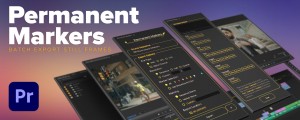
Permanent Markers for Premiere Pro
The Adobe Premiere Pro extension that lets you export multiple still frames from a sequence at once. Batch image exports with different file type options, resolutions, and custom naming.Add to Cart -
- Compatibility After Effects
- Compatibility Premiere
Subtitle Pro
Add to CartCreate Professional Subtitles Directly in After Effects and Premiere Pro
-

- Compatibility After Effects
textsyncr
Automatic speech-to-markers engine, automatically creates layer markers from audio transcription - drive subtitles, the Monkey tools and more.Add to Cart -
- Compatibility After Effects
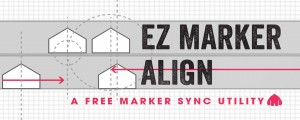
EZ Marker Align
A free utility that lines up markers on one layer with markers on another.Add to Cart$0.00 -

- Compatibility After Effects
- Compatibility Premiere
Hand Drawn Stuff
Add to CartThis product has been discontinued. You can now purchase all Mister Horse products through a single subscription plan. -

- Compatibility Premiere
PlumePack
Add to CartNow with a Free version! PlumePack collects your PrPro projects & trim medias to make it lightweight: Trim, Archive, Organize and more!
New: Lossless Trimming is now officially available for H264 codec. Save tons of space with your H264 files by using the PlumePack process to remove unused frames in your Premiere Pro project!
-

- Compatibility After Effects
mamoworldJSON
Add to CartLink texts, colors and data from your Ae project to a JSON file.
$0.00 -

- Compatibility After Effects
- Compatibility Premiere
- Compatibility Audition
QuickImporter
Your next generation file import dialog with super-fast, fuzzy keyword search and a built-in audio player - for Premiere Pro, After Effects and Audition.Add to Cart$39.99 -

- Compatibility Audition
BeatEdit for Audition
Add to CartBeatEdit detects the beats in your music and generates markers for them in Adobe Audition. This means you can easily match the tempo of two songs, edit your music, and seamlessly loop tracks – all with a few clicks.
$99.99 -

- Compatibility After Effects
Skin Retouch
Easy beauty retouching - smooth the skin but preserve the fine details of the skin texture.Add to Cart$0.00 -
- Compatibility After Effects
- Compatibility Premiere
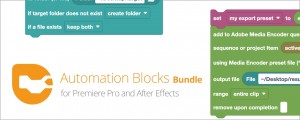
Automation Blocks Bundle
Buy Automation Blocks for both Premiere Pro and After Effects and save 20%!Add to Cart$99.99 -

- Compatibility Premiere
Editing Essentials Bundle
Add to CartThree indispensable tools for your Adobe Premiere Pro editing workflow: BeatEdit 2, QuickImporter and Still Exporter.
$139.99