
PlumePack
-
Compatibility Premiere Please check exact version compatibility under the "COMPATIBILITY" tab below
 Adding to cart...
Main Features
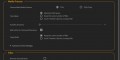
Collect & Copy (FREE)
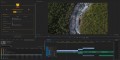
Lossless Trim & Toolbox (PREMIUM)
Improve your workflow
Technical Specifications
Requirements:
- One license is for the same user on up to two computers
- Minimum Adobe Premiere Pro version : Premiere Pro 2020 (version ≥ 14.0)
- Minimum Microsoft Windows version : Windows 10
- Minimum macOS (Intel and Apple Silicon) version : macOS version 11.0 (Big Sur)
Supported Codecs for Trimming :
- [.MOV, .MXF] Apple ProRes (XQ, 4444, HQ, Normal, LT, Proxy), ProRes RAW
- [.BRAW] Blackmagic RAW
- [.R3D] REDCODE R3D
- [.MOV, .MP4, .MXF] H.264 / AVC
- [.MOV, .MP4, .MXF] H.265 / HEVC
- [.ARI] ARRIRAW Image Sequence (Not MXF)
- [.PNG, .JPG, .DNG, .DPX, .TIFF, .PSD etc.] Image Sequence
- [.MOV, .AVI] Cineform
- [.MOV, .MXF] DNxHD / DNxHR
- [.MOV, .AVI] Vidvox HAP
- [.MOV] Apple QuickTime Animation RLE (in Beta)
- [.MOV, .MXF, .AVI] MPEG-2 (XDCAM) (in Beta)
- [.MOV, .AVI] Motion JPEG (in Beta)
- [.MOV] NDI HX (in Beta)
- [.AVI] vMix (in Beta)
- Want more? Contact us!
Features and Limitations :
- Creates a new Project in a new Folder with all project Media in this Folder.
- Replaces all Media paths in the new Premiere Pro Project by the new copied / trimmed ones.
- Automatic Checks and Controls for the new trimmed media and the new Project in case something went wrong.
- Full report generated at the end of the process.
- Elements supported for copy :
- Merged Clips
- AEgraphics
- AE Dynamic link composition

| Premiere | 2024, 2023, 2022, 2021, 2020 |
|---|
PlumePack Installer macOS
2.3.3 (Current version) - Apr 29, 2024
- New Premium Option for Only Copy and No Process: "ByPass Trimming Estimation": if enabled PlumePack will skip Trimming Estimation Analysis steps and speed up the process
* Improvements in PlumePack:
- Some rare errors need a manual fix of the project by the user, otherwise Premiere Pro prevents PlumePack to do some actions. Now PlumePack clearly indicates if this is needed and redirect to an online article explaining how to proceed
* Fixed in PlumePack Process:
- Hidden Error: an offline media with transcript was not recognized as offline, and so copied by PlumePack
- Hidden Error: If a media was used partially in Premiere Pro and as an AE Comp dependency, and if the "Remove Unused" option was not used, the media was trimmed instead of being excluded from trimming because used in the AE Comp
- Explicit Error: Some Shift Issue could be wrongly reported, resulting in error message in final report
- Excplicit Error: For audio only file, some issues could occur during trimming
2.3.2 - Feb 27, 2024
- Blackmagic Cinema Camera 6K
- Blackmagic Micro Studio Camera 4K G2
- Blackmagic URSA Mini Pro 12K OLPF
- Panasonic GH5S, BGH1, Lumix G9II, Lumix GH6, LUMIX S5II and S5IIX
- Fujifilm X-S20, GFX100 II
* R3D SDK updated to 8.5.0:
- Fixing trim issues with R3D files recorded on RED ONE
- Adding trim support for V-RAPTOR [X] .R3D files
* Fixed in PlumePack Process:
- Explicit Error: during Project Control when a nested sequence was used partially, some items were unused inside and others needed to be cut in multiple parts because of the parent use
- Explicit Error: when using the "Each Timeline Clip into a unique file" Trim Mode and trimming GOP codecs into multiple files
- Explicit Error: when an unknown Premiere Pro error was happening when replacing a clip by PlumePack, the full PlumePack process was aborted. Now it goes to the end and well report the error with description
2.3.1 - Dec 29, 2023
- Hidden Error: Audio Remix Clip could be broken after a successful PlumePack Process, showing vertical bars on the clip
- Explicit Error: rare error with Audio Remix Clip which lost link with old original clip
2.3.0 - Dec 19, 2023
- The user can now select multiple "Main Sequences" to process with checkboxes. Nested sequences will be automatically processed recursively
- When an error happens during Copy, Media Replacement, or Project Control: instead of aborting the process PlumePack now continues to the end and write the errors in the UI and report, so in case of a small errors the user can identify the error source and fix it manually
- New Option for Trimming "Trim if Color Space Issues": MXF H264 files with profile "HIGH" could be affected by Color Space issues after trimming. They were already excluded from trimming, but now with this option you can force trimming on those files
- New Transform Option "Move Project Item Multiple Parts To Sub-Bin": when a Project Item need to be duplicated into multiple ones (like when trimming into multiple parts), the user can now choose to place all those parts into a Sub-Bin or not
- Project Item naming improved, especially when one Project Item needs to be duplicated in multiple parts by trimming
- New Extension in Beta for trimming (Container) for .mkv and .webm files. Send us feedback if you trim those kind of files!
- New Codec in Beta for trimming : Google VP9, FLAC and EAC3. Send us feedback if you trim those kind of codecs!
* Toolbox Improvements:
- UnMerge: UnMerged Timeline Clips are now reset to their original name
* Fixed in PlumePack Process:
- Explicit Error: when a trimmed media had a timeline clip with speed changed and reversed
- Explicit Error: in a rare scenario when a Media has itself as attached proxy
- Explicit Error: in a rare scenario with Merged Clip
- Explicit Error: with media located in hidden folder (filepath with Slashdot)
- Explicit Error: while trimming Variable Framerate Footage the Trimming Control was detecting a change in framerate which was actually normal
- Hidden Error: Some HEVC/H265 files could be shifted after trimming, because of discarded frames at the beginning of the original files. It was happening with OBS recorded files for example
- Hidden Error: For some files with AAC audio stream, the output file with re-encoded audio had poor audio quality. Now AAC output should be at least re-encoded with 128 kbps whatever the input bitrate
- Hidden Error: For some specific files (like some DJI H265 MP4), the trimmed file thumbnail could be not displayed anymore in Explorer/Finder or other applications like Photomechanic
2.2.2 - Oct 16, 2023
- PlumePack now officially supported on Premiere Pro 24
- New video codecs in Beta for Trimming: "NDI HX" and "vMix"
* Fixed in PlumePack Process:
- Explicit Trimming Error : when the video file had attached picture (generally used for thumbnail). The file can now be trimmed successfully, but the attached picture is now dropped in the trimmed file
- Explicit Trimming Error : for some MXF files with the H265/HEVC codec. Fixed by remuxing to MOV those particular files (detected with specific "Profile")
- Explicit Error : when an audio file had cover image
- Explicit Error : when a file had issue with trimming and the issue was detected (especially files with multiple video streams)
- Explicit Error : In some rare scenarios, some Project Item could be not set as Offline but original media still not found on disk, and that was involving error in the PlumePack process
- Explicit Errors : some internal issues happening in really rare cases
2.2.1 - Sep 4, 2023
- R3D SDK Version updated to 8.4.0 - Fixing Trimming Issues on some R3D Footages
- In Trim mode and not with the "One File Per Timeline Clip" mode, if a media is trimmed into multiple parts and if one part fails to be trimmed, the whole media will be copied and successful trimmed parts will be removed to minimize disk space as much as possible
* Fixed in PlumePack Process:
- Explicit Error : in MacOS when .aif were present in the project - but could also fix issues with other non trimmable extensions
- Explicit Error : while trimming some CINEFORM footages (maybe other codecs were concerned) - Files were copied instead
- Explicit Error : with Trimming enabled, when some nested or multicam sequence had some tracks locked
2.2.0 - Aug 21, 2023
- H264/H265 now Out of Beta for Trimming ! Thanks to our users which sent us sample files, we updated our Trim Engine to fix numerous issues happening while trimming those files !
- New Filter Option "Only Process Media Outside of Project Parent Folder" : so you can save copy time and be sure all files used in your project are on the same folder
- New Option for Trimming "Do Not Remux To Mov If Needed" : In order to solve some of the trimming issues, some files could need to be remux from MXF to MOV. The extension will change, but it is not a re-encoding and so the frames keep their exact same qualities !
- New option for Trimming "Do Not Trim Audio-Only Files" : Make sure media with only audio streams are not trimmed during the PlumePack process
- New Option for "No Media Process" mode : "Remove Productions References" to make your project fully independent from other projects
- Checkbox Option "Copy Only Proxies" becomes now a choice between "Copying Only Proxies", "Copying Only Proxies OR Main Media if no Proxy attached", or "Copy Main Media AND Proxies if attached"
- When using the "Filename : use Project Panel Item Name" option, AE Comp dependencies which are not imported in the PrPro project are renamed from the AEComp Project Item followed by original filename
- When using the "Filename : use Project Panel Item Name" option, copied Proxies are also renamed from the Project Item name
- Improved Details in UI Panel Feedback (Analysis and PlumePack Process) and final report
- Improved Progress Bar by mentioning which file is processed/copied/trimmed so it can reveals faulty network issues like corrupted files really long to copy/trim through network
* Fixed in PlumePack Process:
- Explicit Error : ProRes/DNxHD/HAP/Cineform/RLE/H264/H265/MPEG-2(XDCam) Trimming various Issues
- Explicit Error : when trimming Image Sequence with associated Audio shorter than Video
- Explicit Error : In some rare case with "Cut Timeline Clips" option enabled
- Explicit Error : When having Remix Clip Rendered and Replaced, in case option "Keep Only Chosen Sequence and Deps" is not used and audio clip is trimmed
- Explicit Error : When using "One File Per Timeline Clip" mode with AEgraphic file used multiple times - Error will not happen anymore and AEgraphics will only be copied once in this mode (limitation)
- Explicit Error : When output Filepath was too long for the OS - now it finishes the whole process and indicates which files are concerned and have not been processed
- Explicit Error : When a R3D file failed to be trimmed (because of various reason like corrupted media), the next ones were also declared on error by mistake
- Freezed Process (never finishing): If a media could not be copied for various reason, PlumePack was freezed
- Fixed Timecode Issues while trimming ProRes, DNxHD, HAP, Cineform, H264, H265
- Fixed Slight Audio Shifts which could happen with ProRes, DNxHD, HAP, Cineform, H264, H265
* Special Notes:
- Thanks to all our users which sent us Video samples ! Thanks to your files, we updated our Trimming Engine to a better and more robust version
- There is still an issue with MXF H264 file with profile 100 : Color Space was changed during trimming resulting in a different output color. We disabled trimming for those clips for now. If you have such files, please send us some samples !
2.1.3 - May 25, 2023
2.1.2 - Apr 27, 2023
- An estimated size is given for each trimmed part of a media after the Analysis and the final size is given at the end of the process in "Detailed Analysis Info" section
- BRAW SDK Version updated to 2.8 - Adding Trimming Support for Fujifilm XH2s, Fujifilm X-H2, ZCam E2, E2-M4, E2-S6, and E2-F6 BRAW clips captured by Blackmagic Video Assist
- Improved final report by mentioning not copied because not found AE Comp Dependencies
* Fixed in PlumePack Process:
- Explicit Error : In some rare case with After Effect Composition.
- Explicit Error : Raise limitation for Image Sequence to 100 000 images instead of 1 000
- Explicit Error : Fix error in Analysis for some projects
- Explicit Error : Support Captions Preset File
- Explicit Error : Error with cut Timeline Clips options with Linked Project Items
- Explicit Error : In rare case when using Remix Clip with Audio Original Project Item removed
2.1.1 - Feb 1, 2023
2.1.0 - Jan 20, 2023
- New Media Process Mode : "No Process" to filter/clean your project without copying/trimming your media. You can also use it to filter/clean your project with PlumePack and then transcode with the native Project Manager
- New Copy Process Option : "Only Copy Proxies" so only Proxies and not main media should be copied (Advanced Copy Settings)
- Changed workflow with Offline clips : if Main media is offline but Proxy is present + Media Process is Copy + "Include Proxies" is used, then the proxies are copied instead of ignored. Especially useful when an editor works only with proxies and PlumePack its project before transferring it.
* New Toolbox Feature:
- New Tool : "Reorder your Sequence Track" if you want to easily reorder your tracks in the current selected sequence !
* Fixed in PlumePack Process:
- Hidden Error : When trimming the same audio in multiple parts, some of the Timeline Clips could have their "Audio Gain" reset to 0
* Updated macOS minimum version from 10.14 (Mojave) to 11.0 (Big Sur)
2.0.7 - Dec 2, 2022
- You can run our Install and Uninstaller .exe in command line like this : 'start "Autokroma" /wait /b "InstallerOrUninstaller.exe" /S', for our uninstaller you can pass an argument to specify which product to uninstall like this : '-Uninstall_PlumePack'. Do not forget to run your Terminal as Administrator, otherwise you will need user interaction to confirm the Administrator rights prompt. This also works using Microsoft SCCM (System Center Configuration Manager) to automate deployment
* Toolbox Improvements:
- UnMerge : New UnMerged Project Items are now reset to their original name
* Fixed in PlumePack Process:
- Hidden Error : When Trimming was on error for a media (so media copied instead) HoldFrame, Keyframes and Clip Markers could be shifted
2.0.6 - Nov 2, 2022
- PlumePack Analysis and Replace performance improved
- Media History is now cleared in the new PlumePack project. It avoids relinking issues when opening the project on another OS. If you want to keep it, please contact us !
* Fixed in PlumePack Process:
- Hidden Error : When using "One File Per Timeline Clip" option with Merged Clips, there were various errors. Now when using this option, Merged Clip files will be not duplicated per timeline clip
- Explicit Error : When a Timeline Clip was linked to more than one Project Item from the same media
- Explicit Error : When a plugin effect parameter was called "Opacity"
- Explicit Error : When the project or media original path contained invisible special chars
2.0.5 - Sep 21, 2022
- Added Copy and Trim Support for .ari image sequence (ARRIRAW) (ARRIRAW MXF or mov extension can not be trimmed though)
- Added Support for copying Audition Original Audio media if not used anymore and if "Remove Unused" is not set
- Added Support for Caption Track "Master Style" : kept when using "Remove Unused Items" option
- R3D SDK Version updated to 8.3.1 - Adding Trimming Support for V-RAPTOR XL camera footages
- BRAW SDK Version updated to 2.6 - Adding Trimming Support for Fujifilm XH2s BRAW clips captured by Blackmagic Video Assist
* Fixed in PlumePack Process:
- Hidden Error : When a Timeline Media clip was used as an "Adjustment Layer" multiple times with "Each Timeline Clip into a unique file" option (Copy or Trim), then some Timeline clips could loose their "Adjustment Layer" property
- Explicit Error : because of a PrPro bug with "Master Style" Project Item referenced in the project without being part of any Bin
- Explicit Error : when an Audition Original Audio Project Item was removed and PlumePack was launched
- Explicit Error : when a media was used more than 100 times in a project
- Explicit Warning : When using image Media multiple times with "Each Timeline Clip into a unique file" option (Copy or Trim), some new Project Items created could stay in a "Subclip" mode
- Original Size of the project reported was not good at the end of consolidation when some trimming actions were on error (and files were copied instead)
* Other Fix:
- MacOS : Red Error in Premiere Pro when launching the "Settings and License" popup
2.0.4 - Aug 30, 2022
- Fixed Hidden Error : MacOS - Some chars could be removed in the final folder structure, when based on the Premiere Pro bin structure
- Fixed Explicit Error : Image Sequence trimming when there was no prefix in filename (like : 001.png, 002.png, ..)
- Fixed Explicit Error : Using "Remove Unused Items" and "Removing Unused Elements in Nested Sequences" when Graphics were used outside of used nested sequence
- Fixed Explicit Error : Special data elements like CSV were not supported - Those elements are now well copied and replaced if "Removed Unused" is not set
- Fixed Explicit Error : When some special chars like "&", "<",">",.. were used in any Bin or Project Item name
- Fixed Explicit Error : When Image was imported as image alone and Image Sequence
- Fixed Explicit Error : On rare projects when a media was imported multiple times
- Fixed Explicit Error : When a Trim Selected process was launched after a Consolidation Process
- Fixed trimming progress bar being stuck for BRAW trimming
* Toolbox Fixed:
- Fixed UnMerge process being stuck and never finishing
2.0.3 - Jul 10, 2022
* Fixed Explicit Error : BRAW trimmed into multiple parts
* Fixed Explicit Error : Clips processed by the new Premiere Pro Remix Tool were not supported
* Fixed Explicit Error : Keyframes on Audio Tracks or Mix were not supported
* Fixed R3D file Trim Error : When trimmed into multiple parts with a big part and unique filename option enabled
* Fixed : UI filesize report was wrong after consolidation when computing multiple R3D/BRAW files footage, resulting of bigger project size reported
2.0.2 - Jun 24, 2022
* Fixed Explicit Error when an Image Sequence was used in a Timeline with a different Frame Rate
2.0.1 - Jun 20, 2022
- Explicit Error for new users - Some initialization steps could be wrong and a red error was displayed on the panel
- Explicit Error when using the option 'Cut Timeline Clip if needed for Disk Optimization' for some timeline configurations
- Explicit Error when some Data Media like .srt files were imported into the project
2.0.0 - Jun 12, 2022
* Improvements:
- Project Analysis has been greatly optimized and can be up to 20 times faster, especially on big projects
- The Analysis in the PlumePack Panel UI is now updated at the end of the process, so it is the same to look at the report txt file or directly look at the PlumePack Panel UI
- AE Comp Dependencies are not copied multiple times if referenced in different AE Comps linked to the same project
- New Sequence Tree Structure in Analysis - Showing explicitly which sequences are taken into account under a 'Tree' display. You can also click on the timeline icon next to your timeline name to open it from there !
- New Folder Structure in Analysis - Showing explicitly how the final structure will be after the PlumePack process depending on the option used
- For the 'One File Per Timeline Clip' mode, one timeline clip which can not be trimmed does not exclude other clips from the same media to be trimmed anymore
- New option to disable the disk space available security, which can be useful if the script does not manage to get the real size (on some network spaces). This option is available from the "Settings and License" popup
* New ToolBox Tab with Independent Features:
- New Feature : Trim selected items - A quick tool to trim some selected timeline clips, import the trimmed files and replace the selected timeline clips automatically
- New Feature : UnMerge - Reverse the 'Merge Clip' process on your Project Items ! The clips in timeline from the original Merged Clips are linked to new Media Project Items automatically created. Can be applied on the whole project or just on selected Project Items
- New Feature : Rename Tape Name metadata using Filename - Modify all or a selection of Project Items 'Tape Name' metadata to match the filename. Useful for relinking Media when the filename changed, especially after a PlumePack process !
- New Feature : Add empty space (defined by a frame number option) before all selected clips or all clips in timeline
* New 'PlumePack It !' (Consolidation) Features:
- New option : 'Give each Media a Unique Filename' : Make sure every copied or trimmed Media has a Unique Filename in the consolidated project (without extension), even if not in the same final folder.
- New option : 'Remove Unused parts of Nested Sequence' : Clean unused part of nested sequences. If trimming is enabled and clips are used only partially, they are trimmed accordingly
- New option : 'Remove Unused parts of Multicam' : Clean unused part of Multicam sequences. If trimming is enabled and clips are used only partially, they are trimmed accordingly
- New option : 'Data Structure Mode: Original Folder Structure on Disk' : Organize your final media disk structure based on the original folder structure of your media
- New option : 'Data Structure Mode: Flat Data Structure' : Put all the copied and trimmed media in the same folder
- New option : 'Cut Timeline Clip if needed for Disk Optimization' : Export and cut a Media timeline clip used at different parts from a parent sequence into different parts. Especially useful when working with Multicam sequences !
- New option : 'Media Root SubFolder Name': Choose a custom Folder Name for the Media Root Folder located next to the new PlumePacked prproj file.
- New option : 'Place All Media into Root SubFolder': Create a Media Folder next to the new PlumePacked project and put every media inside
- New option : 'Filename - Use Project Panel Item Name': Use the Premiere Pro Project Panel Item name as filename for the new PlumePacked Media
- New option : 'Include Proxies' : Copy and Replace Proxies of Media kept during the PlumePack process in a separate folder
* New workflow with Offline Clips:
- If a media has offline and online Project Items, the offline clips are ignored and not replaced during the PlumePack process. The online clips are trimmed and not excluded anymore from trimming
- The offline clips are not copied anymore by PlumePack, even if found on disk
- Offline Clips are removed from the new project like any other clips (depending on the Filter options and the Used state of the clips)
* Fixed:
- Explicit error on some projects
- Explicit error happening when trim/copy mode is 'One File Per Timeline Clip' and when option 'Remove Unused Items' is disabled
- Explicit error when an Image Sequence was used with the first image as Still Image and with the 'One File Per Timeline Clip' mode enabled
1.4.4 - Feb 1, 2022
- Explicit Error in rare situations when several relative path ("../..") were given by Premiere Pro
1.4.3 - Jan 31, 2022
- Productions: PlumePack removes now any "References" to other projects and any used Project Items belongs to the PlumePacked project. So no need to "Generate Source Clips" anymore before launching the process
- The "More Infos" which gives details per media in the analysis has been renamed and is now unfolded by default
* Changes:
- PlumePack does not use the Fraunhofer FDK AAC anymore and use its internal engine for encoding aac now (only when needed + corresponding option enabled) - Both encoders have a great quality and the difference is generally not audible
* Fixed:
- The "Generate Source Clips" PrPro feature does not work with Merged Clips, and so PlumePack could not work when Merged Clips were used as Reference in the Project in a Productions Context
- Hidden Error : Media used in Graphic (through the Essential Graphic Panel) were not taken into account - They are now copied and excluded from trimming
- Explicit error when a Merged Clip had a modified speed
- Some final folder names could have a bad suffix "[object Object]" if multiple bins had the same name in the project
1.4.2 - Jan 12, 2022
- Hold Frame clips are now supported for trimming
- Added Original and Estimated Size for each media in Analysis per media details
* Fixed:
- Hidden error : shift could occur when using the "One File Per Timeline Clip" option for subclip with hard boundaries
- Hidden error : Black clip with stripes when hold frame was used and trimmed in rare cases
- Premiere Pro Crash when replacing media with a one frame trimmed media (when using Frame Hold and no handle for example), so now the minimum trim is 2 frames long
- Explicit error if path was a proxy path for a Project Item and a Media Path for another Project Item
- Explicit error if keyframes set on trimmed footage on rare cases
- Explicit error if Hold Frame used
- Some frames could be missing on some special H264/H265 footages, the error is now detected and the footage is copied instead
1.4.1 - Dec 13, 2021
- Explicit error could happen when no license was registered
- Explicit error when a "File Shortcut" was in the project, like for txt files
- When copying only the project, some empty useless folders were created
1.4.0 - Dec 8, 2021
* Improvements:
- When running PlumePack in "Copy" mode, the analysis has now a "Switch" button, showing you what trimming can do to your project and how much disk space you could save
- The PlumePack final report is now automatically imported in the project at the end of the process, so it will be copied on the next PlumePack process
* Fixed:
- Explicit error when AEgraphics, AE comp or Merged Clips had some special characters in their filename
- Final filename could be changed for media which had a ";" character in their filename
1.3.2 - Nov 25, 2021
- Hidden error for "Each Timeline Clip into a unique file" mode : file dependencies could be not copied next to the file
- Explicit error for "Each Timeline Clip into a unique file" mode : clips from a new project item could be reset
- Explicit error for "Each Timeline Clip into a unique file" mode used with Merged Clips
- Explicit error when a "Master Style" for text was present in the project
- Explicit error when a project item has the same filepath than his proxy
- When computing disk space in Analysis, the media dependencies were not taken into account, which could involve wrong values for Image Sequences, AE comps or AEgraphics
- Hidden error for Subclip with speed modified which have been converted to source clip : outPoint used for trimming was wrong
* Improvements:
- New check of the trimmed media duration, which avoids a bug for some H.265 files (Some frames could be missing from the trimmed media)
- New internal check for the length of a clip in timeline, which avoids a bug because of a Premiere Pro issue giving wrong information
1.3.1 - Nov 15, 2021
- Error when User Options were missing when loading the panel (first use of PlumePack)
1.3.0 - Nov 11, 2021
- The "One Output for One Timeline Clip" mode is now extended to copied files. With this option you are sure that each clip in your timeline references a unique media file. Can be useful for batch sending pieces of the edit to different colorists / VFX and keep everything well separated. Note : audio clips linked to their video clip are not concerned with this feature.
* Improvements:
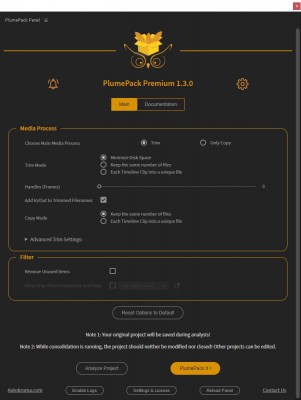
- The UI has been changed and the options have been separated into 2 different categories : "Media Process" and "Filter"
- The handle slider is not linear anymore, which makes it easier to set for small numbers between 0 and 100
- Messages at the top explaining more in depth how to report a bug when logs are enabled
* Fixed:
- The Project Items and Track Items now keep their original name and colors after the PlumePack Process
- Fixed error when a file was copied with keyframes on it
- Trimmed Anamorphic files could loose their internal aspect ratio metadata, resulting in a different footage interpretation in Premiere Pro if default file interpretation was set for those footages
* Other
- H264 Codec is back in Beta after some issues found with trimming
- Be careful when you enable H265 Codec in Beta: some shifts have been observed on trimmed files
1.2.9 - Oct 31, 2021
- Panel could be impossible to open in MacOS
1.2.8 - Oct 21, 2021
- Warning displayed at the panel opening when "Productions" is used with link to the Limitations article
- PlumePack Process is now aborted after Analysis if Reference Clips are detected (Clip referencing Project Item from another project, happenning in a Productions context). More infos about what to do in this case here : https://www.autokroma.com/blog/PlumePack-Limitations-Known-Issues#special-case--project-used-in-a-productions-context
* Fixed:
- Clip Shifted when the PlumePacked project was just converted from an old version of Premiere Pro and not saved between
- Error when a Merged Clip got Clip Markers
- Error when analysing/consolidating a project the first time with only one sequence option used
* Fixed:
- Error when a Media with Markers or Keyframes on the ProjectItem was copied
- Error when a keyframe was set on an Audio Track
- Error which could happen at the first launch of PlumePack (Analysis or Consolidation), especially when working with Merged Clips
- Error when an AE or AEgraphic file dependency was not copied successfully (which could be harmless) - Warning is set in the final report for this case
- Error when a Copy Action was not successful - the process is finished with error on final report
1.2.7 - Oct 13, 2021
* Fixed:
- Error when a Media with Markers or Keyframes on the ProjectItem was copied
- Error when a keyframe was set on an Audio Track
- Error which could happen at the first launch of PlumePack (Analysis or Consolidation), especially when working with Merged Clips
- Error when an AE or AEgraphic file dependency was not copied successfully (which could be harmless) - Warning is set in the final report for this case
- Error when a Copy Action was not successful - the process is finished with error on final report
1.2.6 - Oct 8, 2021
* Improvements:
- Added a new Project Control final step in the PlumePack process : the process will take a bit more time to run, but it will be safer for the final project
- Keyframes are now supported for Media Trimming
- Clip Markers are now supported for Media Trimming
- PlumePack engine now supports Apple silicon (for example the M1 CPU) with aescripts + aeplugins licensing - No difference for users, except that it could improve performances on those devices
* Some effects are now excluded from trimming because they were involving bugs after replacement (media are copied instead) :
- (Native) Timewarp
- (Native) Echo
- (Native) Posterize Time
- (Native) Pixel Motion Blur
- (Plugin) Twixtor
* Fixed:
- Error which could happen while Analysing/Consolidating a project the first time
- Audio transition could be removed when an empty audio clip was removed because of the SlowMo Issue, the media is now excluded from trimming in this case
1.2.5 - Sep 23, 2021
* New "Notification" button in PlumePack to get all important news about the plugin but also global Autokroma news ! When one or multiple new unread notifications are available, the icon to show those notifications will change
1.2.4 - Aug 31, 2021
- With Basic Licence, Trimming was not automatically disabled and it was involving error when launching PlumePack process
- For videos with shorter audio stream than video stream Trimming was not always working (file was copied instead)
- Fixed issue when replacing media with attached proxy on Premiere Pro version before 14.5
- On Premiere Pro 14.0, Network project filepaths were on error
- Total Project Size displayed in the analysis could be wrong when "Removed Unused Files" was not checked
1.2.3 - Aug 21, 2021
- When using the same project item multiple times or when having different audio/video clip length in timeline, the "InPoint" and "OutPoint" computation could be wrong, resulting on trimmed files too short and stripes on some timeline items
- Some trimmed wav files could involved "Replacement Error" in the final Report and a final "Critical Error" state
- Critical Error when a Project Shortcut was present in the processed project
- Very big projects could make the panel restart while consolidating due to memory issues. Memory used by PlumePack has been optimized and reduced for that
- Not trimmed because used in a Merged Clip reason was not displayed on analysis and final report
1.2.2 - Aug 12, 2021
- Loading feedback added for Sequences Dropdown List
- Loading of the panel on big projects is faster
* Fixed :
- When a unknown trim problem was happening, it could involve the full process to fail. Now the file which is in trimming error is copied instead and the process ends normally
- Issues while analysing project in really special conditions, resulting in errors while copying and trimming
- AVI Trimming issue in rare conditions
1.2.1 - Jul 8, 2021
- R3D 8.0.3 library used
- Trimming supported for AVI container which can be used for the supported codecs Cineform, HAP, MPEG-2 (XDCAM) and Motion JPEG
- When using the "Keep only Chosen Sequence and Deps" option, the consolidation process is much quicker on some projects
* Fixed :
- Error in panel when trimming some R3D files and BRAW files from 1.2.0
- Error in panel when filepath contained special characters
- H264 Trimming with mp4 container and uncompressed Audio
- Some H.264 interlaced files were changed after trimming in some ways that they could be not well interpreted by some NLEs or Players
1.2.0 - Jul 2, 2021
- New default behavior: Multiple output parts for one file. Better optimization of how clips are trimmed when coming from the same source. Really useful for interviews, conferences, long continuous shootings etc.!
- New option : "Force One Output File per Input File": Gives access to old trim behavior, only one trimmed file is created for each media based on min/max use along the project.
- New option : "One Output File for Each Timeline Clip" for a specific kind of workflow, which needs that every timeline clip comes from a unique media source (even if duplicated)
- Support clips with Speed Changed, Speed Reversed.
- Support clips with Footage Interpreted
- Support Subclips without hard boundaries
- H264 is no more a "Beta Codec", and so doesn't need anymore the "Trim New Codecs in Beta" option for being trimmed.
* New Copy Features:
- Merged Clips, AEgraphics and AE comps are now automatically relinked into Premiere Pro. For AE Comp, media dependencies are copied but not relinked into the AE comp for now
* Other Improvements:
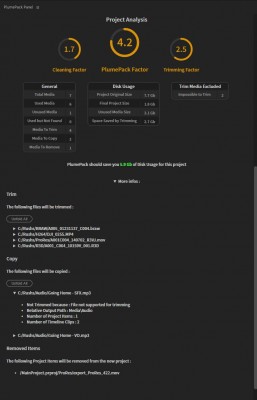
- Introducing PlumePack Factors : 3 numbers to evaluate how much PlumePack reduces the size of your project
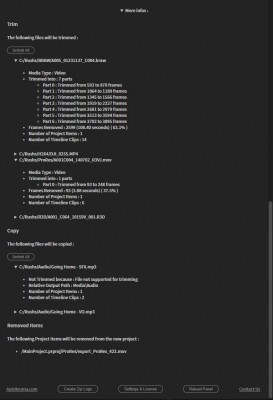
- More informations available per media in the Panel Analysis
- Media infos in Analysis and Sequence names in the Sequence Dropdown are now sorted by alphabetical order
- BRAW 2.1 library used for Trimming
* Fixed :
- Error when "Re-encode Audio if necessary" Trimming options was disabled
- Error when the project was on some kind of network drive in Windows
- Error when some pictures were imported from Premiere Rush
- Error when DNxHD with alpha channel was trimmed
- Error when project was exported at the root folder of a disk
- Error when audio music file was containing the cover image
- Error when Premiere Pro bin name finished with a dot
- BRAW Files could not be trimmed if recorded as SlowMotion with Audio length different than Video
1.1.2 - May 12, 2021
- Error when active project was changing during the consolidation process.
- Error when aegraphics or AE composition item was usused and "Remove Usused Items" option was set to false
- Conflicts issues when BRAW Studio Panel and PlumePack Panel were both opened at the same time.
1.1.1 - Apr 29, 2021
1.1.0 - Apr 16, 2021
- Image Sequence (png, jpg, tiff, ...)
- CinemaDNG ImageSequence with sound
- Any file with closed captions if "Drop Metadata Stream" option is enabled. The closed captions will be lost but the file will be trimmed. Contact us if you need to keep them in the trimmed files.
- The following codecs are only added in Beta for now, you will need to enable the new Beta option to test. Please send us your feedbacks !
- [MOV, MP4, MXF] H.264
- [MOV, MP4, MXF] H.265
- [MOV] Apple QuickTime Animation RLE: only in Beta for now, you will need to enable the beta setting to test. Please send us your feedbacks !
- [MOV] XDCAM: only in Beta for now, you will need to enable the beta setting to test. Please send us your feedbacks !
* New Features :
- New parameter for trimming : enable Beta mode to be able to test trimming on more codecs !
- New parameter for trimming : Trim InPoint when rounding issues on clip. This issues only happen when media framerate is different than the sequence : some frames (not all) could be shifted to the next or previous one. You can disable this parameter to get the exact same frames before and after. More information in the Panel documentation tab.
- PPro support extended from 14.4 to 14.0
- Final folder is automatically opened in File browser when PlumePack process is done
- User options preferences are now saved from one session to another and you can reset the option to default value with a new button
* Improvements :
- Global stability
- An error on one file has less chance to stop the whole process
- There are now quick tooltips to understand what each parameter does
- Offline files not found on disk are now mentionned on Analysis details and report
- Project Analysis is much faster
- UI final feedback improved
- UI Analysis improved
- BRAW 2.1.beta4 used, allowing new BRAW files from latest Camera /Video Assist
- BRAW Dual Card files are now copied along the BRAW file (like for R3D files)
* Bug fixed :
- Some projects were stucked during Analysis
- During Project Analysis, the project is no more saved multiple times per sequence
- Plumepack were not working on some projects with Multicam Clips or Multichannel Audio tracks
- Some files could be not trimmed because of Audio AAC
- Do not show Multicam clip in sequence dropdown list
- R3D footage with multiple files was failing while relinking
- DNG with sound were impossible to copy
- Logs created on big projects failed to be created
1.0.2 - Mar 8, 2021
1.0.1 - Mar 1, 2021
- Fixed : Previous 1.0.0 was not working since 03/01 due to old beta time limitation code
- Fixed : Audio WAV trimming
- Fixed : Panel error when starting Premiere Pro with PlumePack immediately displayed (restarting Panel was needed)
1.0.0 - Feb 16, 2021
* Trim of your media files (Only for PlumePack Premium):
- Removing unused frames from their use in the current project and replacing the projectItems, keeping their codec and quality
- Auto Trim Control : check for any lost metadata or important properties
- Supports Premiere Pro Transitions
- User Option : Disable Trim and copy files instead
- User Option : Handle parameter to add more frames at the bounds of the trimmed footages (from 0 to 1000)
- User Option : For video footage with compressed audio, trim video and re-encode the audio stream
- User Option : For video footage with unknown Metadata streams (like GPS), trim video and drop the metadata stream
* Container / Codecs available for Trimming
- [MOV] Apple ProRes (422, 422 LT, 422 HQ, 422 proxy, 4444, 4444 XQ)
- [MOV] Apple Prores RAW
- [BRAW] Blackmagic RAW
- [R3D] RED R3D
- [XMF] ARRIRAW
- [MOV] Cineform
- [MOV] DNxHD
- [WAV] PCM
- Want more? Contact us!
* Clean your project :
- User Option : Remove any unused Project Item
- User Option : Choose a sequence and Copy/Trim from it (removing anything which is not in this sequence OR in the nested subsequences of this choosen sequence)
* Trimmed / Copied media will be organized in the final folder following Premiere Pro Project Panel bins structure
* Full report generated at the end of the PlumePack Process
* You can first analyze your project and check in details what PlumePack will do for the full process
PlumePack Installer Windows
2.3.3 (Current version) - Apr 29, 2024
- New Premium Option for Only Copy and No Process: "ByPass Trimming Estimation": if enabled PlumePack will skip Trimming Estimation Analysis steps and speed up the process
* Improvements in PlumePack:
- Some rare errors need a manual fix of the project by the user, otherwise Premiere Pro prevents PlumePack to do some actions. Now PlumePack clearly indicates if this is needed and redirect to an online article explaining how to proceed
* Fixed in PlumePack Process:
- Hidden Error: an offline media with transcript was not recognized as offline, and so copied by PlumePack
- Hidden Error: If a media was used partially in Premiere Pro and as an AE Comp dependency, and if the "Remove Unused" option was not used, the media was trimmed instead of being excluded from trimming because used in the AE Comp
- Explicit Error: Some Shift Issue could be wrongly reported, resulting in error message in final report
- Excplicit Error: For audio only file, some issues could occur during trimming
2.3.2 - Feb 27, 2024
- Blackmagic Cinema Camera 6K
- Blackmagic Micro Studio Camera 4K G2
- Blackmagic URSA Mini Pro 12K OLPF
- Panasonic GH5S, BGH1, Lumix G9II, Lumix GH6, LUMIX S5II and S5IIX
- Fujifilm X-S20, GFX100 II
* R3D SDK updated to 8.5.0:
- Fixing trim issues with R3D files recorded on RED ONE
- Adding trim support for V-RAPTOR [X] .R3D files
* Fixed in PlumePack Process:
- Explicit Error: during Project Control when a nested sequence was used partially, some items were unused inside and others needed to be cut in multiple parts because of the parent use
- Explicit Error: when using the "Each Timeline Clip into a unique file" Trim Mode and trimming GOP codecs into multiple files
- Explicit Error: when an unknown Premiere Pro error was happening when replacing a clip by PlumePack, the full PlumePack process was aborted. Now it goes to the end and well report the error with description
2.3.1 - Dec 29, 2023
- Hidden Error: Audio Remix Clip could be broken after a successful PlumePack Process, showing vertical bars on the clip
- Explicit Error: rare error with Audio Remix Clip which lost link with old original clip
2.3.0 - Dec 19, 2023
- The user can now select multiple "Main Sequences" to process with checkboxes. Nested sequences will be automatically processed recursively
- When an error happens during Copy, Media Replacement, or Project Control: instead of aborting the process PlumePack now continues to the end and write the errors in the UI and report, so in case of a small errors the user can identify the error source and fix it manually
- New Option for Trimming "Trim if Color Space Issues": MXF H264 files with profile "HIGH" could be affected by Color Space issues after trimming. They were already excluded from trimming, but now with this option you can force trimming on those files
- New Transform Option "Move Project Item Multiple Parts To Sub-Bin": when a Project Item need to be duplicated into multiple ones (like when trimming into multiple parts), the user can now choose to place all those parts into a Sub-Bin or not
- Project Item naming improved, especially when one Project Item needs to be duplicated in multiple parts by trimming
- New Extension in Beta for trimming (Container) for .mkv and .webm files. Send us feedback if you trim those kind of files!
- New Codec in Beta for trimming : Google VP9, FLAC and EAC3. Send us feedback if you trim those kind of codecs!
* Toolbox Improvements:
- UnMerge: UnMerged Timeline Clips are now reset to their original name
* Fixed in PlumePack Process:
- Explicit Error: when a trimmed media had a timeline clip with speed changed and reversed
- Explicit Error: in a rare scenario when a Media has itself as attached proxy
- Explicit Error: in a rare scenario with Merged Clip
- Explicit Error: with media located in hidden folder (filepath with Slashdot)
- Explicit Error: while trimming Variable Framerate Footage the Trimming Control was detecting a change in framerate which was actually normal
- Hidden Error: Some HEVC/H265 files could be shifted after trimming, because of discarded frames at the beginning of the original files. It was happening with OBS recorded files for example
- Hidden Error: For some files with AAC audio stream, the output file with re-encoded audio had poor audio quality. Now AAC output should be at least re-encoded with 128 kbps whatever the input bitrate
- Hidden Error: For some specific files (like some DJI H265 MP4), the trimmed file thumbnail could be not displayed anymore in Explorer/Finder or other applications like Photomechanic
2.2.2 - Oct 16, 2023
- PlumePack now officially supported on Premiere Pro 24
- New video codecs in Beta for Trimming: "NDI HX" and "vMix"
* Fixed in PlumePack Process:
- Explicit Trimming Error : when the video file had attached picture (generally used for thumbnail). The file can now be trimmed successfully, but the attached picture is now dropped in the trimmed file
- Explicit Trimming Error : for some MXF files with the H265/HEVC codec. Fixed by remuxing to MOV those particular files (detected with specific "Profile")
- Explicit Error : when an audio file had cover image
- Explicit Error : when a file had issue with trimming and the issue was detected (especially files with multiple video streams)
- Explicit Error : In some rare scenarios, some Project Item could be not set as Offline but original media still not found on disk, and that was involving error in the PlumePack process
- Explicit Errors : some internal issues happening in really rare cases
2.2.1 - Sep 4, 2023
- R3D SDK Version updated to 8.4.0 - Fixing Trimming Issues on some R3D Footages
- In Trim mode and not with the "One File Per Timeline Clip" mode, if a media is trimmed into multiple parts and if one part fails to be trimmed, the whole media will be copied and successful trimmed parts will be removed to minimize disk space as much as possible
* Fixed in PlumePack Process:
- Explicit Error : in MacOS when .aif were present in the project - but could also fix issues with other non trimmable extensions
- Explicit Error : while trimming some CINEFORM footages (maybe other codecs were concerned) - Files were copied instead
- Explicit Error : with Trimming enabled, when some nested or multicam sequence had some tracks locked
2.2.0 - Aug 21, 2023
- H264/H265 now Out of Beta for Trimming ! Thanks to our users which sent us sample files, we updated our Trim Engine to fix numerous issues happening while trimming those files !
- New Filter Option "Only Process Media Outside of Project Parent Folder" : so you can save copy time and be sure all files used in your project are on the same folder
- New Option for Trimming "Do Not Remux To Mov If Needed" : In order to solve some of the trimming issues, some files could need to be remux from MXF to MOV. The extension will change, but it is not a re-encoding and so the frames keep their exact same qualities !
- New option for Trimming "Do Not Trim Audio-Only Files" : Make sure media with only audio streams are not trimmed during the PlumePack process
- New Option for "No Media Process" mode : "Remove Productions References" to make your project fully independent from other projects
- Checkbox Option "Copy Only Proxies" becomes now a choice between "Copying Only Proxies", "Copying Only Proxies OR Main Media if no Proxy attached", or "Copy Main Media AND Proxies if attached"
- When using the "Filename : use Project Panel Item Name" option, AE Comp dependencies which are not imported in the PrPro project are renamed from the AEComp Project Item followed by original filename
- When using the "Filename : use Project Panel Item Name" option, copied Proxies are also renamed from the Project Item name
- Improved Details in UI Panel Feedback (Analysis and PlumePack Process) and final report
- Improved Progress Bar by mentioning which file is processed/copied/trimmed so it can reveals faulty network issues like corrupted files really long to copy/trim through network
* Fixed in PlumePack Process:
- Explicit Error : ProRes/DNxHD/HAP/Cineform/RLE/H264/H265/MPEG-2(XDCam) Trimming various Issues
- Explicit Error : when trimming Image Sequence with associated Audio shorter than Video
- Explicit Error : In some rare case with "Cut Timeline Clips" option enabled
- Explicit Error : When having Remix Clip Rendered and Replaced, in case option "Keep Only Chosen Sequence and Deps" is not used and audio clip is trimmed
- Explicit Error : When using "One File Per Timeline Clip" mode with AEgraphic file used multiple times - Error will not happen anymore and AEgraphics will only be copied once in this mode (limitation)
- Explicit Error : When output Filepath was too long for the OS - now it finishes the whole process and indicates which files are concerned and have not been processed
- Explicit Error : When a R3D file failed to be trimmed (because of various reason like corrupted media), the next ones were also declared on error by mistake
- Freezed Process (never finishing): If a media could not be copied for various reason, PlumePack was freezed
- Fixed Timecode Issues while trimming ProRes, DNxHD, HAP, Cineform, H264, H265
- Fixed Slight Audio Shifts which could happen with ProRes, DNxHD, HAP, Cineform, H264, H265
* Special Notes:
- Thanks to all our users which sent us Video samples ! Thanks to your files, we updated our Trimming Engine to a better and more robust version
- There is still an issue with MXF H264 file with profile 100 : Color Space was changed during trimming resulting in a different output color. We disabled trimming for those clips for now. If you have such files, please send us some samples !
2.1.3 - May 25, 2023
2.1.2 - Apr 27, 2023
- An estimated size is given for each trimmed part of a media after the Analysis and the final size is given at the end of the process in "Detailed Analysis Info" section
- BRAW SDK Version updated to 2.8 - Adding Trimming Support for Fujifilm XH2s, Fujifilm X-H2, ZCam E2, E2-M4, E2-S6, and E2-F6 BRAW clips captured by Blackmagic Video Assist
- Improved final report by mentioning not copied because not found AE Comp Dependencies
* Fixed in PlumePack Process:
- Explicit Error : In some rare case with After Effect Composition.
- Explicit Error : Raise limitation for Image Sequence to 100 000 images instead of 1 000
- Explicit Error : Fix error in Analysis for some projects
- Explicit Error : Support Captions Preset File
- Explicit Error : Error with cut Timeline Clips options with Linked Project Items
- Explicit Error : In rare case when using Remix Clip with Audio Original Project Item removed
2.1.1 - Feb 1, 2023
2.1.1 - Feb 1, 2023
2.1.0 - Jan 20, 2023
- New Media Process Mode : "No Process" to filter/clean your project without copying/trimming your media. You can also use it to filter/clean your project with PlumePack and then transcode with the native Project Manager
- New Copy Process Option : "Only Copy Proxies" so only Proxies and not main media should be copied (Advanced Copy Settings)
- Changed workflow with Offline clips : if Main media is offline but Proxy is present + Media Process is Copy + "Include Proxies" is used, then the proxies are copied instead of ignored. Especially useful when an editor works only with proxies and PlumePack its project before transferring it.
* New Toolbox Feature:
- New Tool : "Reorder your Sequence Track" if you want to easily reorder your tracks in the current selected sequence !
* Fixed in PlumePack Process:
- Hidden Error : When trimming the same audio in multiple parts, some of the Timeline Clips could have their "Audio Gain" reset to 0
* Updated macOS minimum version from 10.14 (Mojave) to 11.0 (Big Sur)
2.0.7 - Dec 2, 2022
- You can run our Install and Uninstaller .exe in command line like this : 'start "Autokroma" /wait /b "InstallerOrUninstaller.exe" /S', for our uninstaller you can pass an argument to specify which product to uninstall like this : '-Uninstall_PlumePack'. Do not forget to run your Terminal as Administrator, otherwise you will need user interaction to confirm the Administrator rights prompt. This also works using Microsoft SCCM (System Center Configuration Manager) to automate deployment
* Toolbox Improvements:
- UnMerge : New UnMerged Project Items are now reset to their original name
* Fixed in PlumePack Process:
- Hidden Error : When Trimming was on error for a media (so media copied instead) HoldFrame, Keyframes and Clip Markers could be shifted
2.0.6 - Nov 2, 2022
- PlumePack Analysis and Replace performance improved
- Media History is now cleared in the new PlumePack project. It avoids relinking issues when opening the project on another OS. If you want to keep it, please contact us !
* Fixed in PlumePack Process:
- Hidden Error : When using "One File Per Timeline Clip" option with Merged Clips, there were various errors. Now when using this option, Merged Clip files will be not duplicated per timeline clip
- Explicit Error : When a Timeline Clip was linked to more than one Project Item from the same media
- Explicit Error : When a plugin effect parameter was called "Opacity"
- Explicit Error : When the project or media original path contained invisible special chars
2.0.5 - Sep 21, 2022
- Added Copy and Trim Support for .ari image sequence (ARRIRAW) (ARRIRAW MXF or mov extension can not be trimmed though)
- Added Support for copying Audition Original Audio media if not used anymore and if "Remove Unused" is not set
- Added Support for Caption Track "Master Style" : kept when using "Remove Unused Items" option
- R3D SDK Version updated to 8.3.1 - Adding Trimming Support for V-RAPTOR XL camera footages
- BRAW SDK Version updated to 2.6 - Adding Trimming Support for Fujifilm XH2s BRAW clips captured by Blackmagic Video Assist
* Fixed in PlumePack Process:
- Hidden Error : When a Timeline Media clip was used as an "Adjustment Layer" multiple times with "Each Timeline Clip into a unique file" option (Copy or Trim), then some Timeline clips could loose their "Adjustment Layer" property
- Explicit Error : because of a PrPro bug with "Master Style" Project Item referenced in the project without being part of any Bin
- Explicit Error : when an Audition Original Audio Project Item was removed and PlumePack was launched
- Explicit Error : when a media was used more than 100 times in a project
- Explicit Warning : When using image Media multiple times with "Each Timeline Clip into a unique file" option (Copy or Trim), some new Project Items created could stay in a "Subclip" mode
- Original Size of the project reported was not good at the end of consolidation when some trimming actions were on error (and files were copied instead)
* Other Fix:
- MacOS : Red Error in Premiere Pro when launching the "Settings and License" popup
2.0.4 - Aug 30, 2022
- Fixed Hidden Error : MacOS - Some chars could be removed in the final folder structure, when based on the Premiere Pro bin structure
- Fixed Explicit Error : Image Sequence trimming when there was no prefix in filename (like : 001.png, 002.png, ..)
- Fixed Explicit Error : Using "Remove Unused Items" and "Removing Unused Elements in Nested Sequences" when Graphics were used outside of used nested sequence
- Fixed Explicit Error : Special data elements like CSV were not supported - Those elements are now well copied and replaced if "Removed Unused" is not set
- Fixed Explicit Error : When some special chars like "&", "<",">",.. were used in any Bin or Project Item name
- Fixed Explicit Error : When Image was imported as image alone and Image Sequence
- Fixed Explicit Error : On rare projects when a media was imported multiple times
- Fixed Explicit Error : When a Trim Selected process was launched after a Consolidation Process
- Fixed trimming progress bar being stuck for BRAW trimming
* Toolbox Fixed:
- Fixed UnMerge process being stuck and never finishing
2.0.3 - Jul 10, 2022
* Fixed Explicit Error : BRAW trimmed into multiple parts
* Fixed Explicit Error : Clips processed by the new Premiere Pro Remix Tool were not supported
* Fixed Explicit Error : Keyframes on Audio Tracks or Mix were not supported
* Fixed R3D file Trim Error : When trimmed into multiple parts with a big part and unique filename option enabled
* Fixed : UI filesize report was wrong after consolidation when computing multiple R3D/BRAW files footage, resulting of bigger project size reported
2.0.2 - Jun 24, 2022
* Fixed Explicit Error when an Image Sequence was used in a Timeline with a different Frame Rate
2.0.1 - Jun 20, 2022
- Explicit Error for new users - Some initialization steps could be wrong and a red error was displayed on the panel
- Explicit Error when using the option 'Cut Timeline Clip if needed for Disk Optimization' for some timeline configurations
- Explicit Error when some Data Media like .srt files were imported into the project
2.0.0 - Jun 12, 2022
* Improvements:
- Project Analysis has been greatly optimized and can be up to 20 times faster, especially on big projects
- The Analysis in the PlumePack Panel UI is now updated at the end of the process, so it is the same to look at the report txt file or directly look at the PlumePack Panel UI
- AE Comp Dependencies are not copied multiple times if referenced in different AE Comps linked to the same project
- New Sequence Tree Structure in Analysis - Showing explicitly which sequences are taken into account under a 'Tree' display. You can also click on the timeline icon next to your timeline name to open it from there !
- New Folder Structure in Analysis - Showing explicitly how the final structure will be after the PlumePack process depending on the option used
- For the 'One File Per Timeline Clip' mode, one timeline clip which can not be trimmed does not exclude other clips from the same media to be trimmed anymore
- New option to disable the disk space available security, which can be useful if the script does not manage to get the real size (on some network spaces). This option is available from the "Settings and License" popup
* New ToolBox Tab with Independent Features:
- New Feature : Trim selected items - A quick tool to trim some selected timeline clips, import the trimmed files and replace the selected timeline clips automatically
- New Feature : UnMerge - Reverse the 'Merge Clip' process on your Project Items ! The clips in timeline from the original Merged Clips are linked to new Media Project Items automatically created. Can be applied on the whole project or just on selected Project Items
- New Feature : Rename Tape Name metadata using Filename - Modify all or a selection of Project Items 'Tape Name' metadata to match the filename. Useful for relinking Media when the filename changed, especially after a PlumePack process !
- New Feature : Add empty space (defined by a frame number option) before all selected clips or all clips in timeline
* New 'PlumePack It !' (Consolidation) Features:
- New option : 'Give each Media a Unique Filename' : Make sure every copied or trimmed Media has a Unique Filename in the consolidated project (without extension), even if not in the same final folder.
- New option : 'Remove Unused parts of Nested Sequence' : Clean unused part of nested sequences. If trimming is enabled and clips are used only partially, they are trimmed accordingly
- New option : 'Remove Unused parts of Multicam' : Clean unused part of Multicam sequences. If trimming is enabled and clips are used only partially, they are trimmed accordingly
- New option : 'Data Structure Mode: Original Folder Structure on Disk' : Organize your final media disk structure based on the original folder structure of your media
- New option : 'Data Structure Mode: Flat Data Structure' : Put all the copied and trimmed media in the same folder
- New option : 'Cut Timeline Clip if needed for Disk Optimization' : Export and cut a Media timeline clip used at different parts from a parent sequence into different parts. Especially useful when working with Multicam sequences !
- New option : 'Media Root SubFolder Name': Choose a custom Folder Name for the Media Root Folder located next to the new PlumePacked prproj file.
- New option : 'Place All Media into Root SubFolder': Create a Media Folder next to the new PlumePacked project and put every media inside
- New option : 'Filename - Use Project Panel Item Name': Use the Premiere Pro Project Panel Item name as filename for the new PlumePacked Media
- New option : 'Include Proxies' : Copy and Replace Proxies of Media kept during the PlumePack process in a separate folder
* New workflow with Offline Clips:
- If a media has offline and online Project Items, the offline clips are ignored and not replaced during the PlumePack process. The online clips are trimmed and not excluded anymore from trimming
- The offline clips are not copied anymore by PlumePack, even if found on disk
- Offline Clips are removed from the new project like any other clips (depending on the Filter options and the Used state of the clips)
* Fixed:
- Explicit error on some projects
- Explicit error happening when trim/copy mode is 'One File Per Timeline Clip' and when option 'Remove Unused Items' is disabled
- Explicit error when an Image Sequence was used with the first image as Still Image and with the 'One File Per Timeline Clip' mode enabled
1.4.4 - Feb 1, 2022
- Explicit Error in rare situations when several relative path ("../..") were given by Premiere Pro
1.4.3 - Jan 31, 2022
- Productions: PlumePack removes now any "References" to other projects and any used Project Items belongs to the PlumePacked project. So no need to "Generate Source Clips" anymore before launching the process
- The "More Infos" which gives details per media in the analysis has been renamed and is now unfolded by default
* Changes:
- PlumePack does not use the Fraunhofer FDK AAC anymore and use its internal engine for encoding aac now (only when needed + corresponding option enabled) - Both encoders have a great quality and the difference is generally not audible
* Fixed:
- The "Generate Source Clips" PrPro feature does not work with Merged Clips, and so PlumePack could not work when Merged Clips were used as Reference in the Project in a Productions Context
- Hidden Error : Media used in Graphic (through the Essential Graphic Panel) were not taken into account - They are now copied and excluded from trimming
- Explicit error when a Merged Clip had a modified speed
- Some final folder names could have a bad suffix "[object Object]" if multiple bins had the same name in the project
1.4.2 - Jan 12, 2022
- Hold Frame clips are now supported for trimming
- Added Original and Estimated Size for each media in Analysis per media details
* Fixed:
- Hidden error : shift could occur when using the "One File Per Timeline Clip" option for subclip with hard boundaries
- Hidden error : Black clip with stripes when hold frame was used and trimmed in rare cases
- Premiere Pro Crash when replacing media with a one frame trimmed media (when using Frame Hold and no handle for example), so now the minimum trim is 2 frames long
- Explicit error if path was a proxy path for a Project Item and a Media Path for another Project Item
- Explicit error if keyframes set on trimmed footage on rare cases
- Explicit error if Hold Frame used
- Some frames could be missing on some special H264/H265 footages, the error is now detected and the footage is copied instead
1.4.1 - Dec 13, 2021
- Explicit error could happen when no license was registered
- Explicit error when a "File Shortcut" was in the project, like for txt files
- When copying only the project, some empty useless folders were created
1.4.0 - Dec 8, 2021
* Improvements:
- When running PlumePack in "Copy" mode, the analysis has now a "Switch" button, showing you what trimming can do to your project and how much disk space you could save
- The PlumePack final report is now automatically imported in the project at the end of the process, so it will be copied on the next PlumePack process
* Fixed:
- Explicit error when AEgraphics, AE comp or Merged Clips had some special characters in their filename
- Final filename could be changed for media which had a ";" character in their filename
1.3.2 - Nov 25, 2021
- Hidden error for "Each Timeline Clip into a unique file" mode : file dependencies could be not copied next to the file
- Explicit error for "Each Timeline Clip into a unique file" mode : clips from a new project item could be reset
- Explicit error for "Each Timeline Clip into a unique file" mode used with Merged Clips
- Explicit error when a "Master Style" for text was present in the project
- Explicit error when a project item has the same filepath than his proxy
- When computing disk space in Analysis, the media dependencies were not taken into account, which could involve wrong values for Image Sequences, AE comps or AEgraphics
- Hidden error for Subclip with speed modified which have been converted to source clip : outPoint used for trimming was wrong
* Improvements:
- New check of the trimmed media duration, which avoids a bug for some H.265 files (Some frames could be missing from the trimmed media)
- New internal check for the length of a clip in timeline, which avoids a bug because of a Premiere Pro issue giving wrong information
1.3.1 - Nov 15, 2021
- Error when User Options were missing when loading the panel (first use of PlumePack)
1.3.0 - Nov 11, 2021
- The "One Output for One Timeline Clip" mode is now extended to copied files. With this option you are sure that each clip in your timeline references a unique media file. Can be useful for batch sending pieces of the edit to different colorists / VFX and keep everything well separated. Note : audio clips linked to their video clip are not concerned with this feature.
* Improvements:
- The UI has been changed and the options have been separated into 2 different categories : "Media Process" and "Filter"
- The handle slider is not linear anymore, which makes it easier to set for small numbers between 0 and 100
- Messages at the top explaining more in depth how to report a bug when logs are enabled
* Fixed:
- The Project Items and Track Items now keep their original name and colors after the PlumePack Process
- Fixed error when a file was copied with keyframes on it
- Trimmed Anamorphic files could loose their internal aspect ratio metadata, resulting in a different footage interpretation in Premiere Pro if default file interpretation was set for those footages
* Other
- H264 Codec is back in Beta after some issues found with trimming
- Be careful when you enable H265 Codec in Beta: some shifts have been observed on trimmed files
1.2.9 - Oct 31, 2021
- Panel could be impossible to open in MacOS
1.2.8 - Oct 21, 2021
- Warning displayed at the panel opening when "Productions" is used with link to the Limitations article
- PlumePack Process is now aborted after Analysis if Reference Clips are detected (Clip referencing Project Item from another project, happenning in a Productions context). More infos about what to do in this case here : https://www.autokroma.com/blog/PlumePack-Limitations-Known-Issues#special-case--project-used-in-a-productions-context
* Fixed:
- Clip Shifted when the PlumePacked project was just converted from an old version of Premiere Pro and not saved between
- Error when a Merged Clip got Clip Markers
- Error when analysing/consolidating a project the first time with only one sequence option used
1.2.7 - Oct 13, 2021
* Fixed:
- Error when a Media with Markers or Keyframes on the ProjectItem was copied
- Error when a keyframe was set on an Audio Track
- Error which could happen at the first launch of PlumePack (Analysis or Consolidation), especially when working with Merged Clips
- Error when an AE or AEgraphic file dependency was not copied successfully (which could be harmless) - Warning is set in the final report for this case
- Error when a Copy Action was not successful - the process is finished with error on final report
1.2.6 - Oct 8, 2021
* Improvements:
- Added a new Project Control final step in the PlumePack process : the process will take a bit more time to run, but it will be safer for the final project
- Keyframes are now supported for Media Trimming
- Clip Markers are now supported for Media Trimming
- PlumePack engine now supports Apple silicon (for example the M1 CPU) with aescripts + aeplugins licensing - No difference for users, except that it could improve performances on those devices
* Some effects are now excluded from trimming because they were involving bugs after replacement (media are copied instead) :
- (Native) Timewarp
- (Native) Echo
- (Native) Posterize Time
- (Native) Pixel Motion Blur
- (Plugin) Twixtor
* Fixed:
- Error which could happen while Analysing/Consolidating a project the first time
- Audio transition could be removed when an empty audio clip was removed because of the SlowMo Issue, the media is now excluded from trimming in this case * New "Notification" button in PlumePack to get all important news about the plugin but also global Autokroma news ! When one or multiple new unread notifications are available, the icon to show those notifications will change
1.2.5 - Sep 23, 2021
* New "Notification" button in PlumePack to get all important news about the plugin but also global Autokroma news ! When one or multiple new unread notifications are available, the icon to show those notifications will change
1.2.4 - Aug 31, 2021
- With Basic Licence, Trimming was not automatically disabled and it was involving error when launching PlumePack process
- For videos with shorter audio stream than video stream Trimming was not always working (file was copied instead)
- Fixed issue when replacing media with attached proxy on Premiere Pro version before 14.5
- On Premiere Pro 14.0, Network project filepaths were on error
- Total Project Size displayed in the analysis could be wrong when "Removed Unused Files" was not checked
1.2.3 - Aug 21, 2021
- When using the same project item multiple times or when having different audio/video clip length in timeline, the "InPoint" and "OutPoint" computation could be wrong, resulting on trimmed files too short and stripes on some timeline items
- Some trimmed wav files could involved "Replacement Error" in the final Report and a final "Critical Error" state
- Critical Error when a Project Shortcut was present in the processed project
- Very big projects could make the panel restart while consolidating due to memory issues. Memory used by PlumePack has been optimized and reduced for that
- Not trimmed because used in a Merged Clip reason was not displayed on analysis and final report
1.2.2 - Aug 12, 2021
- Loading feedback added for Sequences Dropdown List
- Loading of the panel on big projects is faster
* Fixed :
- When a unknown trim problem was happening, it could involve the full process to fail. Now the file which is in trimming error is copied instead and the process ends normally
- Issues while analysing project in really special conditions, resulting in errors while copying and trimming
- AVI Trimming issue in rare conditions
1.2.1 - Jul 8, 2021
- R3D 8.0.3 library used
- Trimming supported for AVI container which can be used for the supported codecs Cineform, HAP, MPEG-2 (XDCAM) and Motion JPEG
- When using the "Keep only Chosen Sequence and Deps" option, the consolidation process is much quicker on some projects
* Fixed :
- Error in panel when trimming some R3D files and BRAW files from 1.2.0
- Error in panel when filepath contained special characters
- H264 Trimming with mp4 container and uncompressed Audio
- Some H.264 interlaced files were changed after trimming in some ways that they could be not well interpreted by some NLEs or Players
1.2.0 - Jul 2, 2021
- New default behavior: Multiple output parts for one file. Better optimization of how clips are trimmed when coming from the same source. Really useful for interviews, conferences, long continuous shootings etc.!
- New option : "Force One Output File per Input File": Gives access to old trim behavior, only one trimmed file is created for each media based on min/max use along the project.
- New option : "One Output File for Each Timeline Clip" for a specific kind of workflow, which needs that every timeline clip comes from a unique media source (even if duplicated)
- Support clips with Speed Changed, Speed Reversed.
- Support clips with Footage Interpreted
- Support Subclips without hard boundaries
- H264 is no more a "Beta Codec", and so doesn't need anymore the "Trim New Codecs in Beta" option for being trimmed.
* New Copy Features:
- Merged Clips, AEgraphics and AE comps are now automatically relinked into Premiere Pro. For AE Comp, media dependencies are copied but not relinked into the AE comp for now
* Other Improvements:
- Introducing PlumePack Factors : 3 numbers to evaluate how much PlumePack reduces the size of your project
- More informations available per media in the Panel Analysis
- Media infos in Analysis and Sequence names in the Sequence Dropdown are now sorted by alphabetical order
- BRAW 2.1 library used for Trimming
* Fixed :
- Error when "Re-encode Audio if necessary" Trimming options was disabled
- Error when the project was on some kind of network drive in Windows
- Error when some pictures were imported from Premiere Rush
- Error when DNxHD with alpha channel was trimmed
- Error when project was exported at the root folder of a disk
- Error when audio music file was containing the cover image
- Error when Premiere Pro bin name finished with a dot
- BRAW Files could not be trimmed if recorded as SlowMotion with Audio length different than Video
1.1.2 - May 12, 2021
- Error when active project was changing during the consolidation process.
- Error when aegraphics or AE composition item was usused and "Remove Usused Items" option was set to false
- Conflicts issues when BRAW Studio Panel and PlumePack Panel were both opened at the same time.
1.1.1 - Apr 29, 2021
1.1.0 - Apr 16, 2021
- Image Sequence (png, jpg, tiff, ...)
- CinemaDNG ImageSequence with sound
- Any file with closed captions if "Drop Metadata Stream" option is enabled. The closed captions will be lost but the file will be trimmed. Contact us if you need to keep them in the trimmed files.
- The following codecs are only added in Beta for now, you will need to enable the new Beta option to test. Please send us your feedbacks !
- [MOV, MP4, MXF] H.264
- [MOV, MP4, MXF] H.265
- [MOV] Apple QuickTime Animation RLE: only in Beta for now, you will need to enable the beta setting to test. Please send us your feedbacks !
- [MOV] XDCAM: only in Beta for now, you will need to enable the beta setting to test. Please send us your feedbacks !
* New Features :
- New parameter for trimming : enable Beta mode to be able to test trimming on more codecs !
- New parameter for trimming : Trim InPoint when rounding issues on clip. This issues only happen when media framerate is different than the sequence : some frames (not all) could be shifted to the next or previous one. You can disable this parameter to get the exact same frames before and after. More information in the Panel documentation tab.
- PPro support extended from 14.4 to 14.0
- Final folder is automatically opened in File browser when PlumePack process is done
- User options preferences are now saved from one session to another and you can reset the option to default value with a new button
* Improvements :
- Global stability
- An error on one file has less chance to stop the whole process
- There are now quick tooltips to understand what each parameter does
- Offline files not found on disk are now mentionned on Analysis details and report
- Project Analysis is much faster
- UI final feedback improved
- UI Analysis improved
- BRAW 2.1.beta4 used, allowing new BRAW files from latest Camera /Video Assist
- BRAW Dual Card files are now copied along the BRAW file (like for R3D files)
* Bug fixed :
- Some projects were stucked during Analysis
- During Project Analysis, the project is no more saved multiple times per sequence
- Plumepack were not working on some projects with Multicam Clips or Multichannel Audio tracks
- Some files could be not trimmed because of Audio AAC
- Do not show Multicam clip in sequence dropdown list
- R3D footage with multiple files was failing while relinking
- DNG with sound were impossible to copy
- Logs created on big projects failed to be created
1.0.2 - Mar 8, 2021
1.0.1 - Mar 1, 2021
- Fixed : Previous 1.0.0 was not working since 03/01 due to old beta time limitation code
- Fixed : Audio WAV trimming
- Fixed : Panel error when starting Premiere Pro with PlumePack immediately displayed (restarting Panel was needed)
1.0.0 - Feb 16, 2021
* Trim of your media files (Only for PlumePack Premium):
- Removing unused frames from their use in the current project and replacing the projectItems, keeping their codec and quality
- Auto Trim Control : check for any lost metadata or important properties
- Supports Premiere Pro Transitions
- User Option : Disable Trim and copy files instead
- User Option : Handle parameter to add more frames at the bounds of the trimmed footages (from 0 to 1000)
- User Option : For video footage with compressed audio, trim video and re-encode the audio stream
- User Option : For video footage with unknown Metadata streams (like GPS), trim video and drop the metadata stream
* Container / Codecs available for Trimming
- [MOV] Apple ProRes (422, 422 LT, 422 HQ, 422 proxy, 4444, 4444 XQ)
- [MOV] Apple Prores RAW
- [BRAW] Blackmagic RAW
- [R3D] RED R3D
- [XMF] ARRIRAW
- [MOV] Cineform
- [MOV] DNxHD
- [WAV] PCM
- Want more? Contact us!
* Clean your project :
- User Option : Remove any unused Project Item
- User Option : Choose a sequence and Copy/Trim from it (removing anything which is not in this sequence OR in the nested subsequences of this choosen sequence)
* Trimmed / Copied media will be organized in the final folder following Premiere Pro Project Panel bins structure
* Full report generated at the end of the PlumePack Process
* You can first analyze your project and check in details what PlumePack will do for the full process
1.0.0 - Feb 15, 2021
-

- Compatibility After Effects
Unravel
Add to CartUnravel organizes the elements in your project panel and has some special features on board.
-

- Compatibility Premiere
Sequence Hub
Free TrialAdd to CartEasily navigate through Nested Sequences and keep your project organized!
-

- Compatibility After Effects
- Compatibility Premiere
Subtitle Pro
Add to CartCreate Professional Subtitles Directly in After Effects and Premiere Pro
-

- Compatibility After Effects
- Compatibility Premiere
Data Glitch 2
Add to CartData Glitch is a native After Effects & Premiere Pro plugin that creates awesome realistic digital image glitches with total ease.
$49.99 As low as: $39.99 -
- Compatibility After Effects
Declutter
Add to CartA fast After Effects extension that automatically cleans your messy project panel.
-

- Compatibility Premiere
Markers Pro
Free TrialAdd to CartWork more efficiently with markers in Premiere Pro!
-

- Compatibility After Effects
- Compatibility Premiere
- Compatibility Media Encoder
Vizual PixelPerfect
Add to CartOur collection of visual effects plugins for Premiere Pro and After Effects, starting with our FREE PixelPerfect to upscale your Pixel Art directly in PrPro in a few clicks
$0.00 -

- Compatibility After Effects
- Compatibility Premiere
- Compatibility Audition
- Compatibility Media Encoder
Influx
Add to CartAll-in-one native Importer plugin for Adobe (Premiere Pro, After Effects and Media Encoder). Wide range of formats and codecs supported.
$89.00 -

- Compatibility After Effects
- Compatibility Premiere
- Compatibility Media Encoder
AfterCodecs
Add to CartAfter Effects, Premiere Pro and Adobe Media Encoder native exporters bringing you ProRes / H264 / H265 / HAP codecs for excellent quality and lightweight videos, on Windows and OSX, no Quicktime needed anymore!
Autokroma Facebook
$0.00 -

- Compatibility After Effects
- Compatibility Premiere
- Compatibility Audition
- Compatibility Media Encoder
BRAW Studio V3
Add to CartBrand new Desktop Application, White Balance Picker, Premiere Pro Metadata Organizer Tool. Available in FREE and Premium Versions. After Effects, Premiere Pro and Media Encoder native Blackmagic RAW (.braw) importer, with advanced Premiere Pro features in our BRAW Studio Panel as well as customizable RAW Settings with our Layer Settings After Effects filter.
Click TRY to get BRAW Studio FREE which allows unlimited import of Blackmagic RAW files without any license !
$79.00