
Cell Division
-
Compatibility After Effects Please check exact version compatibility under the "COMPATIBILITY" tab below
 Adding to cart...

Everything is divisible, let's start with cell division

Normal
Creates adhesion between several layers and softens any sharp corners

Bubble Mode
Makes your shapes look like transparent bubbles which you can also customize
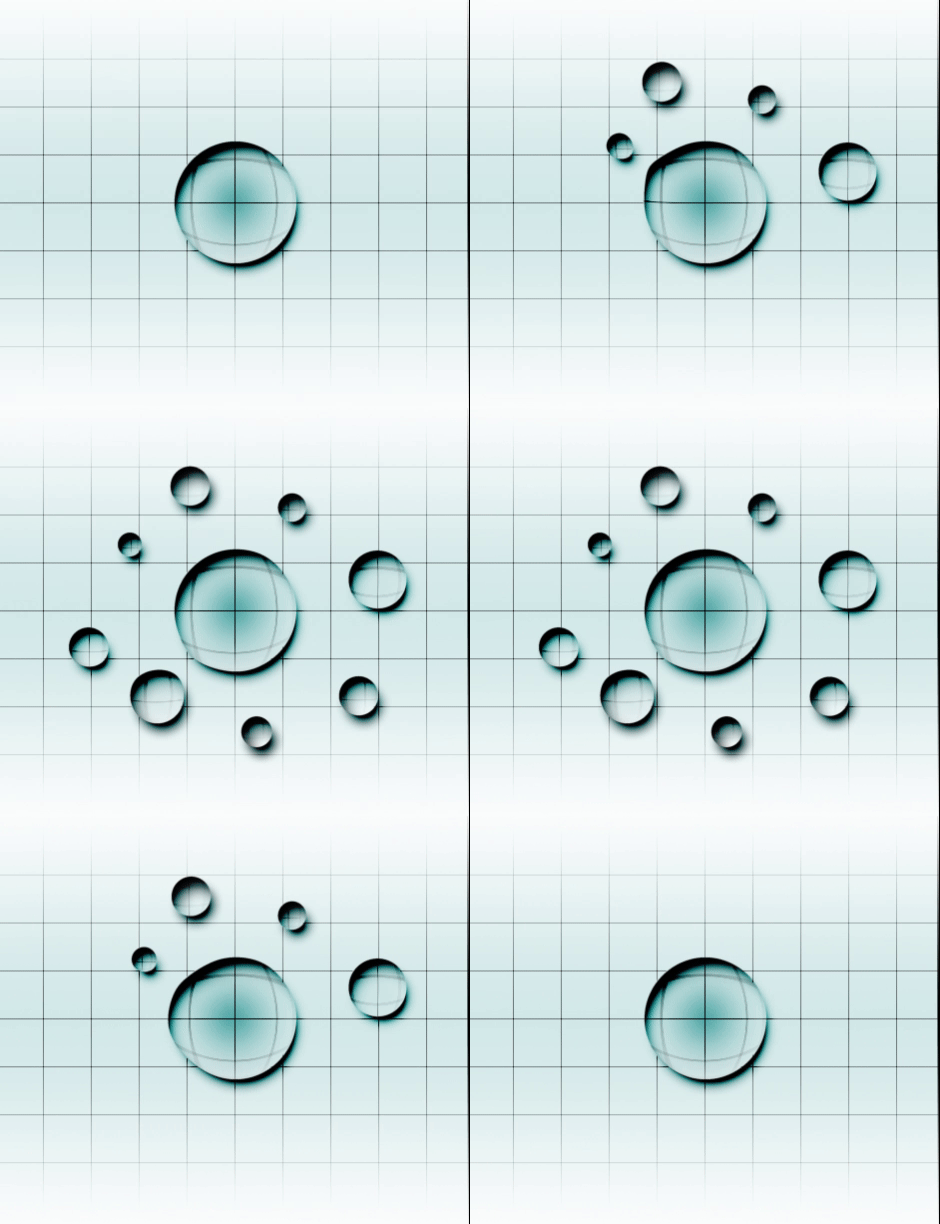
Layers
Creates adhesion between several layers and softens any sharp corners
Contents
Fixes the adhesion between shapes that are present in the contents of the layer, does not affect edges
| After Effects | 2024, 2023, 2022, 2021, 2020, CC 2019 |
|---|
1.3 (Current version) - May 9, 2024
- Increase Stability
- Fixed for Non English Version AE
- Fixed Reported Issues
1.2 - May 9, 2024
1.1 - Nov 24, 2023
- Update functions for best performance
1.0 - Oct 4, 2023
-

- Compatibility After Effects
Physarum
Add to CartNative plugin that simulates organic growth. Infinite possibilities!
-

- Compatibility After Effects
Blob it!
Add to CartIf you can see it, You can BLOB it! Grants blobby, bubbly, and jiggly properties to anything you see!
-

- Compatibility After Effects
YaroFlasher Super Bundle
Add to CartGet two awesome tools for making trail animations and save 30%!
-

- Compatibility After Effects
Mercury
Free-form liquid deformations for shapes, solids, text, and masks. Turn any object into a liquid object with customizable liquid thickness and evolution.Add to Cart -

- Compatibility After Effects
easyShape FX
Add to CartA simple yet useful tool for After Effects that allows you to apply cool effects to your selected shape layer with the click of a button
-
- Compatibility After Effects
Liquids
Add to CartUse masks to define the area to be filled and fill it with simulated liquid in one click
-

- Compatibility After Effects
Dynamic Shadow 2
Add to CartCreate Dynamic Shadows Easily! Now includes all new Visual Shadow engine.
$28.00 -

- Compatibility After Effects
Reveal Matte
Add to CartCreate a matte on the path of moving objects and reveal the layers in this path.
$13.80 -
- Compatibility After Effects
Add Anchor Point
Add to CartReach the peak of creativity with infinite anchor points!
$19.99 -

- Compatibility After Effects
Motion Reaction
Add to CartCreate a sense of movement and continuous state for any object.
$16.00 -
- Compatibility After Effects
Responsive Tools
Add to CartToolkit for making objects and compositions adaptive and responsive .
.$14.80 -

- Compatibility After Effects
Keyframe Manager
Add to CartA beautiful user interface to manage your keyframes quickly and easily. View, Edit, Rearrange, Search & Replace, Copy & Paste and more!
$29.00