
Glitch Control
-
Compatibility After Effects Please check exact version compatibility under the "COMPATIBILITY" tab below
-
Compatibility Premiere Please check exact version compatibility under the "COMPATIBILITY" tab below
 Adding to cart...
A One-Stop-Shop for Classic Glitch Effects
Drop your footage in the timeline, apply Glitch Control, and start making glitch art. It's that easy. No more digging around through menus trying to find which combination of techniques will get you the look you want.
Key Features:
- User-friendly effect plugin for creating classic glitch art
- Modular design for greater customization and faster processing
- 4 effect modules (RGB Controls, Displacement, Stretch, and Color cycle)
- Compatible with After Effects and Premiere Pro
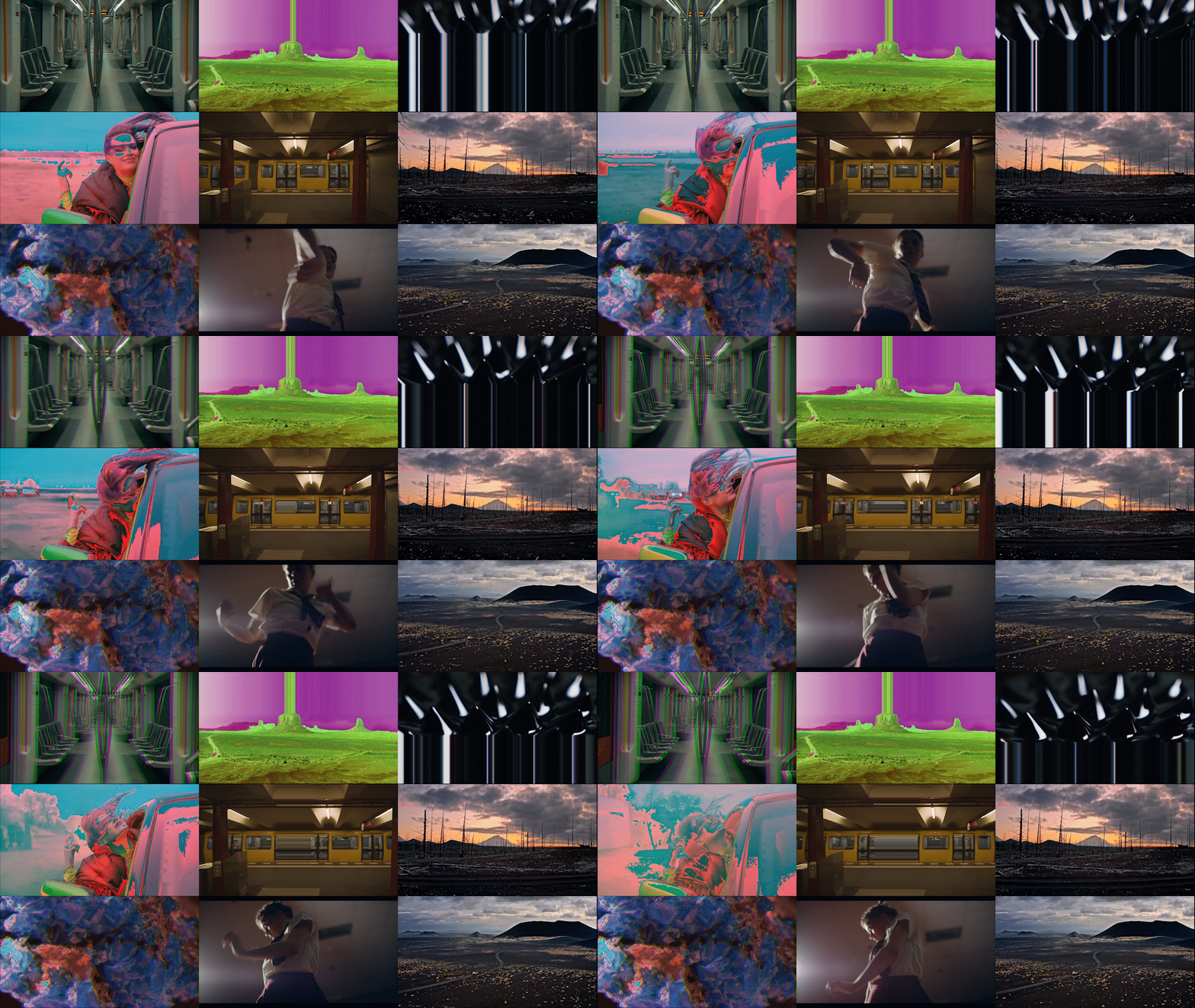
Modular Design For Ultimate Control
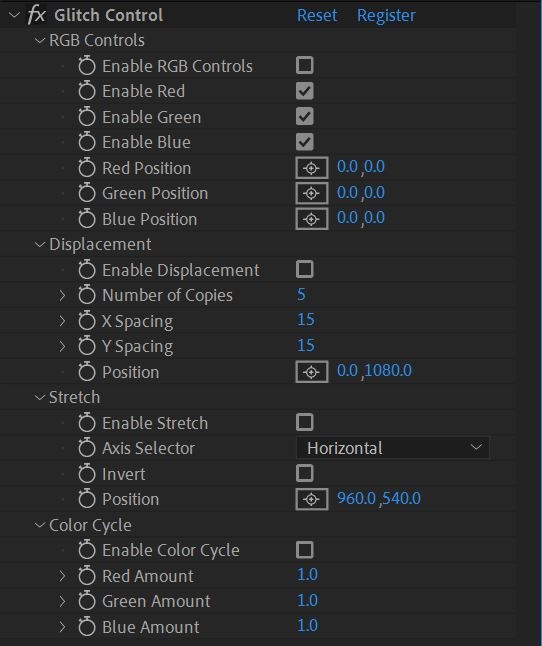
Glitch Control features 4 independent effect modules to give you greater control over your image processing. Just select which effects you want to use, turn them on, and start glitching. By disabling effects you don't want to use, you'll only use as much processing power as you need to. Saving you precious time with your renders.
Glitch Control Features 4 Effect Modules:
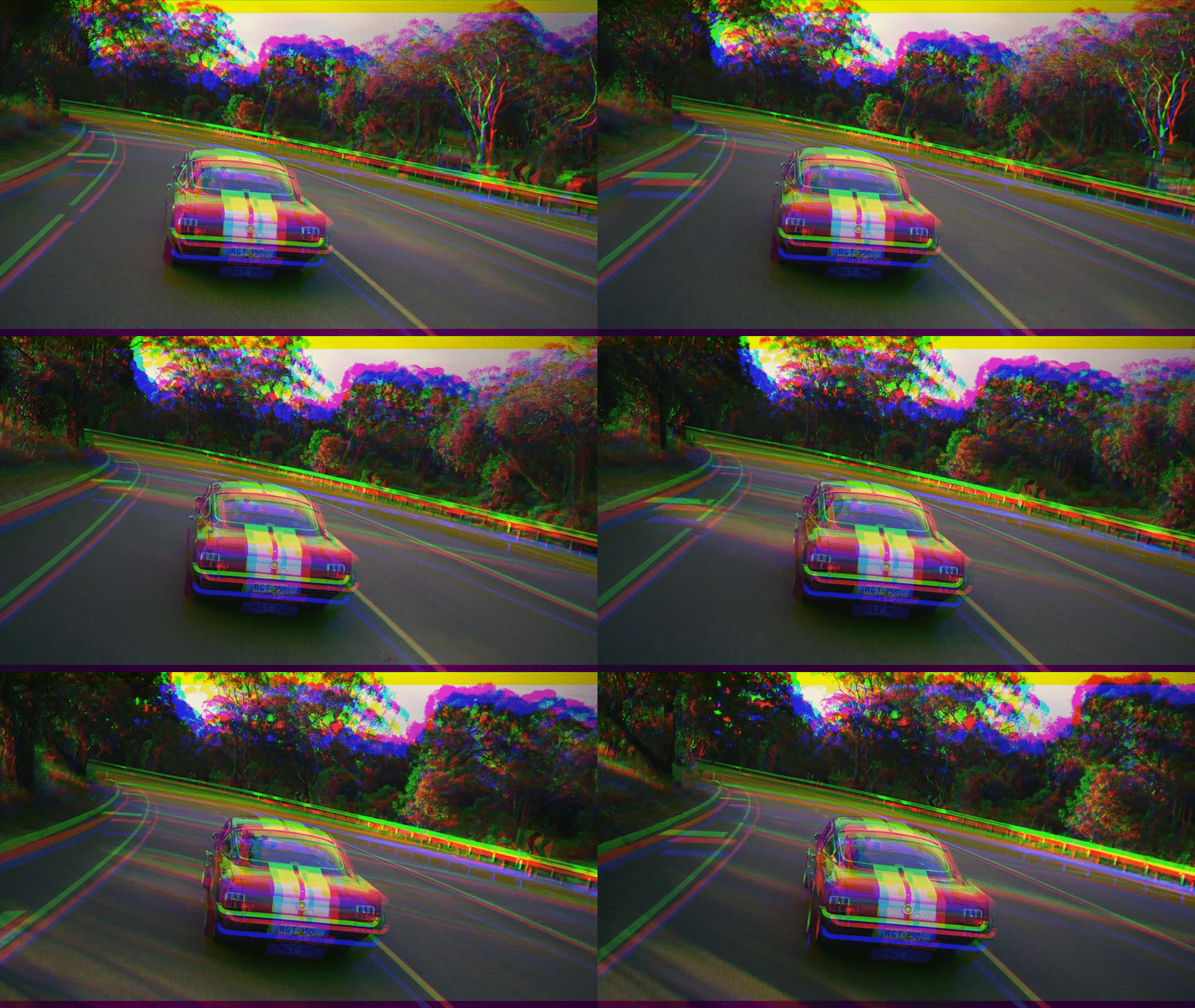
RGB Controls
Achieve the classic RGB split effect with the click of a button. The perfect tool for any glitch art toolbox.
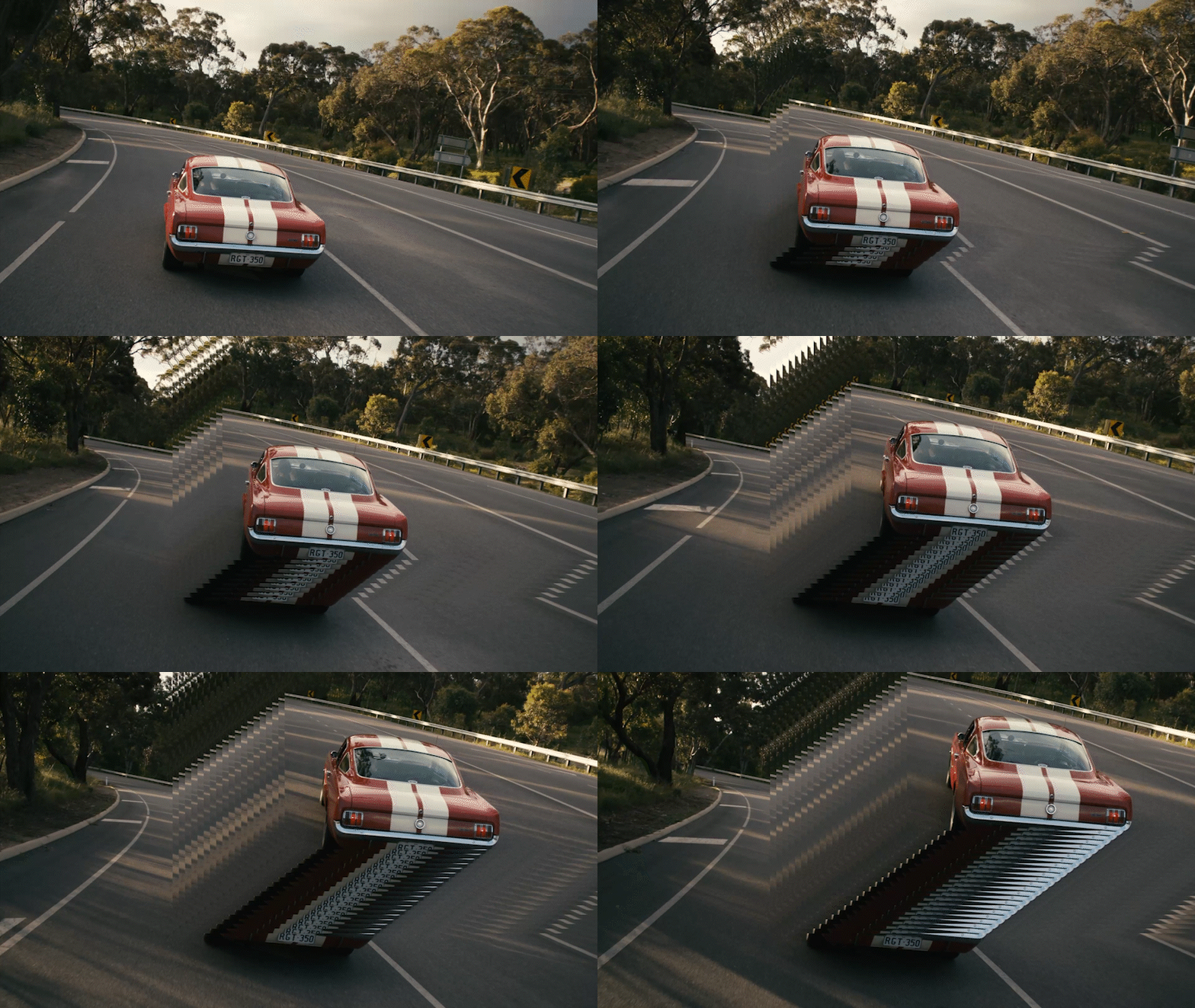
Displacement
Easily animate choppy glitch effects with the displacement module. Use it once for a simple repetition or add multiple instances to get really crazy.
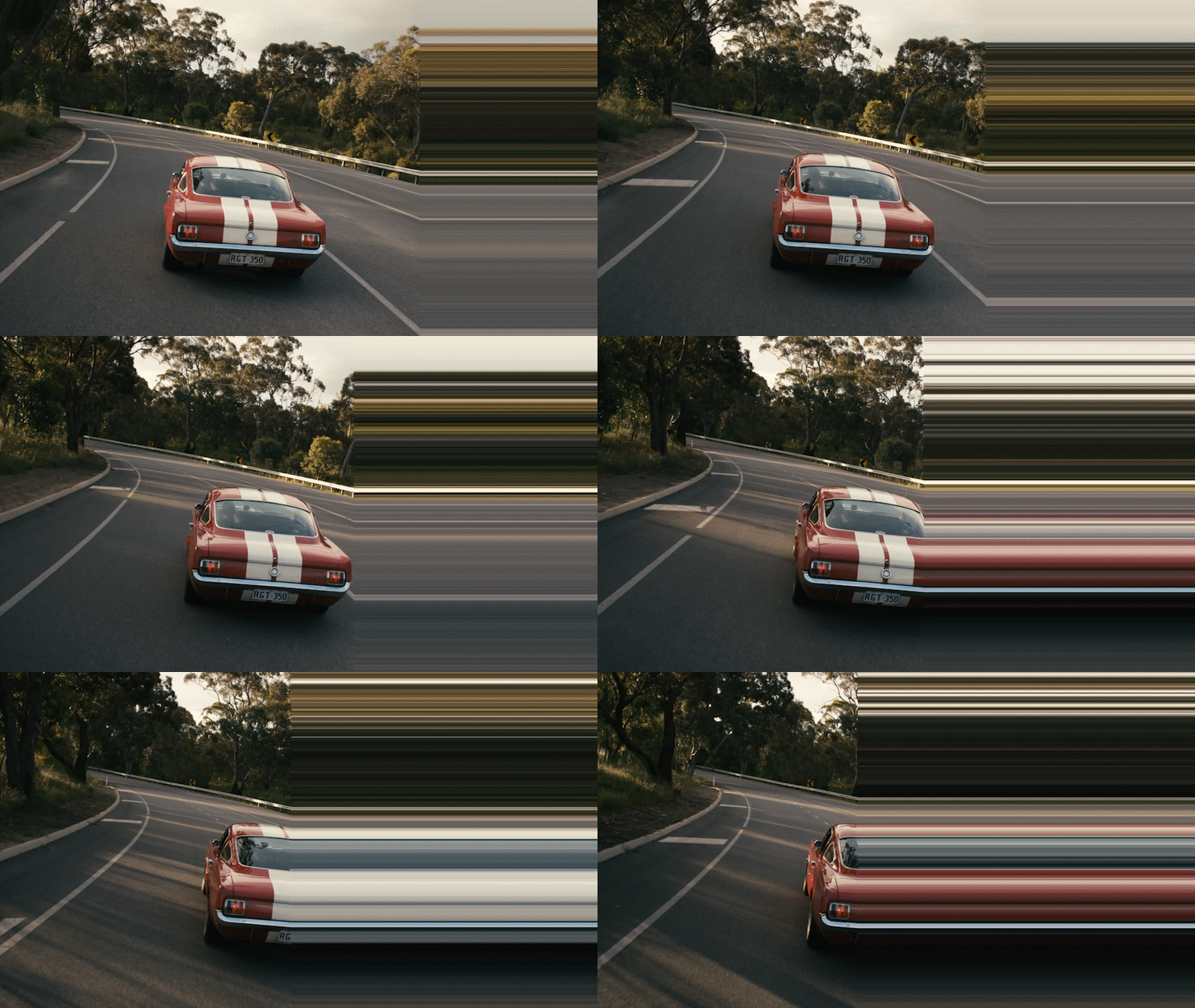
Stretch
Stretch your pixels across the screen in classic glitchy fashion. Use it alone to transition between clips or blend it with other modules for added flair.

Color Cycle
Quickly create psychedelic sequences from any footage. Perfect for adding that extra kick to your project.
Glitch Control: Built For Speed And Ease
You shouldn't have to fight your tools, they should work with you. That's why Glitch Control was built with one goal in mind, to make glitch effects quick, easy, and controllable. Now you can achieve glitch effects in seconds, not hours. All from one plugin.
Effect Controls
| After Effects | 2022, 2021, 2020, CC 2019, CC 2018, CC 2017, CC 2015.3, CC 2015, CC 2014, CC, CS6, CS5.5, CS5 |
|---|---|
| Premiere | 2022, 2021, 2020, CC 2019, CC 2018, CC 2017, CC 2015.3, CC 2015, CC 2014, CC, CS6, CS5.5, CS5 |
1.0.3 (Current version) - Apr 14, 2022
1.0.2 - Mar 23, 2022
- Added native Apple Silicon support
- Fixed a bug preventing compatibility with Premiere Pro 2022
- Changed category within AE and Premiere Pro from "Will Cecil" to "MEGAKRUNCH"
- Updated aescripts licensing framework to V4.0.2
1.0.1 - May 26, 2021
-
- Compatibility After Effects
AEMap
A dockable scripts panel that builds maps for you directly in AE.Add to Cart
Use the build in boundaries and jurisdictions or import your own. Colorize the shapes or masks based on data. Precompose by jurisdiction. Use different projection types like mercator, equirectangular, aitoff and more. It comes with the "AEMap Utilities" which contains tools for dealing with a bunch of layers and nested comps. -
- Compatibility After Effects
Nebulosity
Add to CartNebulosity is a GPU-accelerated After Effects plugin. It generates volumes with help of Noise, Layers and Ramps that can be colorized with different techniques. Creates nebulas, galaxies, clouds, smoke and more.
-

- Compatibility Premiere
Motion Presets for Premiere Pro
Add to CartA handy tool to make animations in Premiere Pro
-
- Compatibility After Effects
- Compatibility Premiere
Data Glitch 2
Add to CartData Glitch is a native After Effects & Premiere Pro plugin that creates awesome realistic digital image glitches with total ease.
$49.99 As low as: $39.99 -

- Compatibility After Effects
Fixel LightIT 2
Add to CartFixel LightIT is a color correction plugin based on non-linear masking to identify the shadows in the image. The result is an image with optimized colors and revealed details in the dark regions. LightIT is fast, effective and simple to use.
Owners of previous versions of Fixel LightIT are entitled to 50% discount..
-
- Compatibility After Effects
Bad TV Render Only
Add to CartBad TV Render Only License. This license can only be used on headless render machines using the command line renderer and you must own at least 1 full license of Bad TV in order to purchase them. You can purchase a normal full Bad TV license here.
-
- Compatibility After Effects
- Compatibility Premiere
Pixel_Encoder
Add to CartModular effect plugin for Adobe After Effects and Premiere Pro. Easily create eye-catching pixel animations!
$39.00 -

- Compatibility After Effects
- Compatibility Premiere
Hacksaw
Add to CartDisplacement plugin for Adobe After Effects and Premiere Pro. Transform your footage with randomly generated displacement patterns.
$29.00