
Icon Mason
-
Compatibility Illustrator Please check exact version compatibility under the "COMPATIBILITY" tab below
 Adding to cart...
Open, import, and create IconJar icon archives directly in Adobe Illustrator on Mac and Windows
Icon Mason is an extension for Adobe Illustrator that works as a companion, not a a replacement, for IconJar. Of course, you don't have to have IconJar for Icon Mason to work. You can still open, import, and create IconJar archives that are 100% compatible with the IconJar app.
Windows Compatible
Until now, IconJar archives could only be used on a Mac. Now you can read and create IconJar archives on Illustrator for Windows.
Drag-n-Drop from IconJar files, directly in Illustrator
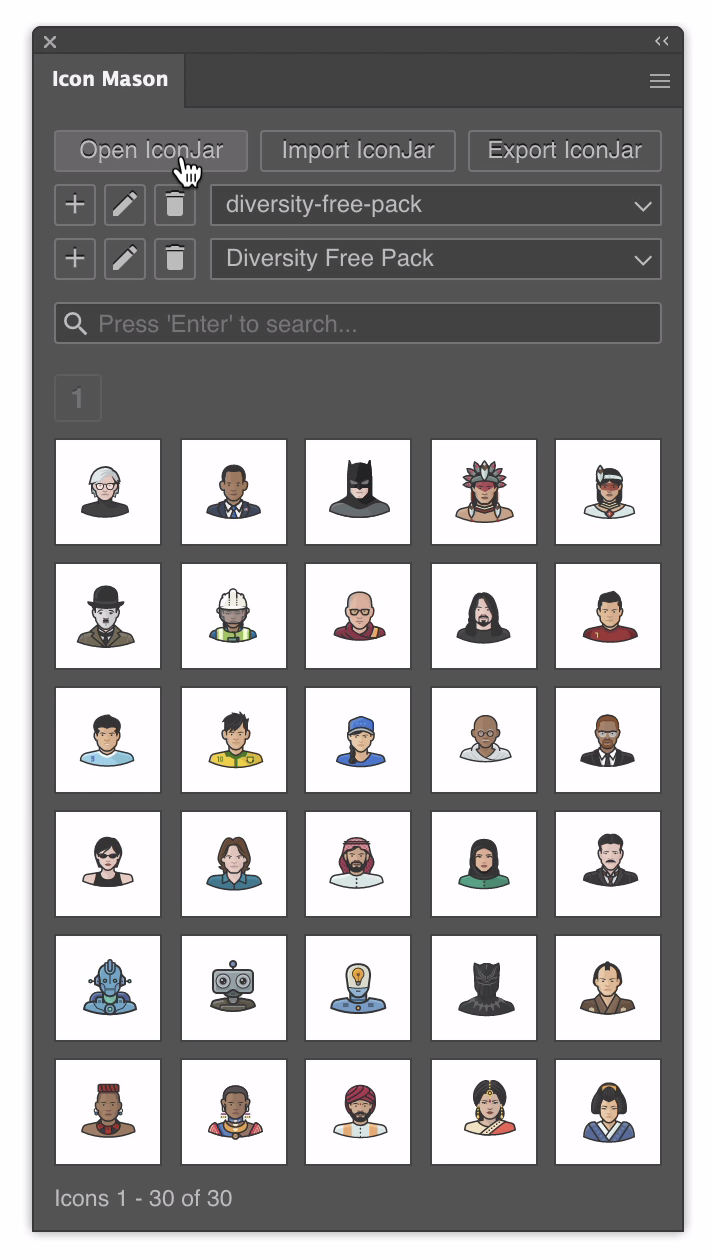
With Mason, you can open IconJar files, search, and drag-n-drop the icons without ever leaving Illustrator. Mason is a native extension that runs in a palette so you can add it to your workflow seamlessly.
Import the Icons to Artboards
Mason allows you to import the icons from your IconJar to individual artboards* in your Illustrator file. This is useful for icon designers who need to edit all of their icons in one place.
Export to IconJar Format
Export your artboards to IconJar format, fully compatible with the IconJar desktop app. With Mason you can create, edit, and export IconJar files directly from Illustrator.
Search by File Name and Tags
Mason uses fuzzy search to find your icons by file name and tags so you don't need to match the file name or tags exactly. You can also configure the search to be as strict or flexible as you like.
Add, Edit, & Replace Icons
With Mason, you can easily add, edit, and replace individual icons in the IconJar file. Add icons from your file system or by selecting the icon in Illustrator.
330 Free Icons
Icon Mason includes 300 free icons from Round Icons. If you like these, you'll love the full collection of over 40,000 icons - updated monthly with 1,000 new icons. Also included are 30 free icons from Diversity Avatars
User's Guide
Learn more about Icon Mason in the User's Guide
| Illustrator | 2020, CC 2019 |
|---|
1.2 (Current version) - Aug 22, 2021
- Replace `Export IconJar` button with `Save As...` button
1.1 - Aug 17, 2021
- Add support for https://iconset.io import
- Add support for https://iconset.io export
1.0.2 - Aug 10, 2021
1.0.1 - Nov 29, 2020
- Fix a bug in feature to open ZIP archives. Now supports any file structure
1.0.0 - Nov 17, 2020
-

- Compatibility After Effects
fS•Texture Palette
Add to CartA collection of custom handmade animated and still textures plus some useful animated shapes. They work best with Ray Dynamic Texture but can be used alone as well.
-

- Compatibility After Effects
Style Box
Add to CartCreate unique styles for Text, Shapes and pre-comps.
-
- Compatibility Nuke
smartElements for Nuke
Add to CartsmartElements is a 2D, 3D and toolsets manager for Nuke that lets you easily categorize, browse and re-use your favorite elements and assets. Build up a pool of commonly used media for you and your team. smartElements contains multiple features that can be customized to your needs and if you have some programming knowledge you can take over full control and create your own custom pre- and post processors that run when ingesting media.
-

- Compatibility After Effects
- Compatibility Photoshop
- Compatibility Premiere
- Compatibility Cinema 4d
- Compatibility Nuke
Set Matte Texture Pack 01
Add to CartHigh-quality moving textures designed for animation.
-
- Compatibility After Effects
Looper Pack
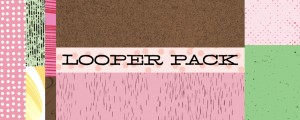
40 looping, animated textures for After Effects. Available as a Ray Dynamic Texture-ready After Effects project, or as lossless 2K (2048 x 1556) QuickTime movies or PNG sequences.Add to Cart -
- Compatibility After Effects
- Compatibility Premiere
Animated Textures
Add to CartThis product has been discontinued. You can now purchase all Mister Horse products through a single subscription plan.