
pt_OpenSesame Server
-
Compatibility After Effects Please check exact version compatibility under the "COMPATIBILITY" tab below
 Adding to cart...
 OpenSesame Server provides a fully automated API based solution for project customization, versioning and rendering to generate content on demand, using either the JSON API for web apps or regular text files that can be edited in a spreadsheet.
Set up any number of project templates and change many things including text, footage, property values, layer switches and render queue items. Changes are made by submitting a text file to a watch folder, whether that's across a network, from a mobile device, database or web app.
OpenSesame Server creates detailed log files, has built-in error handling, can automatically restart and continue rendering or send alerts in case of any failures. You can abort renders remotely and easily prioritize tasks.
You can have multiple computers running OpenSesame Server to process and render submissions simultaneously, or have one computer modify the projects and save them for processing on a render farm. It's compatible with the After Effects Render Engine, so you can easily set up a render farm to generate high volumes of content on demand.
IMPORTANT NOTE: OpenSesame is required to set up your project templates for use with OpenSesame Server.
Trial Version
To request a trial version please open a support request.
OpenSesame Server Demo
Basic Workflow
- Use OpenSesame to set up a project template, selecting the parts you want to be editable.
- Export from OpenSesame as either a JSON, or tab (TSV) or comma (CSV) separated text file.
- Read the JSON file into a web app, generate a web form or link to a database, or open the tab or comma separated text file into a spreadsheet app like Excel.
- Launch OpenSesame Server and set it to monitor a watch folder.
- Submit text files containing any changes to the watch folder to be processed and either rendered or sent to a render farm.
Helper Script Support
Use helper scripts to extend OpenSesame's functionality in all kinds of ways, or to make changes that would otherwise be difficult to accomplish just by altering the text values file. You can run as many helper scripts as you like, and choose whether they run before or after any renders are completed.
Along with some built-in helper scripts, there are other scripts which are also compatible with OpenSesame Server automation including pt_ImportSubtitles, TM_ArabicText and TM_HebrewText. Custom helper scripts are also relative easily to write for anyone with some basic AE scripting knowledge.
Optional Service Level Agreement (SLA)
OpenSesame Server comes with an extensive pdf guide explaining all its features, and we provide free installation support.
If you require:
- additional support for help with your specific workflow set up
- advice on creating project templates
- helper scripts
- manual license de-activations (regardless of the reason)
- priority feature requests
you will need to purchase a service-level agreement (SLA).
It is sold in months and can be purchased below with volume discounts.
Click the Add To Cart button below then Go To Shopping Cart and set the quantity to the required number of months.
| Qty | Price |
| 1 month | $249.99 each |
| 3 months | $224.99 each |
| 6 months | $187.49 each |
| 12 months | $124.99 each |
| After Effects | 2024, 2023, 2022, 2021, 2020, CC 2019, CC 2018, CC 2017, CC 2015.3, CC 2015, CC 2014, CC, CS6, CS5.5, CS5 |
|---|
1.75 (Current version) - Dec 5, 2019
Compatibility with macOS Catalina
1.74 - Aug 5, 2019
Fixed issues related to Master Properties and added Edit List support in CC2019+
Prevent renders with missing footage (caused hang in CC2015+)
1.73 - Aug 13, 2018
1.72 - Jun 24, 2018
1.71 - May 14, 2018
1.7 - Apr 16, 2018
New ExportToAME and OpenURL helper scripts included
Comp name is now editable
Expressions on text source property now editable
Ability to save project to multiple paths.
Option to close project on completion
Option to purge cache before renders
Full text projects now support Render Options and Helper Scripts.
Post render scripts can run even if nothing is being rendered
More flexibility for OSS and helper script locations related to Startup folder
Relative paths now work correctly for JSON imports
Imports correctly if text 'Values' have been omitted
Editing text now works on locked layers
Fix for help window not closing on Windows
Fix for drop-downs on Windows HiDPI displays
Various improvements and bug fixes
1.6 - Dec 16, 2015
Ability to specify text encoding
Preserves eases when changing keyframe times using editable values import
Bug fixes
1.502 - Sep 20, 2014
1.501 - Sep 4, 2014
1.5 - Aug 4, 2014
-
- Compatibility After Effects
pt_OpenSesame
Export projects for spreadsheet editing, template versioning and server automation, create backwards compatible projects for any version back to CS3. OpenSesame truly opens up the After Effects project format.Add to Cart -

- Compatibility Cinema 4d
File Sequence Exporter for Cinema 4D
Add to CartExport each frame of a Cinema 4D scene animation to a separate .c4d or .obj file.
-

- Compatibility After Effects
Font Collect
Add to CartAutomatically collects project fonts. Just like how After Effects collects footage!
$18.99 -

- Compatibility After Effects
AEInfoGraphics 2
Add to CartCreate beautifully animated infographic charts from a connected spreadsheet or directly entered data with real-time previews.
-

- Compatibility After Effects
Path Me!
Add to CartCopy asset paths from the project panel, timeline, or render queue with a single click. Importing assets from paths is just as simple.
-

- Compatibility After Effects
Locations
Create 2D and 3D geo located markers on equirectangular, mercator, gallpeters, hammer, sinusoidal and aitoff maps or projected onto a sphere. In other words, add map location data to your After Effects comp quickly and easily!Add to Cart
-
- Compatibility After Effects
pt_Multiplane
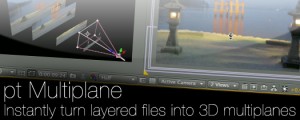
Add to CartInstantly turn layered Photoshop or Illustrator files into 3D multiplanes. It adds expressions that let you freely move layers on the z axis without changing the look of the shot from the original camera position, making it easy to experiment with depth in your scene.
$34.99 -

- Compatibility After Effects
pt_LayerMarkers
Split layers using their layer markers, or add markers at cut points to assist comp navigation.Add to Cart$9.99 -

- Compatibility After Effects
TypeMonkey Hebrew Text Modifier
This "Text Mod" allows you to use Hebrew text in TypeMonkey, pt_ImportSubtitles, pt_OpenSesame and pt_OpenSesame Server. Please note that you need to own one of those products in order to use this add on.Add to Cart$19.99 -

- Compatibility After Effects
pt_SearchAndEditBundle 2
Get three awesome tools for the price of two. pt_EffectSearch 3, pt_ExpressEdit 2 & pt_TextEdit 2Add to Cart$79.99 -

- Compatibility After Effects
pt_ShiftLayers
Quickly shift or stagger selected layers in time.Add to Cart$9.99 -
- Compatibility After Effects
pt_OpenSesame
Export projects for spreadsheet editing, template versioning and server automation, create backwards compatible projects for any version back to CS3. OpenSesame truly opens up the After Effects project format.Add to Cart$69.99