
SkyBox 360 Post FX
-
Compatibility After Effects Please check exact version compatibility under the "COMPATIBILITY" tab below
 Adding to cart...
 Mettle Skybox Suite of plugins will be exclusively available as part of the Creative Cloud membership. Adobe is targeting to release the integrated functionality before the end of the year. You can expect to hear and see lots of exciting news before the end of the year.
Click here for more details
SkyBox 360 Post FX is a set of seamless post effects for cinematic 360|VR Production in After Effects. They can be applied to stitched 360° footage with no distortion along the seams.
Apply SkyBox Post FX directly on imported 360° footage, or on an Adjustment layer. We currently support Equirectangular format, either mono 2:1 or Stereo 1:1 over-under. SkyBox 360 Post FX complement our other 360/VR plugins for Adobe After Effects: SkyBox and SkyBox Studio and our free SkyBox VR Player.
Buy the SkyBox Suite Bundle and save 50%
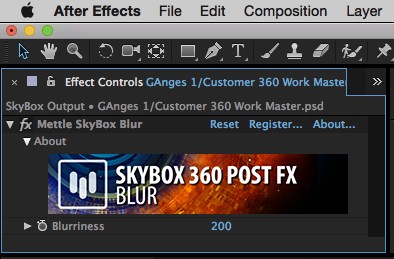 |
SkyBox 360 Post FX - BlurBlurriness: Represents convolution kernel radius. |
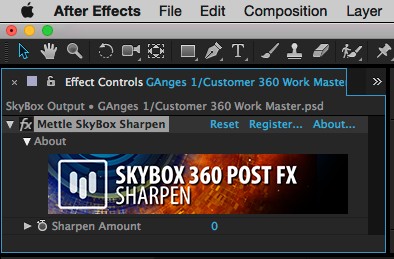 |
SkyBox 360 Post FX - SharpenSharpen Amount: Adjusts relative sharpen amount between 0 and 100 (max). |
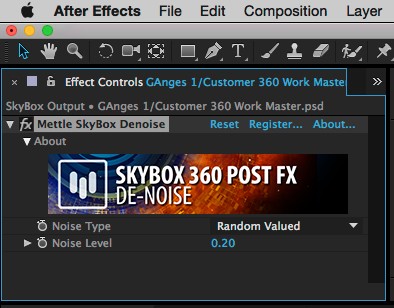 |
SkyBox 360 Post FX - De-NoiseNoise Type: Choose noise type to suppress: Random Valued or Salt-and-Pepper (black and/or white speckles). Noise Level: Adjust hypothetical input noise level until best output result is found. |
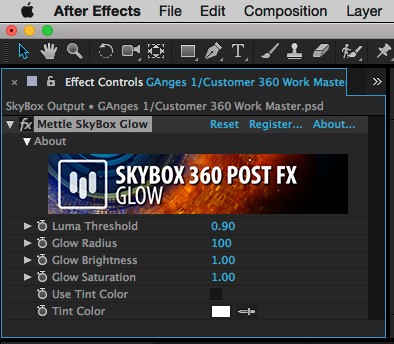 |
SkyBox 360 Post FX - GlowLuma Threshold: Defines image region that will glow, i.e. regions where luma (brightness) is more than a threshold, between 0.0 (black) and 1.0 (white). Glow Radius: Defines radius of glowing halo, in pixels. Glow Brightness: Multiplier for glow brightness intensity, default is 1.0. Glow Saturation: Multiplier for glow saturation (color) intensity, default is 1.0. Use Tint Color: Use Tint Color: Tint Color: Choose tint color, which has effect only when Use Tint Color is checked. |
| After Effects | CC 2015.3, CC 2015, CC 2014, CC, CS6 |
|---|
1.73 (Current version) - Apr 24, 2017
* Optimized architecture (MOM)
* CUDA 7.5 support added (macOS)
* Suite SKU support added
* Bug fixes
1.67 - Feb 21, 2017
1.66 - Feb 20, 2017
1.65 - Jan 17, 2017
1.62 - Oct 25, 2016
* Layer scaling support in AE fixed.
1.61 - Sep 15, 2016
* New param added: “Frame Layout”.
Supported layouts are: Monoscopic, Stereoscopic Over/Under;
* Memory management improved to avoid potential memory leaks;
* Bug fixes.
1.0.1 - Jun 27, 2016
1.0 - Feb 17, 2016
-
- Compatibility After Effects
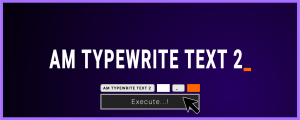
AM Typewrite Text 2
Add to CartNEW: Keyframable Pseudo Effect Control. Create a typewriter effect in After Effects with single button click. Paragraph and Right-to-Left languages supported.
-

- Compatibility After Effects
I Ate Mushrooms
Add to CartNow with Text-to-Image mode! Available for macOS (>11.5) and Windows! ! A neural network based image and noise generator.
-
- Compatibility After Effects
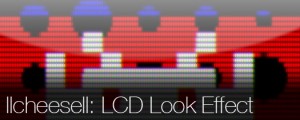
LCDeffect
Allows you to get the look of LCD (or you may see like CRT) like effect in 1-click.Add to Cart -
- Compatibility After Effects
pt_EffectSearch 3
Add to CartSearch for effects used in your AE project. Find missing effects or where effects have been used, turn them on/off, delete them, or link them together to create cloned effect instances.
-

- Compatibility After Effects
pt_SearchAndEditBundle 2
Get three awesome tools for the price of two. pt_EffectSearch 3, pt_ExpressEdit 2 & pt_TextEdit 2Add to Cart$79.99 -
- Compatibility After Effects
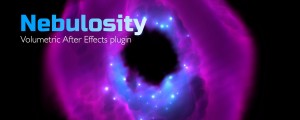
Nebulosity
Add to CartNebulosity is a GPU-accelerated After Effects plugin. It generates volumes with help of Noise, Layers and Ramps that can be colorized with different techniques. Creates nebulas, galaxies, clouds, smoke and more.
-
- Compatibility After Effects
- Compatibility Premiere
Mantra V2
Add to CartStep into AR Content Creation in After Effects and Premiere Pro. Includes 360/VR VFX to stlylize footage
$229.00 -
- Compatibility After Effects
FreeForm Pro
Pro-Level 3D Mesh Warp Plug-in for After Effects. Use with GEOlayers to create 3D terrains based on real data. Purchase them together and save 25%Add to Cart
$199.00 -
- Compatibility After Effects
- Compatibility Premiere
Mettle Flux
Add to Cart3D Volumetric Fractal Flames. Create beautiful backgrounds, Nebulas and sci-fi fx, in traditional and 360/VR formats.
$229.00 -
- Compatibility After Effects
- Compatibility Premiere
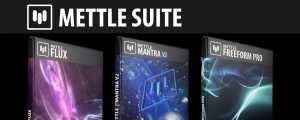
Mettle Super Suite
Add to CartGet all the Mettle plugins and save: Mettle Flux, Mantra V2 and Freeform Pro
Suite price: $499 Bought separately: $657 Save $158
Regular Price: $657.00
Special Price: $498.99