
SkyBox 360/VR Transitions Pack 1
-
Compatibility Premiere Please check exact version compatibility under the "COMPATIBILITY" tab below
 Adding to cart...
 Mettle Skybox Suite of plugins will be exclusively available as part of the Creative Cloud membership. Adobe is targeting to release the integrated functionality before the end of the year. You can expect to hear and see lots of exciting news before the end of the year.
Click here for more details
SkyBox 360/VR Transitions is a set of seamless transitions for cinematic 360|VR Production in Premiere Pro.
They can be applied to as transitions to stitched 360° footage with no distortion.
- Many customisable features per transition
- Made for editing 360 footage in Premiere Pro
- Installs into: Video Transitions > Mettle 360/VR
- Compatible with Equirectangular format: mono 2:1 or Stereo 1:1 over-under.
Buy the SkyBox Suite Bundle and save 50%
SkyBox 360/VR Transitions addresses one of the challenges of editing 360 footage: how to transition between different clips. Unlike linear film, where straight cuts or dissolves can be used effectively, in 360 editing, sometimes a straight cut or simple transition between footage can have a jarring effect on the Viewer. SkyBox 360/VR Transitions offers seamless 360 transitions that are designed to offer smooth visual transitions between any type of 360 footage.
Drag-and-Drop: Seamless and smooth transitions between any type of footage in Premiere Pro.
SkyBox 360/VR Transitions - Mobius Zoom
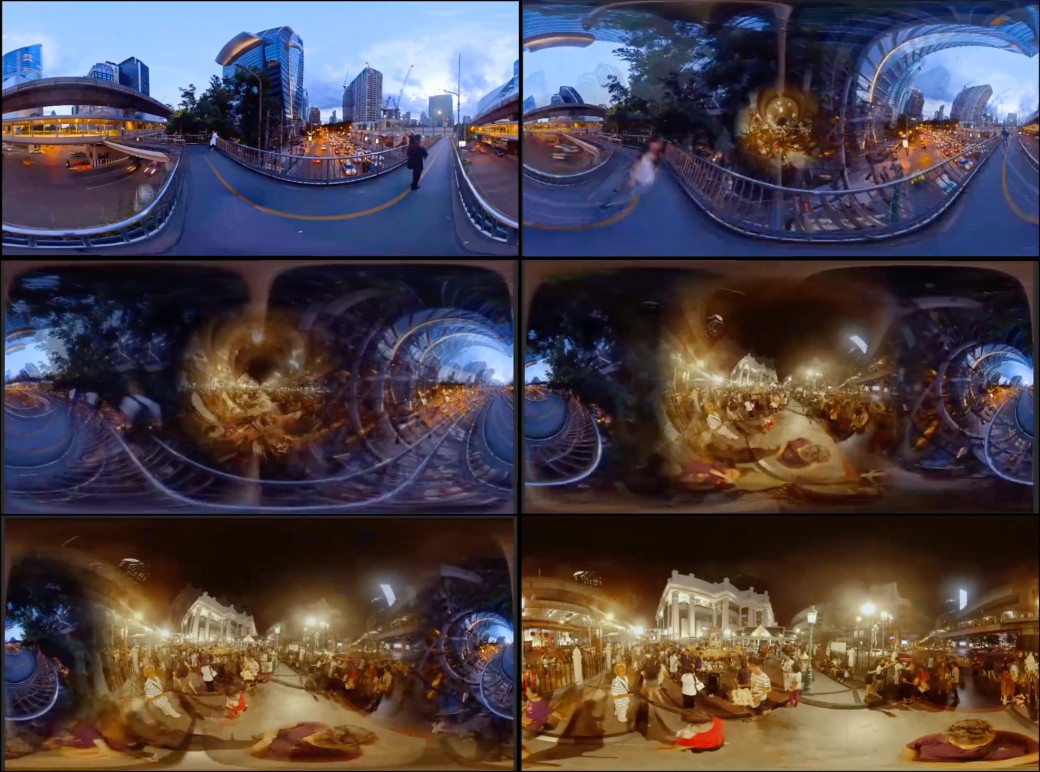
SkyBox 360/VR Transitions - Mobius Zoom
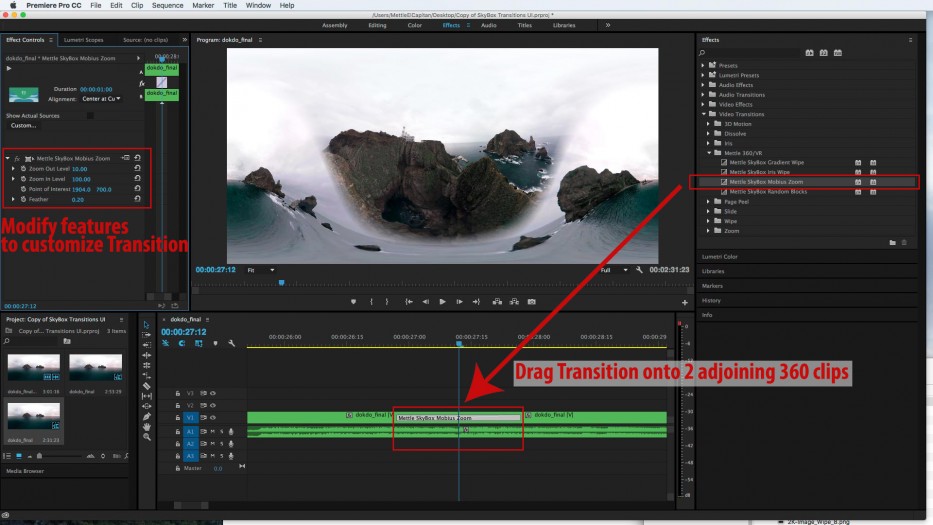
Change Point of Interest, region of Equirectangular footage where transition originates
Vary “Zoom In” and “Zoom Out” level of footage
Feather control for Transition edges.
SkyBox 360/VR Transitions - Gradient Wipe
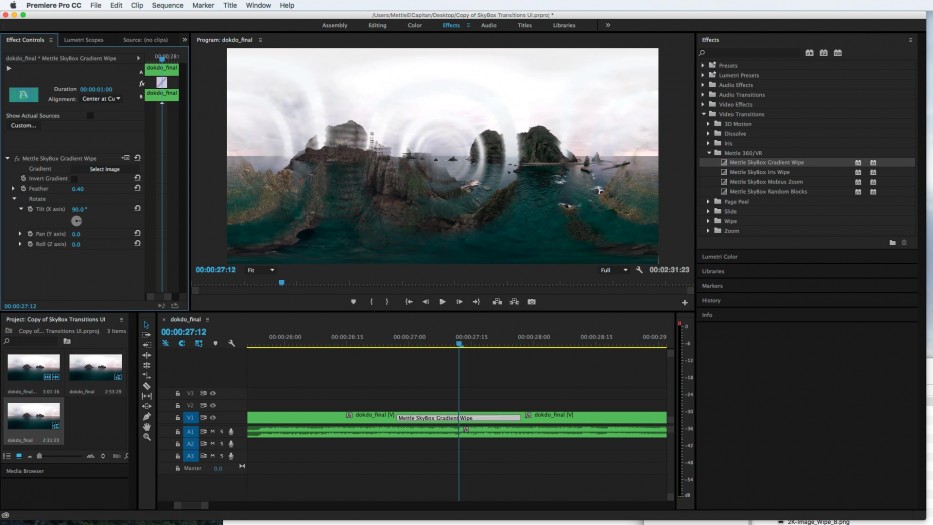
Import an Equirectangular image to use as a transition
Rotate Transition on the X, Y, and Z axis
Feather control for Transition edges.
Gradient wipe can be inverted
SkyBox 360/VR Transitions - Random Blocks
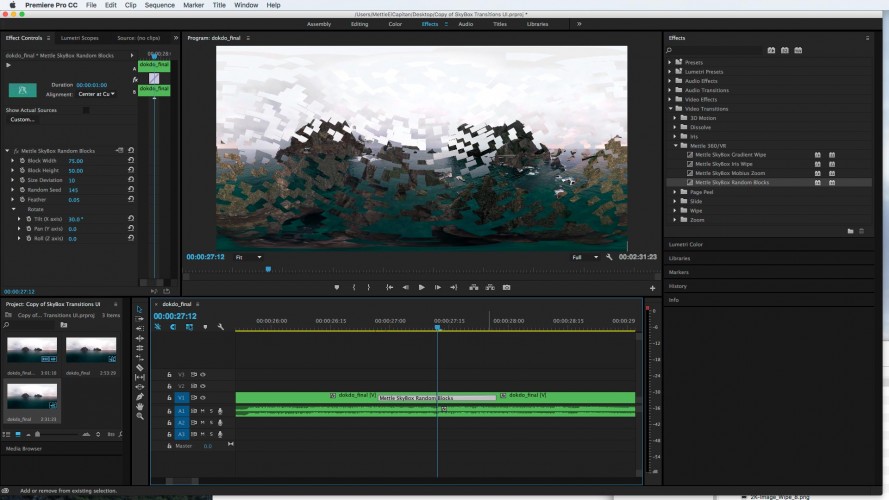
Adjust Block Width and Block Height
Adjust Size Deviation
Adjust Random Seed
Rotate on the X, Y and Z
Feather control for Transition edges
Example: Random Blocks
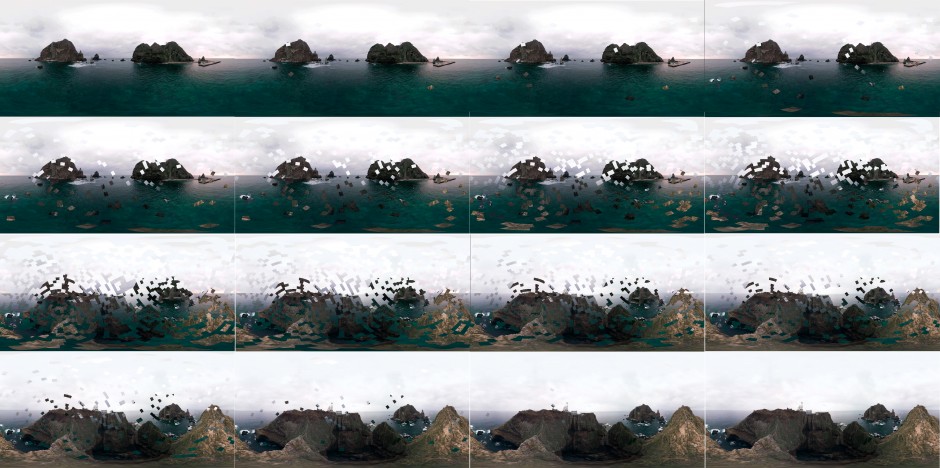 .
.SkyBox 360/VR Transitions - Iris Wipe
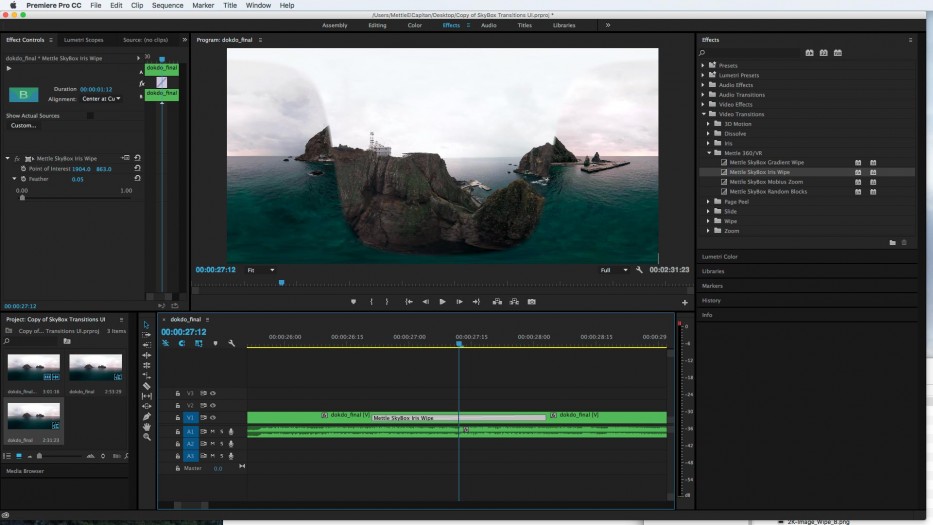
Change Point of Interest, region of Equirectangular footage where transition originates Feather control for Transition edges
Downloads
| Premiere | CC 2017, CC 2015.3, CC 2015, CC 2014, CC, CS6 |
|---|
1.18 (Current version) - Apr 24, 2017
* Suite SKU support added
1.17 - Mar 12, 2017
1.16 - Feb 20, 2017
* Dual NVIDIA GPU support fixed for CUDA rendering;
* Fixes for Over/Under format support in Gradient Wipe.
1.1 - Jan 9, 2017
* Stability improvements.
1.03 - Nov 4, 2016
1.02 - Sep 7, 2016
* Some installation issues fixed.
1.01 - Sep 15, 2016
-
- Compatibility After Effects
- Compatibility Premiere
- Compatibility Davinci Resolve
Glitch Preset Pack for TRANSITION MASTER 2
Add to CartGLITCH PRESET PACK for TRANSITION MASTER 2 BASIC and TRANSITION MASTER 2 PRO
-

- Compatibility After Effects
Auto Transition Builder
Add to CartAdd different transitions to a large number of layers in a very short period of time. Automate and speed up your video editing process!
-

- Compatibility Final Cut Pro
Slash Transitions for Final Cut Pro X
Slash and wipe. Variable slash bars create an awesome transition effect in Final Cut Pro X.Add to Cart -
- Compatibility After Effects
Transform Pack for Transformer
Add to CartTransform Pack is fifty ready-made presets for the Transformer 2 which allow you to get a wonderful result with one click. Please note that you must own Transformer 2 to use this pack.
-

- Compatibility After Effects
anyFX360
Add to CartUse any traditional video effect you like with After Effects & 360° - seamlessly - with a click of a button.
Improve your 360°-workflow and extend the possibilities: With anyFX360 apply effects from the many included non-360°-aware After Effects filters to any other third-party effect from Red Giant, Red Giant/Universe, Boris/FX, Re:Vision Effects and many others. Seamlessly, edge to edge, with all the favorite 2D-effects you love. -
- Compatibility After Effects
- Compatibility Premiere
- Compatibility Nuke
- Compatibility Davinci Resolve
Transition Master 2 Basic
Native Transition Plugin for DaVinci Resolve, Adobe Premiere Pro and After Effects. Create, export and sell your own transitions or choose from a large transition presets library. It has never been that easy to create stunning native drag and drop transitions this quickly. NEW in Transition Master 2: Image Driven TransitionsAdd to Cart
-
- Compatibility After Effects
- Compatibility Premiere
Mettle Flux
Add to Cart3D Volumetric Fractal Flames. Create beautiful backgrounds, Nebulas and sci-fi fx, in traditional and 360/VR formats.
$229.00 -
- Compatibility After Effects
FreeForm Pro
Pro-Level 3D Mesh Warp Plug-in for After Effects. Use with GEOlayers to create 3D terrains based on real data. Purchase them together and save 25%Add to Cart
$199.00 -
- Compatibility After Effects
- Compatibility Premiere
Mantra V2
Add to CartStep into AR Content Creation in After Effects and Premiere Pro. Includes 360/VR VFX to stlylize footage
$229.00 -
- Compatibility After Effects
- Compatibility Premiere
Mettle Super Suite
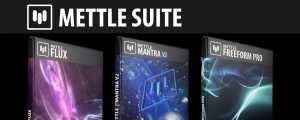
Add to CartGet all the Mettle plugins and save: Mettle Flux, Mantra V2 and Freeform Pro
Suite price: $499 Bought separately: $657 Save $158
Regular Price: $657.00
Special Price: $498.99